
1. Introduction
This manual provides detailed instructions for the installation, operation, and maintenance of your Beetel G30 Corded Landline Phone. Please read this manual thoroughly before using the device to ensure proper functionality and to take full advantage of its features.
Key Features:
- TEC Certified: Complies with Indian technical standards.
- 2-Way Speaker Phone: Allows hands-free communication with adjustable volume.
- LCD Display: Provides visual information including Caller ID, date, and time, with 3 levels of adjustable contrast.
- DTMF/FSK Compatible: Ensures compatibility with various telephone networks for Caller ID.
- Adjustable Volumes: Customize handset and ringer volumes.
- Music on Hold: Keeps callers engaged while waiting.
- Desk/Wall Mountable: Flexible installation options.
- Ringer LED: Visual alert for incoming calls.
2. Setup
2.1 Unboxing
Carefully remove all components from the packaging. The box should contain:
- Beetel G30 Landline Phone Unit
- Handset
- Coiled Handset Cord
- Line Cord
- User Manual (this document)
2.2 Connecting the Phone
- Connect the Handset: Plug one end of the coiled handset cord into the handset and the other end into the jack labeled with a handset icon on the side of the phone base unit.
- Connect the Line Cord: Plug one end of the line cord into the jack labeled with a telephone line icon on the back of the phone base unit. Plug the other end into your telephone wall jack.
- Power Connection: The Beetel G30 is a corded electric phone and draws power directly from the telephone line. No external power adapter is required.

Image: The Beetel G30 phone unit with its handset and coiled cord, illustrating the components for initial setup.
2.3 Mounting Options
The Beetel G30 can be placed on a desk or mounted on a wall.
- Desk Mount: Place the phone on a flat, stable surface. Ensure the cords are not tangled or obstructing pathways.
- Wall Mount: Use the integrated wall mount holes on the back of the phone. Secure two screws (not included) into the wall at the appropriate distance, then slide the phone onto the screws. Ensure the handset cradle is adjusted for wall mounting to prevent the handset from falling.

Image: The Beetel G30 is designed for both desktop placement and convenient wall mounting, offering flexible installation.
3. Operation
3.1 Basic Calling Functions
- Making a Call: Lift the handset or press the SPEAKER button. Wait for a dial tone, then dial the desired phone number using the alphanumeric keypad.
- Answering a Call: When the phone rings, lift the handset or press the SPEAKER button.
- Ending a Call: Place the handset back on the cradle or press the SPEAKER button again if using speakerphone.

Image: The alphanumeric keypad of the Beetel G30, used for dialing numbers and accessing various functions.
3.2 Caller ID and Call Memory
The LCD display shows incoming caller information (if subscribed to Caller ID service) and stores a history of calls.
- Caller ID Display: Upon an incoming call, the caller's number (and name, if available) will be shown on the LCD.
- Call Memory: The phone stores up to 40 incoming call records (with 10 digits). Use the UP and DOWN buttons to scroll through the call history.

Image: The Beetel G30 features Caller ID display and memory for up to 40 incoming calls, enhancing call management.

Image: The Beetel G30 is compatible with both DTMF and FSK Caller Line Identification (CLI) systems.
3.3 Speakerphone Function
The 2-way speakerphone allows for hands-free conversations.
- Activate Speakerphone: Press the SPEAKER button during a call or to initiate a call without lifting the handset.
- Adjust Speaker Volume: Use the VOL+ and VOL- buttons to adjust the speaker volume during a speakerphone call.

Image: The Beetel G30 features a 2-way speakerphone with adjustable receive volume for hands-free communication.
3.4 Volume Adjustments
- Handset Volume: Adjust the volume during a handset call using the VOL+ and VOL- buttons.
- Ringer Volume: The ringer volume can be adjusted to your preference. Refer to the phone's settings menu (usually accessed via a SET or MENU button) for specific steps.

Image: The Beetel G30 includes a Ringer LED that illuminates to indicate an incoming call.
3.5 Special Features
- Music on Hold: Press the HOLD button during a call to place the caller on hold with music. Press HOLD again to resume the conversation.
- Do Not Disturb (DND) Function: Activate the DND feature to silence incoming calls. Refer to the phone's settings for activation and deactivation.
- Alarm Clock Setting: The phone includes an alarm clock function. Set the desired time through the phone's menu.
- LCD Contrast Adjustment: Adjust the LCD display contrast (3 levels) for optimal viewing in different lighting conditions.

Image: The Beetel G30 offers convenient features such as an alarm clock setting and music on hold.
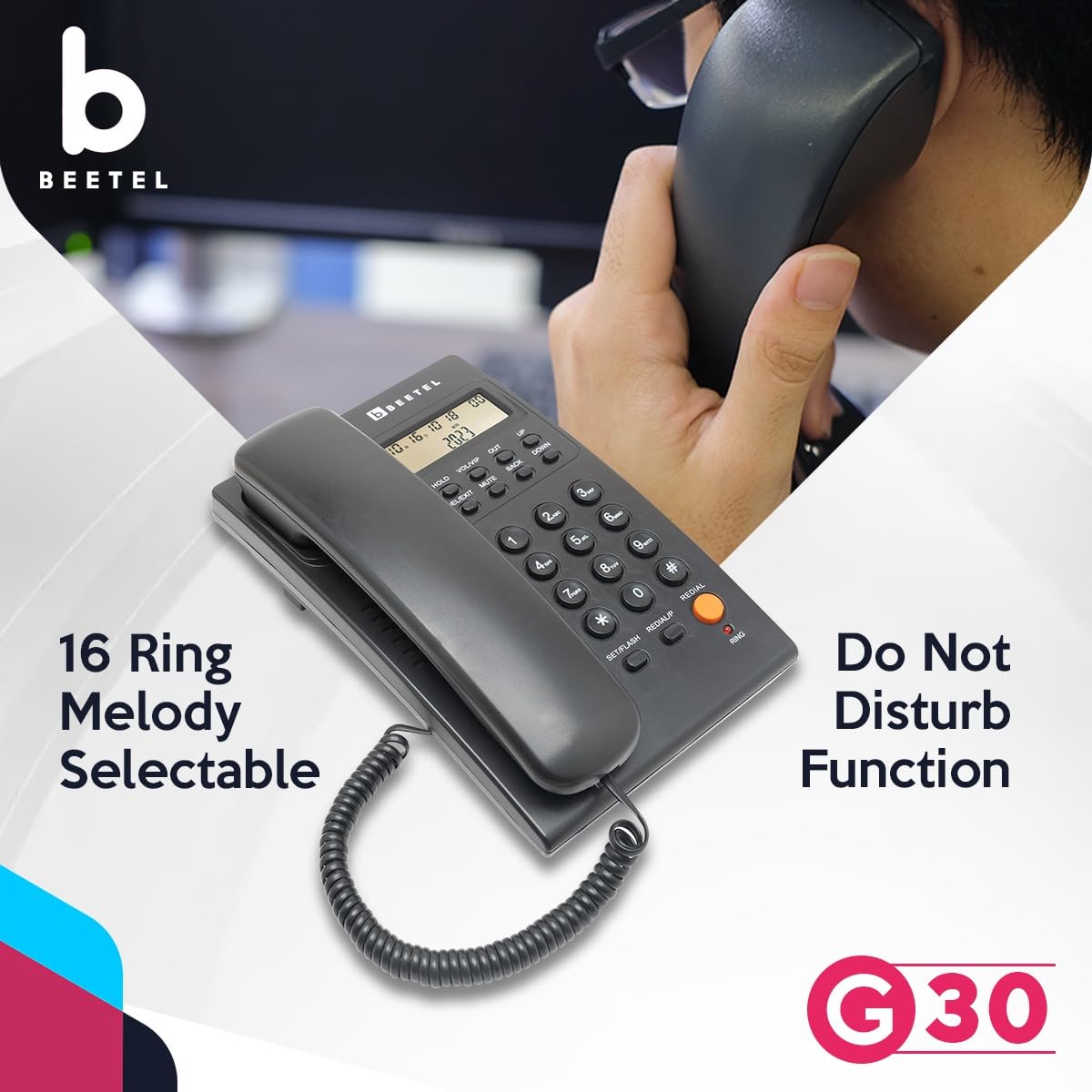
Image: The Beetel G30 allows selection from 16 ring melodies and includes a Do Not Disturb function.

Image: The Beetel G30 features a Do Not Disturb function to silence incoming calls when desired.

Image: The Beetel G30's LCD display offers 3 levels of adjustable contrast for optimal readability.
4. Maintenance
4.1 Cleaning
To keep your Beetel G30 phone in good condition:
- Wipe the phone's surface with a soft, damp cloth.
- Do not use abrasive cleaners, waxes, or solvents as they may damage the finish.
- Avoid spraying cleaning liquids directly onto the phone.
4.2 Storage
If storing the phone for an extended period, disconnect it from the telephone line and store it in a cool, dry place away from direct sunlight and extreme temperatures.
5. Troubleshooting
If you encounter issues with your Beetel G30, try the following solutions before contacting support:
| Problem | Possible Cause | Solution |
|---|---|---|
| No dial tone | Line cord not connected properly; telephone service issue. | Ensure line cord is securely plugged into both the phone and the wall jack. Test with another phone if possible to check line service. |
| No display on LCD | Contrast setting too low/high; phone line issue. | Adjust LCD contrast. Check line cord connection. |
| Caller ID not displayed | Not subscribed to Caller ID service; service issue. | Contact your telephone service provider to confirm Caller ID subscription and service status. |
| Ringer not working | Ringer volume set to minimum or off; DND activated. | Increase ringer volume. Deactivate Do Not Disturb function. |
| Speakerphone volume too low/high | Volume not adjusted. | Use the VOL+ and VOL- buttons to adjust the speaker volume during a call. |
6. Specifications
| Feature | Detail |
|---|---|
| Model Number | G30 |
| Product Dimensions | 13 x 20.5 x 8 cm |
| Item Weight | 415 g |
| Colour | Black |
| Telephone Type | Corded Landline |
| Material | Plastic |
| Power Source | Corded Electric (Line Powered) |
| Call Conference | 3-way |
| Display Features | LCD Display with 3-level contrast |
| Caller ID Compatibility | DTMF/FSK |
| Country of Origin | India |
| Manufacturer | Beetel Teletech Limited |
7. Warranty & Support
For warranty information and technical support, please contact Beetel Teletech Limited directly. Keep your purchase receipt as proof of purchase for any warranty claims.
Manufacturer: Beetel Teletech Limited
For further assistance, refer to the official Beetel website or contact their customer service.