
1. Introduction
Thank you for choosing the Philips PPM5521 Knee Massager. This device is designed to provide targeted relief and relaxation to your knees through a combination of heat therapy, air compression, and massage. Featuring a cordless design and a convenient handheld controller, it offers a personalized and comfortable experience. Please read this manual thoroughly before use to ensure safe and optimal operation.
2. Safety Information
Please observe the following safety precautions to prevent injury or damage to the device:
- Consult a physician before use if you have any pre-existing medical conditions, are pregnant, have a pacemaker, or are undergoing medical treatment.
- Do not use the massager on swollen, inflamed, or injured areas of the skin.
- Avoid using the device while sleeping or in situations where you might fall asleep.
- Keep the device away from water and high humidity. Do not immerse in liquids.
- Do not disassemble, repair, or modify the device yourself. Contact authorized service personnel for any repairs.
- Keep out of reach of children.
- Use only the provided charging cable and adapter.
- If you experience any discomfort or pain during use, discontinue immediately.
- The heat function should be used with caution by individuals sensitive to heat or with poor circulation.
3. Package Contents
The Philips PPM5521 Knee Massager package includes:
- 2 x Philips Knee Massager Units
- 1 x Handheld Controller
- 1 x Type-C Charging Cable
- 1 x User Manual
4. Product Overview
The Philips PPM5521 Knee Massager combines advanced features for comprehensive knee care.

This image shows a user wearing both Philips knee massagers, connected to a handheld controller. The image highlights 'Airwave Technology' for 10-area air bag massage and 'Large-area Warm Compress on Knees'.
Key Features:
- Airwave Technology: 10-area air bags provide a wraparound compression massage.
- Warm Compress: Large-area heat therapy with 3 adjustable levels, reaching approximately 42°C (± 3°C).
- FloatFit Knee Protection Technology: Floated three-dimensional brace for knee joint protection.
- 3D Micro Curved Surface: Ergonomic design to closely fit the curvature of knee joints.
- Hollowed-out Design: Allows for free bending of knees without hindrance during use.
- Handheld Controller: Easy control of modes, intensity, and heat settings.
- Smart Voice Prompts: Provides audio feedback for operations and battery status.
- Built-in Battery: 4000mAh capacity for cordless operation, up to 90 minutes of use.
- Type-C Charging: Convenient and fast charging.
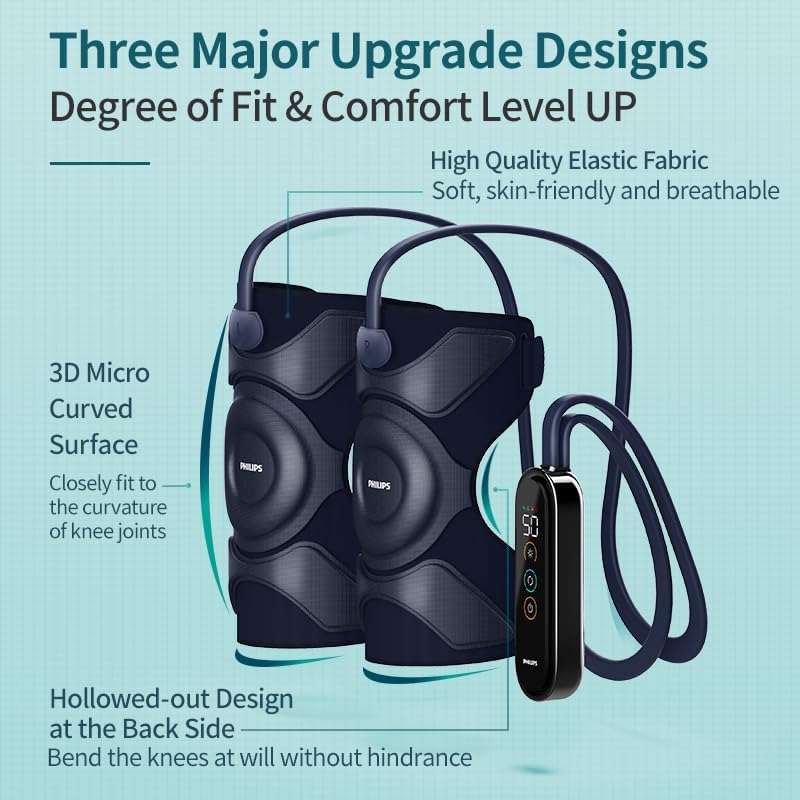
An illustration detailing the design upgrades: a 3D Micro Curved Surface for a close fit to knee joints and a Hollowed-out Design at the back for unrestricted knee bending. It also mentions high-quality elastic fabric.
Handheld Controller:
The controller features a display and control buttons for easy operation. Specific button functions are detailed in the Operating Instructions section.
5. Setup
5.1 Charging the Device
- Connect the Type-C charging cable to the charging port on the handheld controller.
- Plug the other end of the cable into a suitable USB power adapter (not included) or a USB port.
- The battery indicator on the controller display will show the charging status. A full charge provides up to 90 minutes of operation.
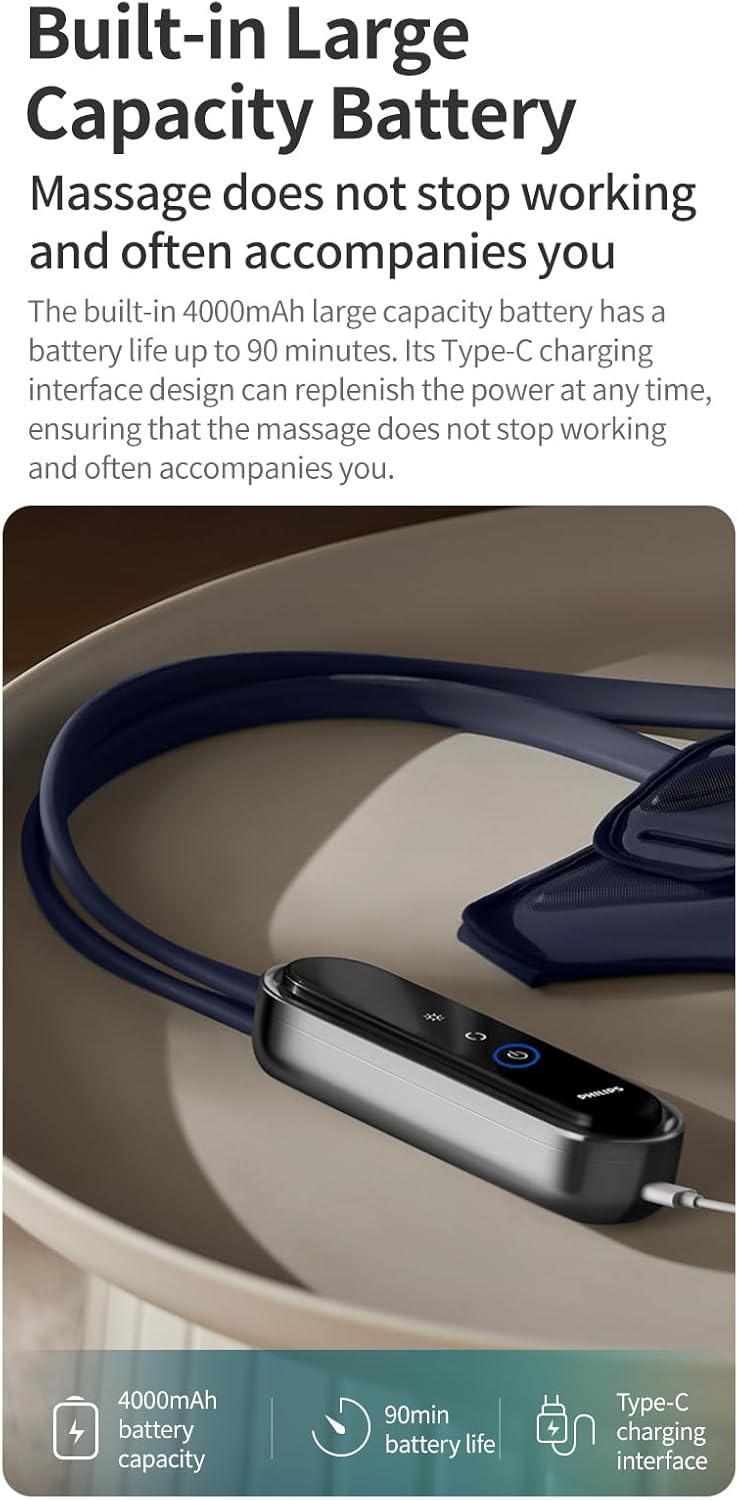
An image highlighting the handheld controller and its built-in 4000mAh large capacity battery, offering up to 90 minutes of use and featuring a Type-C charging interface.
5.2 Wearing the Knee Massagers
- Ensure the massager units are correctly oriented for each knee (left and right).
- Wrap the massager around your knee, ensuring the main massage area is centered over your kneecap.
- Secure the massager using the Velcro straps. Adjust the tightness for a comfortable yet snug fit. The ergonomic design allows for a 3D wraparound fit.
- The applicable range for the upper leg circumference is 34-48cm, and for the lower leg circumference is 30-40cm.
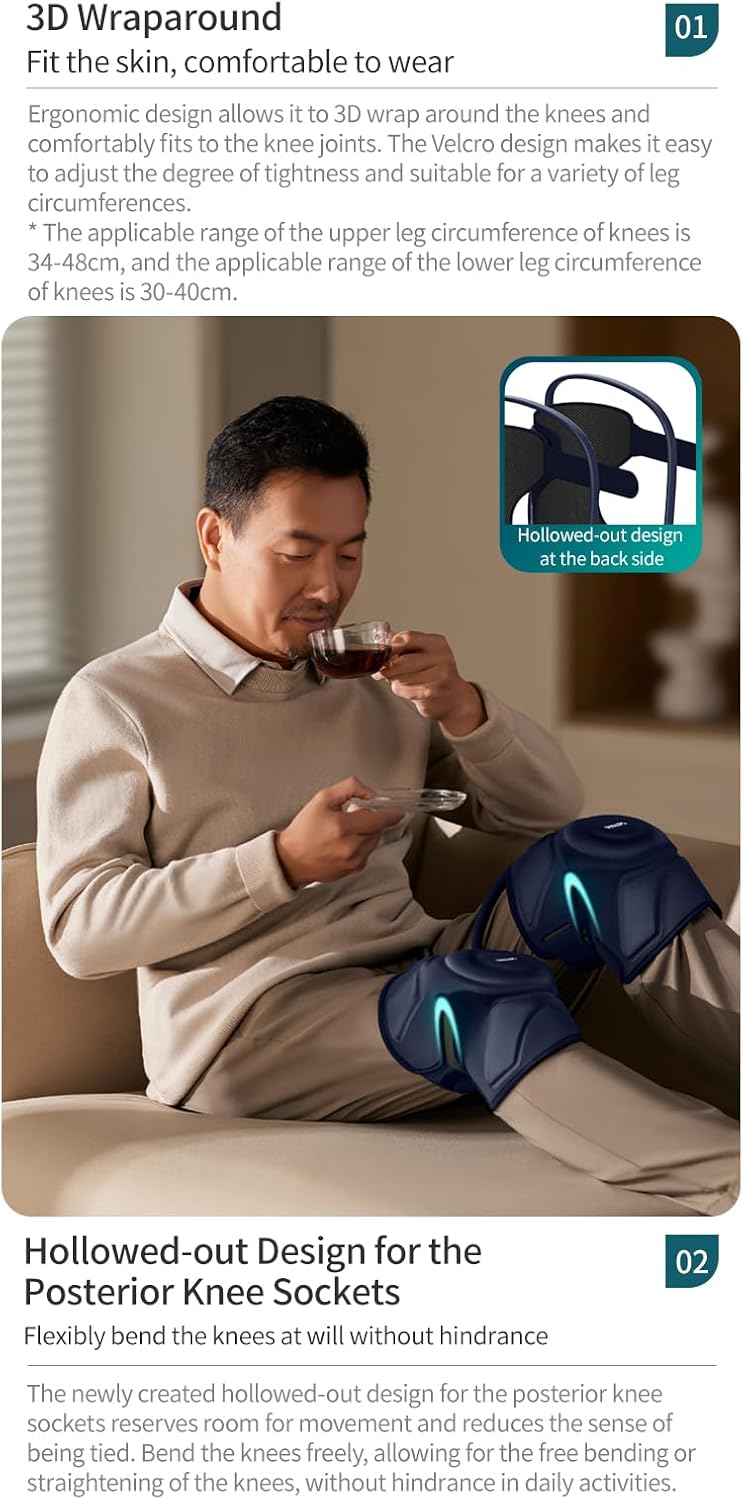
This image shows a person relaxing with the knee massagers, detailing the ergonomic 3D wraparound design for various leg circumferences (34-48cm upper, 30-40cm lower) and the hollowed-out design at the back for free movement.
6. Operating Instructions
The handheld controller allows you to manage all functions of the knee massager.
6.1 Power On/Off
- Press and hold the Power button on the handheld controller to turn the device on. A voice prompt will confirm "Massage On".
- Press and hold the Power button again to turn the device off. A voice prompt will confirm "Massage Off".
6.2 Selecting Massage Modes
The device offers four customizable massage modes. Press the Mode button (usually indicated by 'M' or a wave icon) to cycle through the available modes. The current mode will be displayed on the controller screen.
6.3 Adjusting Heat Level
The warm compress function has 3 adjustable levels. Press the Heat button (usually indicated by a flame icon) to increase or decrease the heat intensity. The selected heat level will be shown on the display.
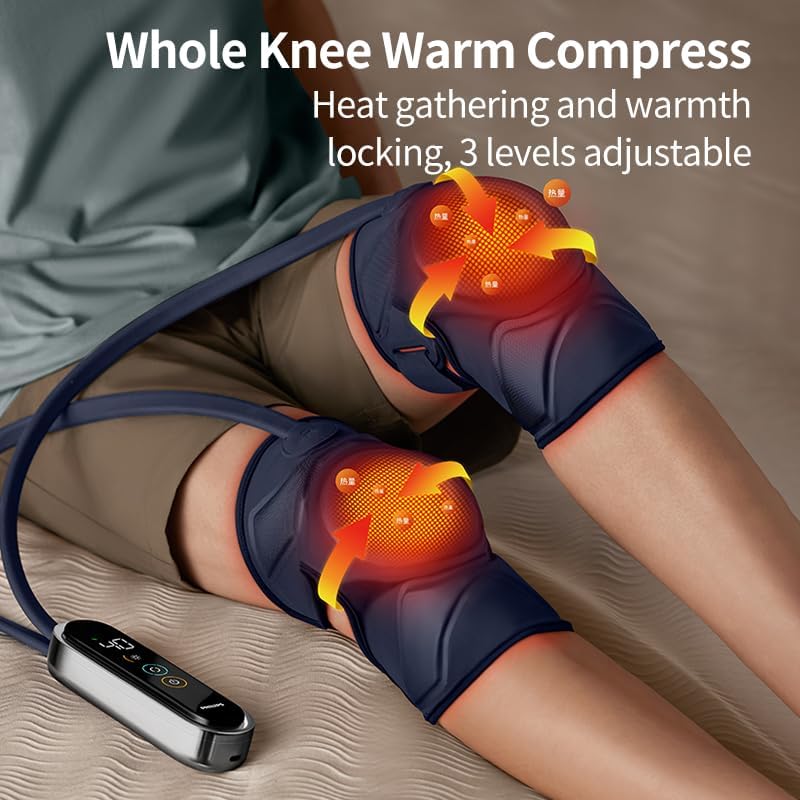
A user wearing the Philips knee massagers, illustrating the whole knee warm compress feature with heat arrows indicating warmth distribution and 3 adjustable levels.
6.4 Air Compression Intensity
The air compression intensity can be adjusted to your preference. Use the Intensity button (often indicated by '+' and '-' symbols or an air icon) to select the desired compression strength.
6.5 Smart Voice Prompts
The device features built-in voice prompts for ease of use. These prompts provide feedback on actions such as powering on/off, unlocking the screen, and low battery status. For example, if the battery is low, you will hear "Low battery, please charge it in time".

A user interacting with the Philips knee massager, illustrating the smart voice prompt function for easy operation, including prompts like 'Massage On', 'Unlock the Screen', 'Massage Off', and 'Low battery, please charge it in time'.
7. Maintenance
7.1 Cleaning
- Ensure the device is turned off and unplugged before cleaning.
- Wipe the surface of the massager units and controller with a soft, damp cloth.
- Do not use abrasive cleaners, solvents, or harsh chemicals.
- Do not immerse the device in water.
7.2 Storage
- Store the device in a cool, dry place, away from direct sunlight and extreme temperatures.
- Keep the device in its original packaging or a protective case to prevent damage.
8. Troubleshooting
If you encounter any issues with your Philips PPM5521 Knee Massager, please refer to the following common solutions:
| Problem | Possible Cause | Solution |
|---|---|---|
| Device does not turn on. | Low battery. Device not charged. | Charge the device fully using the Type-C cable. |
| No heat or weak heat. | Heat function not activated or set to low level. | Ensure the heat function is turned on and set to a higher level using the Heat button. |
| No air compression. | Compression function not activated or set to low intensity. | Ensure the compression function is active and adjust intensity using the Intensity button. |
| Voice prompts are too loud/quiet or off. | Voice prompt settings need adjustment. | Refer to the controller instructions for adjusting voice prompt volume or turning them on/off. |
| Device feels uncomfortable. | Massager not positioned correctly or straps too tight/loose. | Adjust the position of the massager and the tightness of the Velcro straps for a comfortable fit. |
If the problem persists, please contact customer support.
9. Specifications
| Feature | Detail |
|---|---|
| Model Number | PPM5521 |
| Brand | Philips |
| Power Source | Battery Powered |
| Battery Capacity | 4000mAh |
| Battery Life | Up to 90 minutes |
| Charging Interface | Type-C |
| Heat Levels | 3 levels (approx. 42°C ± 3°C) |
| Massage Modes | 4 customizable modes |
| Material | Cotton |
| Product Dimensions | 102L x 54.3W x 4H centimetres |
| Item Weight | 780 Grams |
| Applicable Leg Circumference | Upper: 34-48cm, Lower: 30-40cm |
10. Warranty Information
For detailed warranty information, please refer to the warranty card included in your product packaging or visit the official Philips website. Keep your purchase receipt as proof of purchase for warranty claims.
11. Customer Support
If you have any questions, concerns, or require assistance with your Philips PPM5521 Knee Massager, please contact Philips customer service through their official website or the contact information provided in your product documentation.


