
VIMTAG 847
VIMTAG Light Bulb Security Camera Model 847 User Manual
Comprehensive instructions for installation, operation, and maintenance.
1. Introduction
Thank you for choosing the VIMTAG Light Bulb Security Camera Model 847. This device is designed to provide reliable surveillance for your home, offering 2.5K/4MP high-definition video, pan/tilt functionality, night vision, two-way audio, and smart detection features. This manual will guide you through the setup, operation, and maintenance of your camera to ensure optimal performance.
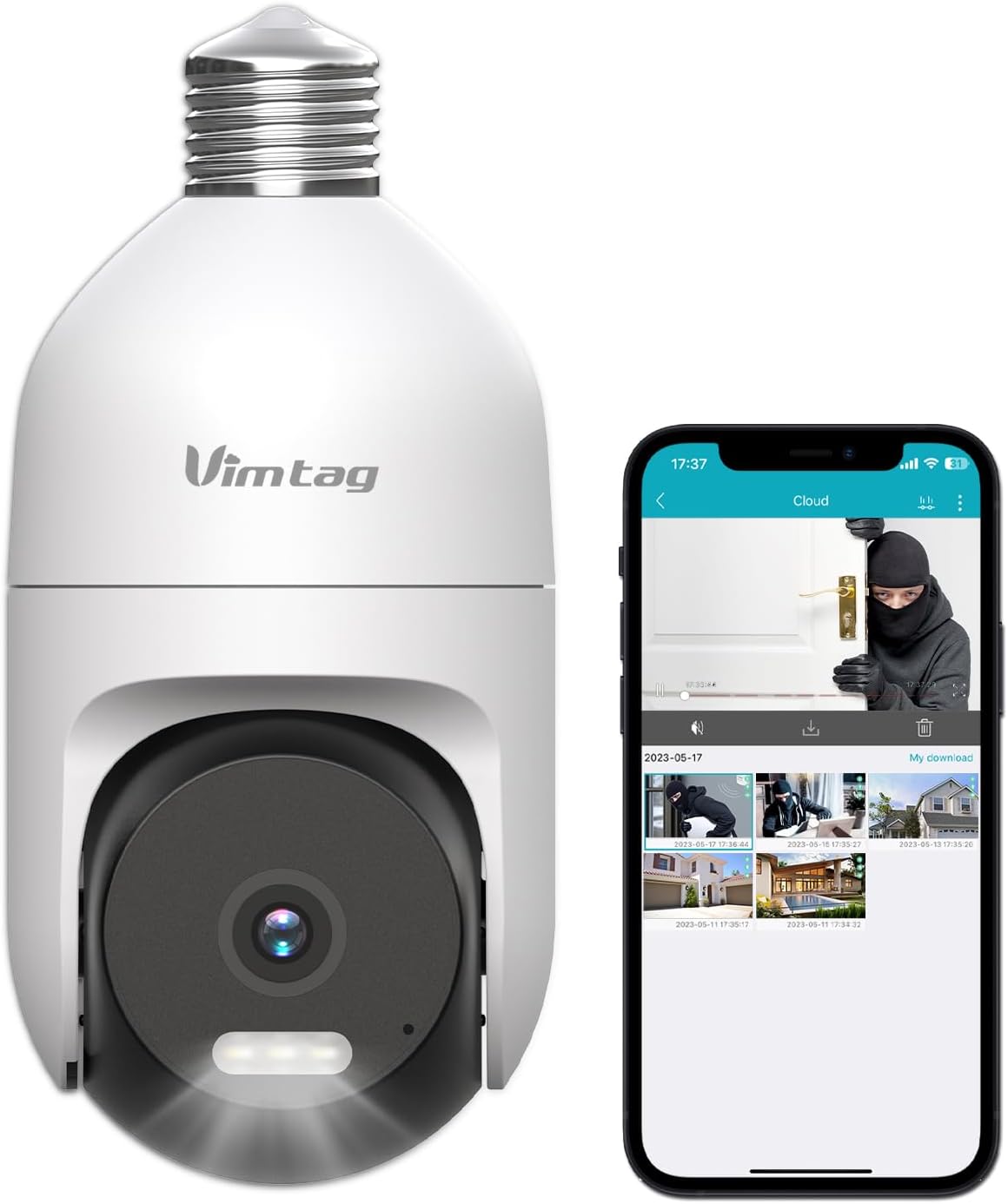
Image: The VIMTAG Light Bulb Security Camera Model 847, shown alongside a smartphone displaying its live feed.
2. Safety Information
- Ensure the power is off before installing or removing the camera from a light socket.
- Install the camera in a standard E27/E26 light bulb socket.
- Do not expose the camera to extreme temperatures or humidity beyond its operating range.
- Keep the camera away from strong magnetic fields.
- Do not attempt to disassemble or repair the camera yourself. Contact customer support for assistance.
- This camera is rated IP66 for weather resistance, suitable for outdoor use, but avoid submerging it in water.
3. Package Contents
The VIMTAG Light Bulb Security Camera package includes:
- VIMTAG Light Bulb Security Camera (Model 847)
- Instruction Manual (this document)
Note: An SD card for local storage is not included and must be purchased separately if desired.
4. Product Overview
The VIMTAG Light Bulb Security Camera features a compact design that fits into a standard light bulb socket. Key components include:
- Camera Lens: Captures 2.5K/4MP video.
- Infrared (IR) LEDs: For black and white night vision.
- Spotlight: Provides color night vision and acts as a deterrent.
- Microphone: For audio input during two-way talk and sound detection.
- Speaker: For audio output during two-way talk and siren alarms.
- Micro SD Card Slot: For local video storage (supports up to 512GB).
- Reset Button: Used for factory reset (usually a small pinhole).
- E27/E26 Base: Standard light bulb screw-in base for power and mounting.
5. Setup
5.1 Physical Installation
- Power Off: Ensure the power to the light socket is turned off at the circuit breaker before installation.
- Screw In: Carefully screw the VIMTAG Light Bulb Camera into a standard E27/E26 light bulb socket. Ensure it is securely fastened.
- Power On: Restore power to the light socket. The camera will power on and initiate its startup sequence.

Image: Illustration of screwing the camera into a light bulb socket.
5.2 App Download and Account Creation
- Download App: Search for "Vimtag" in your smartphone's app store (iOS App Store or Google Play Store) and download the official VIMTAG app.
- Register Account: Open the app and follow the on-screen instructions to register a new account using your email address or phone number.

Image: A smartphone screen showing the VIMTAG app icon, indicating the app download step.
5.3 Camera Pairing and Wi-Fi Connection
- Add Device: In the VIMTAG app, tap the "+" icon (usually in the top right or center) to add a new device.
- Select Camera Type: Choose "Light Bulb Camera" from the list of device types.
- Follow In-App Prompts: The app will guide you through connecting the camera to your 2.4GHz Wi-Fi network. This typically involves scanning a QR code generated by the app with the camera lens or listening for an audio prompt.
- Connection Confirmation: Once connected, the camera will indicate successful pairing (e.g., a voice prompt or LED indicator change), and its live feed will appear in the app.

Image: A smartphone screen showing the process of adding a new device, specifically selecting the light bulb camera.

Image: A smartphone displaying the live video feed from the VIMTAG camera after successful setup.
6. Operating the Camera
6.1 Live View and Pan/Tilt Control
Once connected, open the VIMTAG app and select your camera to view the live feed. Use the on-screen controls to pan (horizontal 355°) and tilt (vertical 100°) the camera lens to adjust the viewing angle. The camera offers 8x digital zoom for closer inspection.

Image: Multiple devices (phone, tablet, laptop, desktop) displaying the live feed from the VIMTAG camera, illustrating multi-terminal viewing.
6.2 Two-Way Audio
The camera features a built-in microphone and speaker. Tap the microphone icon in the app to speak through the camera, and listen to audio from the camera's location. This allows for real-time communication with visitors or to deter intruders.

Image: A person speaking into a phone to communicate with a delivery person at the door via the VIMTAG camera's two-way audio.
6.3 Night Vision Modes
The camera supports two night vision modes:
- IR Night Vision: Defaults to black and white infrared vision in low light conditions.
- Color Night Vision with Spotlight: When the spotlight mode is activated (manually or via motion detection settings), the camera will switch to full-color night vision.
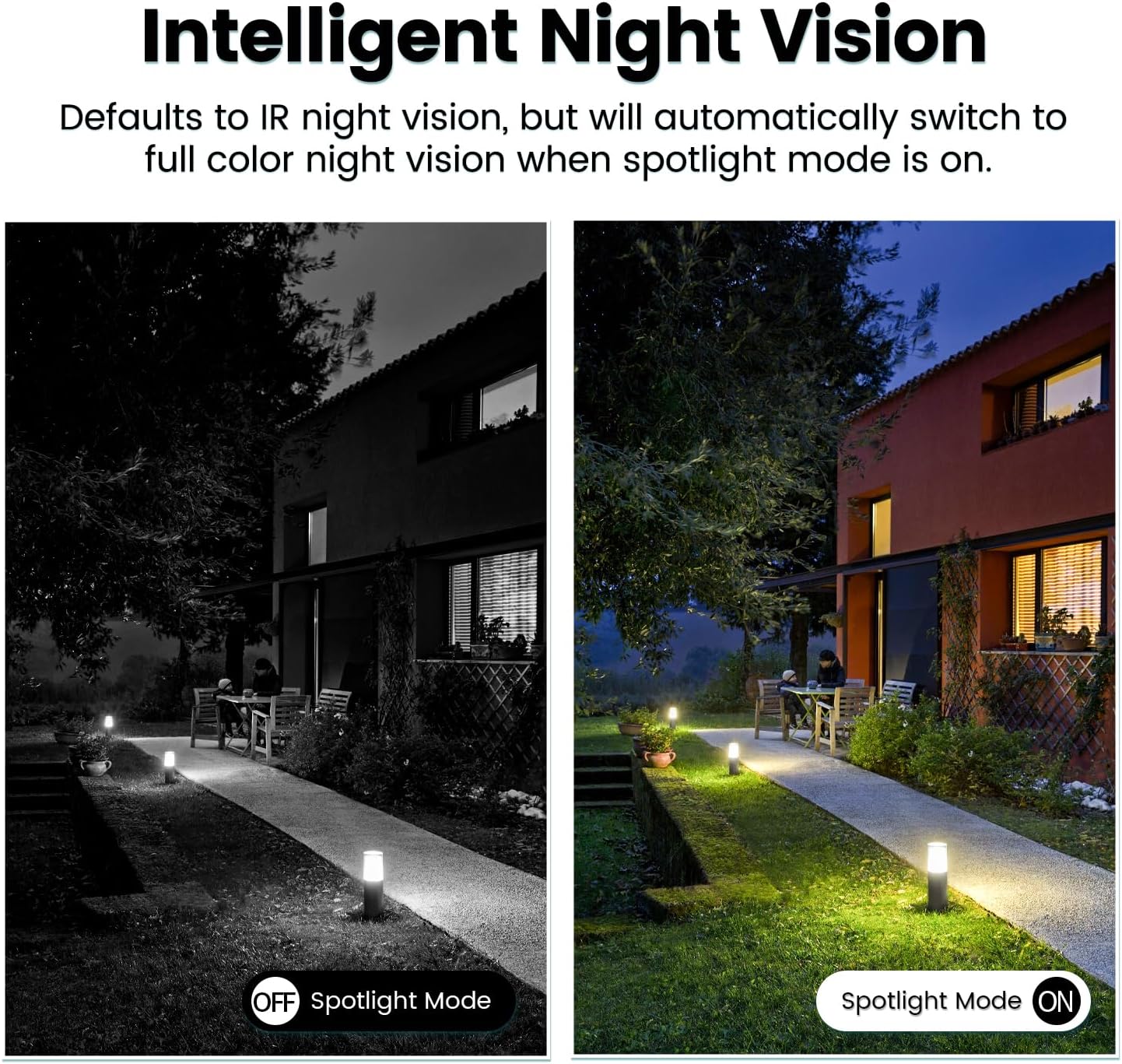
Image: Comparison of IR night vision (black and white, spotlight off) and color night vision (full color, spotlight on) from the VIMTAG camera.
6.4 AI Human/Motion/Sound Detection and Alarms
Configure detection settings in the VIMTAG app. The camera can detect human shapes, general motion, and sounds. Upon detection, you will receive notifications on your phone, and the camera can trigger a siren alarm or activate its spotlight to deter unwanted activity.

Image: An illustration of the VIMTAG camera detecting an intruder, triggering a spotlight and sending an alert to a smartphone.

Image: A smartphone displaying a "Motion Detection Alert" notification from the VIMTAG app.
6.5 Video Recording and Storage
The camera supports two storage options:
- Local Storage: Insert a Micro SD card (up to 512GB, not included) into the camera's SD card slot for continuous 24/7 recording. Recorded footage can be accessed and managed through the VIMTAG app.
- Cloud Storage: An optional cloud storage service is available through the VIMTAG app for secure, encrypted video storage. Subscription details can be found within the app.
6.6 Alexa Integration
The VIMTAG camera is compatible with Amazon Alexa. To integrate:
- Enable the VIMTAG skill in the Alexa app.
- Link your VIMTAG account.
- Discover devices.
You can then use voice commands such as, "Alexa, show me the [camera name]" to view the live feed on compatible Alexa-enabled devices with screens (e.g., Echo Show).

Image: A person interacting with an Amazon Echo Show to view the VIMTAG camera feed using voice commands.
7. Maintenance
- Cleaning: Gently wipe the camera lens and body with a soft, dry cloth. Do not use harsh chemicals or abrasive cleaners.
- Firmware Updates: Regularly check the VIMTAG app for available firmware updates. Keeping your camera's firmware updated ensures optimal performance, security, and access to new features.
- SD Card Management: If using an SD card, periodically review and back up important footage. Format the SD card through the app if you experience recording issues or to clear old data.
8. Troubleshooting
| Problem | Possible Cause | Solution |
|---|---|---|
| Camera fails to power on. | No power to the light socket; camera not screwed in properly. | Check the light socket's power supply; ensure the camera is securely screwed in. |
| Cannot connect to Wi-Fi. | Incorrect Wi-Fi password; camera too far from router; 5GHz Wi-Fi network used. | Verify Wi-Fi password; move camera closer to router; ensure you are connecting to a 2.4GHz Wi-Fi network. |
| Poor video quality. | Weak Wi-Fi signal; dirty lens. | Improve Wi-Fi signal strength; clean the camera lens. |
| Motion detection not working. | Detection settings disabled or sensitivity too low; camera positioned incorrectly. | Check and adjust motion detection settings in the app; ensure camera has a clear view of the area. |
| SD card not recording. | SD card full or corrupted; incorrect recording settings. | Format the SD card via the app; check recording schedule and settings. Replace SD card if necessary. |
9. Specifications
| Feature | Detail |
|---|---|
| Model Name | 847 |
| Video Resolution | 2.5K / 4MP (1440p) |
| Pan/Tilt Range | 355° Horizontal, 100° Vertical |
| Digital Zoom | 8x |
| Night Vision | IR Night Vision & Color Night Vision with LED Spotlight |
| Two-Way Audio | Yes (Built-in Microphone & Speaker) |
| Detection | AI Human, Motion, Sound Detection |
| Connectivity | 2.4GHz Wi-Fi (IEEE 802.11b/g/n) |
| Storage Options | Micro SD Card (up to 512GB), Cloud Storage (optional subscription) |
| Power Source | Corded Electric (E27/E26 Light Bulb Socket) |
| Indoor/Outdoor Use | Yes (IP66 Weatherproof) |
| Compatible Devices | iOS, Android, Mac, iPad, Windows, Amazon Alexa |
| Dimensions (L x W x H) | 3.07 x 3.07 x 5.31 inches |
| Item Weight | 9.1 ounces |
| Frame Rate | 25 frames per second |
| Video Encoding | H.264/H.265 |
10. Warranty and Support
VIMTAG products come with a standard manufacturer's warranty. For specific warranty terms and conditions, please refer to the warranty card included with your product or visit the official VIMTAG website. For technical support, troubleshooting assistance, or any product-related inquiries, please contact VIMTAG customer service through the VIMTAG app or their official website.
Online Resources:
- VIMTAG Official Website: Visit the VIMTAG Store on Amazon
- In-App Support: Access support features directly within the VIMTAG mobile application.
Related documents847

Ask a question about this manual
Ask about setup, troubleshooting, compatibility, parts, safety, or missing instructions. Manuals+ will review the question and use this page’s manual context to help answer it.