
1. Product Overview
The Siindoo JH-923 Wireless Over-Ear Headphones are designed to provide a high-quality audio experience with extended playtime and versatile connectivity. These headphones feature advanced Bluetooth 5.3 technology, multiple EQ sound modes, and a comfortable, foldable design for everyday use.

Image: Siindoo JH-923 Wireless Bluetooth Headphones showcasing key features.
Key Features:
- Extended Playtime: Up to 65 hours of music playback on a single charge.
- Bluetooth 5.3: Ensures stable and efficient wireless connection.
- 3 EQ Sound Modes: Customize your audio experience with different equalization settings.
- Hi-Res Audio with Deep Bass: Delivers rich and detailed sound.
- Built-in Microphone: For clear hands-free calls.
- Foldable & Lightweight Design: Enhances portability and comfort.
- Passive Noise Isolation: Reduces external noise for an immersive listening experience.
- Dual Device Connection: Connect to two devices simultaneously.
Product Video:
Video: An official overview of the Siindoo JH-923 Wireless Bluetooth Headphones, demonstrating features and usage scenarios.
2. What's in the Box
Please check the package contents to ensure all items are present:
- Siindoo JH-923 Wireless Over-Ear Headphones
- 0.5m Type-C Charging Cable
- 1.2m AUX Cable
- User Manual

Image: The Siindoo JH-923 headphones and included accessories.
3. Controls and Functions
The headphones feature intuitive controls located on the earcups for easy management of audio playback, calls, and EQ modes.

Image: Detail of the control buttons on the earcup, including the EQ button.
General Controls:
- Power On/Off: Press and hold the Power button.
- Play/Pause: Press the Play/Pause button once.
- Volume Up/Down: Press the Volume + or Volume - buttons.
- Next/Previous Track: Long press Volume + for next track, long press Volume - for previous track.
- Answer/End Call: Press the Play/Pause button once during an incoming call or active call.
- Reject Call: Press and hold the Play/Pause button during an incoming call.
- Activate Voice Assistant: Double-press the Play/Pause button.
4. Charging the Headphones
Before first use, fully charge the headphones. A full charge provides up to 65 hours of playback time.
Charging Steps:
- Connect the provided Type-C charging cable to the charging port on the headphones.
- Connect the other end of the cable to a USB power adapter (not included) or a computer's USB port.
- The LED indicator will show charging status (e.g., red for charging, blue for fully charged).
- A full charge takes approximately 2.5 hours.
Quick Charge Feature: A 5-minute charge can provide up to 3 hours of playtime.
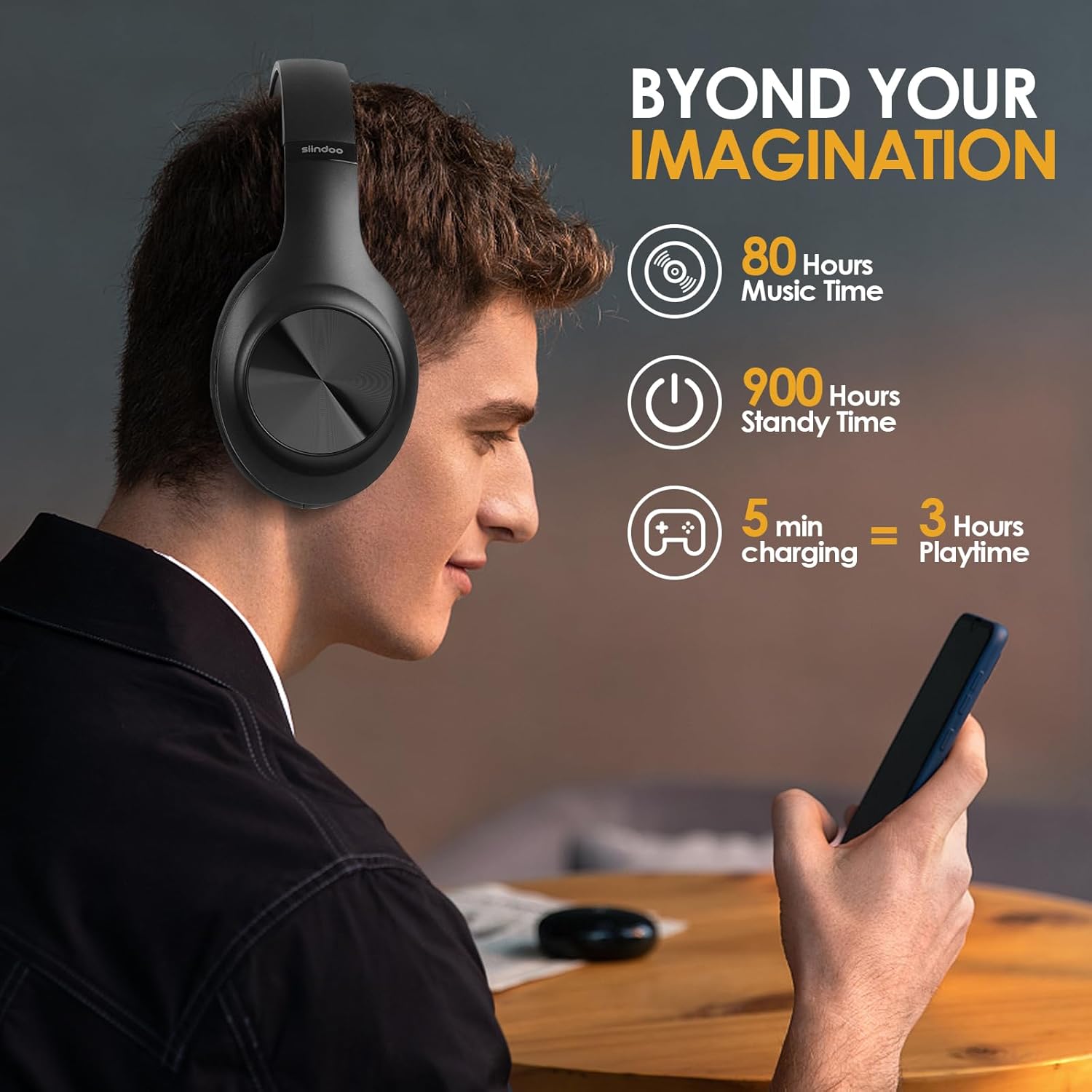
Image: Visual representation of the extended battery life and quick charge capability.
5. Bluetooth Pairing
Pair your Siindoo JH-923 headphones with your device for wireless audio.
Pairing Steps:
- Ensure the headphones are charged and powered off.
- Press and hold the Power button for approximately 5 seconds until the LED indicator flashes blue and red alternately, indicating pairing mode.
- On your device (smartphone, PC, etc.), enable Bluetooth and search for available devices.
- Select "Siindoo JH-923" from the list of devices.
- Once connected, the LED indicator will flash blue slowly.
Dual Device Connection: The headphones support connecting to two devices simultaneously. After pairing with the first device, disable Bluetooth on the first device, pair with the second device, then re-enable Bluetooth on the first device. The headphones should connect to both.

Image: Headphones being used in various settings, highlighting device compatibility.
6. Using EQ Modes
The Siindoo JH-923 headphones offer three distinct EQ modes to tailor your listening experience.
Switching EQ Modes:
- Press the EQ button on the earcup to cycle through the available modes.
- The modes include: Pop Mode, Vocal Mode, and Bass Mode.
- Each press will switch to the next mode, indicated by an audible prompt.

Image: Demonstrating the 3 EQ modes and their application.
7. Wired Connection (AUX Mode)
You can use the headphones with the included 3.5mm AUX cable for a wired connection, even if the battery is depleted.
Connecting via AUX Cable:
- Plug one end of the 3.5mm AUX cable into the audio input port on the headphones.
- Plug the other end into the 3.5mm audio output jack of your device.
- The headphones will automatically switch to wired mode.
8. Comfort and Design
The JH-923 headphones are designed for long-term comfort and portability.
- Protein Leather Headband: Provides a soft and durable fit.
- Memory Foam Ear Cups: Simulate skin texture for luxurious comfort and passive noise isolation.
- Adjustable Metal Slider: Allows for a personalized and secure fit for various head sizes.
- Foldable Structure: Enables compact storage and easy transport.

Image: Comfort features and foldable design of the headphones.
9. Specifications
Detailed technical specifications for the Siindoo JH-923 Wireless Over-Ear Headphones:
| Model Number | JH-923 |
| Brand | Siindoo |
| Connectivity Technology | Bluetooth, Wired, Wireless |
| Bluetooth Version | 5.3 |
| Bluetooth Range | 10 Meters |
| Ear Placement | Over Ear |
| Audio Driver Type | Dynamic Driver (40mm) |
| Frequency Response | 20Hz~20KHz |
| Impedance | 32 Ohms |
| Sensitivity | 115 dB |
| Noise Control | Sound Isolation (95% passive) |
| Battery Capacity | 600 mAh (approximate, derived from playtime) |
| Battery Playtime | Up to 65 Hours |
| Battery Charge Time | 2.5 Hours |
| Standby Time | Up to 900 Hours |
| Headphone Jack | 3.5 mm Jack |
| Material | Protein Leather (earcups/headband) |
| Weight | 10.23 ounces (approximate) |
10. Care and Maintenance
Proper care ensures the longevity and performance of your headphones.
- Keep the headphones dry. Avoid exposure to water or excessive moisture.
- Clean the earcups and headband with a soft, dry cloth. Do not use harsh chemicals or abrasive materials.
- Store the headphones in a cool, dry place when not in use, preferably in their folded position to save space.
- Avoid extreme temperatures, as this can affect battery life and component integrity.
- Do not attempt to disassemble or modify the headphones, as this will void the warranty.
11. Troubleshooting
If you encounter issues with your headphones, refer to the following common solutions:
- No Power: Ensure the headphones are fully charged. Connect them to a power source using the Type-C cable.
- Cannot Pair: Make sure the headphones are in pairing mode (LED flashing red and blue). Ensure Bluetooth is enabled on your device and it is within 10 meters of the headphones. Try restarting both devices.
- No Sound: Check the volume levels on both the headphones and your connected device. Ensure the correct audio output device is selected on your source. If using AUX, ensure the cable is securely connected.
- Poor Sound Quality: Move closer to your device to reduce interference. Try switching EQ modes. Ensure the headphones are clean and free from debris.
- Microphone Not Working: Ensure the headphones are properly connected and selected as the input device on your call application. Check for any mute functions on your device or application.
12. Warranty and Support
The Siindoo JH-923 Wireless Over-Ear Headphones come with a 1-year manufacturer's warranty.
For warranty claims, technical support, or further assistance, please contact Siindoo customer service through the retailer where the product was purchased or visit the official Siindoo website for contact information.
Please retain your proof of purchase for warranty validation.

