
1. Package Contents
Upon opening your Siindoo JH-923 Wireless Headphones package, please verify that all the following items are included:
- Siindoo JH-923 Wireless Headphones (Khaki)
- 0.5m Type-C charging cable
- 1.2m AUX cable
- User Manual
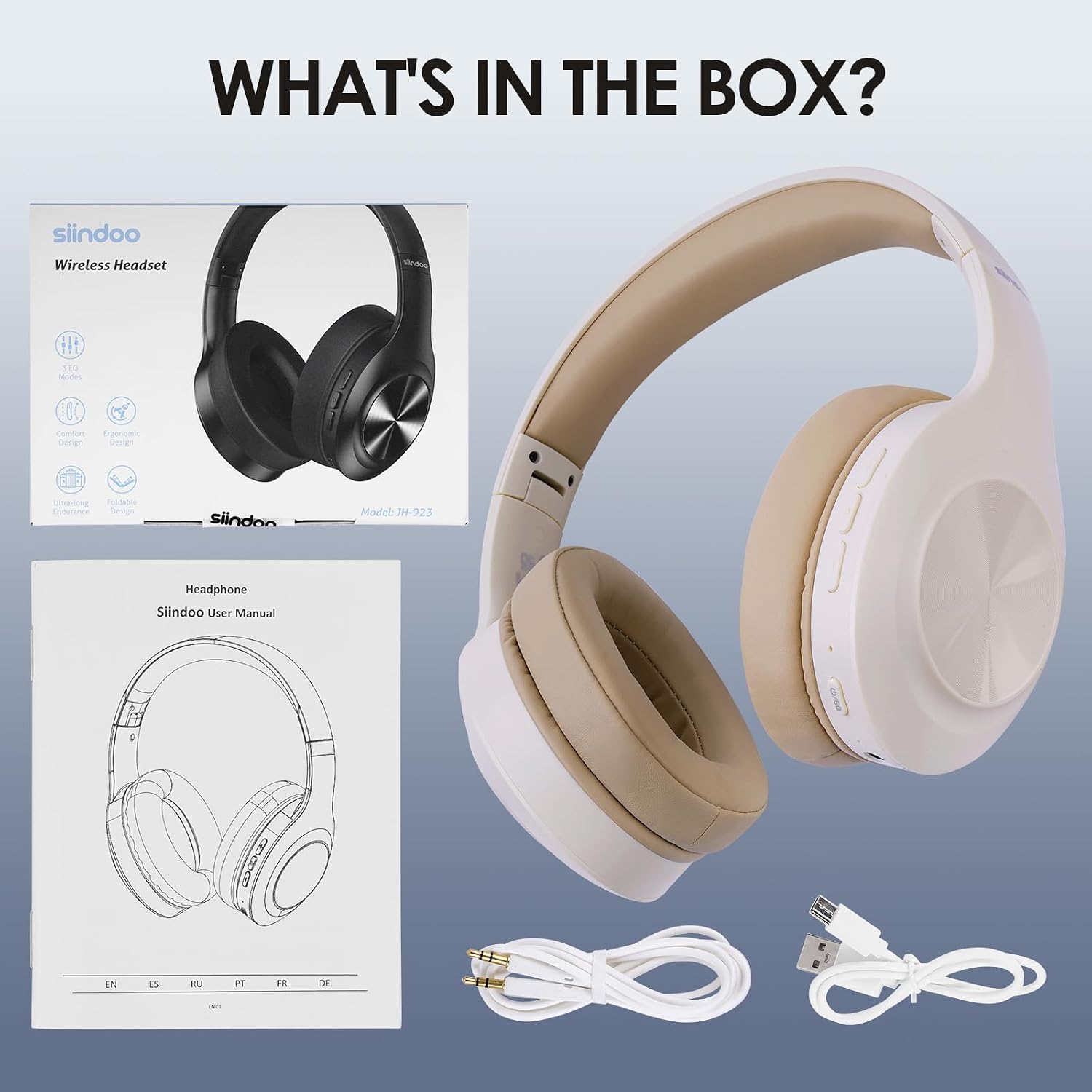
Image: All items included in the Siindoo JH-923 Wireless Headphones package.
2. Product Overview
The Siindoo JH-923 headphones are designed for comfort and ease of use. Familiarize yourself with the main components and controls:
- Adjustable Metal Slider Headband: Allows for a secure and personalized fit.
- Memory Foam Ear Cups: Provide soft, comfortable fit and passive noise cancellation.
- Control Buttons: Located on the earcups for power, volume, track control, and EQ mode selection.
- Built-in Microphone: For clear, hands-free communication.
- USB-C Charging Port: For convenient charging.
- 3.5mm Audio Jack: For wired connection.

Image: Detailed view of the headphone controls and ports.
3. Setup
3.1 Charging the Headphones
Before first use, fully charge your headphones. A full charge takes approximately 2.5 hours and provides up to 65 hours of playtime. A quick 5-minute charge can provide up to 3 hours of playback.
- Connect the provided Type-C charging cable to the headphone's charging port.
- Connect the other end of the cable to a USB power source (e.g., computer USB port, wall adapter).
- The indicator light will show charging status (refer to product for specific light behavior).
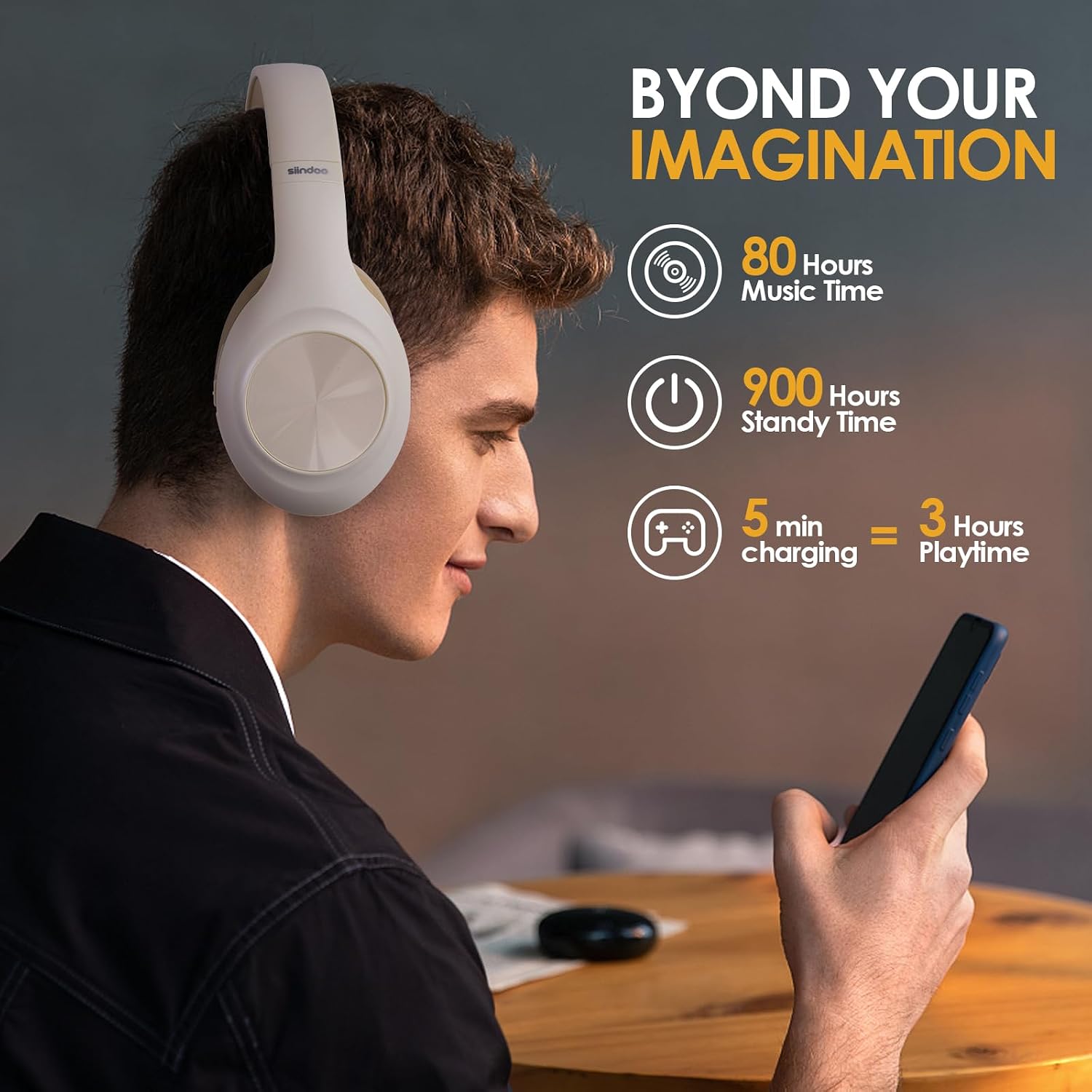
Image: Headphones connected for charging.
3.2 Bluetooth Pairing
The JH-923 headphones use Bluetooth 5.3 for fast and reliable wireless connectivity.
- Ensure the headphones are charged and powered off.
- Press and hold the power button until the indicator light flashes, indicating pairing mode.
- On your device (smartphone, tablet, PC), enable Bluetooth and search for "Siindoo JH-923".
- Select the headphones from the list to connect. The indicator light will change to confirm successful pairing.
3.3 Wired Connection (AUX Mode)
For situations where Bluetooth is not available or preferred, you can use the provided 3.5mm AUX cable.
- Connect one end of the 1.2m AUX cable to the 3.5mm audio jack on the headphones.
- Connect the other end to the audio output jack of your device.
- The headphones will automatically switch to wired mode.
4. Operating Instructions
4.1 Power On/Off
- Power On: Press and hold the Power button for 3 seconds.
- Power Off: Press and hold the Power button for 5 seconds.
4.2 Music Playback
- Play/Pause: Press the Multi-function button once.
- Volume Up: Press the Volume Up (+) button.
- Volume Down: Press the Volume Down (-) button.
- Next Track: Press and hold the Volume Up (+) button.
- Previous Track: Press and hold the Volume Down (-) button.
4.3 EQ Modes
The JH-923 headphones feature 3 EQ modes to customize your audio experience:
- Balance Mode: Standard audio profile.
- Bass Mode: Enhances low frequencies for deeper bass.
- Treble Mode: Accentuates high frequencies for clearer vocals and instruments.
To switch between EQ modes, press the dedicated EQ button on the earcup.

Image: Visual representation of the EQ mode selection.
4.4 Call Management
- Answer/End Call: Press the Multi-function button once.
- Reject Call: Press and hold the Multi-function button for 2 seconds.
- Redial Last Number: Double-press the Multi-function button.
4.5 Dual Device Connection
The headphones can connect to two Bluetooth devices simultaneously, allowing seamless switching between music and calls.
- Connect the first device via Bluetooth as described in Section 3.2.
- Disconnect Bluetooth on the first device temporarily.
- Connect the second device via Bluetooth.
- Reconnect Bluetooth on the first device. Both devices should now be connected.
5. Key Features
The Siindoo JH-923 Wireless Headphones offer a range of features designed for an enhanced listening experience:
- Extended Playtime: Up to 65 hours of continuous music playback on a single charge.
- Advanced Bluetooth 5.3: Ensures stable and fast wireless connection up to 10 meters.
- 3 EQ Sound Modes: Customize your audio with Balance, Bass, and Treble modes.
- Hi-Res Audio with Deep Bass: Powered by dual 40mm dynamic sounding units for immersive sound.
- Integrated Microphone: For clear, hands-free calls.
- Passive Noise Cancellation: Full-surround earcups isolate up to 95% of outside living noise.
- Comfortable & Foldable Design: Features memory foam ear cups, adjustable headband, and a foldable structure for portability.
- Dual Device Connectivity: Connect to two devices simultaneously and switch effortlessly.
- Wired Option: Includes a 3.5mm AUX cable for wired listening when needed.

Image: Overview of key features of the Siindoo JH-923 headphones.
6. Specifications
| Model Name | siindoo JH-923 |
| Connectivity Technology | Wireless (Bluetooth 5.3), Wired (3.5 mm Jack) |
| Audio Driver Size | 40 Millimeters Dynamic Driver |
| Frequency Range | 20Hz~20KHz |
| Impedance | 32 Ohm |
| Sensitivity | 115 dB |
| Noise Control | Sound Isolation (Passive Noise Cancellation) |
| Battery Life | Up to 65 Hours Playtime |
| Charging Time | 2.5 Hours (5-min quick charge for 3 hours playtime) |
| Bluetooth Range | 10 Meters |
| Item Weight | 10.6 ounces (300 Grams) |
| Material | Faux Leather (earcups) |
| Form Factor | Over Ear |

Image: Design elements contributing to comfort and portability.
7. Troubleshooting
If you encounter any issues with your Siindoo JH-923 headphones, please refer to the following common solutions:
- No Power: Ensure the headphones are fully charged. Connect them to a power source using the Type-C cable.
- Cannot Pair via Bluetooth:
- Ensure the headphones are in pairing mode (flashing indicator light).
- Make sure Bluetooth is enabled on your device and it is within 10 meters of the headphones.
- Forget the device from your phone's Bluetooth list and try pairing again.
- Restart both the headphones and your device.
- No Sound:
- Check the volume level on both the headphones and your connected device.
- Ensure the headphones are properly connected via Bluetooth or AUX cable.
- If using AUX, ensure the cable is fully inserted into both jacks.
- Poor Sound Quality:
- Move closer to your Bluetooth device to avoid interference.
- Try switching between the different EQ modes to see if it improves the sound.
- Ensure the audio source quality is good.
- Microphone Not Working:
- Ensure the headphones are connected via Bluetooth (microphone functionality is typically not available in wired mode).
- Check microphone settings on your connected device.
If the issue persists after trying these steps, please contact Siindoo customer support for further assistance.
8. Maintenance
Proper care and maintenance will extend the lifespan of your Siindoo JH-923 headphones:
- Cleaning: Use a soft, dry cloth to wipe the headphones. Do not use abrasive cleaners or solvents.
- Storage: Store the headphones in a cool, dry place when not in use. Utilize their foldable design for compact storage.
- Avoid Moisture: Do not expose the headphones to water or excessive humidity, as they are not water-resistant.
- Temperature: Avoid extreme temperatures, both hot and cold, as this can affect battery life and overall performance.
- Handle with Care: Avoid dropping the headphones or subjecting them to strong impacts.
9. Warranty and Support
Siindoo products are manufactured to high quality standards. For information regarding warranty coverage, returns, or technical support, please refer to the warranty card included in your package or visit the official Siindoo website. Please retain your proof of purchase for any warranty claims.
For direct support, you may also refer to the seller's information on the platform where the product was purchased.