
SinLoon M12 Pigtail
SinLoon 2 Wire 1 to 6 Splitter Pigtail Cable User Manual
Model: M12 Pigtail
Introduction
This manual provides essential information for the safe and effective use of your SinLoon 2 Wire 1 to 6 Splitter Pigtail Cable. Please read this manual thoroughly before installation and operation, and retain it for future reference.
The SinLoon 2 Wire 1 to 6 Splitter Pigtail Cable is designed to facilitate the connection and branching of LED strip lights and other low-voltage electrical applications. Its pre-tinned wires and durable construction ensure reliable performance for both indoor and outdoor environments.
Safety Information
Always observe the following safety precautions to prevent injury or damage to the product:
- Voltage and Current Limits: Do not exceed the rated voltage of 300V or the rated current of 6A. Overloading the cable can cause overheating and potential fire hazards.
- Polarity: Pay close attention to wire polarity during connection. Brown is positive (+), and Blue is negative (-). Incorrect polarity can damage connected devices.
- Installation Environment: Ensure the installation area is dry and free from excessive moisture, unless the product is specifically rated for submerged use (this product is for outdoor LED, so it should be fine with general outdoor conditions, but not submersion).
- Professional Installation: If you are unsure about any installation steps, consult a qualified electrician.
- Insulation: Ensure all connections are properly insulated to prevent short circuits.
- Physical Damage: Do not bend, twist, or pull the cable excessively. Inspect the cable for any signs of damage before use.
Product Overview
The SinLoon 2 Wire 1 to 6 Splitter Pigtail Cable is designed for efficient power distribution to multiple LED light strips or other low-voltage devices. It features a main input wire that splits into six individual output branches.

Figure 1: SinLoon 2 Wire 1 to 6 Splitter Pigtail Cable. This image shows the overall design of the cable, with one main input wire splitting into six separate output wires, all pre-tinned for easy connection.
Key Features:
- 1 to 6 Splitter Design: Allows for branching power to up to six different devices from a single source.
- Pre-tinned Wires: All wire ends are pre-tinned with solder, simplifying the soldering process and ensuring a secure connection.
- Durable Construction: Made with flame-retardant PVC material, offering good wear resistance, tensile resistance, and heat/cold resistance for enhanced durability.
- Pure Copper Wire Core: Ensures high conductivity and efficient power transmission.
- Versatile Application: Suitable for various indoor and outdoor LED lighting applications, as well as use in cars, trucks, motorcycles, and boats.
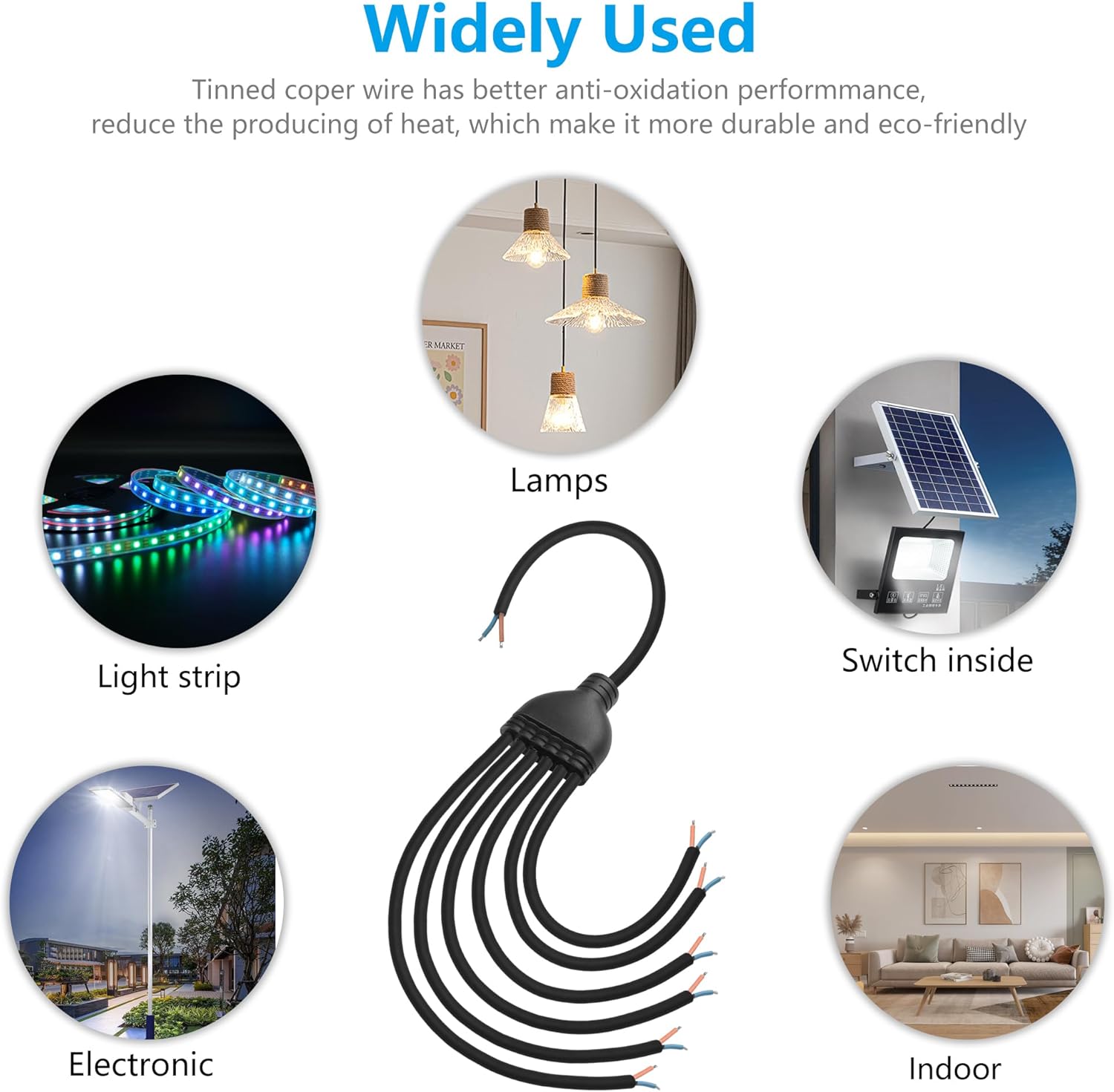
Figure 2: Wide Range of Applications. This image illustrates various uses for the pigtail cable, including connecting to lamps, light strips, solar-powered switches, electronic devices, and indoor lighting setups.
Setup and Connection
Follow these steps for proper setup and connection of the SinLoon 2 Wire 1 to 6 Splitter Pigtail Cable:
- Identify Wires: The cable features a main input wire and six branch output wires. Each wire pair consists of a brown wire (positive +) and a blue wire (negative -).
- Prepare Connections: Ensure the power source and the devices you intend to connect are powered off before making any connections. The pre-tinned ends of the wires are ready for soldering or connection to appropriate terminals.
- Connect Main Input: Connect the main input wire (the single wire leading to the splitter hub) to your power source. Ensure correct polarity: brown to positive, blue to negative.
- Connect Branch Outputs: Connect each of the six branch output wires to your individual LED strips or devices. Again, strictly observe polarity (brown to positive, blue to negative) for each connection.
- Secure Connections: After making all connections, ensure they are secure and properly insulated using electrical tape, heat shrink tubing, or appropriate connectors to prevent short circuits and ensure safety.
- Test System: Once all connections are secure and insulated, you may power on your system to test functionality.

Figure 3: Wire Polarity and Pre-tinning. This image highlights the pre-tinned copper wires and clearly indicates that the brown wire is positive (+) and the blue wire is negative (-), crucial for correct electrical connections.
Operating Instructions
The SinLoon 2 Wire 1 to 6 Splitter Pigtail Cable is a passive component designed to distribute electrical power. There are no active operating controls on the cable itself.
- Power On/Off: Control the power to the connected devices via the main power source switch or controller.
- Load Management: Ensure the total current draw of all connected devices does not exceed the cable's rated current of 6A.
- Environmental Considerations: While designed for outdoor use, avoid prolonged exposure to extreme conditions that may compromise the PVC insulation, such as direct mechanical stress or corrosive chemicals.
Maintenance
The SinLoon 2 Wire 1 to 6 Splitter Pigtail Cable requires minimal maintenance. Regular inspection can help ensure its longevity and safe operation.
- Visual Inspection: Periodically inspect the cable for any signs of physical damage, such as cuts, abrasions, or cracks in the insulation. Check for any discoloration or signs of overheating at connection points.
- Cleanliness: Keep the cable and its connections free from dirt, dust, and debris. Use a dry, soft cloth for cleaning. Do not use liquid cleaners directly on the cable or connections.
- Connection Integrity: Ensure all connections remain tight and secure. Loose connections can lead to resistance, heat buildup, and potential failure.
- Storage: If the cable is not in use, store it in a cool, dry place, away from direct sunlight and extreme temperatures. Coil the cable loosely to prevent kinks or damage.

Figure 4: Cable Durability. This image illustrates the durable and flame-retardant PVC material used for the cable's outer layer, highlighting its resistance to wear and tear, and its heat and cold resistant properties.
Troubleshooting
If you encounter issues with your SinLoon 2 Wire 1 to 6 Splitter Pigtail Cable, refer to the following common problems and solutions:
| Problem | Possible Cause | Solution |
|---|---|---|
| No power to connected devices. |
|
|
| Devices flicker or receive intermittent power. |
|
|
| Cable or connections feel hot. |
|
|
If the problem persists after attempting these solutions, contact customer support.
Specifications
Detailed technical specifications for the SinLoon 2 Wire 1 to 6 Splitter Pigtail Cable:
| Feature | Detail |
|---|---|
| Product Type | 2 Wire 1 to 6 Splitter Pigtail Cable |
| Rated Voltage | 300V |
| Rated Current | 6A |
| Main Wire Gauge | 17AWG (2* 1mm² pure copper wire core) |
| Branch Wire Gauge | 18AWG (2* 0.75mm² pure copper wire core) |
| Cable Total Length | 80cm / 31.5 inches |
| Main Wire Length | 22cm / 8.66 inches |
| Branch 1 Wire Length | 13cm / 5.1 inches |
| Branch 2 Wire Length | 23cm / 9 inches |
| Branch 3 Wire Length | 33cm / 13 inches |
| Branch 4 Wire Length | 43cm / 16.9 inches |
| Branch 5 Wire Length | 53cm / 20.8 inches |
| Branch 6 Wire Length | 53cm / 20.8 inches |
| Material | PVC (Flame-retardant) |
| Color | Black (Cable), Brown/Blue (Wires) |
| Model Number | M12 Pigtail |

Figure 5: Wire Gauge Details. This image visually represents the main wire gauge (17AWG, 2*1.0mm²) and branch wire gauge (18AWG, 2*0.75mm²) specifications.
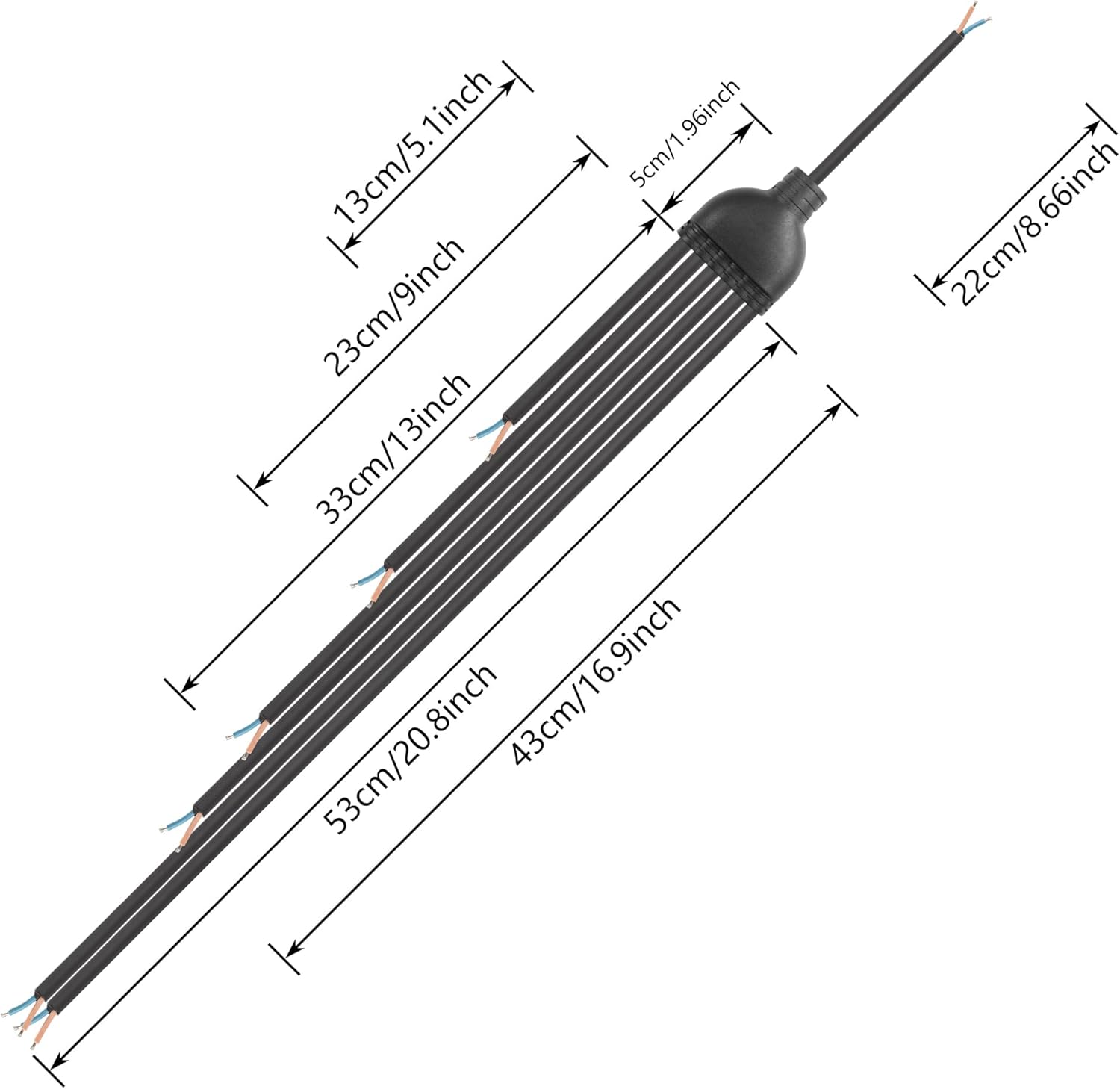
Figure 6: Cable Lengths and Dimensions. This image provides a detailed diagram showing the lengths of the main wire, each branch wire, and the total cable length.
Warranty and Support
For warranty information or technical support, please refer to the product packaging or contact SinLoon customer service directly. Keep your purchase receipt as proof of purchase.
Contact Information: Please visit the official SinLoon store on Amazon or their official website for the most up-to-date contact details.
Online Resources: For additional information, FAQs, or product updates, please visit the SinLoon Store on Amazon.
Ask a question about this manual
Ask about setup, troubleshooting, compatibility, parts, safety, or missing instructions. Manuals+ will review the question and use this page’s manual context to help answer it.