
1. Overview
The Siindoo JH-923 Wireless Headphones are designed to provide a high-quality audio experience with extended playtime and versatile connectivity. Featuring advanced Bluetooth 5.3 technology, multiple EQ sound modes, and a comfortable, foldable design, these headphones are suitable for various uses, including travel, office work, and daily listening.

Figure 1: Siindoo JH-923 Wireless Headphones (Rose Gold)
2. What's in the Box
Please check the package contents upon unboxing to ensure all items are present:
- Siindoo JH-923 Wireless Headphones
- User Manual
- 0.5m Type-C Charging Cable
- 1.2m AUX Cable

Figure 2: Package Contents
3. Product Features
The Siindoo JH-923 headphones offer a range of features designed for enhanced audio and user comfort:
- Extended Playtime: Up to 65 hours of continuous music playback on a single charge. A quick 5-minute charge provides 3 hours of playtime.
- Bluetooth 5.3: Ensures stable and fast wireless connectivity. Supports simultaneous connection to two devices.
- 3 EQ Sound Modes: Customize your listening experience with Balance, Bass, and Treble modes.
- Hi-Res Audio & Deep Bass: Equipped with dual 40mm dynamic drivers for rich, clear sound and powerful bass.
- Built-in Microphone: For clear, hands-free calls.
- Passive Noise Isolation: Full-surround earcups with memory foam isolate up to 95% of low and mid-frequency ambient noise.
- Comfortable & Foldable Design: Soft protein leather headband and memory foam earcups provide long-term comfort. The foldable design allows for easy portability.
- Wired Mode: Includes a 3.5mm AUX cable for wired listening when the battery is depleted or for non-Bluetooth devices.
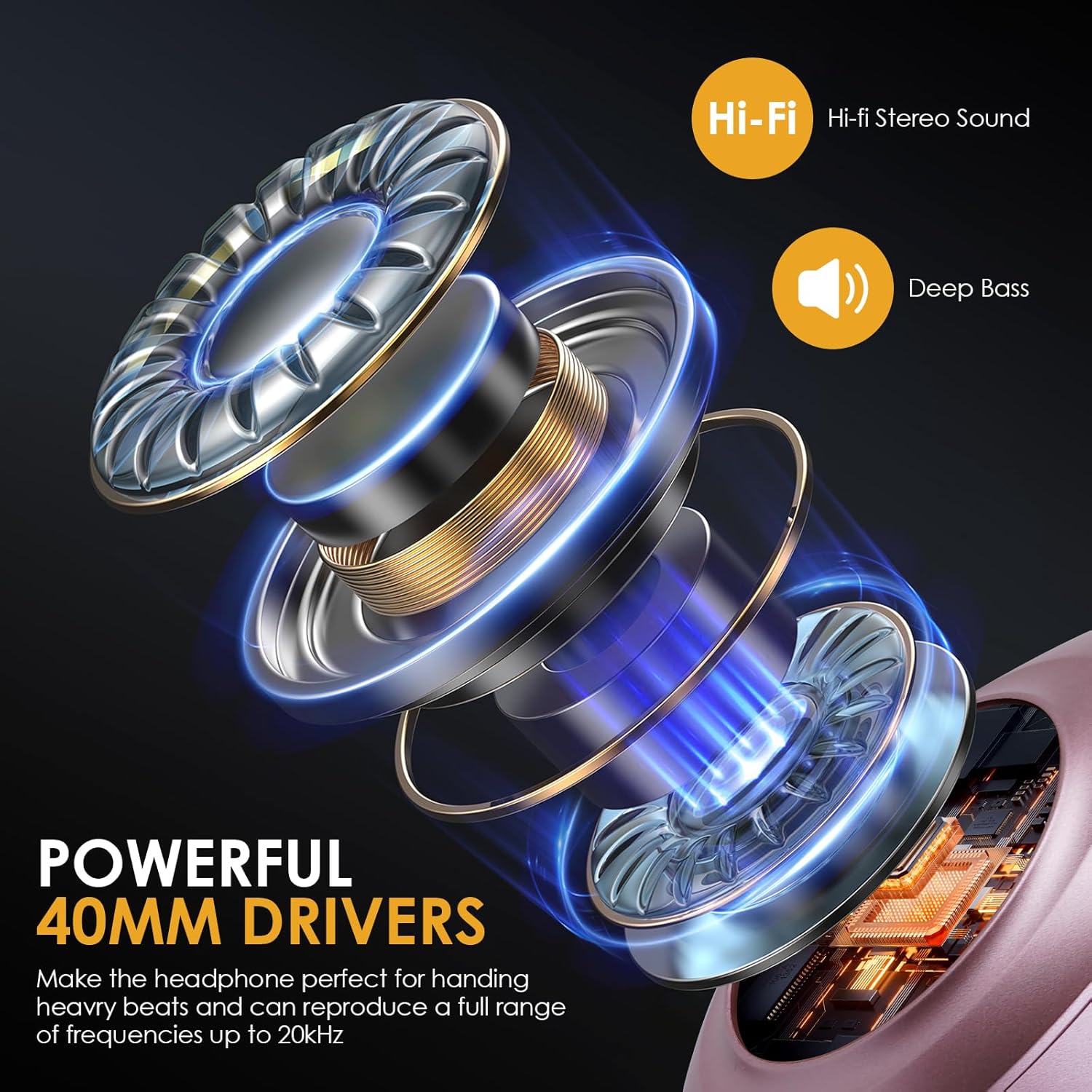
Figure 3: Powerful 40mm Drivers for Hi-Fi Audio
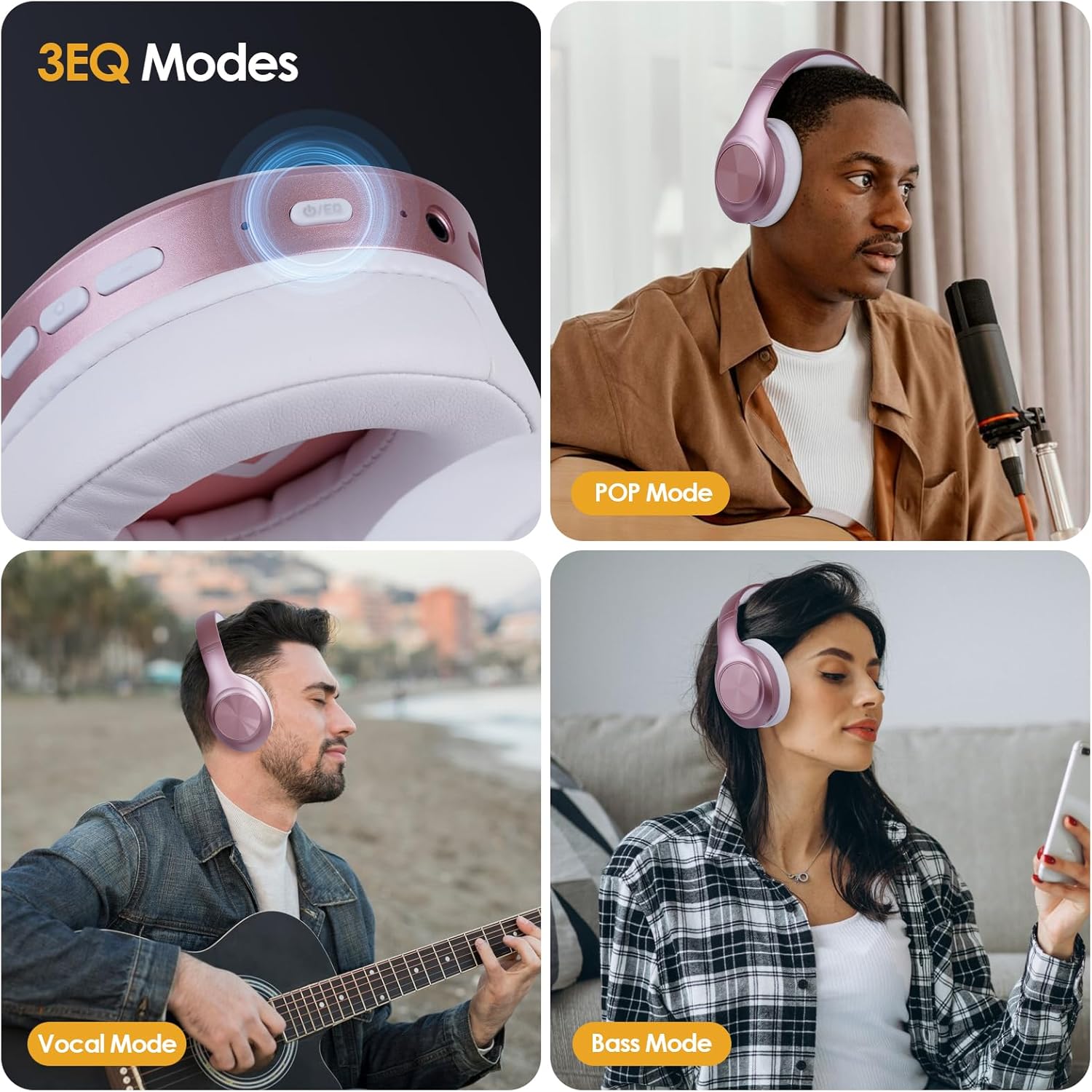
Figure 4: Customizable 3 EQ Modes

Figure 5: Exceptional Comfort and Foldable Design
4. Setup
4.1 Charging the Headphones
Before first use, fully charge the headphones. A full charge takes approximately 2.5 hours.
- Connect the provided Type-C charging cable to the charging port on the headphones.
- Connect the other end of the cable to a USB power adapter (not included) or a computer's USB port.
- The LED indicator will show charging status (e.g., red while charging, blue when fully charged).
Note: For quick charging, a 5-minute charge can provide up to 3 hours of playtime.
4.2 Power On/Off
- Power On: Press and hold the Power button for approximately 3 seconds until the LED indicator flashes blue.
- Power Off: Press and hold the Power button for approximately 3 seconds until the LED indicator turns off.
4.3 Bluetooth Pairing
To connect your headphones to a Bluetooth-enabled device:
- Ensure the headphones are powered off.
- Press and hold the Power button for 5-7 seconds until the LED indicator flashes red and blue alternately, indicating pairing mode.
- On your device (smartphone, tablet, PC), enable Bluetooth and search for available devices.
- Select "Siindoo JH-923" from the list of devices.
- Once connected, the LED indicator will flash blue slowly.
Note: The headphones can connect to two devices simultaneously. After connecting to the first device, disable Bluetooth on the first device, pair with the second, then re-enable Bluetooth on the first device. The headphones should automatically connect to both.
4.4 Wired Connection (AUX Mode)
To use the headphones in wired mode:
- Insert one end of the provided 1.2m AUX cable into the 3.5mm audio jack on the headphones.
- Insert the other end of the AUX cable into the 3.5mm audio output of your device.
- The headphones will automatically switch to wired mode. No battery power is required for wired listening.
5. Operating Instructions
5.1 Button Functions
Familiarize yourself with the control buttons located on the earcup:
- Power Button (Multi-function Button):
- Press and hold 3s: Power On/Off
- Press and hold 5-7s (from off): Enter Bluetooth Pairing Mode
- Short press (music): Play/Pause
- Short press (incoming call): Answer/End Call
- Long press (incoming call): Reject Call
- Double press: Redial last number
- Volume Up (+) Button:
- Short press: Increase Volume
- Long press: Next Track
- Volume Down (-) Button:
- Short press: Decrease Volume
- Long press: Previous Track
- EQ Button:
- Short press: Cycle through EQ modes (Balance, Bass, Treble)

Figure 6: EQ Button for Sound Customization
6. Maintenance and Care
Proper care will extend the lifespan of your headphones:
- Cleaning: Use a soft, dry cloth to clean the headphones. Do not use abrasive cleaners or solvents.
- Storage: When not in use, store the headphones in a cool, dry place. The foldable design allows for compact storage.
- Battery Care: To preserve battery life, avoid fully discharging the headphones frequently. Charge them regularly, even if not used for extended periods.
- Avoid Moisture: Do not expose the headphones to water or excessive moisture.
- Temperature: Avoid extreme temperatures, both hot and cold, as they can affect battery performance and headphone components.
7. Troubleshooting
If you encounter issues with your headphones, refer to the following table for common problems and solutions:
| Problem | Possible Cause | Solution |
|---|---|---|
| Headphones do not power on. | Low battery. | Charge the headphones fully. |
| Cannot pair via Bluetooth. | Headphones not in pairing mode; device Bluetooth off; too far from device. | Ensure headphones are in pairing mode (flashing red/blue). Turn on device Bluetooth. Move headphones closer to device (within 10 meters). |
| No sound in Bluetooth mode. | Volume too low; not connected; incorrect audio output selected on device. | Increase headphone and device volume. Re-pair headphones. Check device's audio output settings. |
| No sound in wired (AUX) mode. | AUX cable not fully inserted; faulty cable; device volume too low. | Ensure AUX cable is fully inserted into both headphone and device jacks. Try a different AUX cable. Increase device volume. |
| Poor call quality. | Weak Bluetooth signal; microphone obstructed. | Move closer to your device. Ensure microphone is clear. |
8. Specifications
| Feature | Detail |
|---|---|
| Model Name | Siindoo JH-923 |
| Connectivity Technology | Wireless (Bluetooth 5.3), Wired (3.5mm AUX) |
| Bluetooth Range | Up to 10 meters (33 feet) |
| Battery Life | Up to 65 hours playtime |
| Charging Time | Approx. 2.5 hours |
| Audio Driver Type | Dual 40mm Dynamic Drivers |
| Frequency Range | 20Hz ~ 20KHz |
| Impedance | 32 Ohm |
| Sensitivity | 115 dB |
| Noise Control | Sound Isolation (Passive Noise Cancellation) |
| Weight | 10.2 ounces (approx. 289 grams) |
| Dimensions (folded) | 3.94 x 4.72 x 3.15 inches (approx.) |
9. Warranty and Support
Siindoo products are manufactured to the highest quality standards. This product is covered by a standard manufacturer's warranty against defects in materials and workmanship from the date of purchase. Please retain your proof of purchase for warranty claims.
For technical support, warranty inquiries, or further assistance, please contact Siindoo customer service through the retailer where the product was purchased or visit the official Siindoo website for contact information.
Note: The warranty does not cover damage caused by misuse, accident, unauthorized modification, or normal wear and tear.

