
Important Safety Information
Before operating the Gardtech Mini Chainsaw, it is imperative to read and understand all safety warnings, instructions, and specifications provided in this manual. Failure to follow these instructions may result in electric shock, fire, and/or serious injury.
- Always wear appropriate personal protective equipment (PPE), including safety glasses, gloves, and sturdy footwear, when operating the chainsaw.
- Keep hands, hair, and loose clothing away from the chain when the chainsaw is in operation.
- Ensure the work area is clear of obstructions and bystanders.
- Do not operate the chainsaw in wet conditions or in the presence of flammable liquids or gases.
- Always remove the battery pack when performing maintenance, cleaning, or when the tool is not in use.
- Use both safety switches simultaneously to start the chainsaw, as designed for enhanced safety.
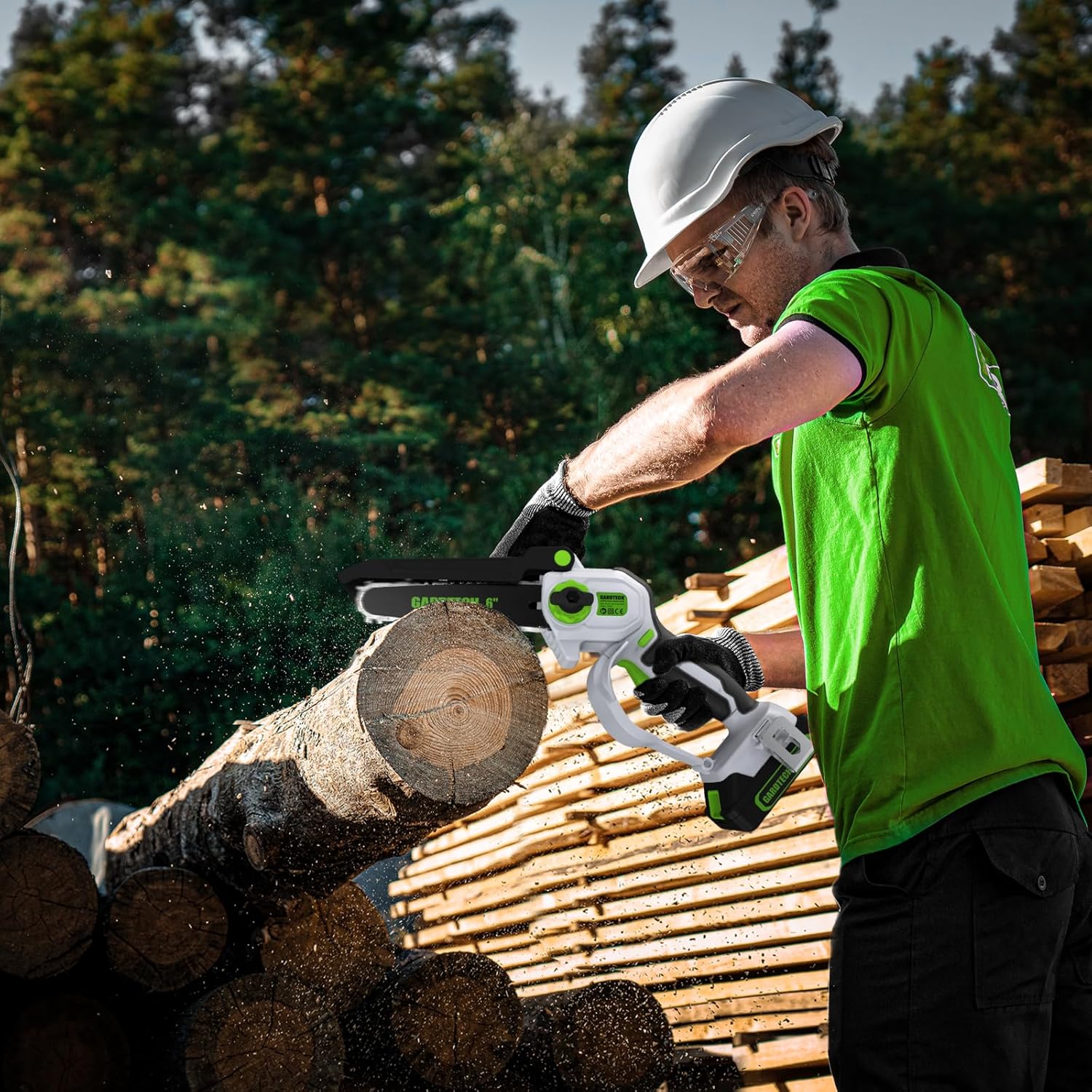
Image: A person safely operating the Gardtech Mini Chainsaw while wearing protective gloves and safety glasses, demonstrating proper safety precautions during use.
Package Contents
Verify that all items listed below are included in your package. If any items are missing or damaged, please contact customer support.
- Gardtech Mini Chainsaw Body (1)
- 6-inch Guide Bar (1)
- Saw Chains (2)
- 20V 2.0Ah Lithium-Ion Batteries (2)
- Battery Charger (1)
- Safety Glasses (1 pair)
- Work Gloves (1 pair)
- Screwdriver (1)
- User Manual (1)

Image: A comprehensive view of all items included in the Gardtech Mini Chainsaw package, neatly arranged, including the chainsaw, batteries, charger, guide bar, chains, and safety accessories.
Product Overview
The Gardtech Mini Chainsaw is a compact and powerful cordless tool designed for efficient wood cutting and pruning tasks. Its ergonomic design and lightweight construction allow for comfortable one-handed operation.

Image: A detailed diagram highlighting the various components of the Gardtech Mini Chainsaw, including the motor, safety switches, guide bar, and chain, illustrating its one-handed operation capability.
Key Features:
- Powerful Copper Wire Motor: Ensures longer runtime, increased torque, and reduced wear.
- Cordless Convenience: Offers unrestricted mobility without the need for power outlets.
- Enhanced Safety Features: Includes two safety switches (Southpaws friendly) and a protective guard.
- Long-lasting Battery: Comes with two high-capacity rechargeable batteries for extended use.
- Portable & Ergonomic Design: Lightweight and designed for comfortable one-handed operation.
Setup
Battery Installation
To install the battery, align the battery pack with the slot at the base of the chainsaw handle and slide it in until it clicks securely into place. To remove, press the release button on the battery pack and slide it out.

Image: The Gardtech Mini Chainsaw with its battery pack securely installed at the base, ready for operation.
Charging the Battery
Connect the charger to a power outlet and then connect the battery pack to the charger. The indicator light on the charger will show the charging status. A full charge typically takes 70-90 minutes. Ensure batteries are fully charged before first use.

Image: An illustration depicting the Gardtech battery being charged, highlighting the charging process and estimated charging time.
Chain and Guide Bar Installation
1. Remove the guide bar cover and loosen the chain tensioning knob. 2. Place the chain around the guide bar, ensuring the cutting edges are facing the correct direction. 3. Align the chain and guide bar with the sprocket on the chainsaw body. 4. Secure the guide bar cover and tighten the chain tensioning knob until the chain is snug but can still be moved freely by hand. The chain should not sag from the guide bar.

Image: A close-up view of the Gardtech Mini Chainsaw's chain and guide bar, illustrating their proper assembly and alignment.
Operating Instructions
Starting and Stopping
To start the chainsaw, simultaneously press the safety lock button (located on the side of the handle) and squeeze the trigger. Release the trigger to stop the chainsaw. The dual safety mechanism prevents accidental starts.

Image: An illustration demonstrating the double safety design of the Gardtech Mini Chainsaw, showing the safety lock and trigger mechanism.
Cutting Techniques
Hold the chainsaw firmly with one hand, ensuring a stable grip. Position the guide bar against the material to be cut. Apply steady, even pressure to allow the chain to cut through the wood. Avoid forcing the saw, as this can lead to kickback or damage. For larger branches, make a relief cut on the underside first to prevent pinching.

Image: A person demonstrating the use of the Gardtech Mini Chainsaw to cut a log, illustrating proper cutting technique and the sawdust generated during operation.

Image: The Gardtech Mini Chainsaw actively cutting through a tree branch, showcasing its cutting performance and ease of use in a natural setting.
Maintenance
Cleaning
After each use, ensure the chainsaw is turned off and the battery is removed. Use a brush or compressed air to remove sawdust, debris, and resin from the guide bar, chain, and motor housing. Do not use water or harsh chemicals.
Chain Sharpening and Lubrication
Regularly inspect the chain for sharpness. A dull chain will reduce cutting efficiency and increase strain on the motor. Sharpen the chain as needed using a suitable chain saw file or have it professionally sharpened. While this model does not feature an automatic oiling system, it is recommended to manually apply a small amount of bar and chain oil to the guide bar groove and chain periodically to reduce friction and extend component life.
Storage
Store the chainsaw in a dry, secure location away from direct sunlight and extreme temperatures. Ensure the battery is removed and stored separately. Use the guide bar cover to protect the chain during storage.
Troubleshooting
This section provides solutions to common issues you might encounter with your Gardtech Mini Chainsaw.
| Problem | Possible Cause | Solution |
|---|---|---|
| Chainsaw does not start | Battery not charged or improperly installed; Safety lock not engaged; Trigger not pressed fully. | Charge battery fully and ensure it is clicked into place; Press both safety lock and trigger simultaneously. |
| Poor cutting performance | Dull chain; Incorrect chain tension; Chain installed backward. | Sharpen or replace chain; Adjust chain tension; Reinstall chain with cutting edges facing forward. |
| Chainsaw stops during operation | Battery low; Overload protection activated. | Recharge battery; Reduce cutting pressure and allow motor to cool. |
| Chain comes off guide bar | Loose chain tension; Improper installation. | Adjust chain tension; Reinstall chain and guide bar correctly. |
Specifications
Detailed technical specifications for the Gardtech Mini Chainsaw:
- Brand: Gardtech
- Model: 6 Inch Cordless Mini Chainsaw
- Power Source: Battery Powered
- Battery Type: Lithium Ion (2 included)
- Guide Bar Length: 6 inches
- Item Weight: 4.5 Pounds (approximately)
- Product Dimensions: 10.43"L x 6.22"W x 16.2"H (approximately)
- UPC: 798220664569
- ASIN: B0CT7J4BW2
Warranty and Support
Gardtech products are manufactured to high-quality standards. For specific warranty details regarding your Mini Chainsaw, please refer to the warranty card included in your product packaging or visit the official Gardtech website. If you require technical assistance, have questions about operation, or need to report a defect, please contact Gardtech customer support. Keep your purchase receipt as proof of purchase for warranty claims.