
Introduction
This manual provides essential instructions for the safe and efficient operation of your JCL 32HDDTV2023 32-inch HD Ready Television. Please read this manual thoroughly before using your TV and retain it for future reference.
The JCL 32HDDTV2023 features a 32-inch HD Ready display, integrated tuners for ATV, DVB-T/T2/C/S/S2 signals, multiple connectivity options including HDMI and USB, and Dolby Digital Plus audio support.
Important Safety Information
- Do not expose the TV to rain or moisture to prevent fire or electric shock.
- Do not block ventilation openings. Ensure adequate space around the TV for proper airflow.
- Use only the power cord supplied with the TV.
- Do not place the TV on an unstable cart, stand, tripod, bracket, or table.
- Unplug the TV during lightning storms or when unused for long periods.
- Refer all servicing to qualified service personnel.
Package Contents
Verify that all items are present in the package:
- JCL 32HDDTV2023 32-inch HD Ready TV
- Remote Control
- TV Stand (2 pieces)
- User Manual (this document)
- Power Cord
Setup
1. Attaching the Stand
Carefully place the TV face-down on a soft, clean surface to prevent screen damage. Align the stand pieces with the corresponding slots on the bottom of the TV and secure them with the provided screws.
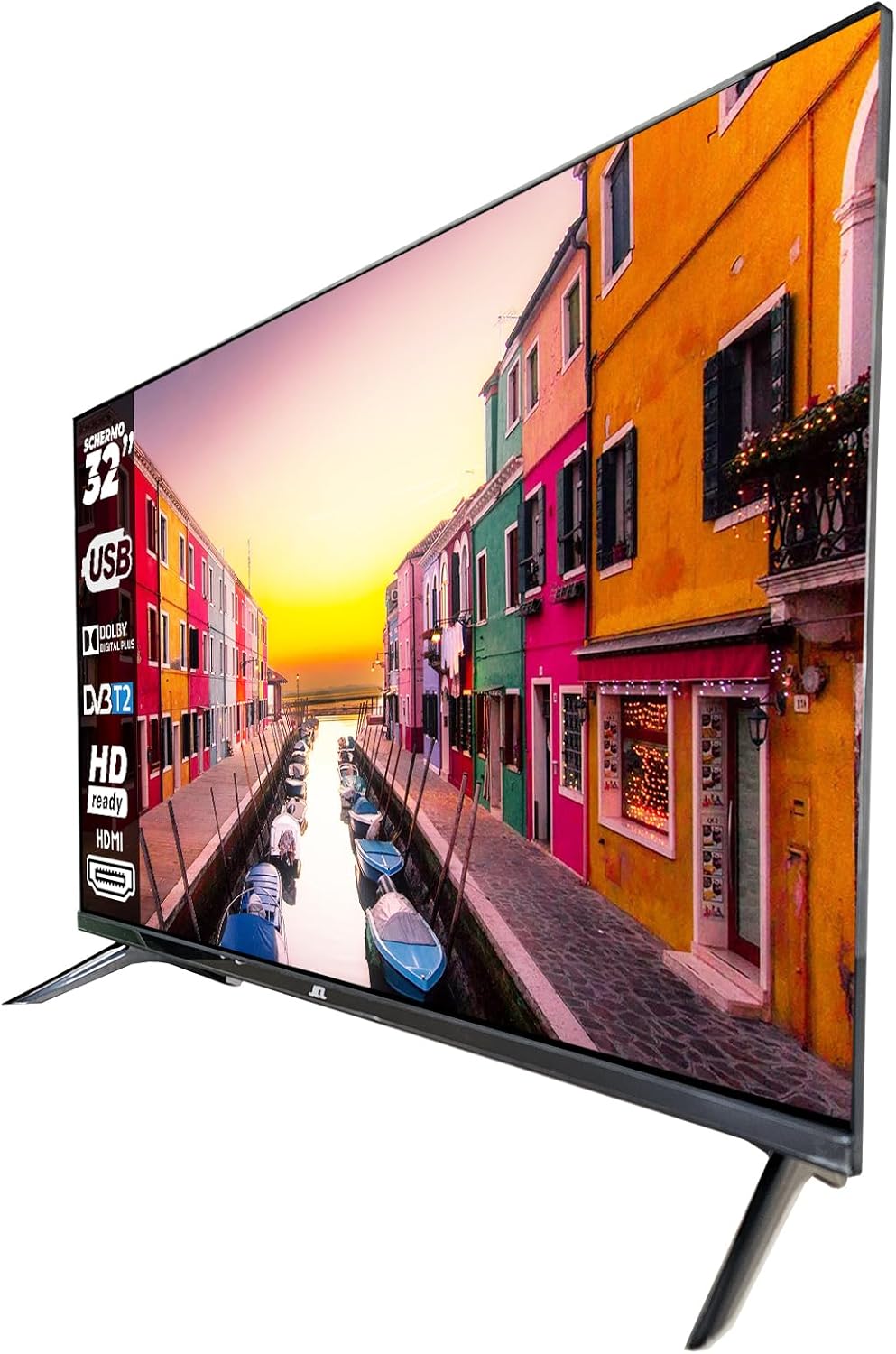
Image: The JCL 32HDDTV2023 television shown with its two-piece stand attached, viewed from an angle.
2. Wall Mounting (Optional)
This TV supports VESA 100 x 100mm wall mounts. Ensure you use a compatible wall mount bracket and follow the instructions provided with the wall mount. Remove the stand before wall mounting.

Image: Rear view of the JCL 32HDDTV2023 television, highlighting the VESA mounting points and various input/output ports.
3. Connecting External Devices
The TV offers various connection ports:

Image: A close-up view of the connectivity panel on the JCL 32HDDTV2023 TV, showing ports such as USB, Antenna, HDMI, and Composite Video/Audio inputs.
- Antenna/Cable (RF IN): Connect an antenna or cable TV signal to the RF input.
- Satellite (RF IN): Connect a satellite dish cable to the dedicated satellite RF input.
- HDMI: Connect devices like Blu-ray players, game consoles, or set-top boxes using an HDMI cable. The TV has 2 HDMI ports.
- USB: Connect USB storage devices for media playback. The TV has 1 USB 2.0 port.
- Composite Video/Audio (Mini AV): Connect older devices using the composite video and audio inputs (mini-jack type).
- CI/CI+ Slot: Insert a Conditional Access Module (CAM) for encrypted digital channels.
- SPDIF (Coaxial): Connect to an external audio receiver for digital audio output.
- Audio Jack (Headphone): Connect headphones for private listening.
4. Power Connection
Plug the power cord into the TV's power input, then plug the other end into a wall outlet. The TV will enter standby mode.
5. Initial Setup Wizard
Upon first power-on, the TV will guide you through an initial setup process. This typically includes:
- Language selection.
- Country/Region selection.
- Time zone setting.
- Channel scanning (for ATV, DVB-T/T2/C, DVB-S/S2 signals).
Follow the on-screen prompts to complete the setup.
Operating Instructions
Remote Control Functions
The remote control allows you to access all TV functions. Insert two AAA batteries (not included) into the remote control, observing polarity.
- Power Button: Turns the TV on or off (standby mode).
- Number Buttons (0-9): Select channels directly.
- CH +/-: Change channels sequentially.
- VOL +/-: Adjust volume level.
- Mute: Mute or unmute the sound.
- Source/Input: Select input source (HDMI1, HDMI2, AV, DTV, ATV, SAT).
- Menu: Access the main menu for settings.
- Navigation Buttons (Up/Down/Left/Right): Navigate through menus and options.
- OK/Enter: Confirm selections.
- Exit/Back: Exit menus or go back to the previous screen.
- EPG: Display the Electronic Program Guide (for digital channels).
- Info: Display current channel information.
- Text: Access Teletext (if available on the broadcast).
- Subtitle: Enable or disable subtitles.
- Media/USB: Access media playback from a USB device.
Basic TV Functions
- Power On/Off: Press the Power button on the remote or the TV's control panel.
- Channel Selection: Use CH +/- or number buttons.
- Volume Adjustment: Use VOL +/-.
- Input Source Selection: Press the Source button and select the desired input (e.g., HDMI 1 for a game console, DTV for digital broadcast).
Menu Navigation
Press the Menu button to access various settings categories:
- Picture Settings: Adjust brightness, contrast, color, sharpness, picture mode (Standard, Dynamic, Movie, User).
- Sound Settings: Adjust bass, treble, balance, sound mode (Standard, Music, Movie, User), and enable/disable Dolby Digital Plus.
- Channel Settings: Perform auto/manual channel scans, edit channel lists, set favorite channels, and access parental control settings.
- Time Settings: Set current time, sleep timer, and auto standby.
- Option/General Settings: Language selection, OSD duration, factory reset.
Parental Control
The TV includes parental control features to restrict access to certain channels or programs based on rating. Access this feature through the Channel Settings menu. A PIN code is required to activate and modify parental control settings.
Media Playback via USB
Insert a USB storage device into the USB port. Press the Media/USB button on the remote or select USB from the input source menu. You can browse and play compatible photo, music, and video files.
Maintenance
- Cleaning the Screen: Gently wipe the screen with a soft, lint-free cloth. For stubborn marks, use a screen cleaning solution specifically designed for TVs, applied to the cloth, not directly to the screen.
- Cleaning the Cabinet: Wipe the TV cabinet with a soft, dry cloth. Do not use abrasive cleaners or solvents.
- Ventilation: Ensure the ventilation openings on the back of the TV are not blocked to prevent overheating.
- Power Cord: Regularly check the power cord for any damage. If damaged, replace it with an authorized replacement.
Troubleshooting
| Problem | Possible Cause / Solution |
|---|---|
| No power |
|
| No picture, but sound is present |
|
| No sound, but picture is present |
|
| Remote control not working |
|
| Cannot find channels during scan |
|
If the problem persists after trying these solutions, please contact customer support.
Specifications
| Feature | Detail |
|---|---|
| Model Number | 32HDDTV2023 |
| Screen Size | 32 inches |
| Display Resolution | 1366 x 768 (HD Ready) |
| Backlight Module | DLED (OD35) |
| Brightness | 200 nits (cd/m2) |
| Refresh Rate | 60 Hz |
| TV Reception System | ATV / DVB-T / T2 / C / S / S2 |
| HDMI Ports | 2 (HDCP 1.4) |
| USB Ports | 1 (USB 2.0) |
| Composite Video Input | 1 (Mini) |
| Composite Audio Input | 2 (Mini, R/L) |
| CI/CI+ Slot | Yes |
| SPDIF Output | 1 (Coaxial) |
| Audio Output | 2 x 8 W |
| Audio Technology | Dolby Digital Plus (DD+) |
| VESA Compatibility | 100 x 100 mm |
| Dimensions with Stand (W x D x H) | 720 x 188.5 x 480.7 mm |
| Dimensions without Stand (W x D x H) | 720 x 81 x 423.4 mm |
| Power Supply | AC 100-240 V, 50/60 Hz, 60 W |
| Energy Efficiency Class | E (A-G scale) |
| Power Consumption | 26 kWh/1000h |
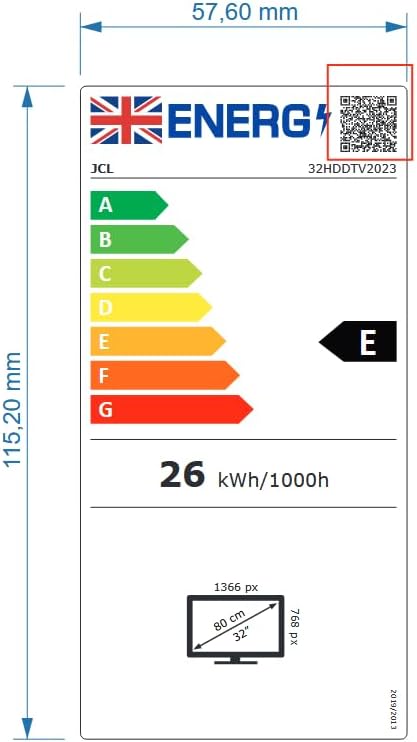
Image: The energy efficiency label for the JCL 32HDDTV2023 TV, indicating an 'E' rating and 26 kWh/1000h power consumption.
Warranty and Support
Your JCL 32HDDTV2023 Television is covered by a manufacturer's warranty. Please refer to the warranty card included with your product for specific terms and conditions, including the warranty period and coverage details.
For technical support, service inquiries, or to obtain replacement parts, please contact JCL customer service. Contact information can typically be found on the manufacturer's official website or on the warranty card.
Please have your model number (32HDDTV2023) and purchase date ready when contacting support.