
1. Introduction
Thank you for purchasing the Joy Pebble Portable Spot Cooler J0A4211D2-9K. This versatile unit offers 3-in-1 functionality: cooling, dehumidifying, and ventilation, providing comfort in various environments without the need for complex installation. Its compact design and integrated casters allow for easy movement and placement in different rooms or workspaces. Please read this manual thoroughly before use to ensure proper operation and maintenance.

Image: The Joy Pebble Portable Spot Cooler showcasing its three primary functions: cooling, dehumidifying, and ventilation.
2. Safety Information
To ensure safe operation, always follow these basic precautions:
- Read all instructions before using the appliance.
- Do not operate the unit with a damaged cord or plug.
- Do not block air inlets or outlets. Maintain at least 20 cm clearance around the unit.
- Do not insert objects into the air vents.
- Ensure the unit is placed on a stable, level surface.
- Unplug the unit before cleaning or performing any maintenance.
- Keep children and pets away from the unit during operation.
- Do not use the unit in wet areas or near water.
3. Package Contents
Verify that all items are present in the package:
- Joy Pebble Portable Spot Cooler Main Unit
- Remote Control
- Window Panel Kit
- Instruction Manual
- Fixing Screws (for window panel)
- Drain Hose
- Exhaust Duct

Image: An overview of the portable spot cooler and its complete set of accessories, including the remote control, window panel, and exhaust duct.
4. Setup
The Joy Pebble Portable Spot Cooler is designed for easy, no-installation setup. Follow these steps to prepare your unit for use:
4.1 Positioning the Unit
- Place the unit on a flat, stable surface.
- Ensure there is at least 20 cm of space around the unit for proper airflow.
- The integrated casters allow you to easily move the unit to your desired location.
4.2 Installing the Exhaust Duct and Window Panel
The exhaust duct expels hot air outside, which is crucial for effective cooling.
- Attach one end of the exhaust duct to the air outlet on the back of the unit.
- Assemble the window panel kit according to your window size (adjustable for window heights between 65-125 cm).
- Secure the window panel in your window opening.
- Attach the other end of the exhaust duct to the opening in the window panel. Ensure a tight seal to prevent hot air from re-entering the room.
- Use the provided fixing screws to secure the window panel if necessary.

Image: The portable spot cooler positioned next to a window, with the exhaust duct connected to the adjustable window panel for heat expulsion.
5. Operating Instructions
Your Joy Pebble Spot Cooler offers multiple modes and settings for optimal comfort.
5.1 Control Panel and Remote Control
The unit features an intuitive LED control panel. A remote control is also included for convenient operation from a distance.
5.2 Operating Modes
- Cooling Mode: Provides powerful cooling with 2.6kW capacity, suitable for areas up to 8.3 tatami mats. Temperature can be set between 16°C and 32°C.
- Dehumidifying Mode: Removes up to 24 liters of moisture per day, ideal for humid conditions. Continuous drainage is possible using the included drain hose.
- Fan Mode: Circulates air efficiently for ventilation and odor control. Features 2-stage fan speed adjustment.

Image: The spot cooler operating in a kitchen, demonstrating its 2.6kW cooling power and adjustable fan settings.
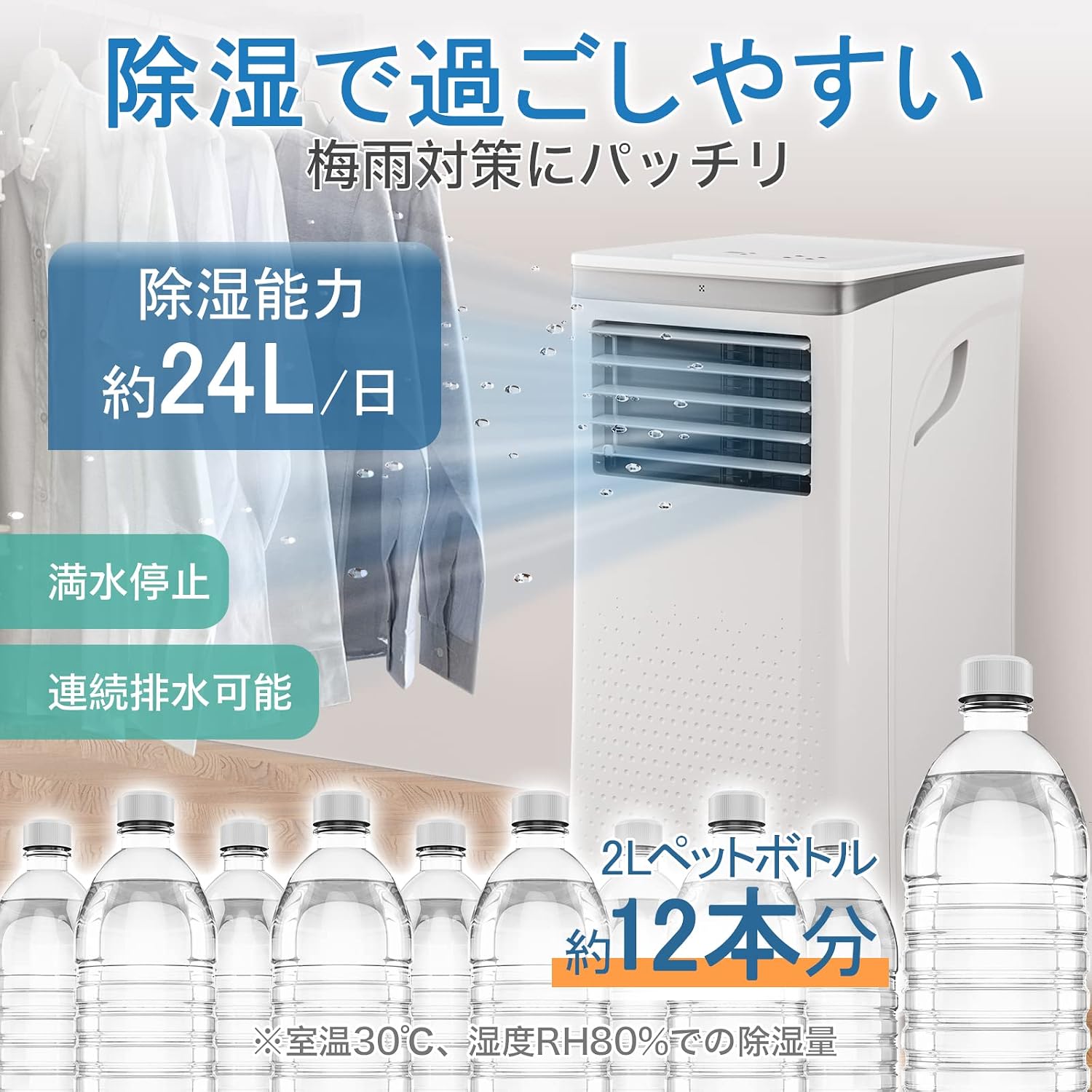
Image: The spot cooler illustrating its dehumidification function, capable of removing up to 24 liters of moisture daily, equivalent to about 12 two-liter PET bottles.
5.3 Timer and Sleep Mode
- 24-Hour Timer: Set the unit to turn on or off automatically within a 24-hour period, in 1-hour increments. This helps prevent overcooling during sleep and saves energy.
- Sleep Mode: Activates quiet operation and gradually adjusts the temperature to maintain a comfortable sleeping environment while minimizing noise and energy consumption.

Image: The spot cooler in a bedroom, demonstrating its quiet operation in sleep mode and the convenience of the 24-hour timer for undisturbed rest.
6. Maintenance
Regular maintenance ensures optimal performance and longevity of your spot cooler.
6.1 Filter Cleaning
The air filter should be cleaned regularly (e.g., every two weeks or as needed) to maintain airflow and cooling efficiency.
- Unplug the unit from the power outlet.
- Locate the air filter on the back of the unit.
- Gently remove the filter.
- Clean the filter with a vacuum cleaner or wash it with warm, soapy water. Rinse thoroughly.
- Allow the filter to dry completely before reinserting it into the unit.
6.2 Drainage
The unit features a non-drain structure where condensed water is evaporated and expelled with the exhaust heat. However, in very humid conditions, some water may accumulate. For continuous dehumidification, connect the drain hose:
- Locate the drain outlet at the bottom rear of the unit.
- Connect the provided drain hose to the outlet.
- Direct the other end of the hose to a suitable drain or container. Ensure the hose is sloped downwards for proper drainage.
7. Troubleshooting
If you encounter issues, refer to the following common problems and solutions:
| Problem | Possible Cause | Solution |
|---|---|---|
| Unit does not turn on | No power, power cord loose | Check power connection, plug firmly into outlet |
| Insufficient cooling | Blocked air filter, exhaust duct not properly installed, room too large, windows/doors open | Clean air filter, ensure exhaust duct is sealed, close windows/doors, consider room size limitations |
| Unit is noisy | Unit not on a level surface, internal components vibrating | Ensure unit is on a flat surface, check for any loose parts (if safe to do so) |
| Water leakage | Drain hose blocked or improperly connected | Check drain hose for kinks or blockages, ensure secure connection |
If the problem persists after trying these solutions, please contact customer support.
8. Specifications
| Feature | Specification |
|---|---|
| Brand | Joy Pebble |
| Model Number | J0A4211D2-9K |
| Cooling Capacity | 2.6 kW |
| Applicable Area | Up to 8.3 Tatami Mats |
| Dehumidification Capacity | 24 Liters/Day |
| Operating Modes | Cooling, Dehumidifying, Fan |
| Temperature Setting Range | 16°C - 32°C |
| Fan Speed Settings | 2 (High/Low) |
| Timer | 24-hour (1-hour increments) |
| Operating Noise | 56 dB |
| Power Source | Corded Electric |
| Voltage | 100 Volts |
| Wattage | 750 W |
| Product Dimensions (D x W x H) | 35 x 34.8 x 70.1 cm |
| Item Weight | 23 kg |
| Installation Method | Freestanding |
9. Warranty and Support
Joy Pebble offers a 3-year quality warranty from the date of purchase for this portable spot cooler. If you encounter any defects or issues during this period, please contact our customer support for assistance.
Customer Support:
For any questions, troubleshooting, or warranty claims, please contact Joy Pebble customer support through the retailer where you purchased the product or visit the official Joy Pebble website for contact information.

Image: Joy Pebble's customer support and warranty information, indicating a 3-year quality warranty.