
1. Introduction
This manual provides detailed instructions for the bonkyo F999 Professional Audio Mixer. The F999 is an integrated audio mixing device designed for live streaming, podcasting, gaming, and singing applications. It features a built-in digital DSP chip, various sound effects, and multiple connectivity options to enhance your audio experience.
2. Package Contents
Verify that all items listed below are included in your package. If any items are missing or damaged, please contact customer support.
- 1x bonkyo F999 Audio Mixer
- 1x Power Cord/Charging Cable (Type-C to USB-A)
- 2x 3.5mm TRRS Audio Cables
- 1x Instruction Manual
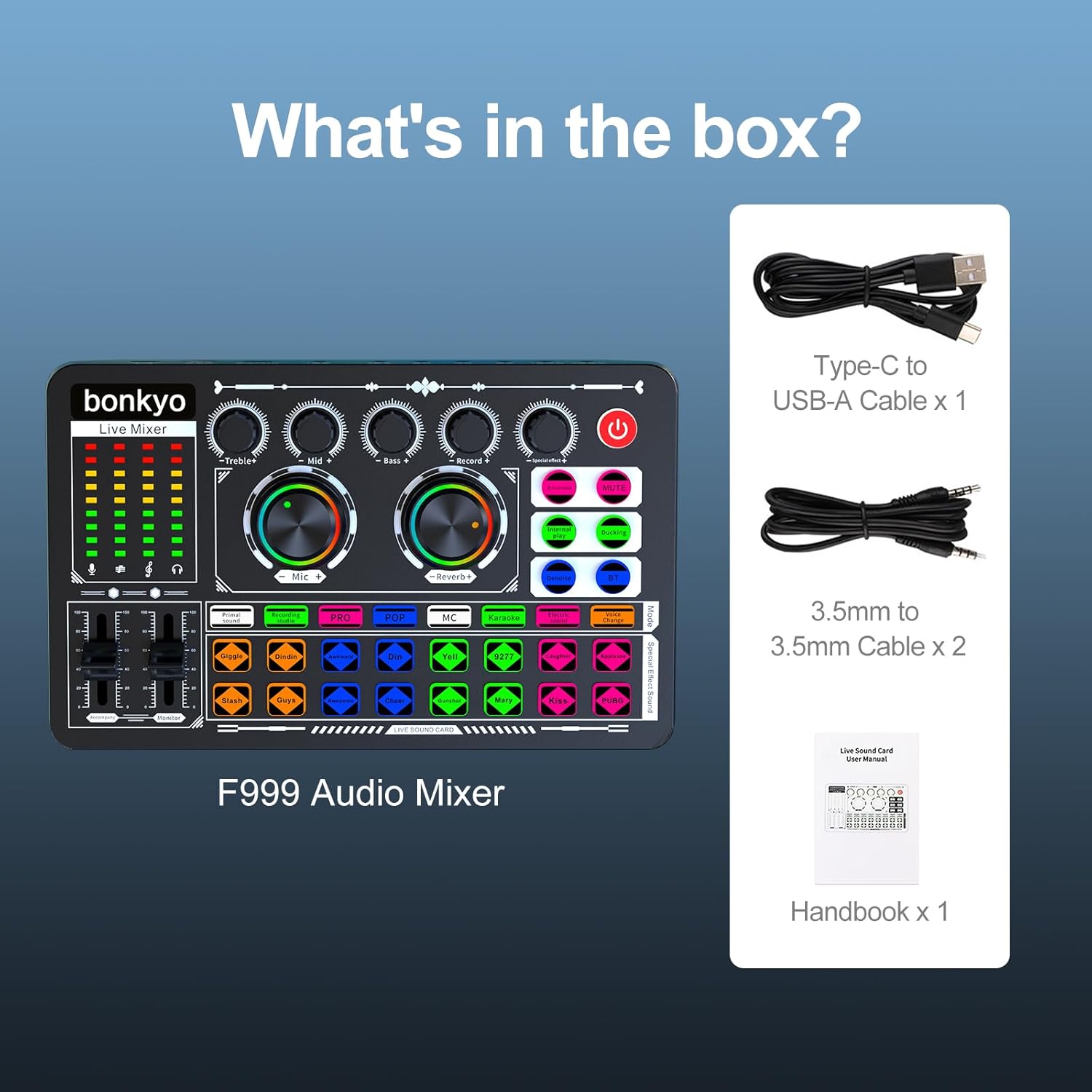
Image: Contents of the bonkyo F999 package.
3. Setup Guide
3.1 Powering On the Device
- Connect the provided Type-C to USB-A cable to the "Charging" port on the F999 mixer and to a power source (e.g., USB wall adapter, computer USB port).
- The device contains a built-in Lithium Ion battery. Ensure it is sufficiently charged for portable use.
- Press and hold the power button (usually located on the top right) to turn the mixer on.
3.2 Connecting Audio Inputs and Outputs
The F999 mixer offers various input and output interfaces for diverse setups.
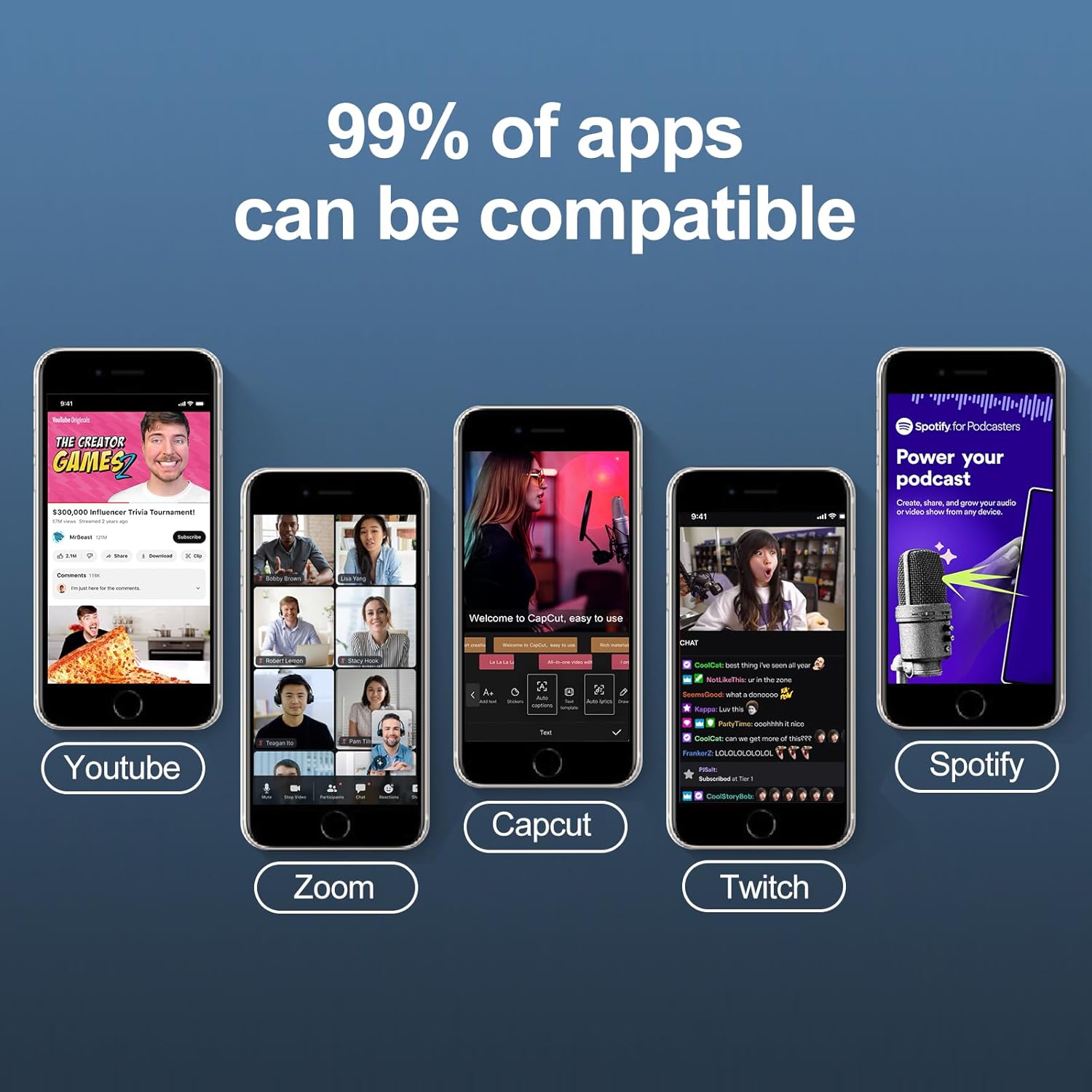
Image: Input and Output Interfaces of the F999 Mixer.
- Microphone Inputs:
- Connect 3.5mm condenser microphones to the "Condenser mic1" or "Condenser mic2" ports.
- Connect a 6.5mm dynamic microphone to the "Dynamic microphone" port.
- Headphone/Earphone Outputs:
- Connect a headset to the "Headset" port.
- Connect earphones to the "Earphone" port for monitoring.
- Accompaniment Input: Connect an external audio source (e.g., phone, tablet) for background music to the "Accompany" port using a 3.5mm audio cable.
- Live Broadcast Outputs: Connect up to three devices (phones/pads) for simultaneous live broadcasting using 3.5mm TRRS audio cables to the "Live1", "Live2", and "Live3" ports.
- PC Connection: Connect the mixer to a computer via the "OTG/PC Live" Type-C port for digital audio transmission.
3.3 Bluetooth Connectivity
The F999 supports Bluetooth 5.0 for wireless audio input.
- Press the "BT" button on the mixer to activate Bluetooth pairing mode. The indicator light will flash.
- On your device (smartphone, tablet), search for "F999" in the Bluetooth settings and connect.
- Once connected, the indicator light will remain solid. You can now stream audio wirelessly to the mixer.

Image: Bluetooth 5.0 connectivity feature.
4. Operating Instructions
The bonkyo F999 mixer is equipped with various controls and features for audio customization.

Image: Overview of the F999 Mixer controls.
4.1 Basic Controls
- Volume Knobs: Adjust Treble, Mid, Bass, Record, and Monitor volumes using the corresponding rotary knobs.
- Microphone Volume: Use the "Mic +" knob to adjust microphone input volume.
- Reverb Control: Use the "Reverb +" knob to adjust the reverberation effect level.
- Accompaniment & Monitor Sliders: Two sliders allow for 100 levels of stepless adjustment for accompaniment volume and monitoring headphone volume.
4.2 Sound Effects and Modes
The mixer includes a variety of sound effects and voice modes to enhance your audio.

Image: Sound patterns and effects available on the F999 Mixer.
- Recording Options: Select from 5 different recording options.
- Tone Modes: Choose from 8 tone modes (e.g., Primal, PRO, POP, MC, Karaoke).
- Special Effects: Access 16 built-in special effects (e.g., Giggle, Din, Yell, Kiss, Applause). Press the corresponding button to activate an effect.
- Voice Changing Modes: Utilize 4 voice changing modes for creative audio manipulation.
- DENOISE Button: Press this button to activate the noise reduction feature for clearer audio.
- MUTE Button: Mutes all audio output.
4.3 Application Scenarios
The F999 mixer is suitable for various audio applications.
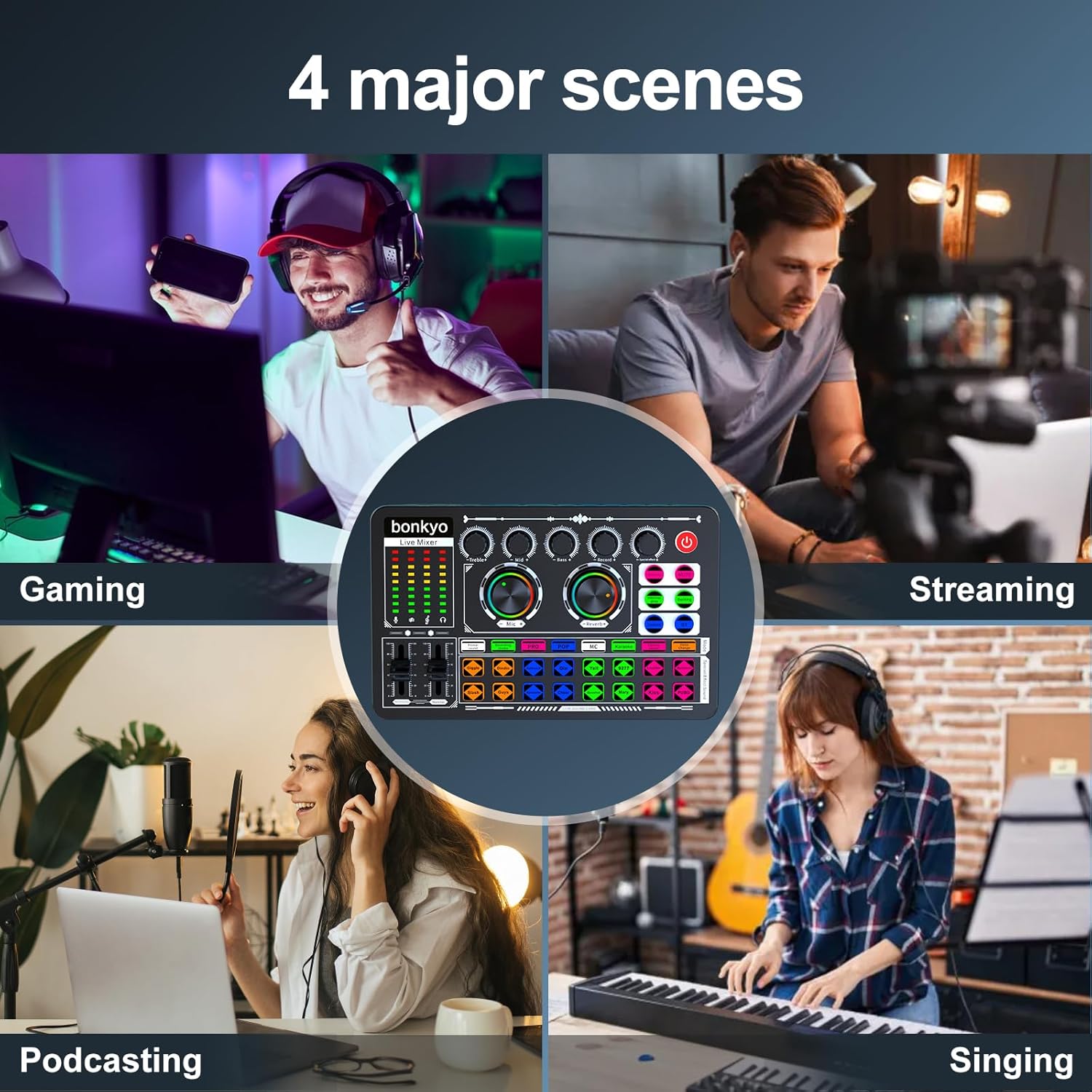
Image: Common application scenarios for the F999 Mixer.
- Gaming: Enhance in-game audio and communication.
- Live Streaming: Professional audio for platforms like Twitch, YouTube, Facebook.
- Podcasting: Clear and dynamic audio for interviews and broadcasts.
- Singing: Add effects and mix vocals for performances.
5. Maintenance
To ensure the longevity and optimal performance of your bonkyo F999 Audio Mixer, follow these maintenance guidelines:
- Cleaning: Use a soft, dry cloth to wipe the surface of the mixer. Avoid using liquid cleaners or abrasive materials, as they may damage the finish or internal components.
- Storage: Store the mixer in a cool, dry place away from direct sunlight, extreme temperatures, and high humidity.
- Handling: Handle the device with care. Avoid dropping it or subjecting it to strong impacts.
- Cable Management: Disconnect cables properly by pulling the plug, not the cable itself, to prevent damage to the connectors.
6. Troubleshooting
If you encounter issues with your bonkyo F999 Audio Mixer, refer to the following common troubleshooting steps:
- No Power:
- Ensure the power cable is securely connected to both the mixer and the power source.
- Verify that the power source is active.
- Charge the internal battery if it is depleted.
- No Audio Output:
- Check all audio cable connections (microphones, headphones, output devices).
- Ensure volume knobs and sliders are not set to minimum or muted.
- Verify that the "MUTE" button is not active.
- If using Bluetooth, ensure the device is properly paired and connected.
- Poor Audio Quality/Noise:
- Check microphone connections and ensure they are functioning correctly.
- Activate the "DENOISE" button to reduce background noise.
- Adjust Treble, Mid, and Bass settings to optimize sound.
- Ensure cables are not damaged or faulty.
- Bluetooth Pairing Issues:
- Ensure the "BT" button is pressed and flashing.
- Disable and re-enable Bluetooth on your connecting device.
- Move closer to the mixer to ensure a strong signal.
- Forget the device in your Bluetooth settings and try pairing again.
If the problem persists, please refer to the customer support section for further assistance.
7. Specifications
| Feature | Detail |
|---|---|
| Model Number | F999 |
| Item Weight | 15.2 ounces |
| Product Dimensions | 7.52 x 4.65 x 1.97 inches |
| Battery Type | 1 Lithium Ion battery (included) |
| Hardware Interface | Bluetooth, USB |
| Hardware Platform | PC |
| Power Source | Battery Powered |
| Number of Channels | 5 |
| Connectivity Technology | Bluetooth |
| Audio Input | 3.5mm Condenser Mic (x2), 6.5mm Dynamic Mic (x1), 3.5mm Accompaniment |
| Compatible Applications | 99% of applications (e.g., YouTube, Zoom, Capcut, Twitch, Spotify) |
| Compatible Devices | 99% of devices (Android, iOS, Windows, PC, Tablet, Smartphone) |

Image: Device compatibility for the F999 Mixer.
8. Warranty and Support
bonkyo is committed to providing quality products and customer satisfaction.
- Return Policy: This product is eligible for a 30-day refund/replacement policy.
- Customer Service: Detailed manuals are provided to assist with setup and operation. For further assistance, bonkyo offers customer support.
- Technical Support: Lifetime technical support is available.
- Replacement: A 365-day replacement policy is offered.
For specific inquiries or to report an issue, please contact bonkyo customer service through the platform of purchase or refer to the contact information provided in the product packaging.

Image: bonkyo Customer Service and Support details.

