
1. Introduction
Welcome to your Mivi DuoPods i7 Earbuds. This manual provides essential information for setting up, operating, and maintaining your earbuds to ensure the best possible audio experience. Please read these instructions carefully before use.
2. What's in the Box
- Mivi DuoPods i7 Earbuds (Left and Right)
- Charging Case
- USB Type-C Charging Cable
- Multiple Sizes of Ear Cushions/Eartips
- User Manual (this document)

Image: Mivi DuoPods i7 Earbuds in their charging case, showcasing the sleek design.
3. Product Overview
The Mivi DuoPods i7 are designed for an immersive audio experience, featuring 13mm high-fidelity drivers, Advanced Audio Codec (AAC) for lossless audio, and AI-ENC technology for clear calls. The earbuds come in a sleek, transparent acrylic lid charging case with a matte base.

Image: Detailed view of the 13mm high-fidelity driver within the earbud.

Image: Earbuds connected to a smartphone, illustrating AAC for lossless audio quality.

Image: A person wearing one earbud, representing the 3D Soundstage experience.

Image: The charging case and earbuds in different color options, emphasizing the rich design.
4. Setup
4.1 Charging the Earbuds and Case
- Place the earbuds into the charging case. Ensure they are correctly seated.
- Connect the USB Type-C charging cable to the charging port on the case and to a power source.
- The LED indicators on the case will show the charging status. A full charge for the case takes approximately 4 hours.
- The earbuds provide up to 8.5 hours of playtime on a single charge, with the case extending combined playtime to over 45 hours. A quick 10-minute charge can provide up to 500 minutes of playtime.

Image: The Mivi DuoPods i7 charging case with earbuds, showing the Type-C charging port.
4.2 Pairing with a Device
- Open the charging case. The earbuds will automatically enter pairing mode, indicated by flashing LED lights.
- On your device (smartphone, tablet, laptop), enable Bluetooth.
- Search for "Mivi DuoPods i7" in the list of available Bluetooth devices.
- Select it to connect. Once connected, the LED indicators on the earbuds will stop flashing.
4.3 Multipoint Pairing
The Mivi DuoPods i7 supports multipoint pairing, allowing you to connect to two devices simultaneously.
- Pair the earbuds with your first device as described in section 4.2.
- Disable Bluetooth on the first device. The earbuds will re-enter pairing mode.
- Pair the earbuds with your second device.
- Re-enable Bluetooth on your first device. The earbuds should now be connected to both devices.

Image: Mivi DuoPods i7 earbuds demonstrating simultaneous connection to two devices.
5. Operating Instructions
5.1 Touch Controls
The Mivi DuoPods i7 feature intuitive touch controls on each earbud. The specific functions may vary slightly depending on your device and application.
| Action | Function |
|---|---|
| Single Tap (Left/Right) | Play/Pause Music, Answer/End Call |
| Double Tap (Right) | Next Track |
| Double Tap (Left) | Previous Track |
| Triple Tap (Right) | Volume Up |
| Triple Tap (Left) | Volume Down |
| Long Press (2 seconds) | Activate Voice Assistant, Reject Call |
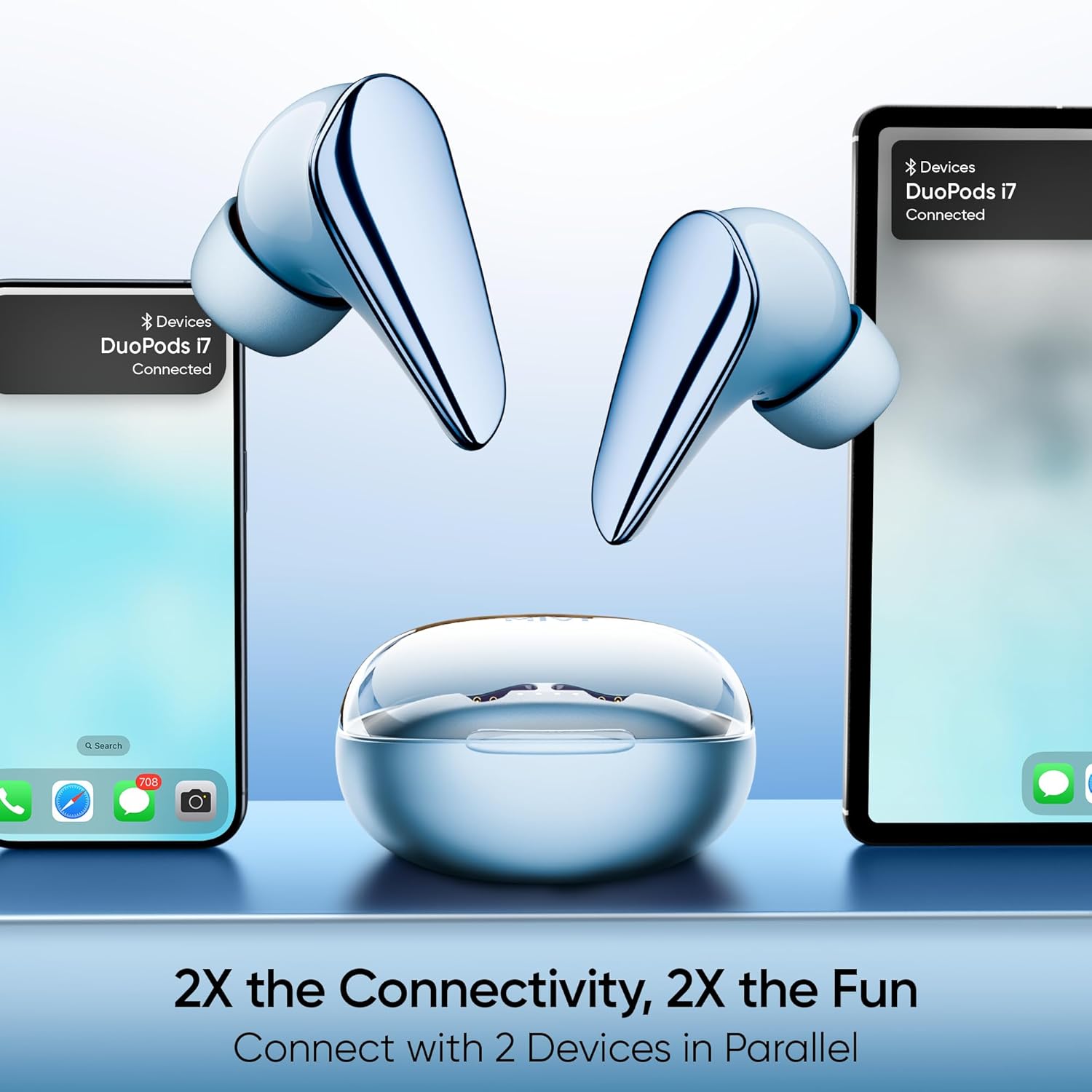
Image: Earbuds shown with a smartphone, illustrating music playback and touch control interaction.
5.2 Calling
The earbuds are equipped with AI-ENC (Environmental Noise Cancellation) technology to ensure clear call quality by minimizing background noise.
- Answering/Ending Calls: Single tap either earbud.
- Rejecting Calls: Long press either earbud for 2 seconds.
5.3 Voice Assistant
To activate your device's voice assistant (e.g., Siri, Google Assistant), long press either earbud for 2 seconds.
6. Maintenance
6.1 Cleaning
- Regularly clean the earbuds and charging case with a soft, dry, lint-free cloth.
- Remove ear tips and clean them with mild soap and water, then dry thoroughly before reattaching.
- Do not use harsh chemicals or abrasive materials.
6.2 Storage
- Store the earbuds in their charging case when not in use to protect them and keep them charged.
- Avoid extreme temperatures and direct sunlight.
7. Troubleshooting
7.1 Earbuds Not Pairing
- Ensure the earbuds are charged.
- Make sure Bluetooth is enabled on your device.
- Place the earbuds back in the case, close the lid, wait a few seconds, then open it again to re-enter pairing mode.
- Try forgetting the device from your phone's Bluetooth settings and re-pairing.
7.2 Low Volume or Poor Sound Quality
- Check the volume levels on both your device and the earbuds.
- Ensure ear tips are clean and properly sealed in your ear canal. Try different sized ear tips for a better fit.
- Ensure there are no obstructions between the earbuds and your device.
7.3 Earbuds Not Charging
- Verify the charging cable is securely connected to both the case and the power source.
- Ensure the charging contacts on the earbuds and inside the case are clean and free of debris.
- Try a different USB Type-C cable and power adapter.
8. Specifications
| Feature | Detail |
|---|---|
| Model Name | Mivi Duopods i7O |
| Model Number | TEDPI7 |
| Bluetooth Version | 5.3 |
| Audio Codec | AAC (Advanced Audio Codec) |
| Driver Size | 13 mm Dynamic Driver |
| Noise Control | Passive Noise Cancellation, Sound Isolation, AI-ENC for calls |
| Battery Life (Earbuds) | Up to 8.5 hours |
| Combined Playtime | Up to 55 hours |
| Fast Charging | 500 minutes playtime in 10 minutes charge |
| Charging Port | USB Type-C |
| Water Resistance | Water Resistant |
| Control Method | Touch |
| Special Features | 3D Soundstage, Built-In Voice Assistant, Multipoint Pairing |
| Weight | 45 Grams |
| Material | Plastic |
9. Warranty and Support
Your Mivi DuoPods i7 Earbuds come with a 1-year manufacturer's warranty covering manufacturing defects. To claim your warranty or for any support inquiries, please contact Mivi customer service:
- Phone: +918099973333
- WhatsApp: +918688896578
Please retain your proof of purchase for warranty claims.
10. Product Video Overview
Video: A brief overview of the Mivi DuoPods i7 Earbuds, highlighting key features and design elements.