
1. Introduction
Thank you for choosing the AbuDodo Portable Car Jump Starter with Air Compressor. This device is designed to be a versatile tool for automotive emergencies and maintenance, combining a powerful jump starter, a high-precision tire inflator, a portable power bank, and an emergency LED light. Please read this manual thoroughly before use to ensure safe and optimal operation.
2. What's in the Box
Carefully unpack your AbuDodo Portable Car Jump Starter and ensure all items are present:
- 1 x Portable Car Jump Starter with Air Compressor
- 1 x Smart Jumper Cables
- 1 x Air Pump Hose
- 4 x Air Nozzles (various adapters)
- 1 x USB-C Charging Cable
- 1 x DC Car Charger
- 1 x User Manual
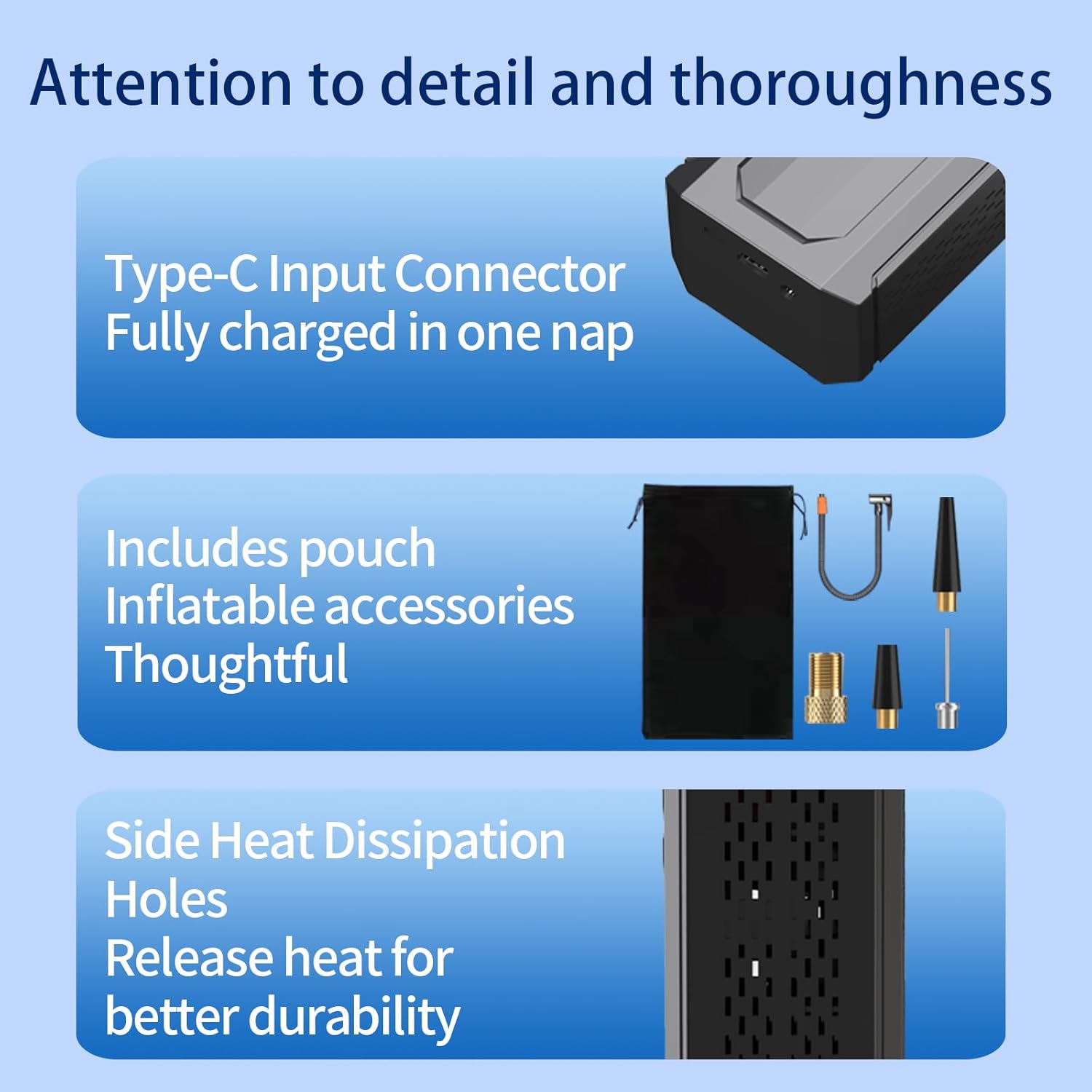
Image: Overview of the included accessories, highlighting the Type-C input, various inflatable nozzles, and the device's heat dissipation design.
3. Product Features
The AbuDodo Portable Car Jump Starter is equipped with several advanced features for convenience and safety:
- Multi-functional Outputs: Includes USB mobile power output (5V1A and 5V2.1A automatic allocation) and DC12V 20A high current output.
- Powerful Jump Starting: 1000A peak current for emergency starts, suitable for 6.0L gasoline and 3.0L diesel engines. Operates in temperatures from -20°C to 60°C.
- Smart Cordless Inflator: 0-120PSI high-precision tire pressure detection and inflation. Features a memory function for preset inflation pressure and a 5-minute rapid inflation capability. Easily switch between PSI, BAR, KPA, and kg/cm² units.
- Emergency Lighting: Three lighting modes: LED (constant illumination), SOS, and flashing lights for night use and emergencies.
- Advanced Safety Technology: Spark-proof design with reverse polarity protection, low voltage protection, high-temperature protection, and overload protection. Safe to connect to any 12-volt automotive car battery.
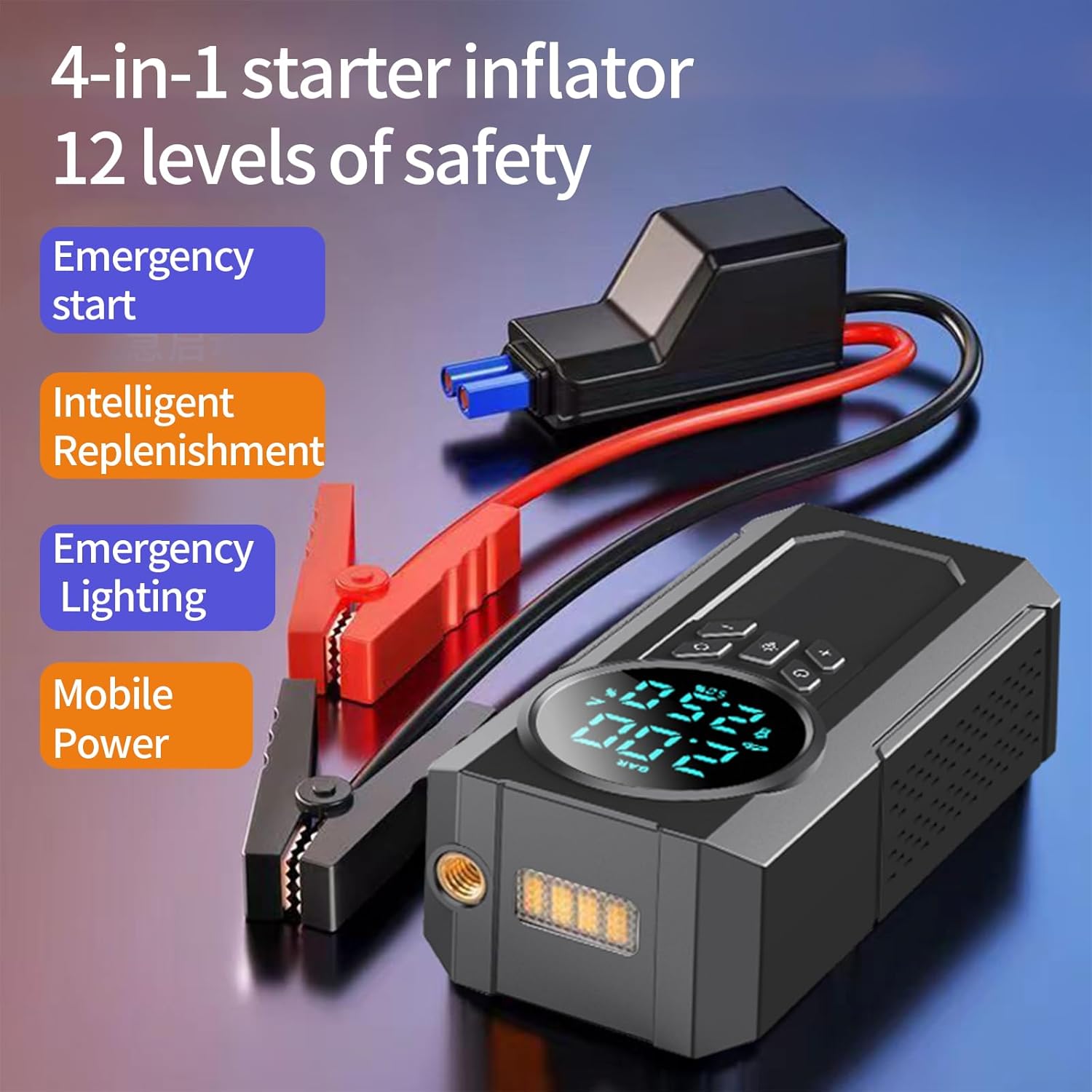
Image: Visual representation of the device's four primary functions: jump starting, intelligent inflation, emergency lighting, and mobile power bank capabilities.
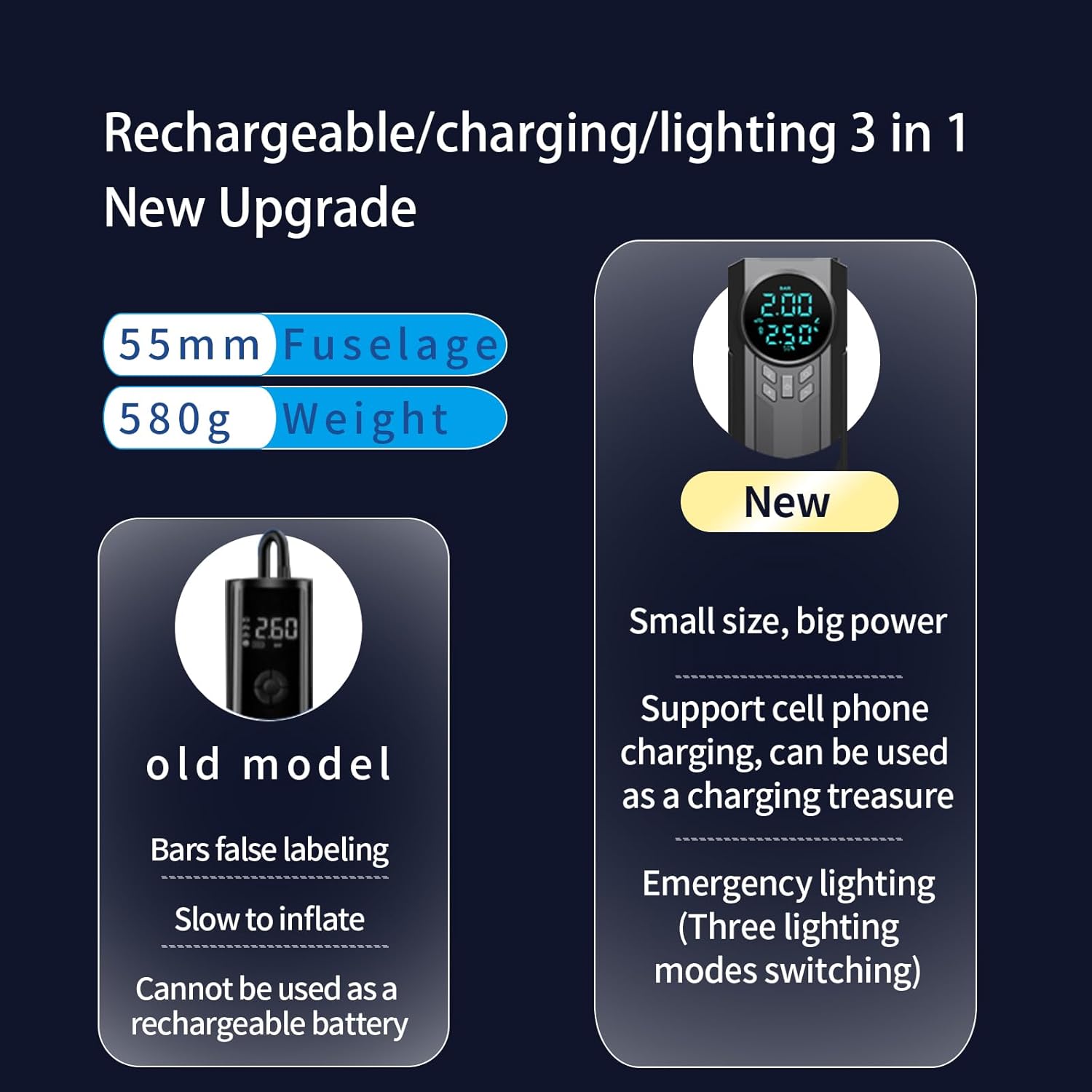
Image: Comparison illustrating the compact size and lighter weight of the new model, emphasizing its enhanced portability and multi-functionality including charging and lighting.
4. Setup and Charging
4.1 Initial Charge
Before first use, fully charge the jump starter. Connect the included USB-C charging cable to the device's Type-C input port and plug the other end into a USB power adapter (not included) or the DC car charger. The LCD display will indicate charging progress. A full charge typically takes a few hours.
4.2 Checking Battery Level
The LCD display shows the current battery percentage. It is recommended to keep the device charged above 50% for optimal performance, especially before jump-starting a vehicle.

Image: The main unit displaying its LCD screen and control interface, with jumper cables and various air nozzles visible.
5. Operating Instructions
5.1 Jump Starting a Vehicle
- Ensure the jump starter is sufficiently charged (preferably above 75%).
- Connect the red clamp of the smart jumper cables to the positive (+) terminal of the vehicle's battery.
- Connect the black clamp to the negative (-) terminal of the vehicle's battery.
- Insert the blue plug of the smart jumper cables into the jump starter's jump start port.
- Once connected, the smart cable's indicator light will show readiness.
- Start the vehicle's engine.
- Once the engine starts, immediately remove the blue plug from the jump starter, then disconnect the black clamp, followed by the red clamp from the vehicle battery.
Safety Precaution: Do not touch the red and black clamps together. Ensure proper polarity connection to avoid damage to the device or vehicle.
5.2 Using the Air Compressor
- Connect the air pump hose to the inflation port on the jump starter.
- Attach the appropriate air nozzle to the hose for your item (tire, ball, etc.).
- Connect the nozzle to the item to be inflated. The LCD display will show the current pressure.
- Press the 'M' button to select your desired pressure unit (PSI, BAR, KPA, kg/cm²).
- Use the '+' and '-' buttons to set the target pressure. The device has a memory function for the last set pressure.
- Press the power button to start inflation. The compressor will automatically stop when the preset pressure is reached.
- Disconnect the nozzle and hose.

Image: The intelligent digital display showing real-time pressure readings and recommended pressure ranges for different items like bicycle tires, balls, and motorcycle tires.
5.3 Using as a Power Bank
To charge your electronic devices, connect your device's USB charging cable to one of the USB output ports on the jump starter. The device will automatically allocate 5V1A or 5V2.1A output depending on your connected device's requirements.
5.4 Using the LED Light
The device features three lighting modes:
- Constant Illumination: Press the light button once to turn on the steady LED light.
- Warning Light (Flashing): Press the light button twice for a flashing warning light.
- SOS Light: Press the light button three times to activate the SOS signal light.
Press the light button again to cycle through modes or turn off the light.
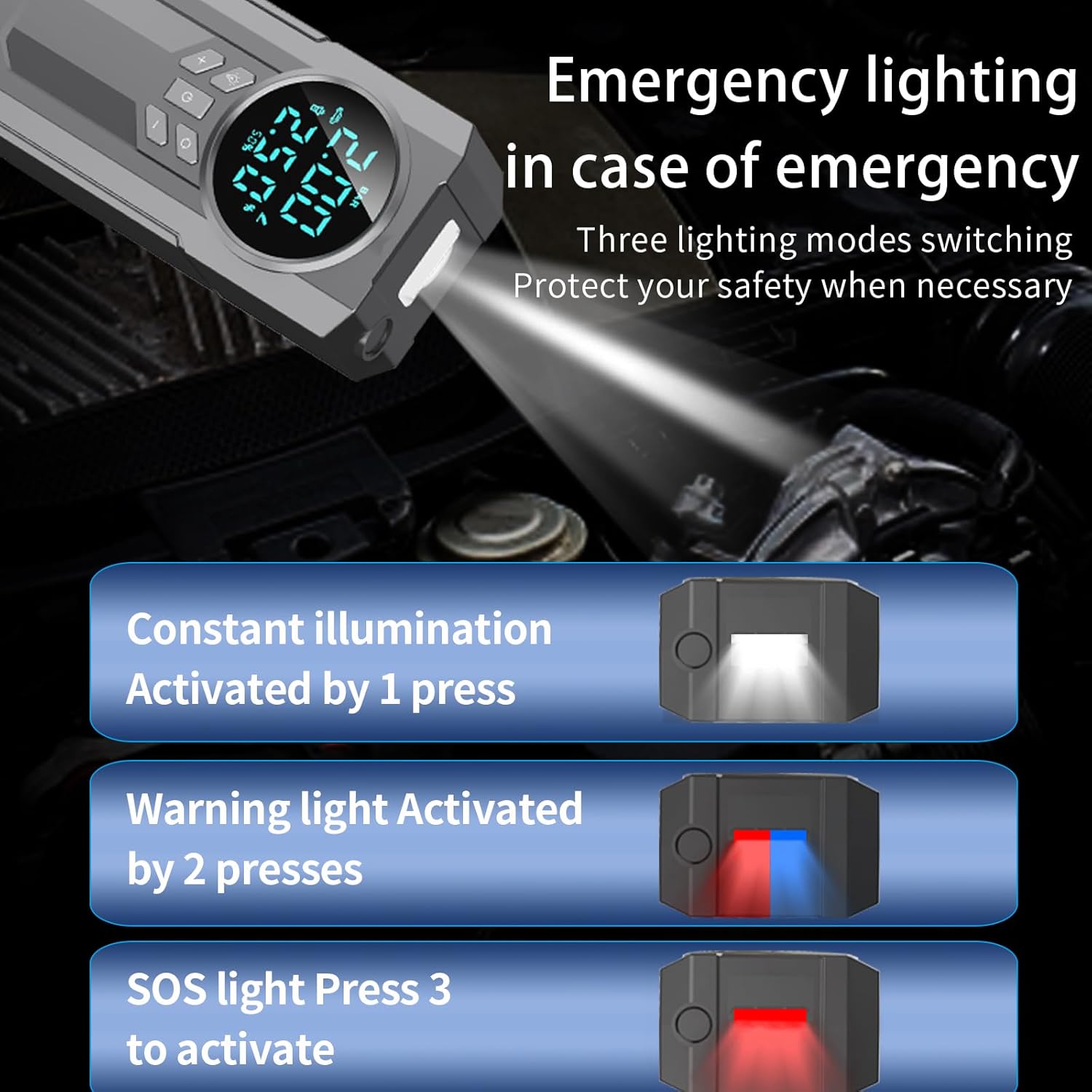
Image: Illustration of the three distinct lighting modes available for emergency situations: constant, flashing warning, and SOS.
6. Maintenance
- Charging: Recharge the unit every 3-6 months, even if not used, to maintain battery health.
- Storage: Store the device in a cool, dry place away from direct sunlight and extreme temperatures.
- Cleaning: Wipe the unit with a soft, dry cloth. Do not use harsh chemicals or abrasive cleaners.
- Heat Dissipation: Ensure the side heat dissipation holes are not blocked during operation or charging to prevent overheating.
7. Troubleshooting
- Device won't turn on: Ensure the battery is charged. If not, charge it fully.
- Jump start failed: Check that the clamps are securely connected to the correct battery terminals. Ensure the jump starter has sufficient charge. The vehicle battery might be severely discharged or faulty.
- Air compressor not inflating: Check that the hose and nozzle are securely attached and there are no leaks. Ensure the target pressure is set correctly and is higher than the current pressure.
- LCD display not working: Try recharging the unit. If the issue persists, contact customer service.
8. Technical Specifications
| Specification | Value |
|---|---|
| Brand | AbuDodo |
| Model | JN-088D |
| Product Dimensions | 6.7"D x 3.3"W x 2"H |
| Item Weight | 2.27 Pounds |
| Amperage | 1000 Amps |
| Peak Output Current | 1000 Amps |
| Max Air Pressure | 120 PSI |
| Engine Compatibility (Gasoline) | Up to 6.0 Liters |
| Engine Compatibility (Diesel) | Up to 3.0 Liters |
| Battery Type | Lithium Polymer (included) |
| Operating Temperature | -20°C to 60°C |
9. Warranty and Support
Your AbuDodo Portable Car Jump Starter with Air Compressor comes with a 2-YEAR FREE Warranty from the date of purchase. This warranty covers manufacturing defects and ensures your product performs as expected under normal use.
For any questions, technical support, or warranty claims, please contact our customer service team. We offer 7/24 Customer Service and Lifetime Technical Support to assist you with any issues or inquiries.
Please refer to your purchase documentation for specific contact details or visit the official AbuDodo website for support information.