
ESR 6B005
ESR Ascend Series Keyboard Case for iPad Air 13-inch (M3/M2, 2025/2024) - User Manual
Model: 6B005
1. Introduction
Thank you for choosing the ESR Ascend Series Keyboard Case. This manual provides essential information for the proper setup, operation, and maintenance of your new keyboard case. Please read it thoroughly before use.
Package Contents
- Magnetic Back Case
- Keyboard
2. Compatibility
This keyboard case is designed exclusively for the following iPad models:
- iPad Air 13-inch (M3, 2025)
- iPad Air 13-inch (M2, 2024)
Compatible Model Numbers: A2898, A2899, A2900, A3268, A3269, A3271.

Image: Compatibility chart illustrating supported iPad Air 13-inch models and how to verify your iPad's model number.
Please verify your iPad's model number before use to ensure proper fit and functionality.
3. Setup Instructions
3.1 Attaching the iPad
- Place your iPad into the magnetic back case. Ensure the camera cutout aligns correctly.
- The magnetic back case securely holds the iPad.

Image: The magnetic back case detaching from the keyboard base, highlighting its protective function.
3.2 Connecting the Keyboard
- Position the magnetic back case (with iPad inserted) onto the keyboard base. The magnets will align it automatically.
- Ensure the keyboard is powered on.
- On your iPad, go to Settings > Bluetooth.
- Select the keyboard from the list of available devices to pair.
3.3 Charging the Keyboard
The keyboard is equipped with a built-in rechargeable battery. Connect the provided USB-C cable to the keyboard's charging port and to a power source. A full charge provides extended usage time.

Image: Battery life estimates for the keyboard: 1 year standby, 3 months daytime use (backlight off), 2 weeks nighttime use (backlight on).
4. Operating Instructions
4.1 Keyboard Functions
The keyboard features standard keys and function keys for iPad control.
- Backlit Keys: Press the Light key (often represented by a light bulb icon) to cycle through 7 different backlight colors and 3 brightness levels.
- Special Function Keys: Utilize the top row of keys for quick access to iPad features such as Home, Search, Volume, and Media Playback.

Image: A user typing on the keyboard with illuminated backlit keys, demonstrating comfortable use day or night.
4.2 Precision Multi-touch Trackpad
The integrated trackpad supports multi-touch gestures for enhanced navigation and productivity.
- Click: Single tap or press.
- Scroll: Two fingers drag up or down.
- Zoom: Pinch with two fingers.
- Go Home: Swipe up with three fingers.

Image: A user interacting with the precision multi-touch trackpad, demonstrating various gestures like clicking, scrolling, zooming, and returning to the home screen.
4.3 Adjustable Stand
The case features a fully adjustable stand, allowing you to set your iPad at any angle between 15° and 180° for optimal viewing and typing comfort.
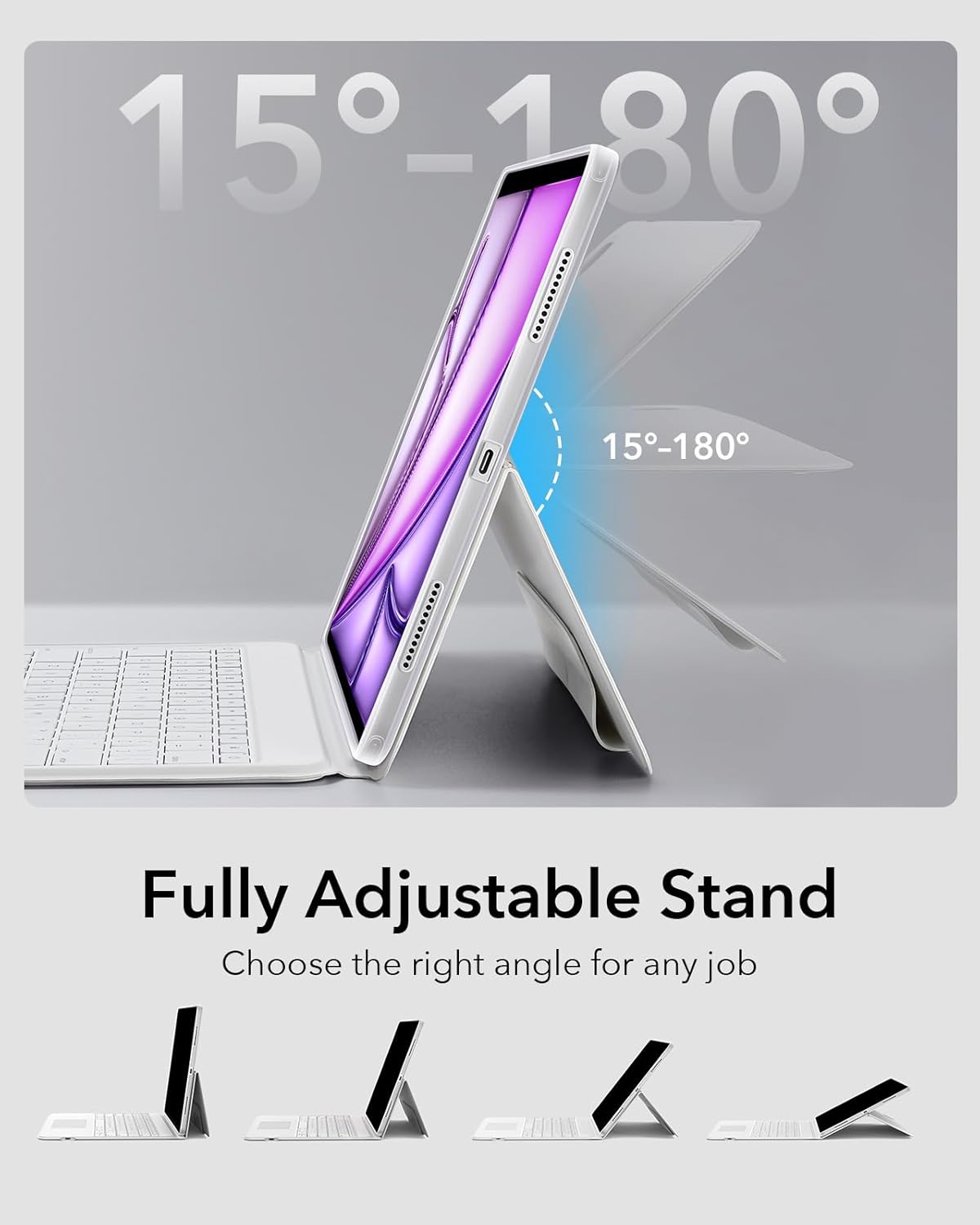
Image: The adjustable stand mechanism, demonstrating the full range of angles from 15° to 180° for versatile use.
4.4 Portrait and Landscape Viewing
Easily switch between portrait and landscape orientations by rotating your iPad while it is attached to the magnetic stand. This flexibility supports various tasks, from document editing to video conferencing.
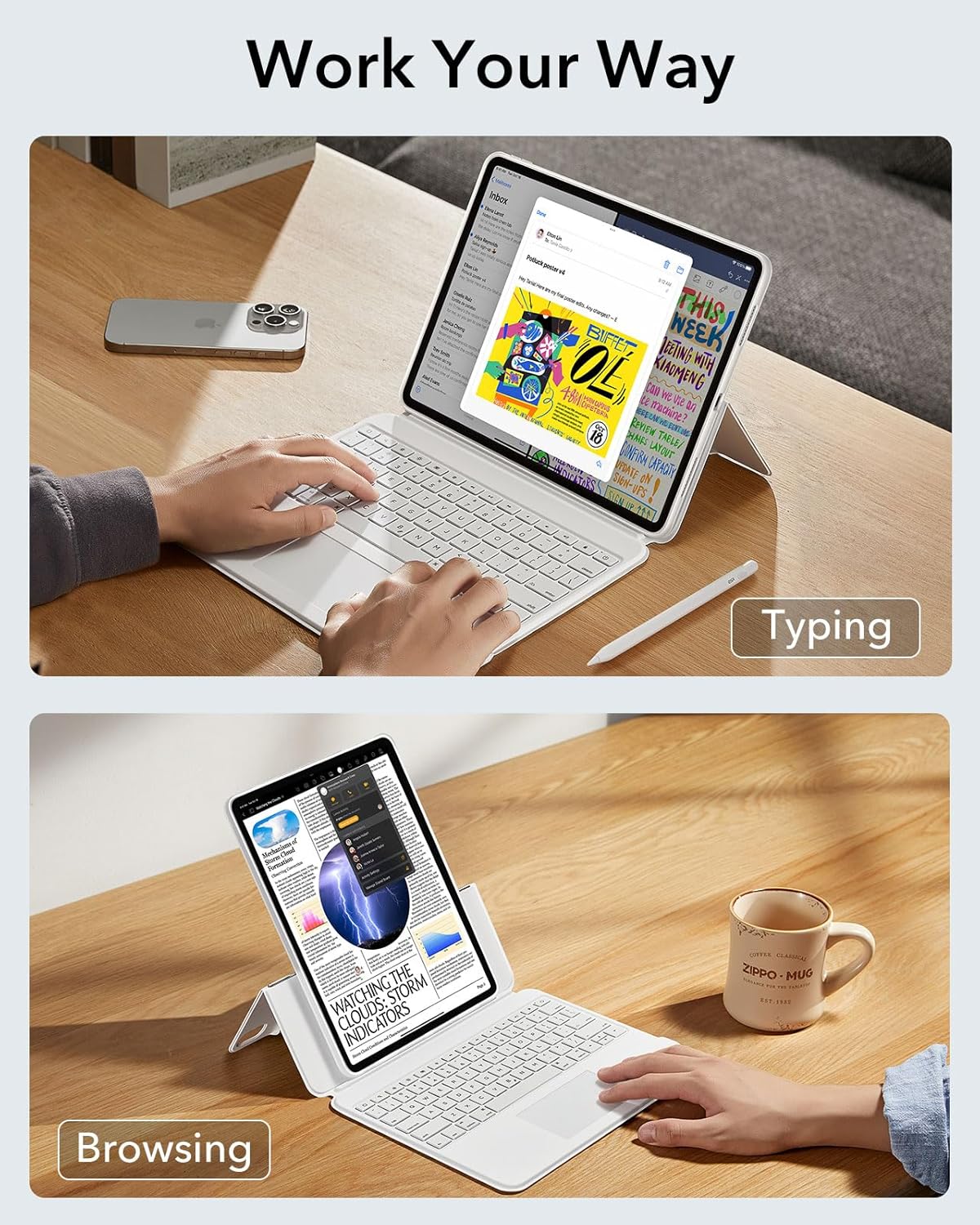
Image: The keyboard case configured for typing in landscape mode and browsing in portrait mode, illustrating its versatility.
4.5 Pencil Holder
The case includes a dedicated magnetic holder for your Apple Pencil, ensuring it is securely stored and readily accessible.

Image: A detailed view of the magnetic pencil holder, designed to keep your Apple Pencil secure.
5. Maintenance
To ensure the longevity and optimal performance of your ESR Ascend Series Keyboard Case, follow these maintenance guidelines:
- Cleaning: Use a soft, damp cloth to wipe the exterior surfaces of the case and keyboard. Avoid harsh chemicals or abrasive materials.
- Storage: When not in use, store the keyboard case in a clean, dry environment away from extreme temperatures and direct sunlight.
- Liquid Exposure: Avoid exposing the keyboard to liquids. In case of accidental spills, immediately power off the keyboard and allow it to dry completely before reuse.
6. Troubleshooting
If you encounter issues with your keyboard case, refer to the following common solutions:
| Issue | Possible Solution |
|---|---|
| Keyboard not connecting to iPad |
|
| Keys or trackpad not responding |
|
| Backlight not working |
|
| iPad not sitting securely in the case |
|
7. Specifications
| Feature | Detail |
|---|---|
| Model Name | 6B005 |
| Compatibility | iPad Air 13-inch (M3/M2, 2025/2024) |
| Material | Aluminum, Polycarbonate, Polyurethane (PU) |
| Item Weight | 2.86 pounds |
| Keyboard Backlighting | Single Color, 7 colors, 3 brightness levels |
| Power Source | Battery Powered |
| Included Components | Magnetic back case, Keyboard |
8. Warranty and Support
ESR products are designed for quality and reliability. For information regarding warranty coverage, technical support, or customer service, please refer to the official ESR website or contact their customer support directly. Keep your purchase receipt for warranty claims.
Related documents6B005


Ask a question about this manual
Ask about setup, troubleshooting, compatibility, parts, safety, or missing instructions. Manuals+ will review the question and use this page’s manual context to help answer it.