
CANDY CSO 696TWMBB6-80
Candy Smart Pro Inverter Washing Machine User Manual
Model: CSO 696TWMBB6-80
1. Important Safety Information
Please read this manual carefully before installing and using your washing machine. Keep this manual for future reference.
- Electrical Safety: Ensure the washing machine is connected to a properly grounded electrical outlet. Do not use extension cords or adapters.
- Water Connection: Connect the water inlet hose to a cold water tap. Ensure all connections are tight to prevent leaks.
- Installation: The appliance must be installed on a firm, level floor. Remove all transit bolts before use to prevent damage and excessive vibration.
- Children and Pets: Keep children and pets away from the appliance during operation.
- Maintenance: Disconnect the appliance from the power supply before performing any cleaning or maintenance.
2. Product Overview
The Candy Smart Pro Inverter washing machine is designed for efficient and convenient laundry care. It features an innovative Speed-Drive Motor and Quick&Clean system for fast and effective washing.
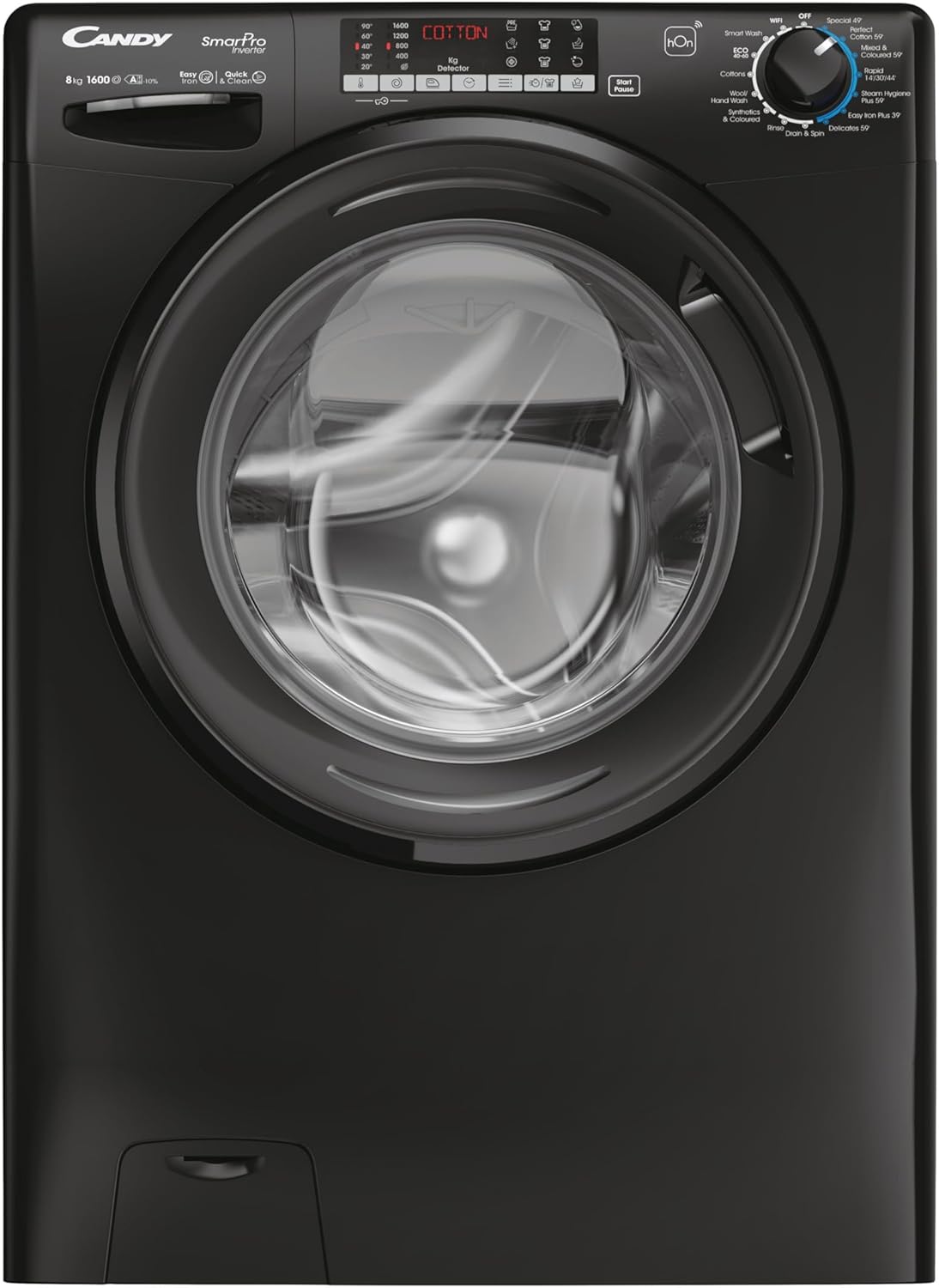
This image shows the front of the Candy Smart Pro Inverter washing machine, highlighting its sleek black design and central loading door. The control panel is visible at the top, featuring various program selections and a digital display.
Key Components:
- Control Panel: Used to select wash programs, adjust settings, and start/pause cycles.
- Detergent Drawer: For adding detergent, fabric softener, and pre-wash agents.
- Drum: Stainless steel drum for washing clothes.
- Door: Front-loading door with a secure latch.
- Filter Access: Located at the bottom front for easy access to the drain pump filter.
3. Setup
Unpacking and Positioning:
- Carefully remove all packaging materials.
- Position the washing machine on a flat, stable surface. Ensure there is adequate space around the appliance for ventilation and access.
Removing Transit Bolts:
Before first use, it is crucial to remove the transit bolts located at the rear of the machine. These bolts secure the drum during transport and must be removed to prevent damage during operation.
- Locate the transit bolts on the back panel.
- Use a wrench to loosen and remove each bolt.
- Insert the plastic caps (supplied with the machine) into the holes.
Water and Electrical Connection:
- Connect the water inlet hose to a cold water tap. Hand-tighten the connection, then use a wrench to tighten it further, ensuring no leaks.
- Position the drain hose into a suitable drain pipe or sink, ensuring it is securely fixed to prevent displacement during draining.
- Plug the power cord into a grounded electrical outlet.
4. Operating Instructions
Loading Laundry:
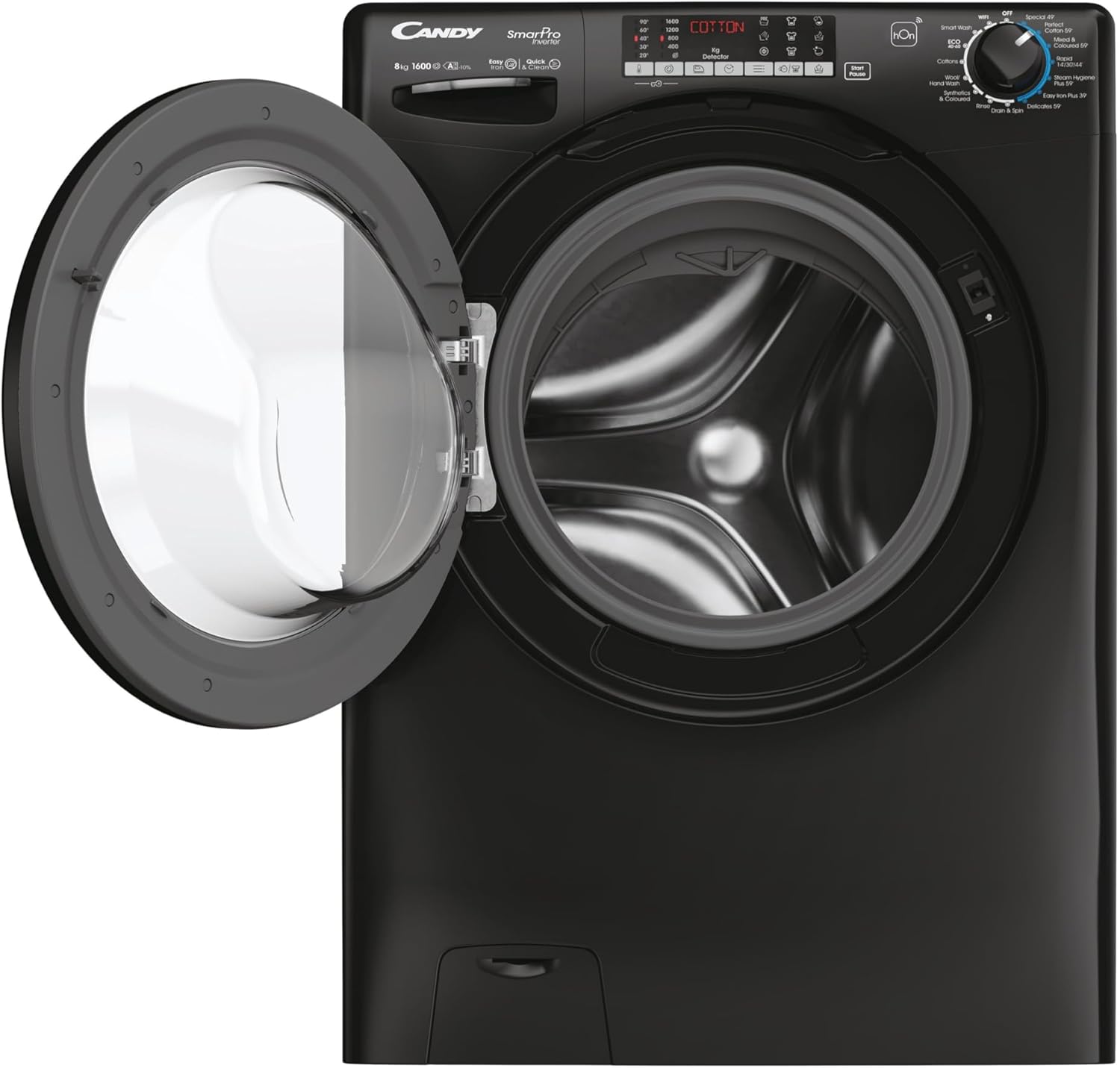
This image displays the Candy Smart Pro Inverter washing machine with its door open, revealing the spacious drum ready for laundry. This view is useful for understanding how to load clothes.
- Open the washing machine door.
- Load laundry into the drum, ensuring not to overload. Leave enough space for clothes to tumble freely.
- Close the door firmly until it clicks.
Adding Detergent:

This close-up image shows the detergent drawer pulled out, indicating the compartments for pre-wash, main wash detergent, and fabric softener. This helps users identify where to add their laundry products.
- Pull out the detergent drawer.
- Add the appropriate amount of detergent to the main wash compartment.
- If desired, add fabric softener to the designated compartment.
- Push the detergent drawer back in completely.
Selecting a Wash Program:
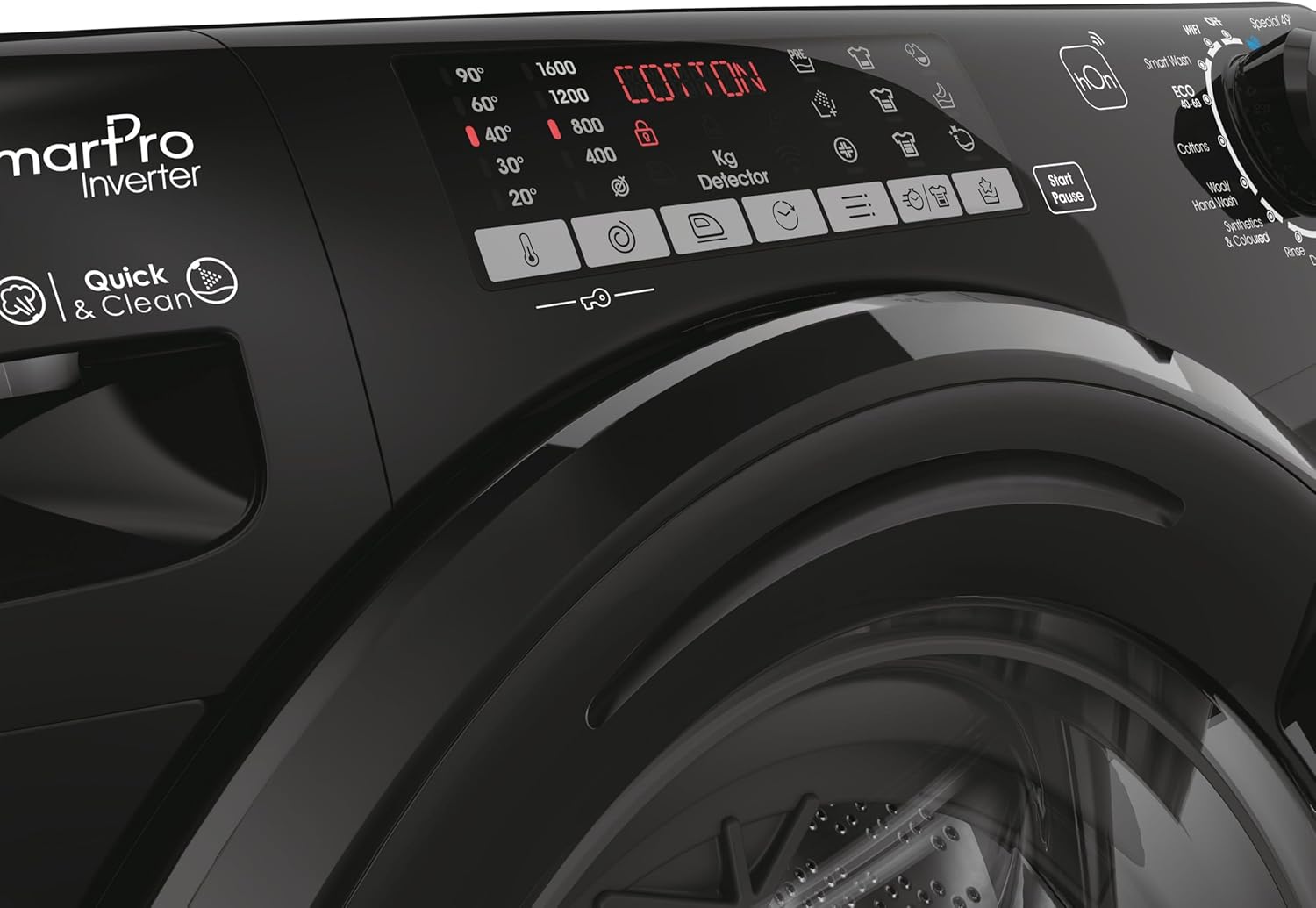
This image provides a detailed view of the washing machine's control panel, focusing on the program selection dial and digital display. It shows various wash options like 'Smart Wash', 'Cottons', 'Wool', 'Synthetics', 'Quick Wash', and 'Easy Iron Plus 39''.
- Turn the program selector dial to choose the desired wash program (e.g., Cotton, Synthetics, Quick Wash).
- Adjust additional settings such as temperature and spin speed using the corresponding buttons on the control panel, if available for the selected program.
Starting a Wash Cycle:
- Press the 'Start/Pause' button to begin the wash cycle.
- The machine will automatically proceed through the selected program.
Ending a Wash Cycle:
- Once the program is complete, the machine will signal its finish.
- Open the door and remove your laundry.
- Leave the door slightly ajar to allow the drum to air dry and prevent odors.
5. Maintenance
Cleaning the Detergent Drawer:
- Regularly clean the detergent drawer to prevent residue buildup.
- Pull out the drawer completely and rinse it under running water.
- Use a brush to remove any stubborn residue.
- Wipe the drawer housing clean before reinserting the drawer.
Cleaning the Drain Pump Filter:
- Periodically clean the drain pump filter to ensure proper drainage.
- Open the filter cover at the bottom front of the machine.
- Place a shallow container underneath to catch any residual water.
- Slowly unscrew the filter and remove any lint, coins, or foreign objects.
- Clean the filter under running water and screw it back in firmly. Close the cover.
Cleaning the Exterior:
- Wipe the exterior surfaces with a soft, damp cloth.
- Do not use abrasive cleaners or solvents.
6. Troubleshooting
If you encounter issues with your washing machine, refer to the table below for common problems and solutions.
| Problem | Possible Cause | Solution |
|---|---|---|
| Machine does not start | Power cord not plugged in; Door not closed properly; Program not selected; Start/Pause button not pressed. | Check power connection; Ensure door is firmly closed; Select a program; Press Start/Pause. |
| No water intake | Water tap closed; Water inlet hose kinked; Water supply cut off. | Open water tap; Straighten hose; Check household water supply. |
| Machine vibrates excessively | Transit bolts not removed; Machine not level; Uneven load. | Remove transit bolts; Adjust leveling feet; Redistribute laundry in the drum. |
| Water not draining | Drain hose kinked or blocked; Drain pump filter clogged. | Check and clear drain hose; Clean drain pump filter. |
| Detergent residue in drawer | Insufficient water pressure; Detergent drawer clogged. | Check water pressure; Clean detergent drawer. |
7. Specifications
Detailed technical specifications for the Candy Smart Pro Inverter Washing Machine.
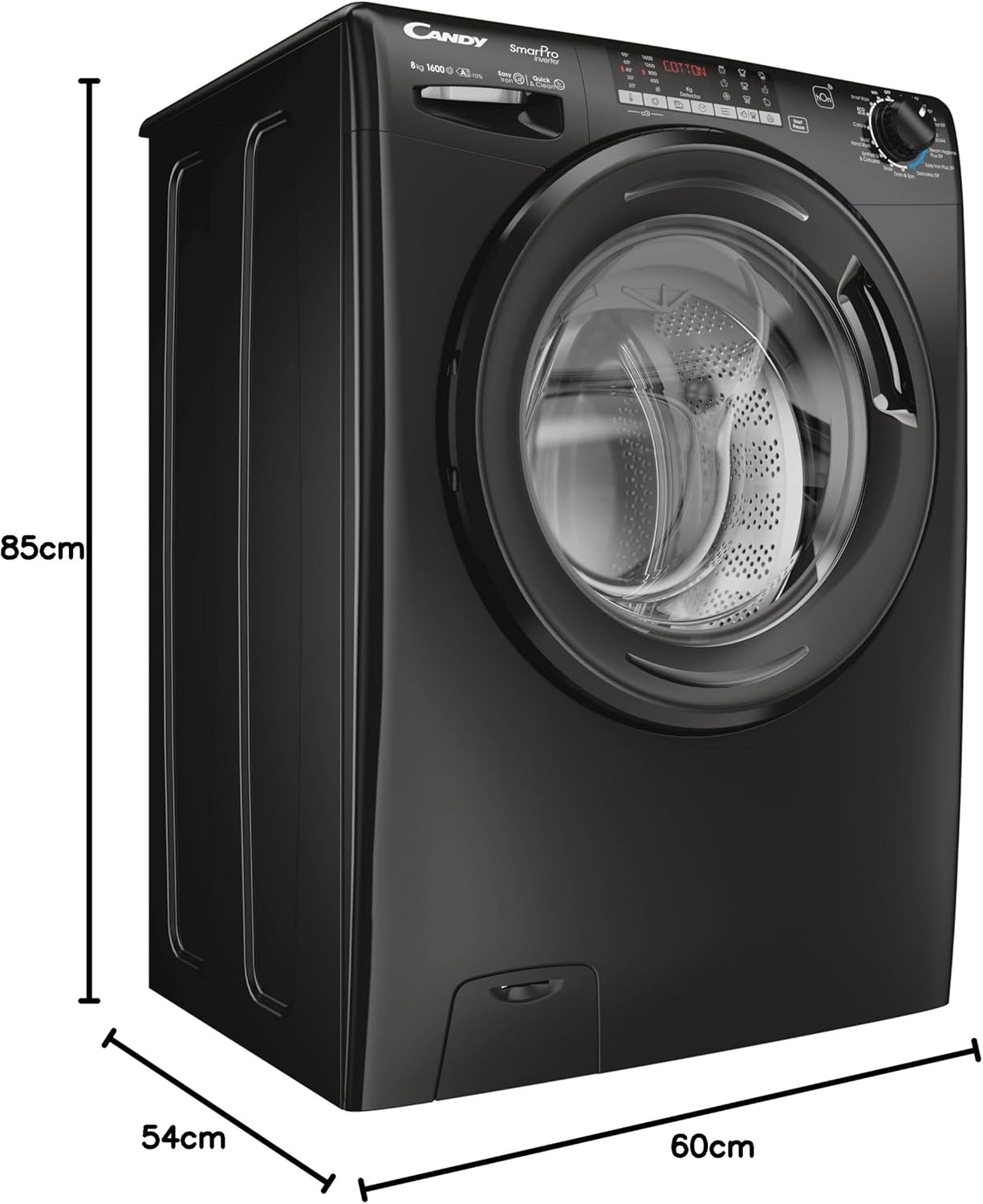
This image illustrates the physical dimensions of the washing machine, showing its height (85cm), depth (54cm), and width (60cm). This is crucial for installation planning.
| Feature | Detail |
|---|---|
| Brand | CANDY |
| Model | CSO 696TWMBB6-80 |
| Capacity | 9 Kilograms |
| Maximum Rotational Speed | 1600 RPM |
| Product Dimensions (D x W x H) | 54 x 60 x 85 cm |
| Item Weight | 64 kg |
| Annual Energy Consumption | 45 Kilowatt Hours |
| Noise Level (Spin) | 78 dB |
| Installation Type | Freestanding |
| Colour | Black |
| Access Location | Front Load |
| Special Features | Quick Wash |
| Included Components | Machine, User Manual, Energy Label, Pipes |
8. Warranty and Support
For detailed warranty information and customer support, please refer to the warranty card or the full user manual included with your appliance. You may also visit the official CANDY website for further assistance and contact details.
The manufacturer is Haier.
Related documentsCSO 696TWMBB6-80


Ask a question about this manual
Ask about setup, troubleshooting, compatibility, parts, safety, or missing instructions. Manuals+ will review the question and use this page’s manual context to help answer it.