
NGS Roller Furia 2
NGS Roller Furia 2 Portable Bluetooth Speaker User Manual
Model: Roller Furia 2 | Brand: NGS
1. Introduction
Thank you for choosing the NGS Roller Furia 2 Portable Bluetooth Speaker. This manual provides essential information for the safe and efficient use of your device. Please read it carefully before use and retain it for future reference.
2. Safety Information
- Do not expose the speaker to extreme temperatures or direct sunlight.
- Avoid dropping or subjecting the speaker to strong impacts.
- Keep the speaker away from medical devices.
- Do not attempt to disassemble or repair the speaker yourself. Contact qualified service personnel.
- Ensure the charging port cover is securely closed when near water to maintain IPX7 waterproofing.
3. Package Contents
The package includes the following items:
- NGS Roller Furia 2 Portable Bluetooth Speaker
- USB Type-C Charging Cable
- User Manual (this document)
4. Product Features
- Bluetooth 5.3 Connectivity: Advanced and stable wireless connection for music streaming.
- Powerful Sound: 30W output for high-quality audio.
- IPX7 Waterproof: Can be submerged up to 1 meter for 30 minutes.
- True Wireless Stereo (TWS): Pair two Roller Furia 2 speakers for enhanced sound.
- Multiple Playback Options: Bluetooth, USB port, TF card slot, and 3.5mm AUX input.
- Long Battery Life: Up to 9 hours of playback at 50% volume.
- Integrated Controls: Easy music control directly from the speaker.
- LED Lights: Party mode with dynamic LED lighting.
5. Controls and Connections
Familiarize yourself with the speaker's controls and connection ports.

Image: Top controls and side connection panel of the NGS Roller Furia 2 speaker.
5.1. Top Controls
- Power Button: Press and hold to turn on/off. Short press to play/pause.
- Volume Up (+): Increase volume.
- Volume Down (-): Decrease volume.
- Mode Button: Switch between Bluetooth, AUX, USB, and TF card modes.
- LED Light Button: Change LED light modes or turn off lights.
5.2. Connection Ports

Image: Detailed view of the connection ports on the NGS Roller Furia 2 speaker, including AUX, USB, and Micro SD slots.
- AUX Input (3.5mm Jack): Connect external audio devices using a 3.5mm audio cable.
- USB Input: Connect a USB flash drive for MP3 playback (up to 32GB).
- TF Card Slot (Micro SD): Insert a TF/Micro SD card for MP3 playback (up to 32GB).
- USB Type-C Charging Port: Connect the provided USB-C cable for charging.
6. Setup
6.1. Initial Charge
Before first use, fully charge the speaker. Connect the USB Type-C cable to the speaker's charging port and the other end to a USB power adapter (not included) or a computer's USB port. The LED indicator will show charging status.
6.2. Power On/Off
Press and hold the Power button (ⓘ) for approximately 3 seconds to turn the speaker on or off.
7. Operating Instructions
7.1. Bluetooth Pairing
- Turn on the speaker. It will automatically enter Bluetooth pairing mode, indicated by a flashing LED.
- Enable Bluetooth on your smartphone, tablet, or other device.
- Search for "NGS Roller Furia 2" in the list of available Bluetooth devices.
- Select it to connect. Once connected, you will hear a confirmation sound, and the LED will stop flashing.
- The speaker will automatically reconnect to the last paired device when turned on, if available.
7.2. True Wireless Stereo (TWS) Function
To pair two NGS Roller Furia 2 speakers for a stereo sound experience:
- Ensure both speakers are turned on and not connected to any Bluetooth device.
- On one speaker (this will be the primary speaker), press and hold the TWS button (often indicated by a Wi-Fi-like symbol or two interlocking circles) for 2-3 seconds.
- The primary speaker will search for the secondary speaker. Once connected, you will hear a confirmation sound.
- Now, connect your Bluetooth device to the primary speaker as described in section 7.1. Both speakers will play audio in stereo.
7.3. Playing Music from USB/TF Card
- Insert a USB flash drive or TF/Micro SD card (with MP3 files) into the corresponding port.
- The speaker will automatically switch to USB/TF card mode and begin playing music. If not, press the Mode button to select the correct input.
7.4. AUX Input
- Connect one end of a 3.5mm audio cable (not included) to the AUX input port on the speaker.
- Connect the other end to the audio output of your external device (e.g., MP3 player, computer).
- The speaker will automatically switch to AUX mode. If not, press the Mode button to select AUX input.
7.5. LED Light Modes
Press the LED Light button to cycle through different light modes or turn the lights off. The speaker features dynamic LED lighting for a party atmosphere.
Video: Demonstrates the NGS Roller Furia series features, including LED lights, TWS pairing, robust design, waterproofing, various connection options, and battery life.
8. Charging
When the battery is low, the speaker will indicate this with an audible alert or LED behavior. Connect the USB Type-C cable to the speaker and a power source to recharge. A full charge takes approximately 3-4 hours. The speaker can be used while charging.
9. Maintenance
- Clean the speaker with a soft, dry cloth. Do not use abrasive cleaners or solvents.
- Store the speaker in a cool, dry place when not in use for extended periods.
- Ensure the charging port cover is sealed when not charging, especially in wet environments.
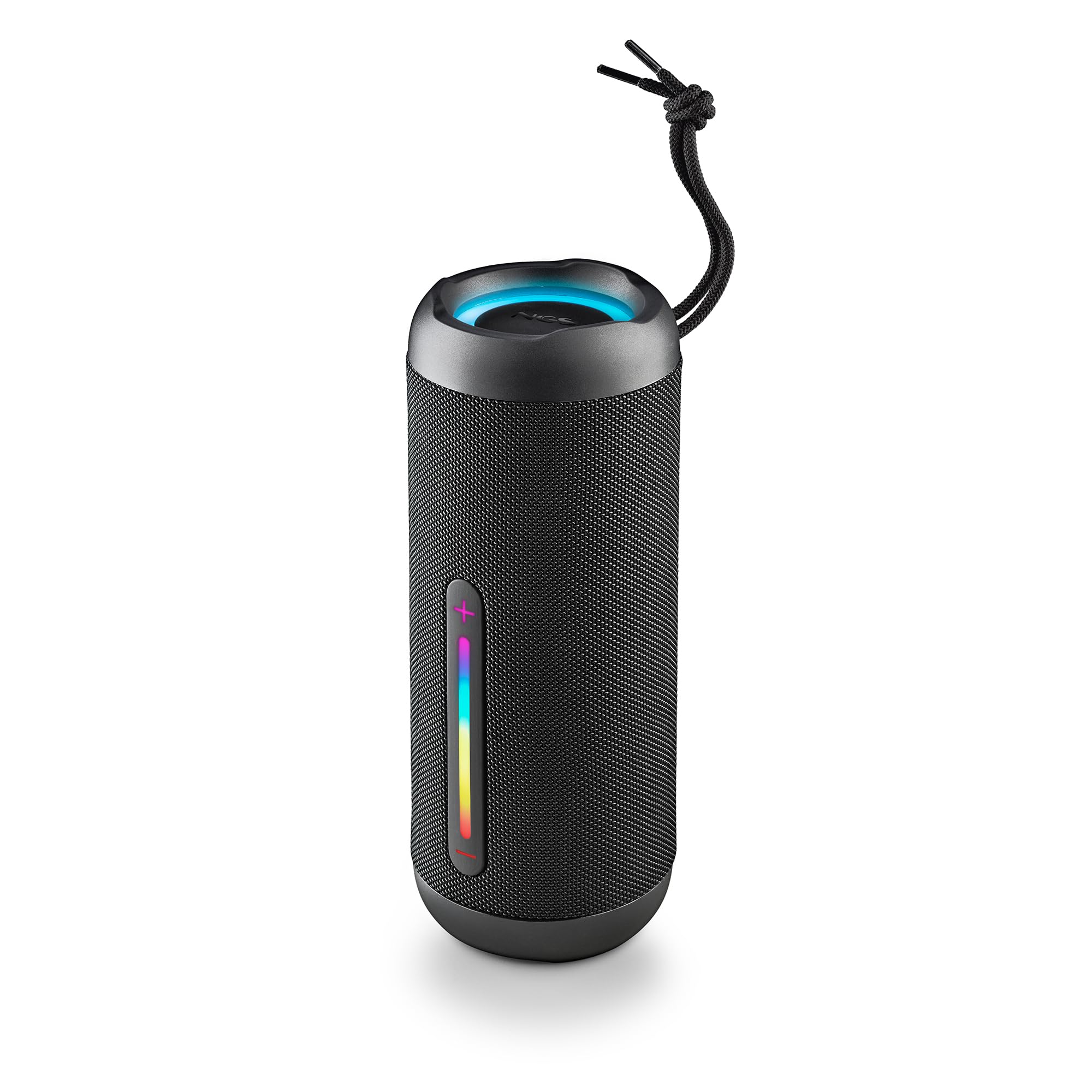
Image: The NGS Roller Furia 2 speaker demonstrating its IPX7 water resistance by being partially submerged in water.
10. Troubleshooting
| Problem | Possible Solution |
|---|---|
| Speaker does not turn on. | Ensure the battery is charged. Connect to a power source and try again. |
| Cannot pair via Bluetooth. | Make sure the speaker is in pairing mode. Disable and re-enable Bluetooth on your device. Ensure no other devices are connected to the speaker. Move closer to the speaker. |
| No sound. | Check volume levels on both the speaker and your connected device. Ensure the correct input mode (Bluetooth, AUX, USB, TF) is selected. |
| TWS pairing fails. | Ensure both speakers are not connected to any other Bluetooth device before initiating TWS pairing. Try resetting both speakers. |
11. Specifications
| Feature | Detail |
|---|---|
| Model Name | Roller Furia 2 Black |
| Model Number | ELEC-SPK-0871 |
| Brand | NGS |
| Connectivity Technology | Bluetooth 5.3, AUX, USB, TF Card |
| Speaker Output Power | 30W (RMS) |
| Water Resistance Level | IPX7 (Waterproof) |
| Battery Type | 2 Lithium-ion (included) |
| Battery Capacity | 7.4V/2500mAh |
| Playback Time | Up to 9 hours (at 50% volume) |
| Bluetooth Range | Up to 10 meters |
| Dimensions (L x W x H) | 7.4 x 7.4 x 19.4 cm |
| Weight | 712 grams |
| Compatible Devices | MP3 Player, Laptop, Projector, Smartphone, Tablet, TV |
12. Warranty and Support
This product comes with a 2-year limited warranty from the date of purchase. Please retain your proof of purchase for warranty claims.
For technical support or warranty inquiries, please visit the official NGS website or contact your local retailer.
Related documentsRoller Furia 2


Ask a question about this manual
Ask about setup, troubleshooting, compatibility, parts, safety, or missing instructions. Manuals+ will review the question and use this page’s manual context to help answer it.