Introduction
Thank you for choosing the NPET WF220 Wireless Cat Water Fountain. This manual provides detailed instructions for the safe and efficient use, maintenance, and troubleshooting of your new pet water fountain. Please read this manual thoroughly before first use and retain it for future reference.
Product Overview
The NPET WF220 is a 1.5L/50oz wireless pet water fountain designed to provide fresh, filtered water for your cats. Its battery-operated design allows for flexible placement, and the multi-stage filtration system ensures water quality. Key features include a wireless pump, dual water modes, and an auto shut-off function for safety.
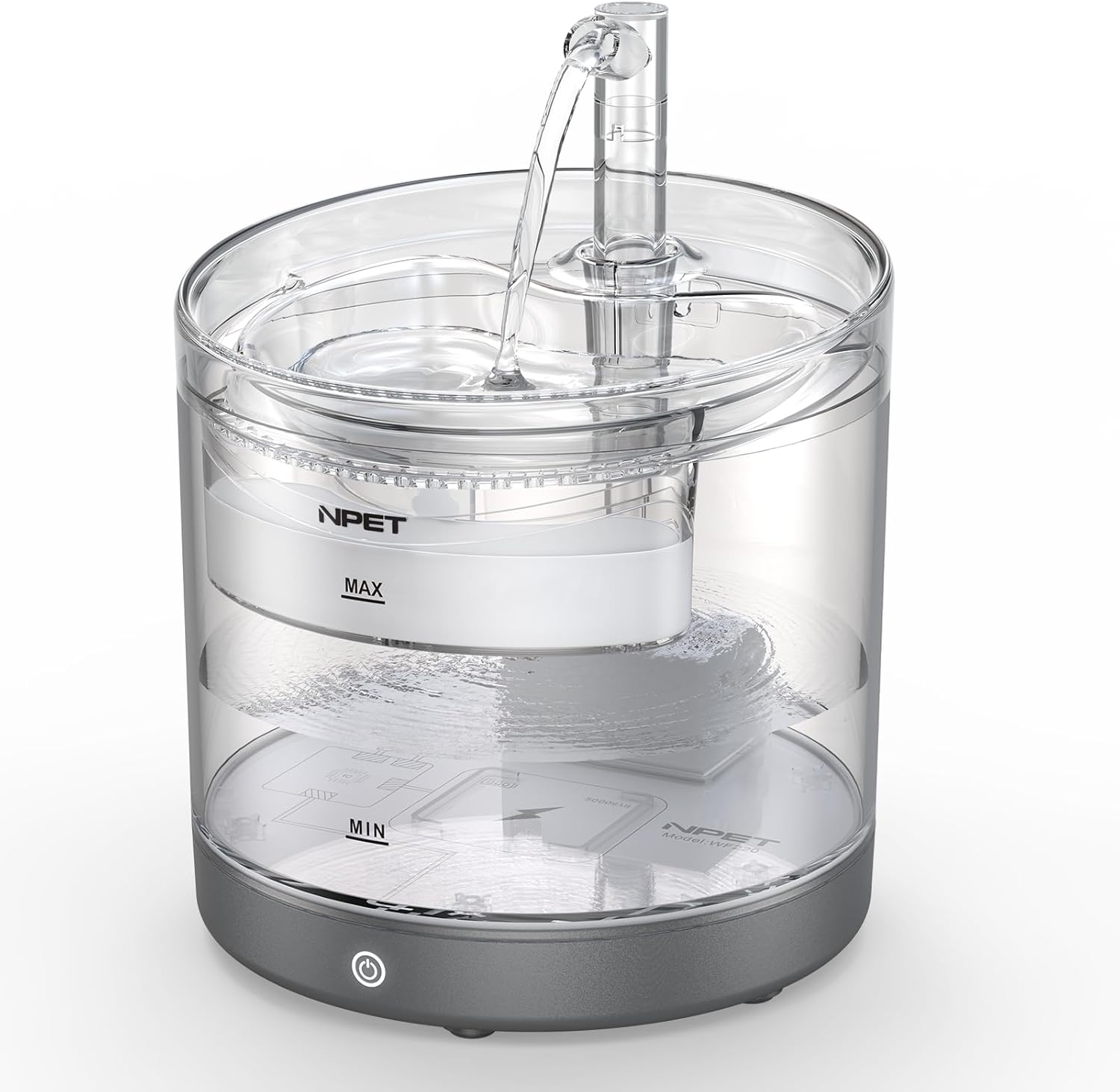
Image: Front view of the NPET WF220 Wireless Cat Water Fountain, showing its transparent reservoir and gray base.
Package Contents
Please check the package contents to ensure all items are present:
- NPET WF220 Water Fountain Unit (Reservoir, Base, Lid)
- Wireless Pump
- Filter Tray
- Multi-stage Filter
- Faucet/Spout attachment
- USB Type-C Cable
- Power Adapter
- User Manual (this document)
Setup Instructions
Follow these steps to set up your NPET WF220 water fountain:
- Prepare the Filter: Immerse the multi-stage filter in clean water for approximately 5-10 minutes before first use. This helps to remove any loose carbon dust and ensures optimal filtration.
- Install Filter and Tray: Place the prepared filter into the filter tray. Ensure it is seated correctly.
- Install the Faucet: Attach the faucet/spout to the designated opening on the filter tray.
- Place the Pump: Position the wireless pump onto the charging pad located at the bottom of the fountain reservoir. Ensure it is securely placed.
- Add Water: Fill the reservoir with clean water up to the "MAX" line. Do not exceed the maximum fill line. Then, place the lid (with the filter tray and faucet assembled) onto the reservoir.
- Power On: Press and hold the power button on the base of the fountain for 2 seconds to turn it on.

Image: Visual guide illustrating the 6-step installation process, from filter preparation to powering on the fountain.
Charging the Fountain
The fountain is equipped with a 5,000mAh built-in rechargeable battery. To charge:
- Connect the provided USB Type-C cable to the charging port on the base of the fountain and the other end to the power adapter.
- Plug the adapter into a wall outlet.
- A bicolour indicator light will flash alternately when the battery is low or charging. A full charge takes approximately 4 hours and can provide power for up to 30 days in intermittent mode.

Image: Detail of the Type-C charging port and the power indicator light on the fountain's base.
Operating Instructions
The NPET WF220 offers dual water modes to suit your pet's needs:
- Intermittent Mode: In this mode, the fountain will automatically run for 5 seconds every 10 minutes. This mode is designed to attract your pet's attention and conserve battery life. It also runs for 1 minute every 2 hours to keep the drinking area clean. This is the primary mode when operating on battery power.
- Normal Mode: When the fountain is continuously connected to a power supply (plugged in), it will operate in normal mode, providing a continuous flow of water. This ensures constant hydration for your pets.
To switch between modes or turn the fountain on/off, briefly press the power button on the base. The indicator light will change to reflect the current mode.

Image: Illustration detailing the three operational modes of the fountain, including sensor, timed, and continuous flow options.
Wireless Placement
The wireless, battery-operated design allows you to place the fountain in various locations without external wires, such as the kitchen, bedroom, or living room. This prevents safety issues from chewed wires and offers convenience.

Image: Examples of the NPET WF220 fountain placed in different indoor environments like a bedroom, living room, and kitchen, highlighting its wireless design.
Maintenance
Regular cleaning and maintenance are crucial for the longevity of your fountain and the health of your pet.
Cleaning the Fountain
The NPET WF220 is made of BPA-free material and has an IPX6 waterproof rating, allowing for easy cleaning. However, dishwasher cleaning is strictly forbidden.
- Disassemble the fountain by removing the lid, filter tray, and pump.
- Wash all components (except the pump) with mild soap and water. Rinse thoroughly.
- The tank's bottom is not removable. Clean it manually.
- Ensure all parts are dry before reassembly.

Image: A person demonstrating the manual cleaning of the fountain under running water in a sink.
Filter System and Replacement
The fountain uses a quintuple purification system:
- High-density sponge: Catches hair and food residues.
- Activated carbon: Effectively removes odors.
- Ion exchange resin: Softens tap water.
- Medical stone: Removes heavy metals.
- Non-woven fabric: Prevents mucus production.
Filters should be replaced regularly, typically every 2-4 weeks, depending on the number of pets and water quality. Rinse the filter weekly to remove accumulated fur.

Image: Exploded view diagram showing the five layers of the filtration system: high-density sponge, activated carbon, ion exchange resin, medical stone, and non-woven fabric.
Pump Cleaning
It is recommended to clean the pump at least once a week to ensure optimal performance and prevent blockages.
- Remove the sponge, pump cover, and impeller cap from the pump.
- Carefully remove the impeller.
- Clean all components, including the impeller and the pump's interior, using a small brush (often included with replacement filters) and water.
- Reassemble the pump, ensuring all parts are securely in place.

Image: Step-by-step visual guide for disassembling and cleaning the pump components, including the sponge, impeller cap, and impeller.
Troubleshooting
| Problem | Possible Cause | Solution |
|---|---|---|
| Fountain not dispensing water. |
|
|
| Red light indicator is on. |
|
|
| Water flow is weak or inconsistent. |
|
|
| Fountain is noisy. |
|
|

Image: A detailed view of the pump with a red indicator light, signifying a water shortage and the auto shut-off feature.
Specifications
| Model Name | WF220 |
| Brand | NPET |
| Capacity | 1.5 Liters / 50 Ounces |
| Material | BPA-free Resin |
| Item Dimensions (LxWxH) | 6.8 x 6.8 x 6.7 inches |
| Item Weight | 1.3 Pounds |
| Battery | 5,000mAh Lithium Polymer (included) |
| Charging Time | Approx. 4 hours |
| Waterproof Level | IPX6 |
| Noise Level | Below 30dB |
Warranty and Support
Warranty Information
The NPET WF220 Wireless Cat Water Fountain comes with a one-year warranty from the date of purchase. This warranty covers manufacturing defects under normal use. It does not cover damage caused by misuse, accidents, unauthorized modifications, or failure to follow the instructions in this manual.
Customer Support
For technical assistance, warranty claims, or any questions regarding your NPET WF220 water fountain, please contact NPET customer support. Refer to the product packaging or the official NPET website for the most current contact information.


