
1. Introduction
This user manual provides detailed instructions for the safe and effective operation of the TESMEN TM-510 Digital Multimeter and the TESMEN Hound-200 EMF Detector. These two devices are designed to complement each other, offering a comprehensive suite of tools for both electrical measurement and electromagnetic field detection. Please read this manual thoroughly before using the devices and retain it for future reference.
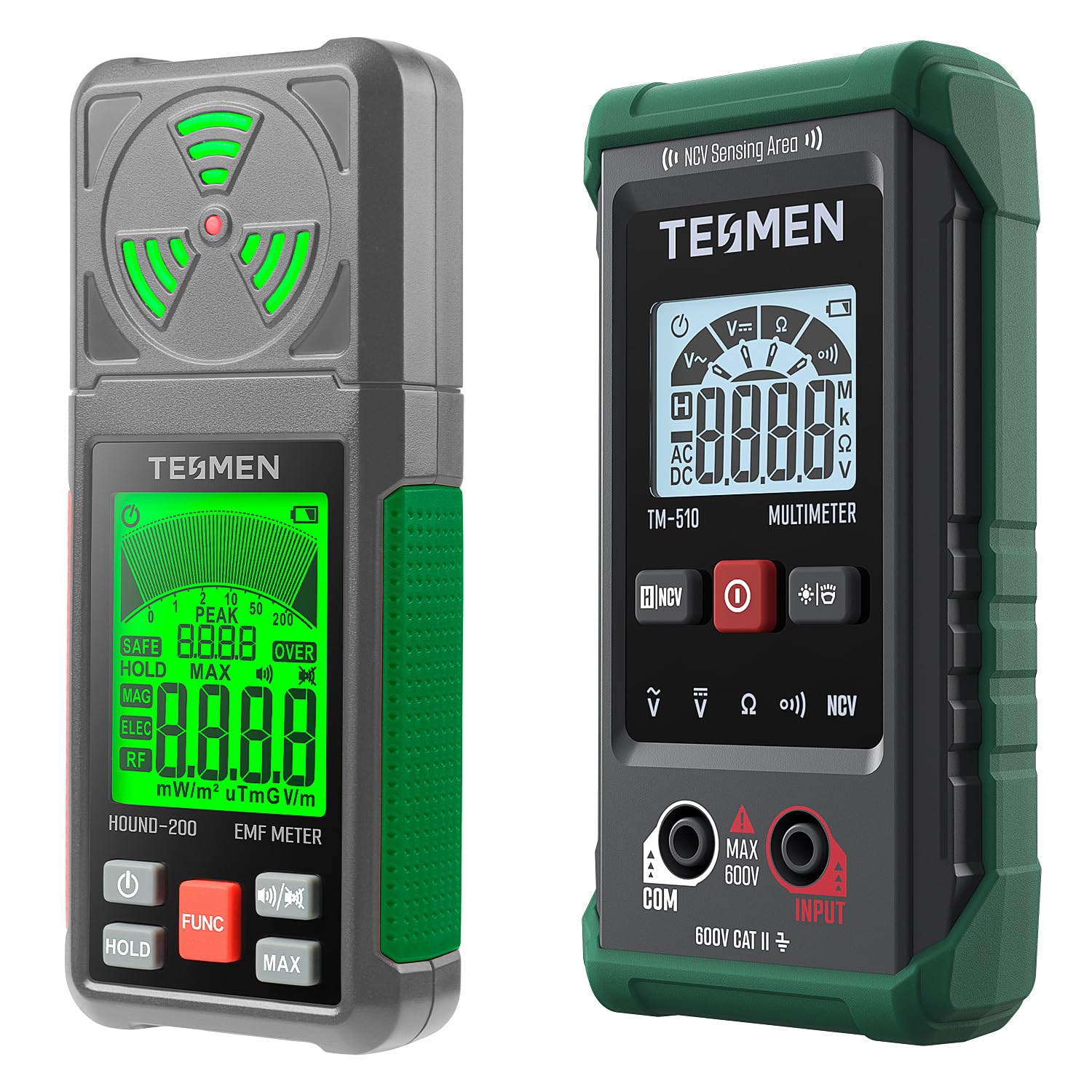
Image 1.1: The TESMEN TM-510 Digital Multimeter (right) and Hound-200 EMF Detector (left).
2. Safety Information
Always adhere to local and national safety codes. Use appropriate personal protective equipment (PPE) when working with electrical systems. Do not attempt to measure voltages or currents beyond the specified limits of the devices. Ensure the devices are in good working condition before each use.
3. Setup
3.1. Battery Installation
Both the Hound-200 EMF Detector and the TM-510 Digital Multimeter require AAA batteries for operation. Locate the battery compartment on the back of each device, open it, insert the batteries according to the polarity indicators, and securely close the compartment.
3.2. Connecting Test Leads (TM-510 Multimeter)
For electrical measurements with the TM-510 Multimeter, insert the red test lead into the 'INPUT' jack and the black test lead into the 'COM' (common) jack. Ensure connections are firm before proceeding with any measurements.
4. Operating the TESMEN TM-510 Digital Multimeter
The TM-510 Multimeter features a Smart Auto Mode for simplified operation, automatically detecting the measurement type (AC/DC voltage, resistance, continuity).

Image 4.1: The TM-510 Multimeter in Smart Auto Mode, simplifying measurement selection.
4.1. Smart Auto Mode
- Turn on the TM-510 Multimeter. It will automatically enter Smart Auto Mode, indicated by 'Auto' on the display.
- Connect the test leads to the circuit or component you wish to measure. The multimeter will automatically identify and display the AC/DC voltage, resistance, or continuity.

Image 4.2: The TM-510 Multimeter features a 4000-count display for precise readings of AC/DC voltage, resistance, and continuity.
4.2. AC/DC Voltage Measurement
- Ensure the multimeter is in Smart Auto Mode or manually select voltage measurement.
- Connect the test leads in parallel to the circuit or power source. The display will show the voltage reading.

Image 4.3: Examples of AC Voltage Measurement (top) and DC Voltage Measurement (bottom) using the TM-510 Multimeter.
4.3. Resistance and Continuity
- In Smart Auto Mode, connect the test leads across the component to measure resistance.
- For continuity, the multimeter will emit an audible beep if a continuous path is detected.
4.4. Non-Contact Voltage (NCV) Function
The NCV function allows for safe detection of AC voltage without direct contact with wires. This is ideal for identifying live wires or checking for voltage in outlets.
- Press the 'NCV' button to activate the non-contact voltage detection mode.
- Place the top of the multimeter near the suspected voltage source. The device will provide visual and audible alerts, with varying intensity indicating the strength of the detected voltage.

Image 4.4: The TM-510 Multimeter's NCV function provides non-contact voltage detection for safety and convenience, indicated by green (low voltage) or red (high voltage) lights.
4.5. Additional Features
- Data Hold: Press the 'HOLD' button to freeze the current reading on the display.
- Backlight: The display backlight can be activated for improved visibility in low-light conditions.
- Flashlight: The TM-510 includes a built-in flashlight for illuminating work areas.
- Auto Shutdown: The device will automatically power off after a period of inactivity to conserve battery life.
5. Operating the TESMEN Hound-200 EMF Detector
The Hound-200 EMF Detector is designed for 3-in-1 detection of Radio Frequency (RF), Electric Field (EF), and Magnetic Field (MF) radiation.

Image 5.1: The Hound-200 EMF Detector provides simultaneous measurement of RF, MF, and EF fields with specified ranges.
5.1. 3-in-1 Detection
- Turn on the Hound-200. The device will begin scanning for RF, EF, and MF fields.
- The display will show real-time readings for each field type.
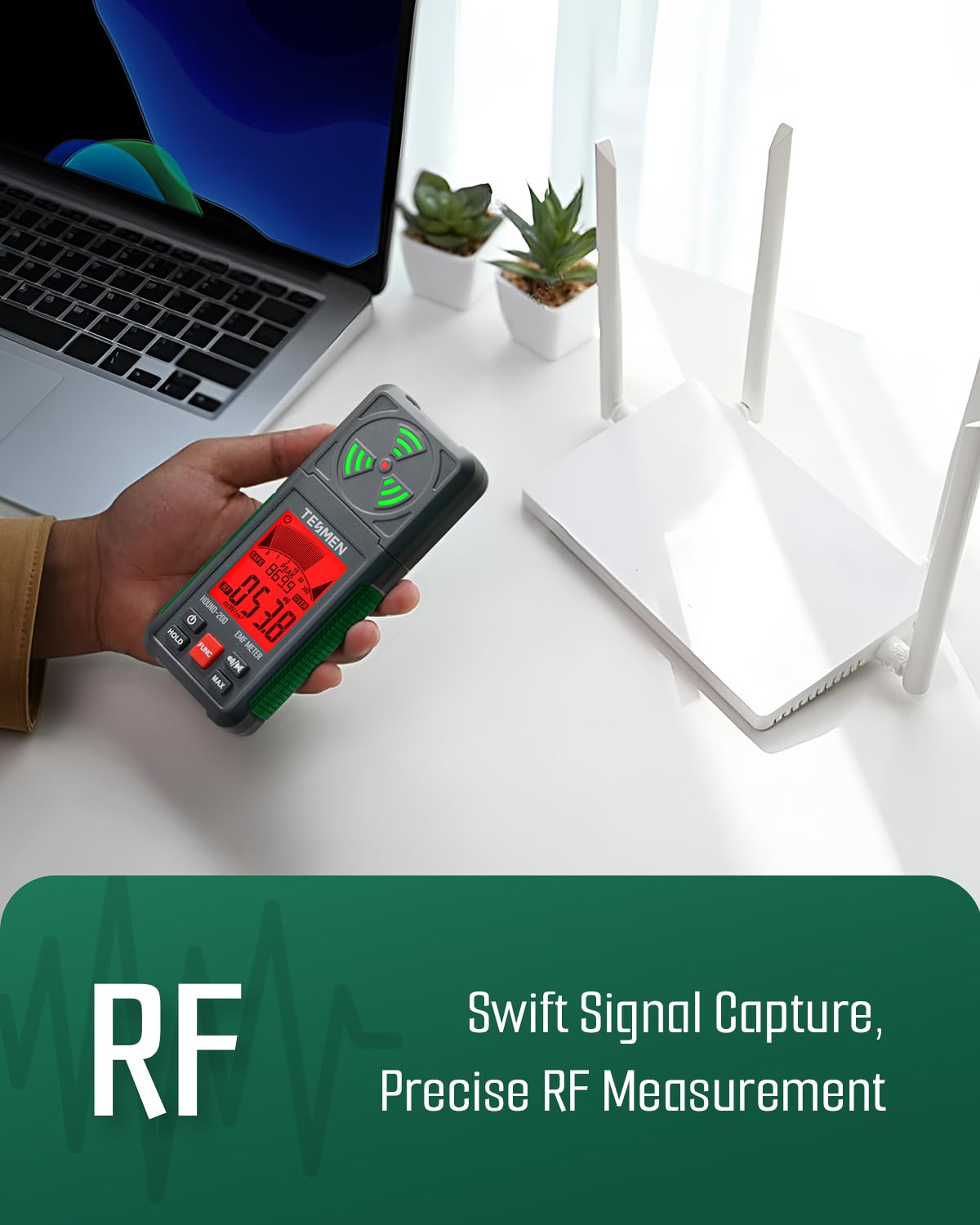
Image 5.2: The Hound-200 EMF Detector is capable of swift signal capture and precise RF measurement.
5.2. Applications and Sources
The Hound-200 is suitable for assessing radiation from various sources:
- RF (Radio Frequency): Routers, cell phones, Wi-Fi devices, 5G signals (below 3.5GHz).
- MF (Magnetic Field): Refrigerators, washing machines, air conditioners, motors.
- EF (Electric Field): TVs, laptops, microwaves, power lines.

Image 5.3: Common household and electronic devices that emit RF, MF, and EF radiation, detectable by the Hound-200.
5.3. Visual and Audible Alerts
The Hound-200 features a three-color backlight that changes based on field strength, providing a quick visual indication. It also includes audible alarms that activate when detected field levels exceed predefined thresholds. Trend graphs on the display offer a visual representation of field strength changes over time.
5.4. MAX/Peak Measurements and Data Hold
- MAX/Peak: This function allows the device to record and display the maximum or peak value detected during a measurement session.
- Data Hold: Freeze the current readings on the display for easier recording.
6. Maintenance
6.1. Cleaning
Wipe the devices with a dry, soft cloth. Do not use abrasive cleaners or solvents. Ensure no moisture enters the device openings.
6.2. Storage
When not in use for extended periods, remove the batteries to prevent leakage. Store the devices in their provided storage cases/bags in a cool, dry place, away from direct sunlight and extreme temperatures.
6.3. Low Battery Indicators
Both devices are equipped with low battery indicators on their displays. Replace batteries promptly when the indicator appears to ensure accurate measurements and proper functionality.
7. Troubleshooting
- Device not powering on: Check battery installation and ensure batteries are not depleted.
- Inaccurate readings: Ensure test leads are properly connected (for TM-510) and that the measurement environment is free from strong interference. Replace batteries if low.
- No NCV detection: Ensure the NCV function is activated and the device is placed sufficiently close to the voltage source.
- EMF readings are erratic: Move away from other electronic devices that might be causing interference.
8. Specifications
8.1. TESMEN TM-510 Digital Multimeter
- Display: 4000 Counts
- Measurement Functions: AC/DC Voltage, Resistance, Continuity
- Special Functions: Smart Auto Mode, Non-Contact Voltage (NCV), Data Hold, Backlight, Flashlight, Auto Shutdown
- Safety Rating: MAX 600V CAT II
8.2. TESMEN Hound-200 EMF Detector
- Detection Types: RF (Radio Frequency), EF (Electric Field), MF (Magnetic Field)
- RF Measurement Range: 0.001-200 mW/m²
- MF Measurement Range: 0.01-200 uT / 0.1-2000 mG
- EF Measurement Range: 1-2000 V/m
- Special Functions: 3-color backlight, Audible Alarms, Trend Graphs, MAX/Peak Measurements, Data Hold
9. Warranty and Support
For warranty information and technical support, please refer to the documentation included with your product packaging or visit the official TESMEN website. Keep your purchase receipt as proof of purchase.
For additional information, you may visit the TESMEN Store on Amazon.