
1. Overview
The ATOVANKA Bicycle Rear View Camera System provides enhanced cycling safety with its advanced AHD 1080P camera and 4.3-inch waterproof HD monitor. Designed to replace traditional mirrors, this system offers real-time, clear views of the road behind you, day or night. Its robust 8000mAh battery ensures extended operation, while quick installation and user-friendly features make it an essential accessory for various bicycle types.
- Advanced AHD 1080P Camera: Equipped with advanced AHD image transmission technology, offering 1920 x 1080 pixel resolution for a top-notch visual experience.
- Ultra-Long Battery Life: Features an 8000mAh large capacity battery, providing up to 10 hours of uninterrupted working time. Includes a Type-C fast charging interface.
- HD Night Vision and Automatic Dimming: Full HD night vision with a 110-degree wide-angle lens. Automatic brightness adjustment ensures optimal image quality in various lighting conditions.
- Quick Installation and Anti-theft Design: Plug-and-play setup with a 9.8 ft long cable. The detachable monitor bracket allows for easy removal and portability.
- Highly Compatible and User-friendly: Compatible with most bicycles, fitting 17 to 38mm seat poles and 18 to 42mm handlebars. Features intuitive keyboard prompts and a multi-angle rotating joint ball structure for adjustable viewing.
2. What's in the Box
Upon unboxing your ATOVANKA Bicycle Rear View Camera System, you will find the following components:
- User Manual
- Charging Cable (USB Type-C)
- Installation Tool
- 4.3'' HD 1080P Monitor with Sunshade
- Rear View Camera with 9.8 ft Cable
- Handlebar Mounting Bracket for Monitor
- Seat Pole Mounting Bracket for Camera

Image: All components included in the ATOVANKA Bicycle Rear View Camera System package. This includes the monitor, camera, various mounting brackets, charging cable, and user manual.
3. Setup
3.1 Charging the Device
Before initial use, fully charge the monitor's 8000mAh battery using the provided USB Type-C charging cable. Connect the cable to the monitor's charging port and a compatible USB power source. The battery indicator on the monitor will show charging status. A full charge provides up to 10 hours of operation.

Image: The ATOVANKA monitor being charged via its USB Type-C port. The image highlights the fast charging capability.
3.2 Mounting the Camera
The camera is designed for easy installation on your bicycle's seat pole. It is compatible with seat poles ranging from 17mm to 38mm in diameter. Use the provided mounting bracket and installation tool to securely attach the camera. Ensure the camera is positioned to capture a clear view of the rear. The camera features a multi-angle rotating joint ball structure for precise adjustment.
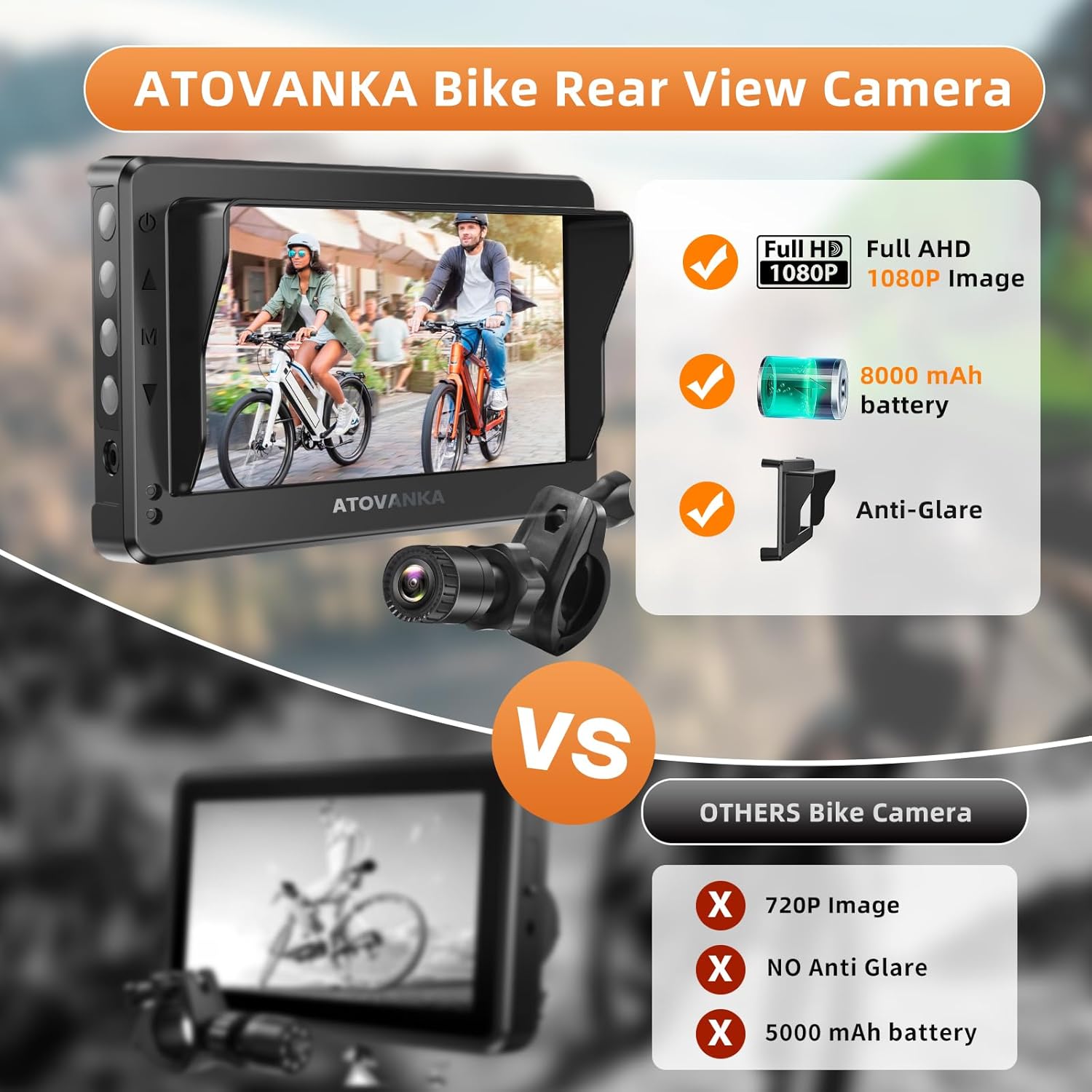
Image: The compact rear view camera mounted on a bicycle's seat post, showing its discreet placement.

Image: Close-up of the camera's mounting bracket on the seat post, illustrating the adjustable angle for optimal rear visibility.
3.3 Mounting the Monitor
Attach the 4.3-inch HD monitor to your bicycle's handlebars using the dedicated handlebar mounting bracket. The bracket is compatible with handlebars ranging from 18mm to 42mm in diameter. Secure the monitor in a position that offers clear visibility without obstructing your view of the road ahead. The monitor features a detachable bracket for convenient removal when not in use, acting as an anti-theft measure.

Image: The 4.3-inch HD monitor securely mounted on the bicycle handlebars, providing a clear view for the rider.

Image: A hand detaching the monitor from its handlebar mount, demonstrating the anti-theft design.
3.4 Connecting the Camera to the Monitor
The camera and monitor connect via a 9.8 ft long cable. Simply plug one end of the cable into the camera and the other end into the designated port on the monitor. The system is plug-and-play, meaning it should activate automatically once connected and powered on. Use the provided cable ties to neatly secure the cable along your bicycle frame, preventing entanglement and ensuring a clean setup.

Image: A bicycle with the rear camera and handlebar-mounted monitor fully installed and connected by the cable, showing the complete setup.
4. Operating Instructions
4.1 Powering On/Off
To power on the system, press and hold the power button located on the monitor. The screen will illuminate, displaying the real-time feed from the rear camera. To power off, press and hold the power button again until the screen shuts down.
4.2 Adjusting Display Settings
The monitor features intuitive keyboard prompts (buttons) on its side for adjusting various display settings. These include:
- Brightness: Adjust the screen brightness for optimal viewing in different light conditions. The automatic brightness adjustment system also helps maintain clarity.
- Contrast: Modify the contrast level of the image.
- Saturation: Adjust color saturation.
- Tint: Fine-tune the color tint.
- Language: Select your preferred language for the menu.
- Reset: Restore all settings to factory defaults.

Image: Close-up of the monitor's side buttons, indicating controls for power, menu navigation, and settings adjustments.
4.3 Night Vision and Wide-Angle View
The camera is equipped with full HD night vision, allowing for clear rear views even in low-light conditions. The 110-degree wide-angle lens captures a broad perspective, enhancing your awareness of your surroundings. The automatic dimming feature ensures the display adapts to ambient light, providing consistent visibility.

Image: A demonstration of the camera's night vision, showing a clear view of the road behind a cyclist in dark conditions.

Image: An illustration of the 110-degree wide-angle view provided by the camera, showing a broad perspective of the road and surroundings.
4.4 Anti-Glare Sunshade
The monitor includes a removable sunshade to prevent visibility issues under bright sunlight. This feature helps maintain a clear view of the display, ensuring safety and comfort during daytime rides.

Image: The monitor with its removable sunshade attached, designed to reduce glare and improve screen visibility in bright conditions.
5. Maintenance
- Cleaning: Use a soft, damp cloth to clean the monitor screen and camera lens. Avoid abrasive cleaners or solvents that could damage the surfaces.
- Storage: When not in use for extended periods, store the device in a cool, dry place. Detach the monitor to prevent theft and protect it from extreme temperatures.
- Battery Care: To prolong battery life, avoid fully discharging the 8000mAh battery frequently. Recharge the device regularly, especially if it has been stored for a long time.
- Water Resistance: The camera is waterproof, but the monitor should be protected from heavy rain or prolonged exposure to moisture if possible, especially the charging ports.
6. Troubleshooting
- No Image on Display:
- Ensure both the camera and monitor are powered on.
- Check that the cable connecting the camera and monitor is securely plugged in at both ends.
- Verify the monitor has sufficient battery charge.
- Charging Issues:
- Use the original USB Type-C charging cable provided with the device. Some third-party cables may not be compatible or provide adequate power.
- Ensure the charging port on the monitor is clean and free of debris.
- Poor Image Quality / Blurry Screen:
- Ensure the protective film has been removed from the camera lens and monitor screen.
- Clean the camera lens and monitor screen with a soft cloth.
- Adjust brightness and contrast settings via the monitor's menu.
- Ensure the camera is not obstructed.
- Monitor Glare in Sunlight:
- Ensure the removable sunshade is properly attached to the monitor.
- Adjust the monitor's angle to minimize direct sunlight reflection.
7. Specifications
| Feature | Detail |
|---|---|
| Brand | ATOVANKA |
| Model | B0CT2JJ82K |
| Monitor Screen Size | 4.3 Inches |
| Display Technology | LCD |
| Camera Resolution | 1080P (1920 x 1080 pixels) |
| Optical Sensor Technology | CMOS |
| Real Angle of View | 110 Degrees |
| Battery Capacity | 8000mAh Lithium Ion (included) |
| Battery Life | Up to 10 hours |
| Charging Interface | USB Type-C |
| Connectivity Technology | Wired (USB) |
| Special Features | HD Night Vision, Automatic Dimming, 110-Degree Wide Angle, Detachable Monitor, Anti-Glare Sunshade |
| Camera Cable Length | 9.8 ft |
| Compatible Devices | Bicycle (17-38mm seat poles, 18-42mm handlebars) |
| Product Dimensions | 10 x 4.5 x 4.5 inches |
| Item Weight | 1.46 pounds |
| Color | Black |
8. Warranty & Support
ATOVANKA is committed to providing high-quality products and customer satisfaction. For any product-related inquiries, technical support, or warranty claims, please refer to the contact information provided in your user manual. Our quality inspection department ensures each batch of goods meets safety and quality standards before shipment.
Additional protection plans may be available for purchase from your retailer to extend coverage beyond the standard manufacturer's warranty.
Video: An official product video from ATOVANKA US demonstrating the bicycle rear view camera system. This video provides a visual overview of the product's features and functionality.