
1. Introduction
Welcome to the world of Pixel Petz! Your new Corgi interactive digital pet is designed to be a fun and engaging companion. This manual provides essential information for setting up, operating, and maintaining your Pixel Petz Corgi to ensure a long-lasting and enjoyable experience.
The Pixel Petz Corgi responds to your voice and touch, communicates with other Pixel Petz, and develops a unique personality based on interaction. It features over 100 expressions and includes various mini-games.

Figure 1: Front view of the MGA Pixel Petz Corgi.
2. What's in the Box
- Pixel Petz - Corgi Unit
Please ensure all components are present upon unboxing. If any items are missing or damaged, contact customer support.
3. Setup
3.1. Battery Installation
Your Pixel Petz Corgi requires batteries for operation. Locate the battery compartment on the underside of the unit. Use a small screwdriver to open the compartment. Insert the required batteries (type and quantity typically specified on the compartment cover) ensuring correct polarity. Close the compartment securely.
Note: Batteries are usually pre-installed for "Try Me" functionality. For full use, it is recommended to replace these with fresh batteries.
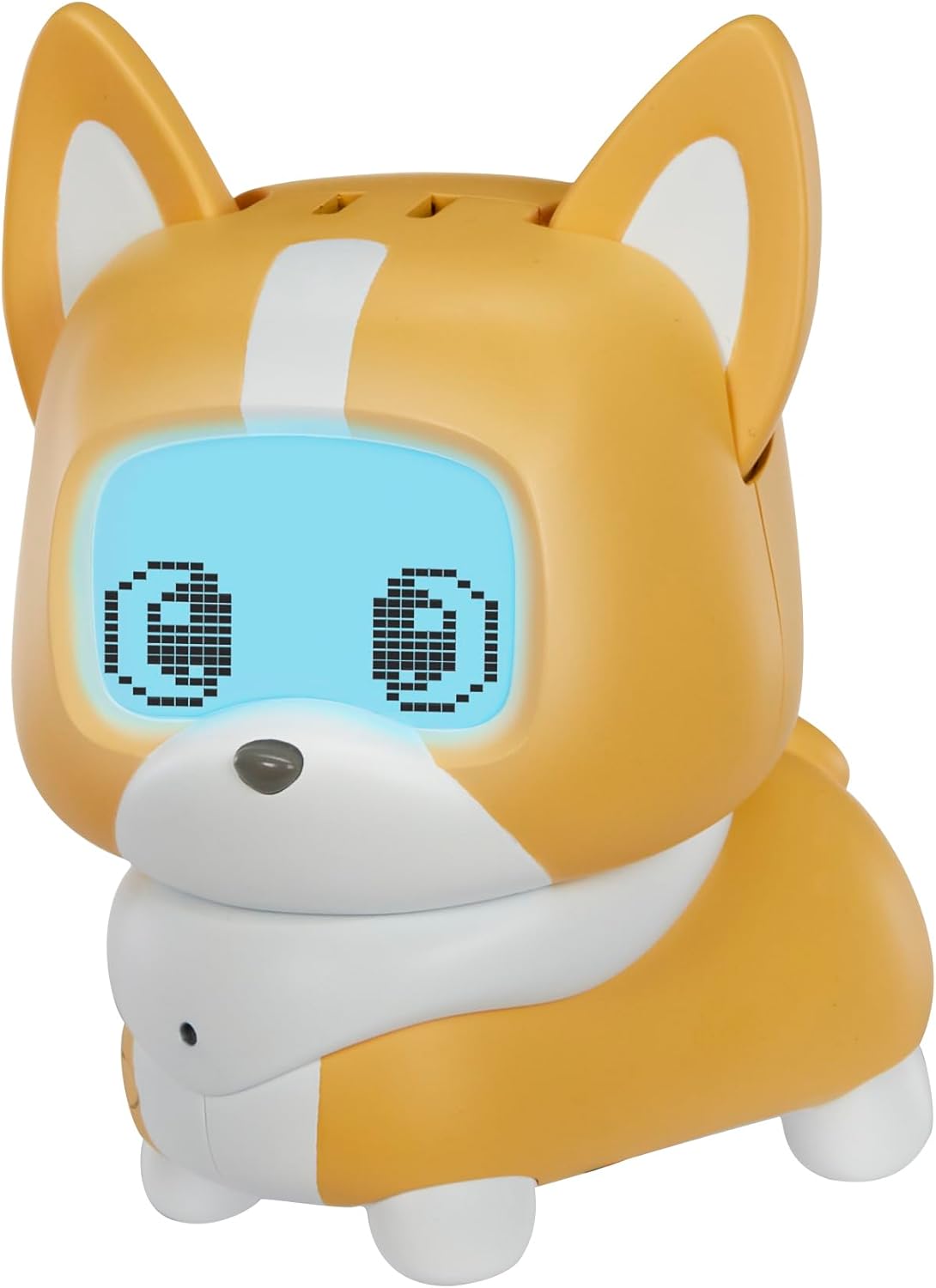
Figure 2: Pixel Petz Corgi in its retail packaging, highlighting the "Try Me" feature.
3.2. Initial Activation
Once batteries are installed, press the nose of your Pixel Petz Corgi to activate it. The screen will light up, and your pet will begin to display expressions and sounds.
4. Operating Instructions
The Pixel Petz Corgi is designed for interactive play and companionship. Its personality evolves with continued interaction.
4.1. Interaction and Expressions
- Voice Interaction: Your Pixel Petz Corgi listens to your voice and responds with various "woofs" and sounds. Speak clearly to encourage interaction.
- Touch Interaction: Pet your Corgi on its head to show affection. It will react with happy expressions and sounds.
- Personality Evolution: The more you play and care for your Pixel Petz, the more its unique personality will develop. Consistent care prevents it from becoming "grumpy."
- Over 100 Expressions: Discover a wide range of expressions that reflect your Corgi's mood and reactions.

Figure 3: Interacting with your Pixel Petz Corgi through touch.
4.2. Mini-Games
Engage with your Corgi through various mini-games. These games, such as soccer and catch, will unlock as you continue to play with your pet. Follow the on-screen prompts and your pet's reactions to play.
4.3. Interacting with Other Pixel Petz
Pixel Petz units can communicate with each other. Place two Pixel Petz near each other to observe their unique interactions and shared play.

Figure 4: Pixel Petz interacting with each other.
5. Maintenance
5.1. Cleaning
To clean your Pixel Petz Corgi, gently wipe the surface with a soft, dry cloth. Do not use harsh chemicals or abrasive cleaners. Avoid submerging the unit in water.
5.2. Battery Replacement
When the unit's performance diminishes or it stops responding, it's time to replace the batteries. Follow the instructions in Section 3.1. Always use new batteries of the specified type and dispose of old batteries responsibly.
5.3. Storage
Store your Pixel Petz Corgi in a cool, dry place away from direct sunlight and extreme temperatures when not in use for extended periods. If storing for a long time, remove the batteries to prevent leakage.
6. Troubleshooting
- No Power/Not Responding: Check battery installation and replace with fresh batteries if necessary. Ensure the unit's nose is pressed firmly for activation.
- Limited Interaction: Ensure you are speaking clearly and petting the correct area. The pet's personality evolves over time, so continued play will unlock more interactions.
- Screen Issues: If the screen is dim or flickering, replace the batteries. If the issue persists, contact customer support.
- Interference with Other Devices: Keep the Pixel Petz away from strong electromagnetic fields that might interfere with its electronic functions.
7. Specifications
| Product Dimensions | 5.5 x 3 x 5.75 inches |
| Item Weight | 10.2 ounces |
| Model Number | 540298 |
| Recommended Age | 4 - 12 years |
| Manufacturer | MGA Entertainment |
| Release Date | July 15, 2024 |
8. Safety Information
Please refer to the original packaging and any included safety inserts for detailed safety warnings. This product is recommended for ages 4-12 years. Small parts may be present, posing a choking hazard for children under 3 years.
9. Warranty and Support
For warranty information, technical support, or replacement parts, please contact MGA Entertainment customer service. Contact details can typically be found on the product packaging or the official MGA Entertainment website.
Please retain your purchase receipt as proof of purchase for warranty claims.


