
Bytech BY-AU-BE-152-03
User Manual for Bytech Earbud Headphones
Model: BY-AU-BE-152-03
Brand: Bytech
Introduction
The Bytech BY-AU-BE-152-03 True Wireless Earbuds offer a unique "face changing" design, combining fun aesthetics with practical functionality. These earbuds are designed for ease of use, featuring auto-pairing and hands-free calling. They are compatible with voice assistants like Siri and Google Assistant, providing a versatile audio experience.

Figure 1: Front packaging of the Bytech BY-AU-BE-152-03 Earbud Headphones.
Face Changing Design
A distinctive feature of these earbuds is the "face changing" design on the charging case. The front panel of the case can be rotated to display different facial expressions, adding a playful element to the product.

Sad Face

Happy Face

Winking Face
Figure 5: Various expressions of the "face changing" design on the charging case.
Package Contents
Before proceeding with setup, please ensure all items listed below are present in your package:
- Charging Case
- 2 True Wireless Earbuds
- Type C Charging Cable
- Instruction Manual
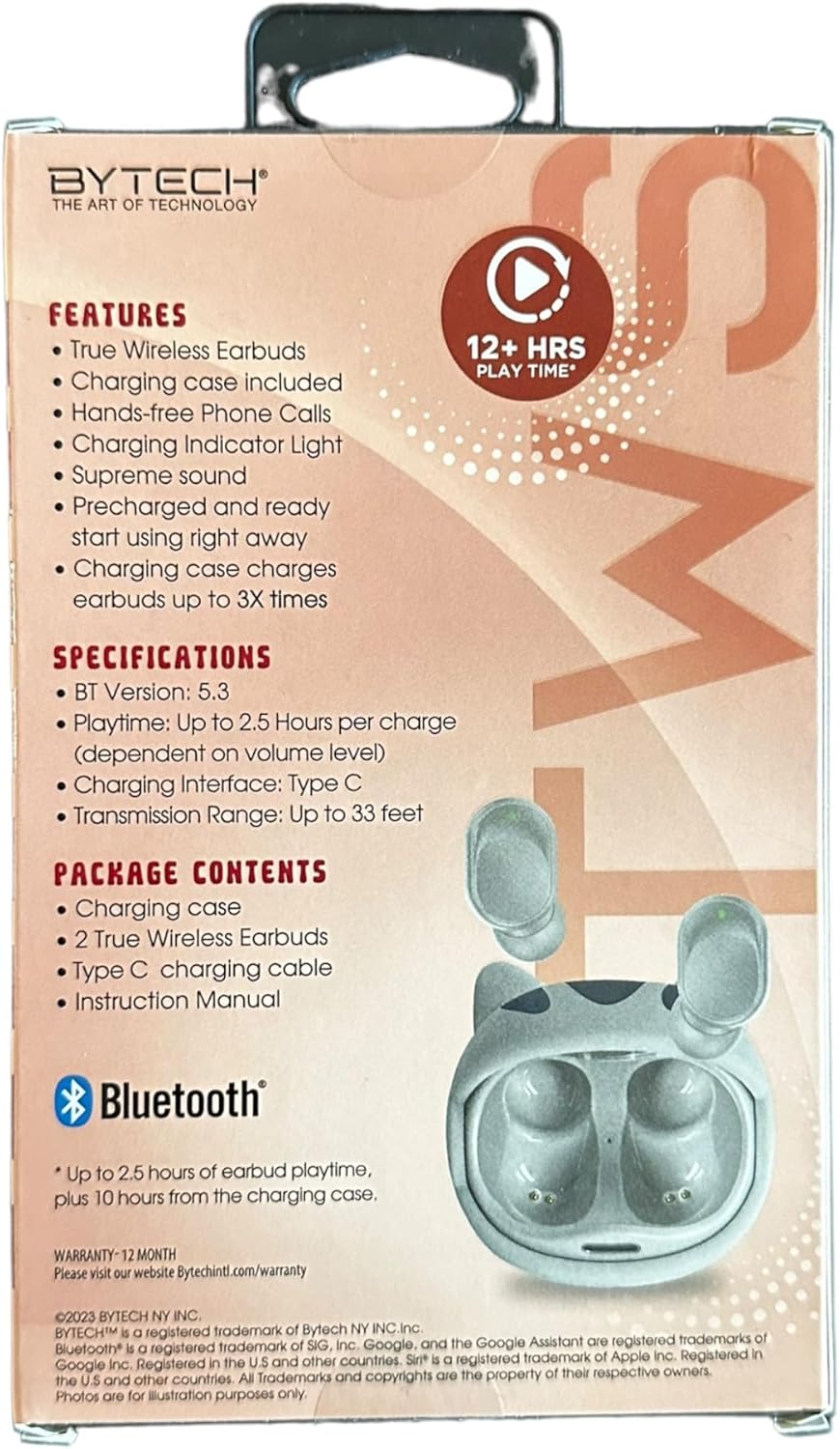
Figure 2: Back packaging detailing product features and contents.
Setup
1. Charging the Earbuds and Case
For optimal performance, fully charge the earbuds and the charging case before first use. The charging case can provide up to 3 full charges for the earbuds.
- Connect the provided Type C charging cable to the charging port on the case and to a compatible USB power source.
- The charging indicator light on the case will illuminate to show charging status.
- Place the earbuds into the charging case. They will begin charging automatically.
- A full charge for the carrying case typically takes approximately 7.5 hours.

Figure 3: Packaging indicating charging capacity of the case.
2. Pairing with a Device
The earbuds feature auto-pairing for convenient connection to your device.
- Ensure Bluetooth is enabled on your smartphone or other audio device.
- Open the charging case. The earbuds will automatically power on and enter pairing mode.
- On your device, search for Bluetooth devices and select "BY-AU-BE-152-03" (or similar name) from the list.
- Once connected, you will hear a confirmation tone, and the earbuds will be ready for use.
- The transmission range is up to 33 feet (10 meters).
Operating Instructions
1. Power On/Off
- Power On: The earbuds automatically power on when removed from the charging case.
- Power Off: Place the earbuds back into the charging case to automatically power them off and begin charging.
2. Music Playback
Enjoy supreme sound quality for your audio. The earbuds provide up to 2.5 hours of playtime per charge.
- Play/Pause: Tap the touch control area on either earbud once.
- Next Track: Double-tap the right earbud.
- Previous Track: Double-tap the left earbud.
- Volume Control: (Note: Volume control may be primarily managed via your connected device. Refer to your device's instructions.)
3. Call Management
The earbuds support hands-free phone calls.
- Answer/End Call: Tap the touch control area on either earbud once.
- Reject Call: Press and hold the touch control area on either earbud for 2 seconds.
4. Voice Assistant
Access your device's voice assistant directly from the earbuds.
- Activate Voice Assistant (Siri/Google Assistant): Triple-tap the touch control area on either earbud.
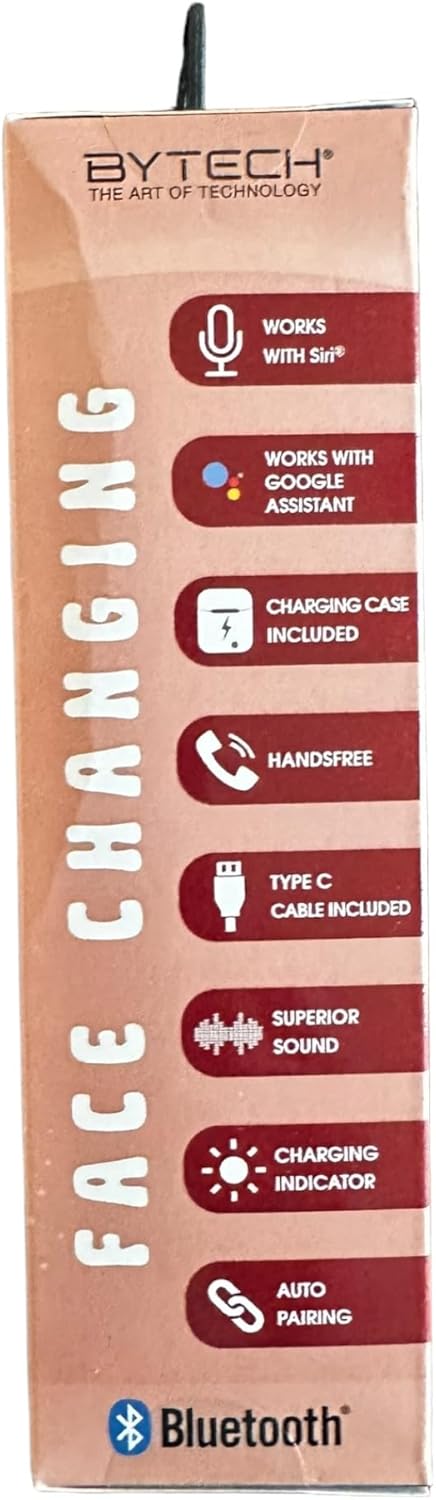
Figure 4: Packaging highlighting key operational features.
Maintenance
Proper maintenance ensures the longevity and optimal performance of your earbuds.
- Cleaning: Use a soft, dry, lint-free cloth to clean the earbuds and charging case. Do not use harsh chemicals or abrasive materials.
- Storage: When not in use, store the earbuds in their charging case to protect them and keep them charged.
- Avoid Moisture: Keep the earbuds and case away from water, humidity, and extreme temperatures.
- Charging: Charge the device regularly, even if not in frequent use, to maintain battery health.
Troubleshooting
If you encounter issues with your Bytech Earbud Headphones, refer to the following common solutions:
| Problem | Possible Solution |
|---|---|
| Earbuds not pairing. |
|
| No sound from earbuds. |
|
| Earbuds not charging. |
|
| Poor call quality. |
|
Specifications
Detailed technical specifications for the Bytech BY-AU-BE-152-03 Earbud Headphones:
| Feature | Detail |
|---|---|
| Model Name | BY-AU-BE-152-03 |
| Bluetooth Version | 5.3 |
| Playtime per Charge | Up to 2.5 Hours |
| Charging Interface | Type C |
| Transmission Range | Up to 33 feet (10 meters) |
| Carrying Case Battery Average Life | 7.5 Hours (additional playtime) |
| Carrying Case Battery Charging Time | 7.5 Hours |
| Control Type | Google Assistant, Siri (Voice Control) |
| Included Components | Cable, User Manual |
| Material | Plastic |
| Item Weight | 3.1 ounces |
| Manufacturer | BYTECH |
| UPC | 805112118816 |
Warranty Information
This product is covered by a 12-month warranty from the date of purchase. For detailed warranty terms and conditions, please visit the official Bytech website:
Please retain your proof of purchase for any warranty claims.
Support
For further assistance, technical support, or inquiries regarding your Bytech Earbud Headphones, please visit the Bytech official website or contact their customer service.
Official Website: www.bytechintl.com
Refer to the website for contact information, FAQs, and additional resources.
Ask a question about this manual
Ask about setup, troubleshooting, compatibility, parts, safety, or missing instructions. Manuals+ will review the question and use this page’s manual context to help answer it.