
ANRAN C3-300万
ANRAN C3-300万 Outdoor Solar Security Camera
Instruction Manual
Introduction
Thank you for choosing the ANRAN C3-300万 Outdoor Solar Security Camera. This manual provides detailed instructions for setting up, operating, and maintaining your camera to ensure optimal performance and security for your home or property. Please read this manual thoroughly before use.
Key features of your ANRAN security camera include:
- Completely wireless operation with integrated solar panel and USB charging options.
- Advanced PIR human motion detection with real-time mobile notifications.
- 2K (3MP) high-definition video recording and excellent color night vision.
- Two-way audio communication and siren alarm function.
- Alexa compatibility and device sharing for multi-user access.
- Durable IP65 waterproof design for outdoor use.
Setup
1. Initial Charging
Before the first use, fully charge the camera using a USB charger. This ensures the battery has sufficient power for initial setup and operation.

Figure 1: The ANRAN C3-300万 camera with its integrated solar panel and a smartphone displaying the live view, illustrating its wireless and remote monitoring capabilities.
2. Mounting and Installation
The camera is designed for outdoor use and features an integrated solar panel. Choose an installation location that receives ample direct sunlight for at least 4 days a month to ensure continuous solar charging. The solar panel direction is fixed, so optimal sunlight exposure is crucial.
Before mounting, manually assemble the camera mounting base. Ensure the bracket is tightened securely with pliers to prevent loosening after installation.

Figure 2: A woman demonstrating the easy installation of the ANRAN C3-300万 camera on a wall, highlighting its wireless design and simple setup process.
3. App Download and Connection
Download the dedicated ANRAN mobile application from your smartphone's app store (compatible with Android and iPhone). Follow the in-app instructions to connect your camera. This typically involves scanning a QR code displayed by the app with the camera.
Ensure your installation environment has a strong 2.4GHz WiFi signal. The camera does not support 5G WiFi. A stable WiFi connection is essential for app connectivity and recording functionality.
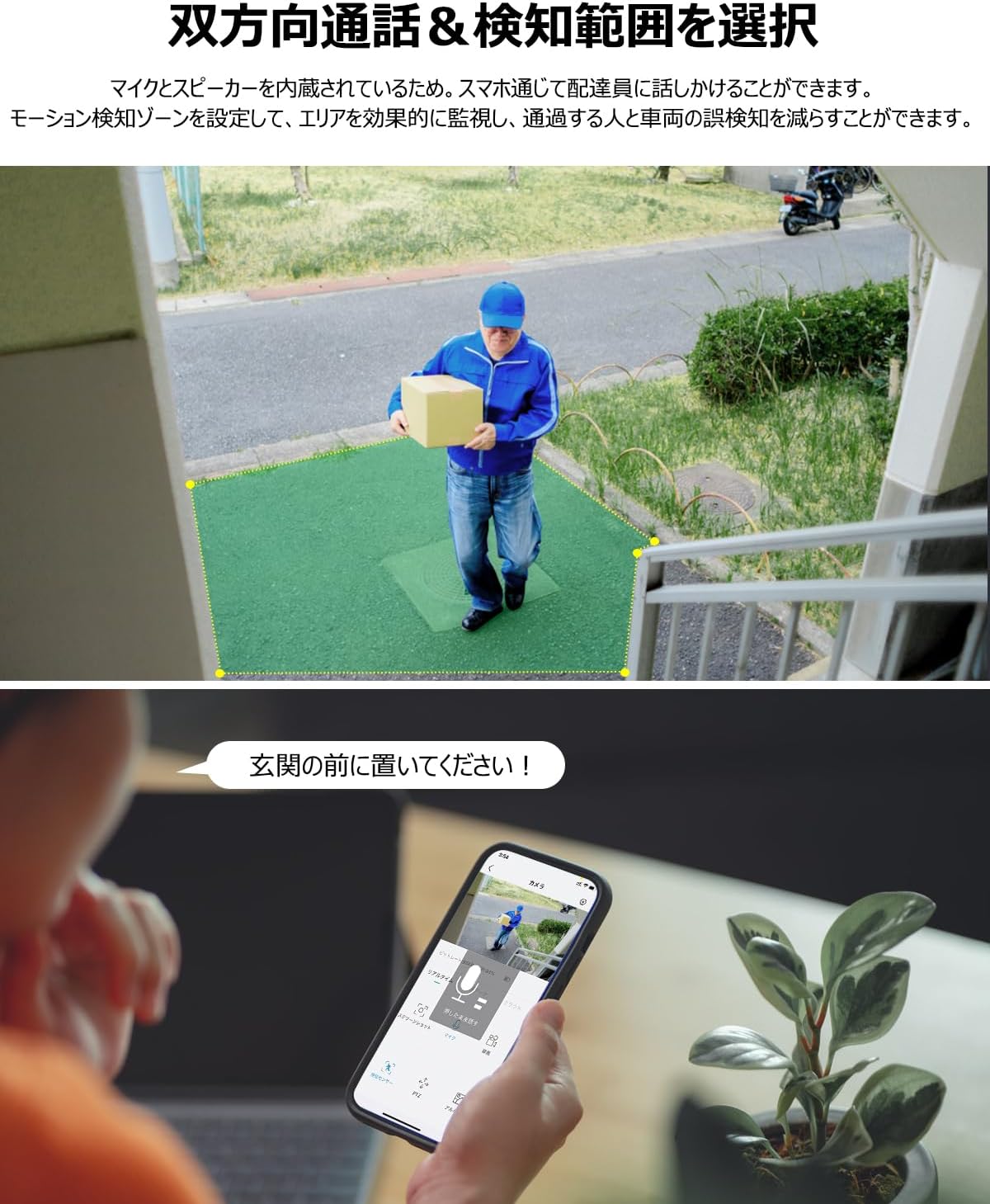
Figure 3: A smartphone screen showing the ANRAN app interface, demonstrating the two-way talk feature with a delivery person, and the customizable detection zone.
Operating
1. PIR Motion Detection and Notifications
The camera features PIR (Passive Infrared) human detection, which identifies human bodies based on temperature. When motion is detected within approximately 1-2 meters, a real-time notification will be sent to your mobile phone. This helps reduce false alarms from non-human movements.
If you need to detect other moving objects beyond human bodies, you may need to turn off the human detection function in the app settings.

Figure 4: The ANRAN C3-300万 camera utilizing smart PIR human detection, sending an instant notification to a smartphone when a person is detected.
2. 2K 3MP High-Quality Video and Color Night Vision
The camera records in 2K (3MP) high-definition, providing clear and detailed video footage. It is equipped with advanced light sensors and LED lights for excellent color night vision. When the sensor light is activated, the screen displays in color, allowing for clear recording of faces and other details even at night, maximizing evidence preservation.

Figure 5: The ANRAN C3-300万 camera demonstrating its 18-light enhanced night color shooting capability, providing clear and bright images even in low-light conditions.
3. Two-Way Audio and Siren
With a built-in microphone and speaker, the camera supports two-way audio communication. You can listen to the environment and speak through the camera via the mobile app. This feature is useful for communicating with visitors or deterring intruders.
The app also includes a
Related documentsC3-300万


Ask a question about this manual
Ask about setup, troubleshooting, compatibility, parts, safety, or missing instructions. Manuals+ will review the question and use this page’s manual context to help answer it.