
Introduction
The Scatach V10 10000A Jump Starter and Portable Power Station is a versatile device designed to provide emergency vehicle jump-starting capabilities and portable power for various electronic devices. It features a powerful 10000A starting current, a 400W inverter, and multiple safety protections, making it an essential tool for automotive and outdoor use.

Image: The Scatach V10 10000A Jump Starter and Portable Power Station, a compact black and orange unit with a handle, display screen, and various ports, including AC outlets and jump starter connections.
Safety Information
This device is equipped with advanced safety technology to ensure secure operation. Always read and understand all safety instructions before use.
- Overcharge Protection: Prevents battery damage from excessive charging.
- Overcurrent Protection: Safeguards against current surges.
- Short-Circuit Protection: Automatically shuts off in case of a short circuit.
- Reverse Connection Protection: Alerts and prevents damage from incorrect cable connections.
- Low/High Temperature Protection: Ensures safe operation within optimal temperature ranges.
- Overvoltage Protection: Protects against voltage spikes.
- Overload Protection: Prevents damage from drawing too much power.
- Spark Protection: Minimizes the risk of sparks during connection.
- Reverse Charging Protection: Prevents current flow back to the jump starter from the vehicle battery.
The full metal casing provides enhanced durability and safety.

Image: A visual representation of the Scatach V10 highlighting its nine safety protection features, including icons for short circuit, over discharge, overload, reverse connection, temperature, voltage regulation, over charge, over current, and reverse polarity protection.
Product Components
The Scatach V10 package includes the following items:
- 1 x Scatach 10000A Jump Starter (V10)
- 1 x Smart Jump Cable
- 1 x USB Type-C Charging Cable
- 1 x User Manual
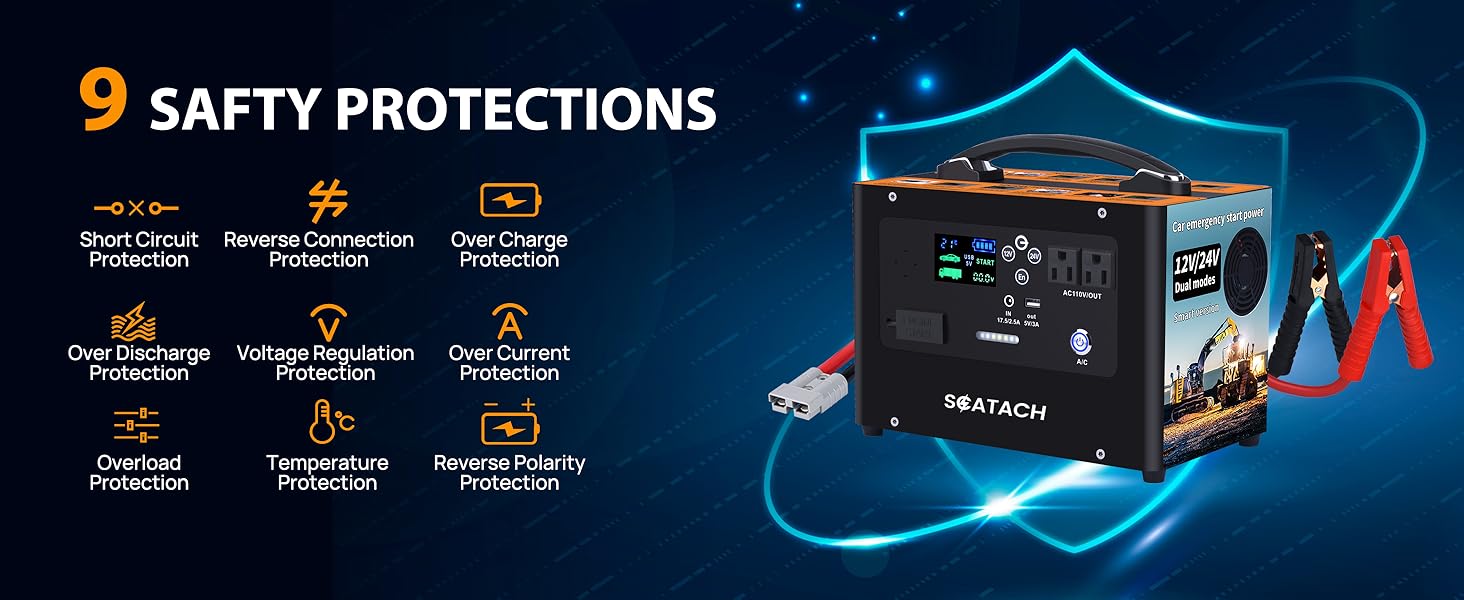
Image: The Scatach V10 unit alongside its accessories, including the smart jump cable and a USB Type-C charging cable, labeled as 'Product Accessories'.
Device Overview
Familiarize yourself with the various ports and controls on the device:
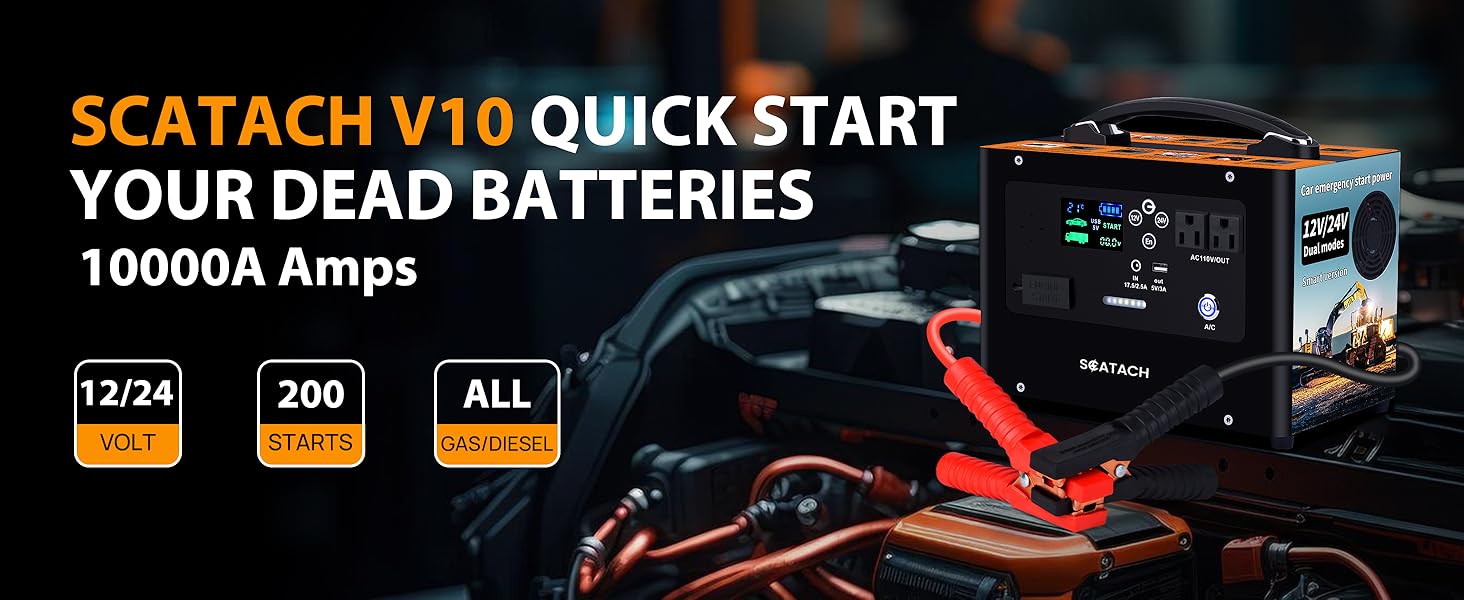
Image: A detailed diagram of the Scatach V10 unit, labeling its various components such as power display, AI intelligent voice, voltage selection button, charging input port, start port, lamplight, switch, AC output, heat dissipation port, USB output, AC switch, and bold battery clip.
Setup
Before first use, ensure the Scatach V10 is fully charged. Connect the provided USB Type-C charging cable to the charging input port and a suitable power source. The LED display will indicate charging status.
Operating Instructions
Jump Starting a Vehicle
- Ensure the Scatach V10 is adequately charged.
- Connect the smart jump cable to the jump starter's start port.
- Connect the red clamp to the positive (+) terminal of the vehicle battery and the black clamp to the negative (-) terminal.
- Turn on the Scatach V10. The device will automatically detect the vehicle's voltage (12V or 24V). If necessary, manually select the correct voltage using the voltage selection button.
- If the vehicle battery is extremely low, press and hold the 'EN' (Engine Start) button for a few seconds to activate the forced start function.
- Start your vehicle.
- Once the vehicle starts, immediately remove the jump clamps from the vehicle battery, then disconnect the smart jump cable from the Scatach V10.
Video: A demonstration of using the Scatach V10 10000A Car Jump Starter to successfully start a vehicle with a dead battery.
Using the 400W Inverter
The Scatach V10 features a 400-watt inverter with two AC 110-volt outlets. This allows you to power small household appliances or charge devices requiring AC power.
- Press the A/C button to activate the AC outlets.
- Plug your device into one of the AC 110V outlets.
- Ensure the total power consumption of connected devices does not exceed 400W.

Image: The Scatach V10 unit being used as a portable power station, with a laptop, phone, and camera battery charger plugged into its 400W inverter and USB ports, demonstrating its utility for outdoor activities.
Using the USB Power Bank
The device includes a 5V/3A output USB port for quick charging of cell phones and tablets.
- Connect your USB charging cable to the USB output port.
- Connect the other end of the cable to your mobile device.
Using the LED Flashlight
The built-in ultra-bright 400 lumen LED light offers three modes:
- Illumination: Standard flashlight mode.
- Flash: Flashing light for signaling.
- SOS: Morse code SOS signal for emergencies.
To cycle through the modes, press the dedicated light button.

Image: The Scatach V10 unit with its 3-in-1 600-lumen LED flashlight illuminated, showing its use for outdoor electricity, emergency lighting, and rescue lighting scenarios.
Understanding the LED Display
The high-definition large LED display provides essential information:
- Simple Reading: Clear and easy-to-understand indicators.
- Individual Function Display: Shows status for different functions.
- Liquid Optical Digital Display: Provides precise digital readings.

Image: A close-up of the Scatach V10's high-definition large LED display, showing battery level, temperature, voltage, and indicators for car and truck jump-starting modes.
Charging the Scatach V10
To charge the internal battery of the Scatach V10, use the provided USB Type-C charging cable and connect it to a compatible power adapter. The display will show the charging progress. It is recommended to fully charge the device after each use and every 3-6 months if stored, to maintain battery health.
Maintenance
- Store the device in a cool, dry place away from direct sunlight and extreme temperatures.
- Keep the device clean and free from dust and debris. Use a soft, dry cloth for cleaning.
- Inspect the jump cables and clamps regularly for any signs of damage or wear. Replace if necessary.
Troubleshooting
| Problem | Possible Cause | Solution |
|---|---|---|
| Device does not turn on | Low battery level | Charge the Scatach V10 fully. |
| Vehicle does not start | Incorrect voltage selected or extremely dead battery | Ensure correct 12V/24V selection. Use the 'EN' (Engine Start) button for forced start if the battery is very low. Check cable connections. |
| AC outlets not working | AC function not activated or overload | Press the A/C button to turn on. Reduce load if exceeding 400W. |
| Error message on display | Safety protection activated | Refer to the specific error code in the full manual (if available) or check connections for issues like reverse polarity or short circuit. |
Specifications
| Feature | Specification |
|---|---|
| Brand | Scatach |
| Model Number | V10 |
| Amperage | 10000 Amps |
| Voltage | 24 Volts (supports 12V/24V dual modes) |
| Inverter Output | 400 Watts (2 AC 110-volt outlets) |
| USB Output | 5V/3A |
| Battery Cell Composition | Lithium Polymer |
| Item Weight | 1.65 pounds (approx. 0.75 kg) |
| Automotive Fit Type | Universal Fit (All Gas or Diesel Engines) |
| LED Light | 400 Lumen (Illumination, Flash, SOS modes) |

Image: The Scatach V10 unit with its dimensions indicated as 5"D x 5"W x 5"H.
Warranty and Support
The Scatach V10 10000A Jump Starter comes with 2 years of product technical support. For any assistance or inquiries, please contact Scatach customer service. Refer to your purchase documentation for specific contact details.


