
OMAIC BN59 Series Compatible Remote Cover
OMAIC Silicone Protective Remote Control Cover
Model: BN59 Series Compatible Remote Cover
Brand: OMAIC
Introduction
Thank you for choosing the OMAIC Silicone Protective Remote Control Cover. This product is designed to provide enhanced protection and improved usability for your Samsung BN59 Series Smart TV remote control. Made from high-quality, durable silicone, it offers protection against drops, scratches, and everyday wear, while also making your remote easier to locate in the dark.
Product Features
- Elegant Protection: This cover safeguards your Samsung TV remote from accidental drops and potential damage from pets. It acts as a protective barrier, extending the lifespan of your remote.
- Precise Fit: Specifically engineered for Samsung BN59 series Smart TV remotes, ensuring a snug fit without obstructing any buttons or functions.
- Glow in the Dark: The cover features a glow-in-the-dark material, making your remote easily visible and locatable in low-light conditions or at night.
- Safe Material: Constructed from soft, lightweight, premium silicone that is skin-friendly, washable, and durable. It is safe for use around children and pets.
- Convenient Packaging: Each package includes two remote covers in different colors (Glow Green and Glow Blue) and two lanyards for added security and portability.

Image: Two OMAIC silicone remote covers, one glowing blue and one glowing green, designed for Samsung BN59 series remotes.
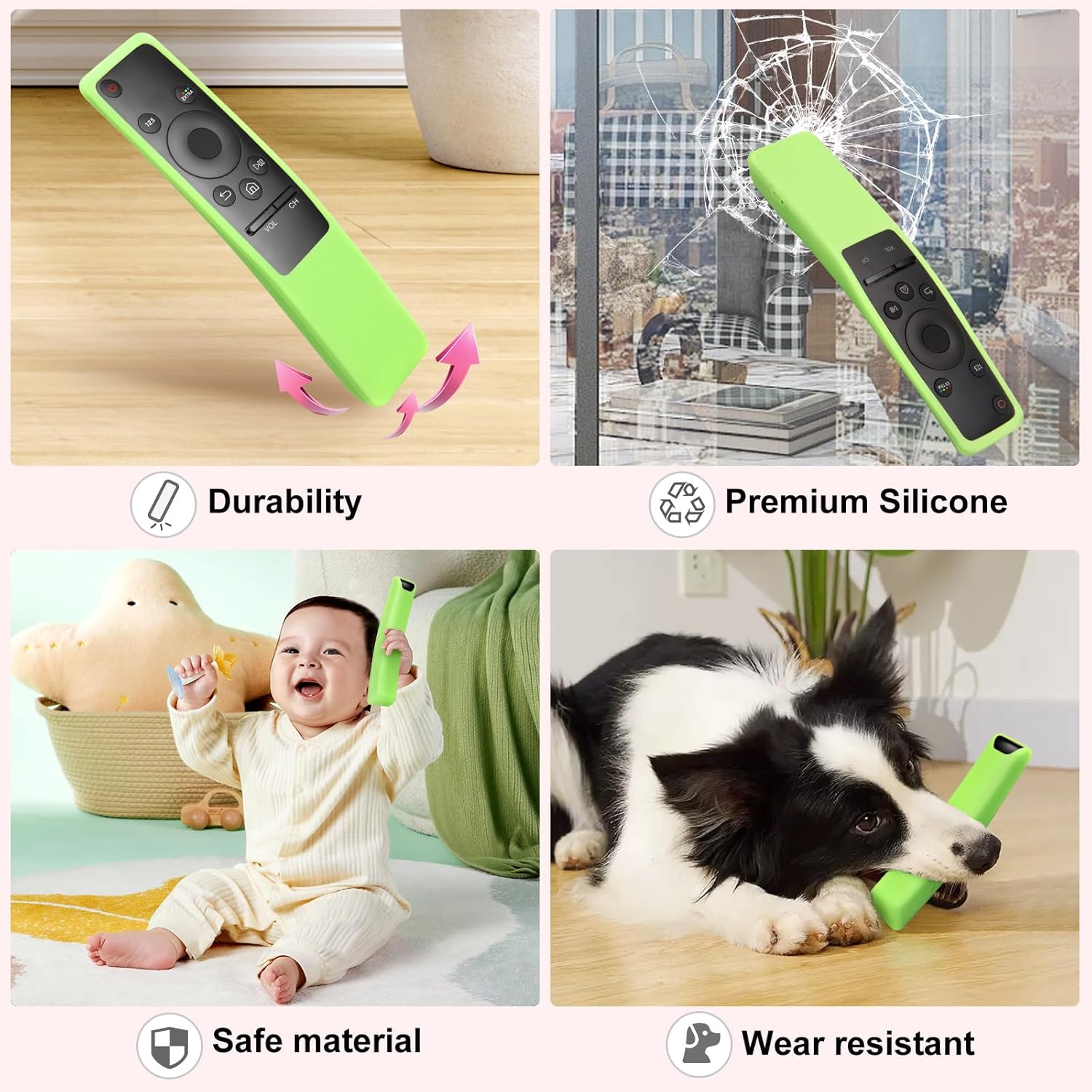
Image: Diagram illustrating the protective features of the cover, such as shock absorption, washability, and enhanced grip.
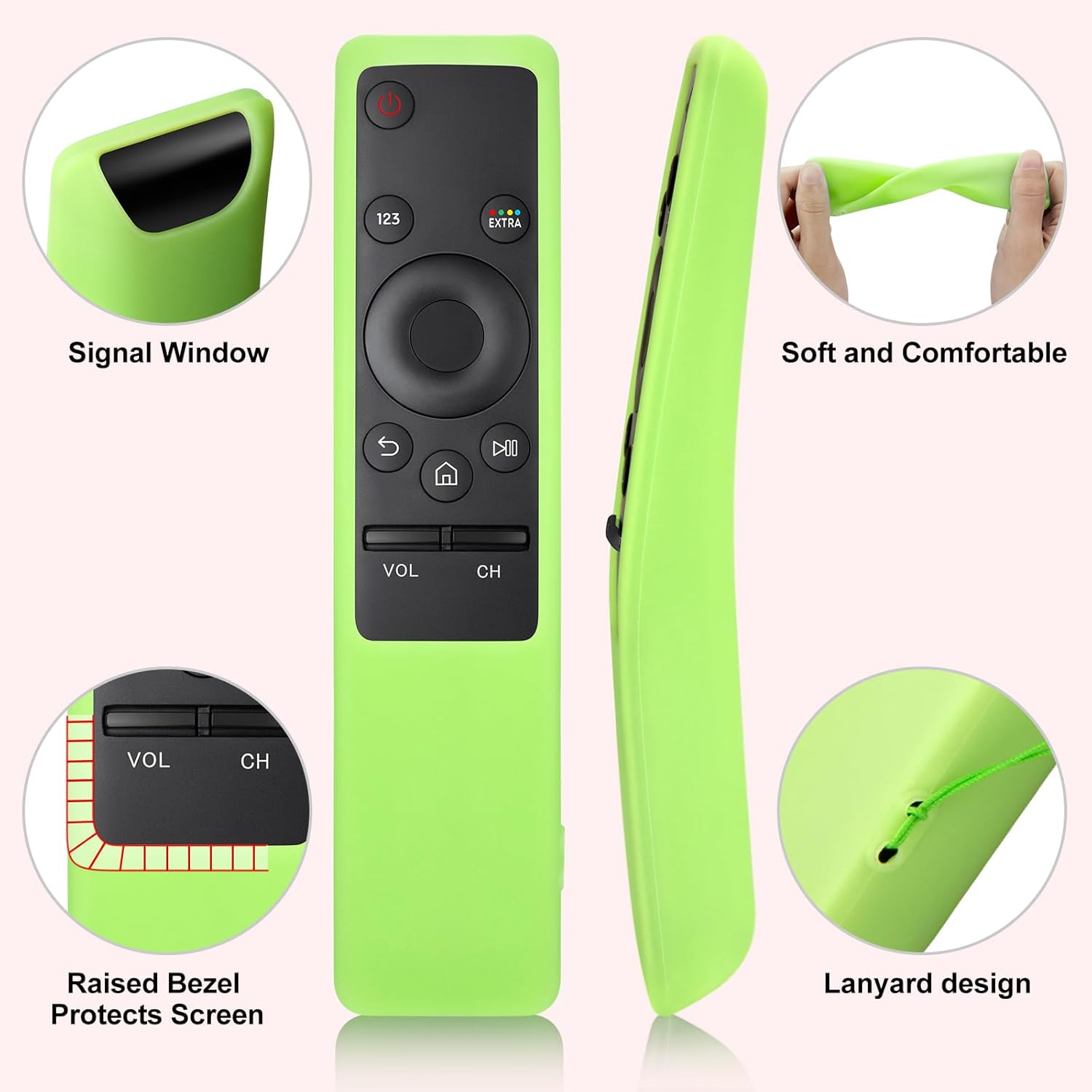
Image: The cover is made from safe, durable silicone, suitable for households with children and pets.
Compatibility
This silicone protective cover is specifically designed for Samsung BN59 series Smart TV remote controls. Please ensure your remote control model matches the compatible designs shown below to guarantee a proper fit.

Image: Visual guide for identifying compatible Samsung BN59 series remote control models.
Setup
Installing the OMAIC Silicone Protective Remote Control Cover is a simple process:
- Gently slide your Samsung BN59 series remote control into the silicone cover, starting from the top (power button end).
- Ensure all buttons align correctly with the cutouts on the cover.
- Smooth out any wrinkles or misalignments to ensure a snug fit.
- If desired, attach the included lanyard to the designated loop on the cover for added security.
Video: A demonstration of how to install the silicone protective cover onto a Samsung BN59 series remote control.
Operating Instructions
Once the cover is installed, your remote control will function as usual. The precise cutouts ensure full access to all buttons and the signal window. The enhanced grip provided by the silicone material may improve handling.
- Button Access: All buttons, including power, volume, channel, and smart hub buttons, remain fully accessible and responsive.
- Signal Transmission: The cover is designed with an open signal window to ensure uninterrupted infrared (IR) or Bluetooth signal transmission from your remote to the TV.
- Glow Feature: For optimal glow-in-the-dark performance, expose the cover to light (natural or artificial) for a period before use in the dark. The glow intensity and duration depend on the light exposure.

Image: Close-up showing the precise cutouts for the signal window and the raised bezel for screen protection.
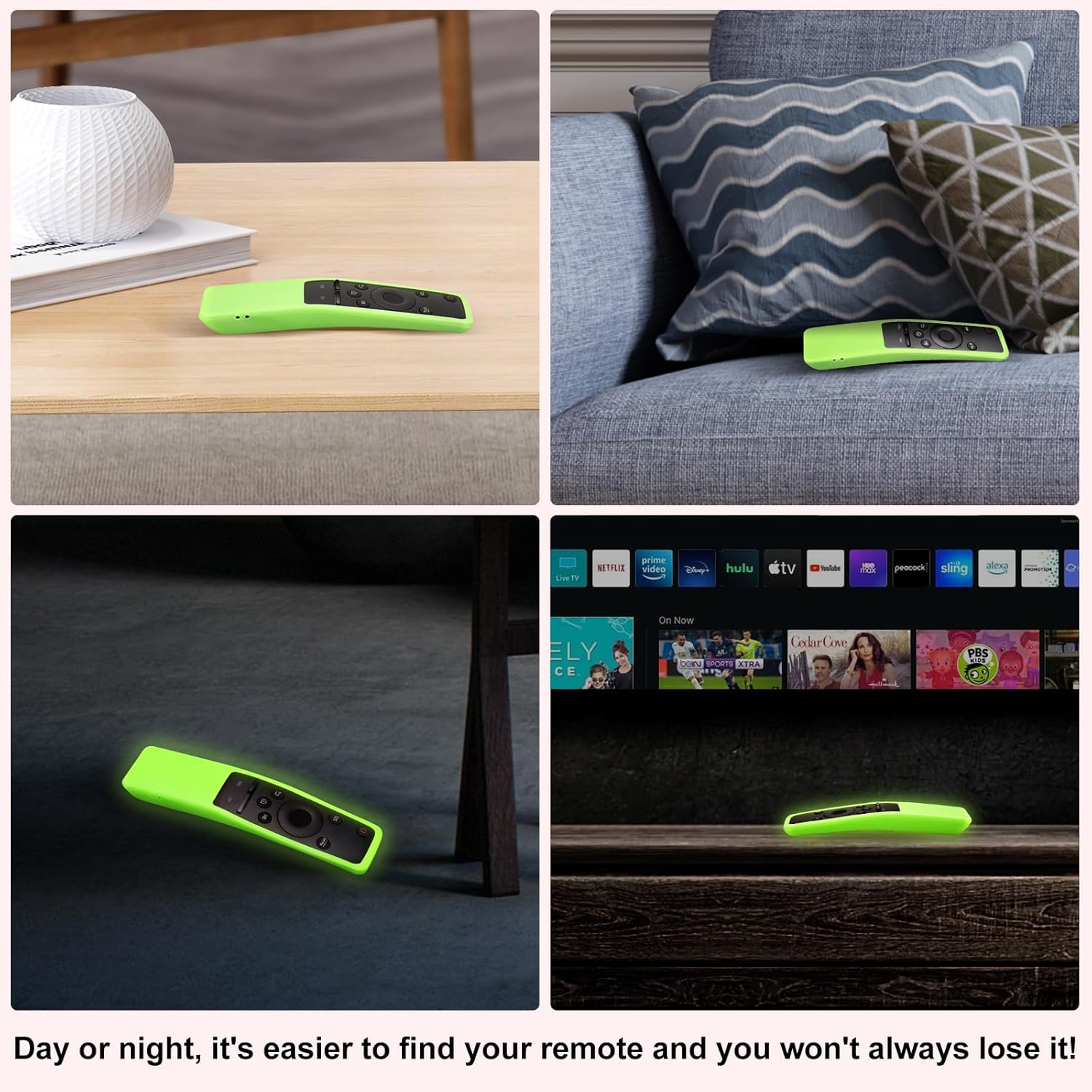
Image: Examples of the remote cover glowing in the dark, making it easy to find.
Maintenance
To keep your OMAIC Silicone Protective Remote Control Cover clean and in good condition:
- The cover is washable. You can remove it from the remote and rinse it under running water.
- Use mild soap if necessary to remove dirt or grime.
- Allow the cover to air dry completely before re-installing it on your remote control.
- Avoid using harsh chemicals or abrasive cleaners, as these may damage the silicone material or affect its glow properties.
Troubleshooting
| Problem | Possible Cause | Solution |
|---|---|---|
| Cover does not fit the remote. | Incorrect remote model. | Verify your remote is a Samsung BN59 series model. Refer to the compatibility section. |
| Glow-in-the-dark feature is weak or non-existent. | Insufficient light exposure. | Expose the cover to bright light (sunlight or artificial light) for at least 10-15 minutes to charge the glow material. |
| Buttons are stiff or unresponsive. | Cover is not aligned correctly. | Remove the cover and re-install, ensuring all button cutouts are perfectly aligned with the remote's buttons. |
Specifications
| Attribute | Detail |
|---|---|
| Product Dimensions | 6 x 1.5 x 0.3 inches |
| Item Weight | 0.353 ounces |
| Material | Premium Silicone |
| Color | Glow Green, Glow Blue (as packaged) |
| Compatible Devices | Samsung BN59 Series Smart TV Remote Controls |
| Special Feature | Glow in the Dark, Shockproof, Washable, Anti-fingerprint, Enhanced Grip |
Warranty and Support
Your OMAIC Silicone Protective Remote Control Cover comes with a 100-day satisfaction guarantee. If you encounter any issues or have questions regarding your product, please do not hesitate to contact our customer service team.
- Our dedicated customer service team is available 24/7.
- Expect a response to your inquiries within 12 hours.
- For support, please refer to the contact information provided with your product packaging or visit the official OMAIC website.
Ask a question about this manual
Ask about setup, troubleshooting, compatibility, parts, safety, or missing instructions. Manuals+ will review the question and use this page’s manual context to help answer it.