
Aheaplus King Wood Black Oak Headboard
Aheaplus King Wood Black Oak Headboard Instruction Manual
Model: King Wood Black Oak Headboard
1. Introduction
This manual provides detailed instructions for the assembly, operation, and maintenance of your Aheaplus King Wood Black Oak Headboard. Please read this manual thoroughly before installation and use to ensure proper function and safety.

Figure 1: Overview of the Aheaplus King Wood Black Oak Headboard.
2. Important Safety Information
Always follow the manufacturer's instructions for wall mounting. Be cautious when handling electrical components and ensure the product is properly grounded. Keep the product dry and away from heat sources to prevent electrical hazards.
- Ensure all connections are secure before use.
- Do not overload the electrical outlets or USB ports.
- Keep children and pets away from electrical components.
- Avoid exposing the headboard to excessive moisture or direct sunlight.
3. Package Contents
Verify that all components are present before beginning assembly. If any parts are missing or damaged, please contact customer support.
- Headboard panels and frame components
- Integrated charging station (3 AC outlets, 2 USB ports)
- LED light strip with controller
- Assembly hardware (screws, bolts, etc.)
- Assembly tools (e.g., Allen wrench)
- Bed frame adapters (2 units)
- Instruction manual
4. Setup and Assembly
All necessary hardware and tools are included, and parts are clearly labeled for straightforward assembly. Follow the step-by-step instructions provided in the separate assembly guide.
4.1. Height Adjustment
The backrest position of the headboard can be adjusted vertically by 3.9 inches to accommodate different mattress heights or preferences.

Figure 2: Headboard height adjustment mechanism.
4.2. Reversible Design
The integrated charging station can be installed on either the left or right side of the headboard, depending on your room layout and convenience needs. Refer to the assembly guide for specific steps on reversing the orientation.
4.3. Bed Frame Connection
The headboard includes two bed frame adapters for easy connection to most standard bed frames. These connectors are adjustable to suit various bed frame sizes and styles. Ensure a secure attachment to prevent movement.

Figure 3: Bed frame adapter details for secure attachment.
5. Operating Instructions
5.1. Charging Station
The headboard is equipped with a charging station featuring 3 AC outlets and 2 USB charging ports. This allows you to power up to 5 electronic devices simultaneously, such as phones, headsets, power banks, or gaming gear.

Figure 4: Integrated charging station with AC outlets and USB ports.
5.2. LED Lighting System
The integrated LED light strip offers over 60,000 colors and multiple flashing modes. It includes a music sync function that changes light colors in rhythm with sound and music. The lights can be controlled via an app and feature a timing function for scheduled operation.
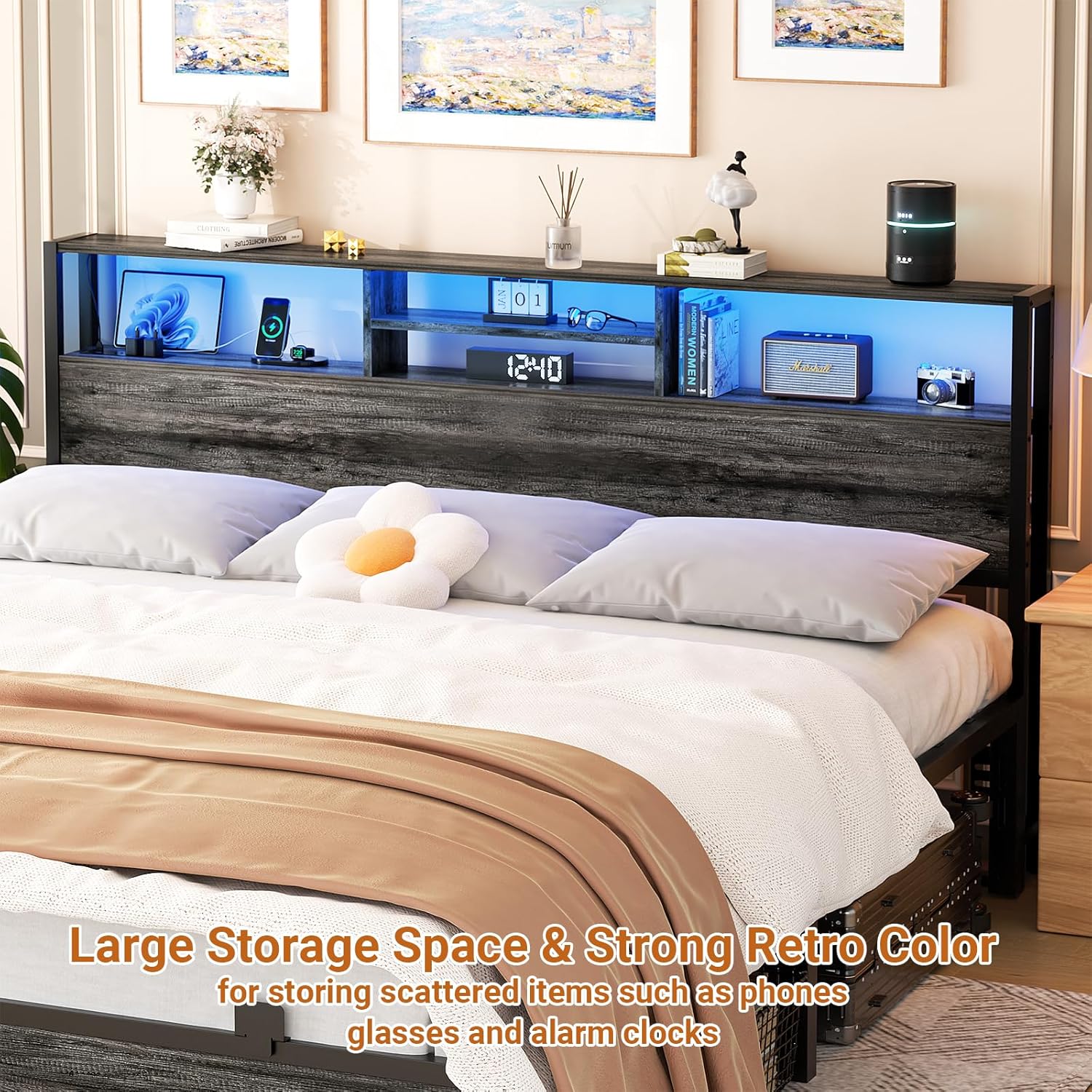
Figure 5: Smart LED light features, including music synchronization.
6. Maintenance
To maintain the appearance and longevity of your headboard, wipe surfaces with a dry cloth. Avoid using abrasive cleaners or harsh chemicals that may damage the finish.
7. Troubleshooting
- Stability Issues: Ensure all screws and bolts are tightened securely. If the headboard wobbles, check that it is properly attached to the bed frame and that the adjustable foot pads are level on uneven floors.
- LED Lights Not Working: Verify that the power cord is securely plugged into a functional outlet and that the LED light strip is correctly connected. Check the app or controller for power settings.
- Charging Ports Not Functioning: Confirm the headboard is powered on and connected to an active electrical outlet. Test with different devices and cables to rule out device-specific issues.
8. Product Specifications
| Brand | Aheaplus |
| Model | King Wood Black Oak Headboard |
| Size | King |
| Style | Wood |
| Color | Black Oak |
| Product Dimensions | 77.2"W x 40"H |
| Item Weight | 32.6 pounds |
| Special Features | Charging Station (3 AC Outlets, 2 USB Ports), LED Lights, 3-Tier Storage Shelf, Height Adjustable, Reversible Design |
| Mounting Type | Wall Mount (with bed frame adapters) |
| Included Components | LED Light, Headboard |
9. Warranty and Support
This product is sold without an explicit warranty. For any questions, missing parts, or assistance with assembly and operation, please contact Aheaplus customer service. Our experienced customer service team aims to respond within 24 hours.
Ask a question about this manual
Ask about setup, troubleshooting, compatibility, parts, safety, or missing instructions. Manuals+ will review the question and use this page’s manual context to help answer it.