
1. Introduction
This manual provides essential information for the safe and efficient operation, maintenance, and troubleshooting of your Einhell TP-ET 18 Li BL-Solo 18V Cordless Compact Router. Please read these instructions carefully before using the tool and keep them for future reference.
The Einhell TP-ET 18 Li BL-Solo is a versatile cordless compact router designed for precision woodworking tasks such as edge milling, grooving, and decorative profiling. It features a powerful brushless motor for extended runtime and performance, electronic speed control, and a continuously adjustable milling depth.
2. General Safety Instructions
WARNING: Read all safety warnings, instructions, illustrations, and specifications provided with this power tool. Failure to follow all instructions listed below may result in electric shock, fire, and/or serious injury.
2.1 Work Area Safety
- Keep the work area clean and well-lit. Cluttered or dark areas invite accidents.
- Do not operate power tools in explosive atmospheres, such as in the presence of flammable liquids, gases, or dust. Power tools create sparks which may ignite the dust or fumes.
- Keep children and bystanders away while operating a power tool. Distractions can cause you to lose control.
2.2 Electrical Safety
- Power tool plugs must match the outlet. Never modify the plug in any way.
- Avoid body contact with earthed or grounded surfaces, such as pipes, radiators, ranges, and refrigerators. There is an increased risk of electric shock if your body is earthed or grounded.
- Do not expose power tools to rain or wet conditions. Water entering a power tool will increase the risk of electric shock.
2.3 Personal Safety
- Always wear eye protection. Use safety glasses, goggles, or a face shield.
- Wear hearing protection when operating power tools for extended periods.
- Dress properly. Do not wear loose clothing or jewelry. Keep your hair and clothing away from moving parts.
- Stay alert, watch what you are doing, and use common sense when operating a power tool.
- Do not force the power tool. Use the correct power tool for your application.
- Disconnect the battery pack from the power tool before making any adjustments, changing accessories, or storing power tools.
- Store idle power tools out of the reach of children and do not allow persons unfamiliar with the power tool or these instructions to operate the power tool.
- Maintain power tools and accessories. Check for misalignment or binding of moving parts, breakage of parts, and any other condition that may affect the power tool’s operation.
3. Components and Package Contents
Your Einhell TP-ET 18 Li BL-Solo Cordless Compact Router package includes the following items:
- Einhell TP-ET 18 Li BL-Solo Compact Router (Tool Only)
- 2 x Collets (6mm and 8mm)
- Edge Milling Attachment
- 2 x Spanner Wrenches
- Copy Sleeve
- Suction Adapter
- Parallel Stop
- Compass Tip
Note: Battery and charger are NOT included with this 'Solo' version and must be purchased separately as part of the Einhell Power X-Change system.

Figure 1: Einhell TP-ET 18 Li BL-Solo Cordless Compact Router with included accessories. This image displays the main router unit, two collets, two spanner wrenches, an edge milling attachment, a copy sleeve, a suction adapter, a parallel stop, and a compass tip.
4. Setup
4.1 Battery Installation
- Ensure the router is switched off.
- Align the battery pack with the battery port on the top of the router.
- Slide the battery pack into the port until it clicks securely into place.
- To remove, press the release button on the battery pack and slide it out.

Figure 2: The Einhell TP-ET 18 Li BL-Solo router is supplied without a battery or charger, highlighting the need for separate purchase of Power X-Change batteries.
4.2 Router Bit Installation
- Ensure the battery is removed for safety.
- Press and hold the spindle lock button to prevent the spindle from rotating.
- Loosen the collet nut using one of the provided spanner wrenches.
- Insert the desired router bit into the collet, ensuring it is seated firmly but not bottomed out.
- Tighten the collet nut securely with the spanner wrench while holding the spindle lock.

Figure 3: Close-up view of the spindle lock button and collet area, essential for safe and easy router bit changes.
4.3 Attaching the Base Plate and Dust Extraction
- The transparent base plate is pre-installed. Ensure it is clean and free of debris.
- To attach the dust extraction adapter, align it with the designated port on the base plate and secure it. This allows connection to an external vacuum cleaner for a cleaner work environment.

Figure 4: The transparent base plate provides visibility of the workpiece during operation. The dust extraction port is visible for connecting a vacuum.
4.4 Adjusting Milling Depth
- Loosen the depth adjustment lever.
- Rotate the fine adjustment knob to set the desired milling depth. The scale on the side indicates the depth in millimeters.
- Once the desired depth is set, tighten the depth adjustment lever to secure the router in position.
4.5 Attaching Guides (Parallel Stop, Compass Tip, Guide Roller)
Depending on your application, various guides can be attached to the router base for enhanced precision:
- Parallel Stop: Used for routing parallel to an edge. Slide the parallel stop into the slots on the router base and secure it at the desired distance from the bit.
- Compass Tip: For cutting perfect circles. Attach the compass tip to the base and pivot it around a central point.
- Guide Roller: For following curved edges or templates. Attach the guide roller to the base, ensuring it makes contact with the guide surface.
5. Operating Instructions
5.1 Powering On/Off
- To turn the router ON, slide the power switch to the 'I' position.
- To turn the router OFF, slide the power switch to the 'O' position.
5.2 Speed Control
The router features electronic infinitely variable speed control. Adjust the speed dial to match the material and router bit being used. Higher speeds are generally suitable for smaller bits and softer materials, while lower speeds are for larger bits and harder materials.

Figure 5: The speed control dial allows for precise adjustment of the router's RPM to suit different materials and applications.
5.3 Routing Techniques
- Always ensure the workpiece is securely clamped before routing.
- Start the router before making contact with the workpiece.
- Move the router smoothly and consistently along the desired path. Avoid sudden movements or excessive pressure.
- For best results and to prevent kickback, always feed the router against the direction of bit rotation.
- When routing edges, use the edge milling attachment for precise chamfering.
5.4 Dust Collection
For a cleaner work environment and improved visibility, connect a suitable wet/dry vacuum cleaner to the suction adapter. This helps to remove wood chips and dust during operation.
6. Maintenance
6.1 Cleaning
- Always disconnect the battery before cleaning.
- Regularly clean the router housing, base plate, and collet area to remove dust and debris. Use a soft brush or compressed air.
- Do not use aggressive cleaning agents or solvents.
6.2 Router Bit Care
- Keep router bits sharp and clean. Dull bits can cause overheating and poor cutting performance.
- Store bits in a protective case to prevent damage.
6.3 General Inspection
- Check all screws and fasteners regularly to ensure they are tight.
- Inspect the power cord (if applicable, for charger) for damage.
- Ensure all ventilation openings are clear to prevent overheating.
7. Troubleshooting
| Problem | Possible Cause | Solution |
|---|---|---|
| Router does not start | Battery not inserted correctly or discharged. | Check battery connection; charge or replace battery. |
| Poor cutting quality / Rough edges | Dull or damaged router bit. Incorrect speed setting. | Replace bit; adjust speed according to material. |
| Excessive vibration | Router bit not properly secured. Damaged bit. | Re-tighten collet nut; replace damaged bit. |
| Motor overheats | Blocked ventilation slots. Overloading the tool. | Clean ventilation slots; reduce cutting depth/feed rate. |
8. Specifications
| Feature | Specification |
|---|---|
| Model | TP-ET 18 Li BL-Solo |
| Part Number | 4350415 |
| Voltage | 18 Volts (Power X-Change) |
| Motor Type | Brushless |
| Lifting Height | 40 mm |
| Collet Sizes | 6 mm, 8 mm |
| Max. Rotational Speed | 3000 RPM (Note: Product description states 3000 RPM, title states 30000 RPM. Please verify with manufacturer for accurate specification.) |
| Product Dimensions | 9.3 x 9.3 x 18.2 cm |
| Item Weight | 1.34 kg |
| Material | Aluminum, Plastic |
| Power Source | Battery Powered (Li-Ion) |
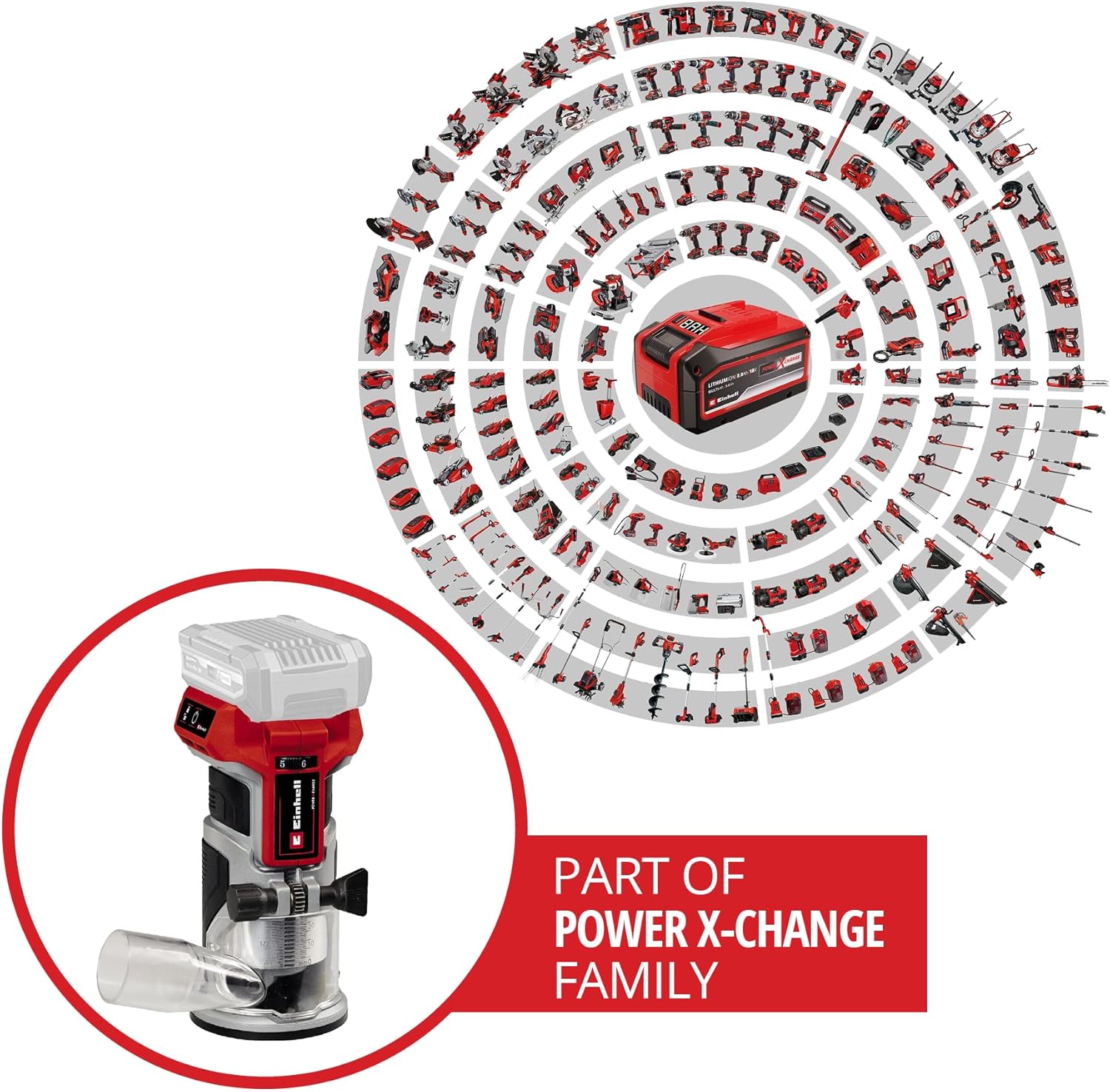
Figure 6: The Einhell TP-ET 18 Li BL-Solo is part of the Power X-Change family, allowing battery compatibility across a wide range of Einhell tools.

Figure 7: Illustration highlighting the benefits of the PurePOWER brushless motor, including increased lifespan, runtime, and power compared to conventional motors.
9. Warranty and Support
Your Einhell TP-ET 18 Li BL-Solo Cordless Compact Router comes with a 2-year warranty, ensuring safety and durability for your DIY projects. For warranty claims, technical support, or to explore other Einhell products, please visit the official Einhell store or contact customer service.
Official Brand Store: Einhell Canada Store
10. Product Videos
No official product videos from the seller directly related to the Einhell TP-ET 18 Li BL-Solo Cordless Compact Router were found in the provided data. Videos available were either for related products from other brands, from influencers, or for different Einhell tools.


