Introduction
Welcome to the user manual for your KXZCCTIE Keyless Entry Door Lock with Handle Set, Model K6. This manual provides comprehensive instructions for the installation, operation, and maintenance of your new smart door lock. Please read this manual thoroughly before installation and use to ensure proper function and to maximize the security features of your device.

Image: The KXZCCTIE Keyless Entry Door Lock and Handle Set, featuring a keypad and fingerprint sensor, installed on a white door.
Product Features
- Multiple Entry Methods: Unlock your door using fingerprint recognition (0.3-second identification, 99.99% recognition rate), keypad codes (up to 100 user codes), one-time codes, or traditional backup keys. Features an anti-peeping password function for enhanced security.
- Easy Installation: Designed for quick replacement of existing door locks, compatible with all American standard left and right-handed doors. Installation typically requires only a screwdriver.
- Automatic & Manual Locking: Configure the lock to automatically secure itself after 10-99 seconds, or manually lock the door instantly by pressing and holding the lock button for 2 seconds.
- Convenient Functions: Includes a low battery indicator, mute mode for silent operation, normally open mode for temporary unrestricted access, and a back-lit keypad for visibility in low light.
- Durable Construction: Built with a sturdy lock cylinder and alloy materials, boasting an IP54 weather-resistant rating to withstand various outdoor conditions. Powered by 4 AAA batteries (not included) for over a year of operation.

Image: An overview of the lock's multi-functional security features, including auto-lock, one-time password, dummy password, USB charging, and low battery alert.
Package Contents
Please verify that all items are present in your package:
- Smart Lock Assembly (Exterior and Interior Units)
- Door Handle Set (Lever Handles)
- Instruction Manual (this document)
- Mounting Accessories (screws, bolts, plates)
- Spare Keys (2 pieces)
Note: 4 AAA batteries are required for operation and are NOT included in the package.
Specifications
| Attribute | Detail |
|---|---|
| Brand | KXZCCTIE |
| Model Name | K6 |
| Lock Type | Biometric, Combination Lock |
| Special Features | Auto-Lock, Back-Lit Keypad, Fingerprint Recognition, One-Time Code, Anti-Peeping Password, Mute Mode, Normally Open Mode, Low Battery Indicator, USB Emergency Charging |
| Material | Bronze (Alloy) |
| Color | Black |
| Dimensions (L x W x H) | 7 x 3.5 x 12 inches |
| Item Weight | 3.5 Pounds |
| Power Source | 4 x AAA Batteries (not included) |
| Battery Life | Approximately 1 year |
| Weather Resistance | IP54 Rated |
| Operating Temperature | -22°F to 158°F (-30°C to 70°C) |
| User Capacity | Up to 100 Fingerprints, 100 User Codes |
| Connectivity | None (Standalone) |
| UPC | 757876939025 |
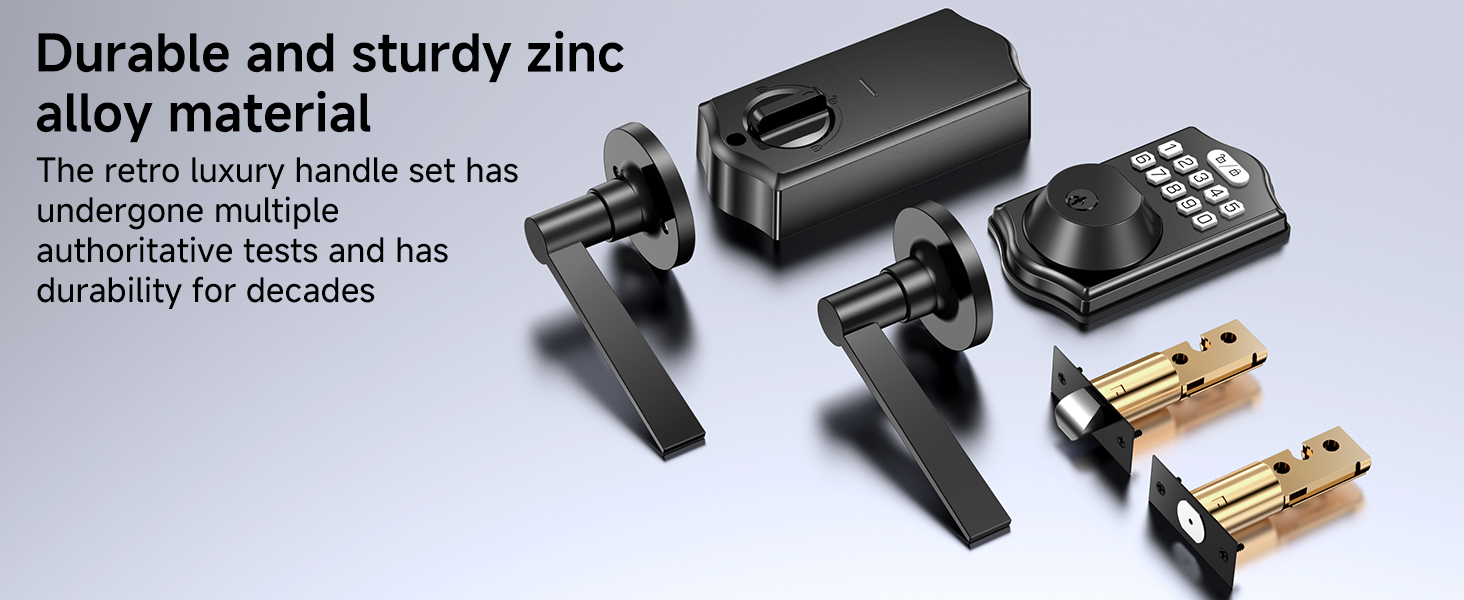
Image: Visual representation of the lock's IP54 waterproof rating and its ability to withstand extreme temperatures from -22°F to 158°F.
Installation Guide
The KXZCCTIE Keyless Entry Door Lock is designed for straightforward installation. Before you begin, ensure your door meets the compatibility requirements.
1. Door Compatibility Check
Verify your door's dimensions and existing hardware to ensure proper fit. This lock is compatible with standard American doors.
- Hole Diameter: 2-1/8 inches (54mm)
- Backset: 2-3/8 inches or 2-3/4 inches (60mm or 70mm)
- Door Thickness: 1-3/8 to 2-1/8 inches (35mm-55mm)
- Minimum Distance (from door edge to handle hole): ≥4 inches (101.6mm)
- Compatible with both left-handed and right-handed doors.
- Suitable for single cylinder deadbolts. Not compatible with mortise or integrated lock systems.

Image: Detailed diagram showing required door hole diameter, backset, thickness, and minimum distance for installation, along with compatibility notes for left/right-handed doors and lock types.
2. Tools Required
- Phillips Head Screwdriver

Image: A person demonstrating the ease of installation using only a screwdriver to fix the smart lock onto a door.
3. Step-by-Step Installation
For detailed, visual installation steps, please refer to the included printed instruction manual. The general process involves:
- Remove your existing deadbolt and handle set.
- Install the new latch and strike plate into the door frame.
- Install the exterior keypad assembly.
- Install the interior assembly, connecting the necessary cables.
- Secure all components with the provided screws.
- Install the handle set.
- Insert 4 AAA batteries into the interior unit.
- Perform the door handing identification process (usually by pressing a button or turning the thumb turn).
Operating Instructions
Unlocking the Door
- Using Fingerprint: Place your registered finger on the fingerprint sensor. The lock will identify your fingerprint within 0.3 seconds and unlock within 1 second.

Image: Demonstrates the rapid fingerprint recognition feature, highlighting its speed and accuracy.
- Using Keypad Code: Enter your programmed user code on the keypad. For added security, utilize the anti-peeping password feature by entering random digits before or after your actual code.
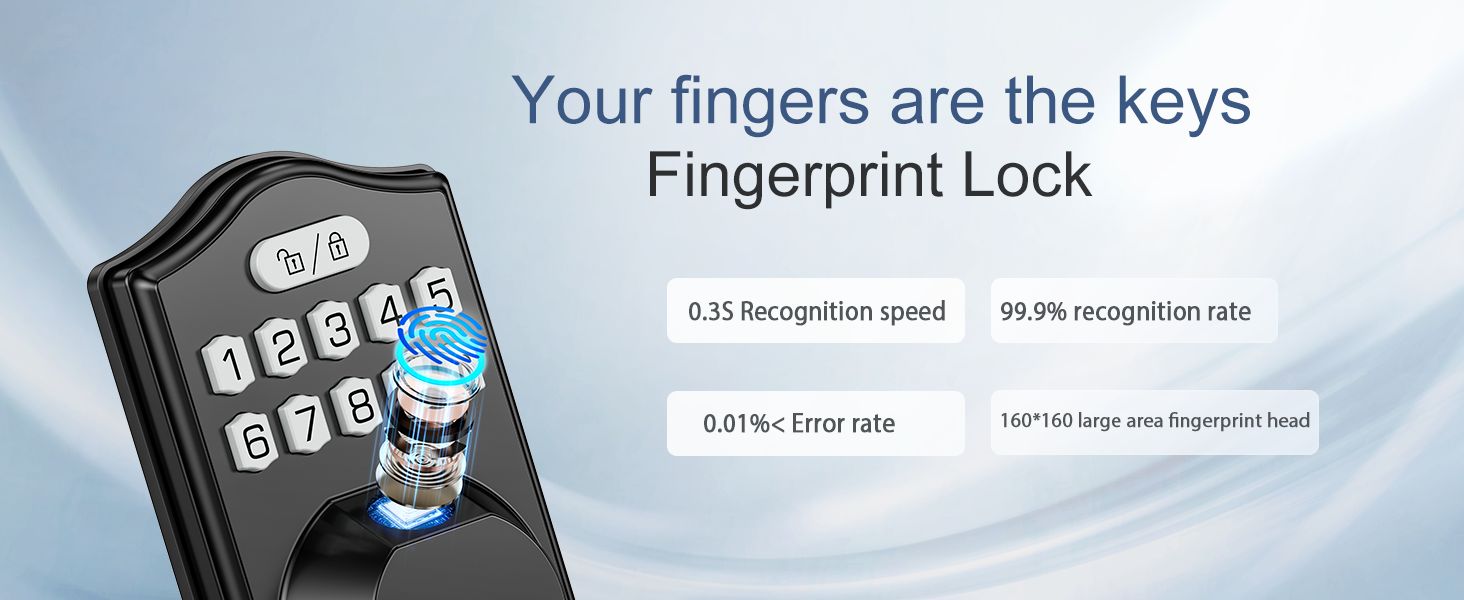
Image: Explains the anti-peeping password function, where random numbers can be entered around the correct code to prevent others from guessing it.
- Using One-Time Code: If a one-time code has been generated, enter it on the keypad. This code will only work for a single entry.

Image: Depicts the use of a one-time password for temporary access, such as for a delivery person.
- Using Backup Keys: In case of battery depletion or electronic malfunction, use one of the two provided physical backup keys to unlock the deadbolt.
Locking the Door
- Automatic Locking: The lock can be configured to automatically lock after a set period (10-99 seconds) once the door is closed.
- Manual Locking (One-Click): To immediately lock the door, press and hold the lock key button (usually the '#' or a dedicated lock button) for 2 seconds.

Image: Illustrates both the one-click manual locking and the automatic locking feature of the smart lock.
Additional Modes
- Mute Mode: Activate mute mode to disable keypad sounds for quiet operation, ideal for late-night entries or exits.
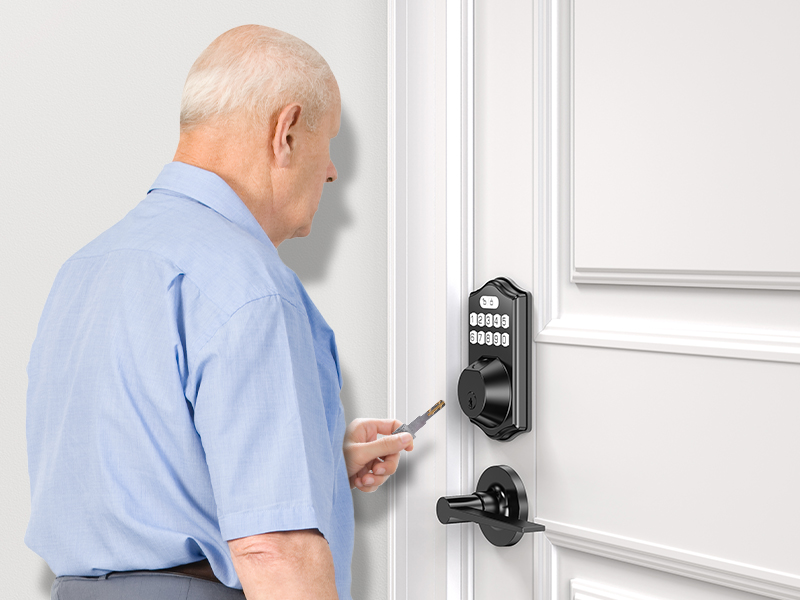
Image: Demonstrates the silent mode feature, ensuring quiet operation of the keypad.
- Normally Open Mode: This mode keeps the door unlocked for continuous access, useful for gatherings or when frequent entry/exit is needed. Refer to the detailed programming instructions for activation.
- Back-Lit Keypad: The keypad illuminates when activated, providing clear visibility for code entry in dark conditions.
Programming Instructions
Your KXZCCTIE smart lock allows for the registration of up to 100 fingerprints and 100 user codes. Detailed programming steps are provided in the comprehensive instruction manual included with your product. Please follow those instructions carefully for adding, modifying, or deleting users and settings.

Image: Illustrates the lock's capacity to store up to 100 fingerprints and 100 user codes, suitable for family, nannies, couriers, and friends.
Maintenance
- Battery Replacement: The lock is powered by 4 AAA batteries and is designed to last over a year. A low battery indicator will alert you when replacement is needed. To replace, remove the battery cover on the interior unit and insert new batteries, ensuring correct polarity.
- Emergency Power: In case of complete battery depletion, the lock features a USB emergency charging port. Connect a power bank to this port to temporarily power the lock and gain entry.

Image: Details the power options, including spare keys, USB emergency charging, low battery warning, and the use of 4 AAA batteries.
- Cleaning: Wipe the lock's exterior surfaces with a soft, damp cloth. Avoid using abrasive cleaners or solvents that could damage the finish or electronic components.
- Weather Protection: The IP54 rating provides protection against dust and splashing water. While weather-resistant, avoid direct and prolonged exposure to heavy rain or extreme moisture.
Troubleshooting
If you encounter any issues with your KXZCCTIE smart lock, please refer to the following common troubleshooting tips:
| Problem | Possible Cause | Solution |
|---|---|---|
| Lock does not respond to keypad/fingerprint. | Low or dead batteries. Incorrect code/fingerprint. | Replace batteries. Use USB emergency power. Re-enter code carefully. Ensure finger is clean and properly placed on sensor. |
| Lock does not auto-lock. | Auto-lock feature not enabled or set incorrectly. Door not fully closed. | Check programming for auto-lock settings. Ensure door is completely closed and aligned. |
| Keypad not lighting up. | Batteries low. Backlight feature disabled. | Replace batteries. Check programming for backlight settings. |
| Lock makes sound but doesn't unlock/lock. | Mechanical obstruction. Misalignment during installation. | Check for obstructions in the door frame or latch. Re-check installation steps, especially the latch and strike plate alignment. |
If the issue persists after attempting these solutions, please contact customer support.
Warranty and Support
KXZCCTIE stands behind the quality of its products. Your Keyless Entry Door Lock with Handle Set (Model K6) comes with the following support:
- 30-Day Money-Back Guarantee: If you are not satisfied with your purchase, you may return it within 30 days for a full refund.
- 12-Month Warranty: The product is covered by a 12-month warranty against manufacturing defects from the date of purchase.
- Lifespan Technical Support: KXZCCTIE provides technical support for the lifespan of the product.
- Responsive Customer Service: Expect a response from our customer service team within 24 hours for any inquiries or issues.
For assistance, please refer to the contact information provided on the product packaging or the official KXZCCTIE website. When contacting support, please have your product model (K6) and purchase details ready.


