
Introduction
Thank you for choosing the Mr. Pen Dual-Hole Manual Pencil Sharpener. This manual provides essential information for the proper setup, operation, and maintenance of your pencil sharpeners. Designed for versatility and ease of use, these sharpeners are suitable for both standard and jumbo-sized pencils, including colored pencils.
Key features of your Mr. Pen pencil sharpeners include:
- Dual-Hole Design: Accommodates standard and jumbo pencils.
- Durable Construction: Made from high-quality plastic for long-lasting use.
- Secure Snap-on Lid: Prevents shavings from spilling, maintaining a clean workspace.
- Compact and Portable: Easy to carry in pencil cases, backpacks, or desk drawers.
Product Overview
Familiarize yourself with the components of your Mr. Pen Dual-Hole Manual Pencil Sharpener.
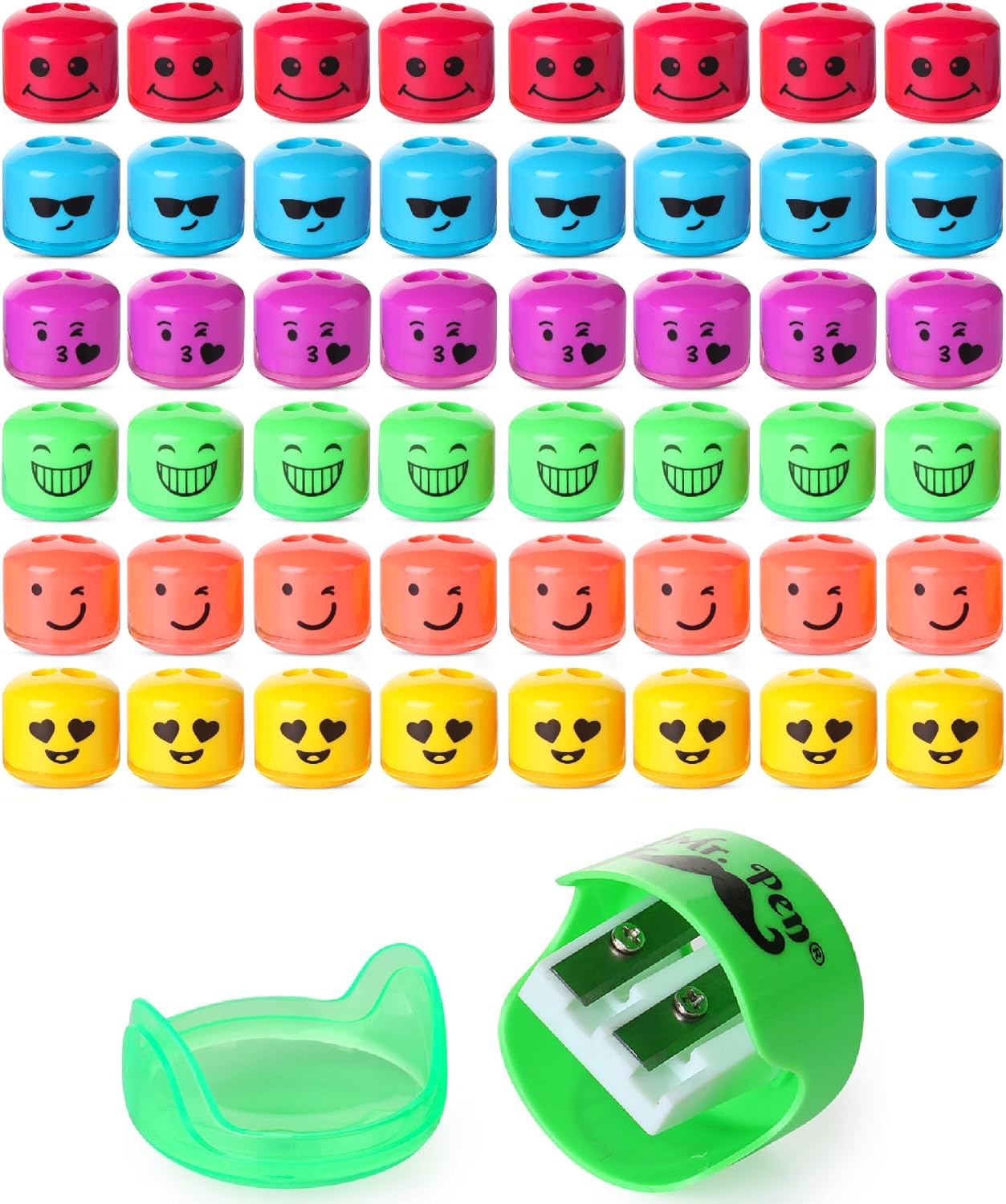
This image displays the Mr. Pen dual-hole manual pencil sharpeners, available in a pack of 48, featuring six distinct emoji face designs across multiple vibrant colors. Each sharpener is compact and designed for portability.

A close-up view of the Mr. Pen pencil sharpener highlighting its dual-hole design. One hole is for standard-sized pencils, and the other is for jumbo-sized pencils, offering versatility for different writing and drawing tools.
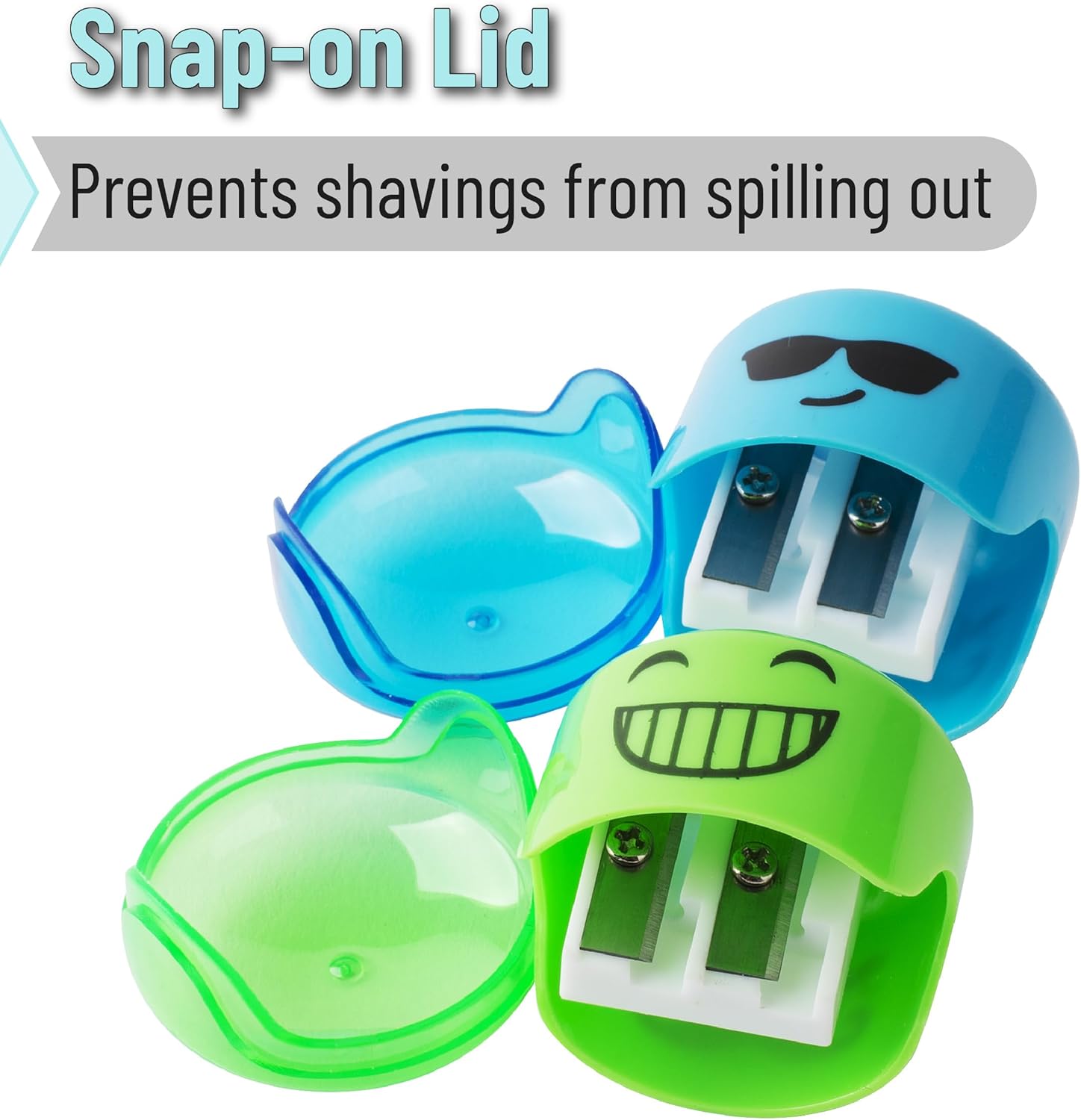
This image illustrates the secure snap-on lid feature of the Mr. Pen pencil sharpeners. The lid effectively contains pencil shavings, ensuring a clean workspace and easy disposal.
Setup
The Mr. Pen Dual-Hole Manual Pencil Sharpener requires no assembly. It is ready for immediate use upon removal from its packaging.
- Remove the sharpener from its packaging.
- Ensure the snap-on lid is securely closed before use to contain shavings.
Operating Instructions
Follow these steps to sharpen your pencils effectively:
- Select the Correct Hole: Identify the appropriate sharpening hole for your pencil size. The smaller hole is for standard pencils, and the larger hole is for jumbo pencils.
- Insert Pencil: Gently insert the pencil into the chosen sharpening hole.
- Rotate Pencil: While holding the sharpener steady, rotate the pencil clockwise until the desired sharpness is achieved. Avoid excessive force to prevent lead breakage.
- Remove Pencil: Carefully remove the sharpened pencil.

A hand is shown using a Mr. Pen pencil sharpener to sharpen a pencil. The design of the sharpener helps to prevent lead breakage during the sharpening process, ensuring a smooth and consistent tip.

This image shows a selection of Mr. Pen pencil sharpeners placed on a desk alongside pencils and paper, illustrating their practical use in an office or school setting.
Maintenance
Regular maintenance ensures optimal performance and longevity of your pencil sharpeners.
- Empty Shavings Regularly: When the transparent collection reservoir is full, gently remove the snap-on lid and empty the pencil shavings into a waste bin.
- Clean Blades: If pencil dust accumulates around the blades, use a soft brush or a cotton swab to carefully remove it. Avoid using water directly on the blades.
- Storage: Store sharpeners in a dry place away from direct sunlight and extreme temperatures.
This image illustrates the secure snap-on lid feature of the Mr. Pen pencil sharpeners. The lid effectively contains pencil shavings, ensuring a clean workspace and easy disposal.
Troubleshooting
If you encounter issues with your pencil sharpener, refer to the following common problems and solutions:
| Problem | Solution |
|---|---|
| Pencil not sharpening properly. | Ensure the pencil is inserted into the correct size hole. Check for any debris obstructing the blade. |
| Lead breaks frequently during sharpening. | Apply less pressure when rotating the pencil. Ensure the pencil lead is not already damaged or cracked. |
| Shavings spilling out. | Verify that the snap-on lid is securely closed. Empty the shavings reservoir if it is full. |
Specifications
| Feature | Detail |
|---|---|
| Model Number | KUQX048M403VQ |
| Brand | Mr. Pen |
| Material | Plastic |
| Power Source | Manual |
| Color | Multicolor |
| Item Weight | 1.17 pounds (for 48 pack) |
| Package Dimensions | 9.25 x 6.38 x 3.15 inches (for 48 pack) |
| Specific Uses | Color Pencil, Standard Pencil |
Warranty and Support
Mr. Pen products are designed for durability and performance. This product comes with a lifetime warranty.
For warranty claims, product support, or any inquiries, please contact Mr. Pen customer service through the retailer where the product was purchased or visit the official Mr. Pen website for contact information.
