
Introduction
This manual provides comprehensive instructions for the installation, operation, and maintenance of the MMUNNA STC-3029, STC-3030, and STC-3031 series digital humidity controllers. These devices are designed for precise humidity control in various applications, including incubators, greenhouses, and soil moisture detection systems. Please read this manual thoroughly before using the product to ensure correct operation and to prevent damage.
Product Overview and Features
The MMUNNA STC-3029, STC-3030, and STC-3031 are advanced digital humidity controllers offering reliable performance and high working efficiency. They feature accurate sensing capabilities and a wide range of applications.
Model Variations:
- STC-3029 Soil Humidity Controller: Operates on AC110-220V, includes one soil sensor cable, and provides single-channel control.
- STC-3030 Soil Humidity Controller: Operates on AC110-220V, includes two soil sensor cables, and provides dual-channel control for independent output settings.
- STC-3031 Soil Humidity Controller: Operates on AC110-220V, includes two soil sensor cables, and provides single-channel control.
Common Features:
- Reliable performance and high working efficiency.
- Accurate sensing with priority materials.
- Wide range of applications.
- Fast response speed and good interchangeability.
- Precise moisture control with automatic start and stop functions.
- Low power consumption, high sensitivity, and stable signal transmission from the sensor chip.

Figure 1: Front view of the MMUNNA STC-3029 Digital Humidity Controller, showing the dual digital displays, control buttons, and connected soil sensor.
Product Layout and Components
Familiarize yourself with the various parts of the humidity controller and its sensors.

Figure 2: Diagram illustrating the front panel and rear connections of the STC-3031 controller. Labels indicate Output light, Set key, Up key, Real-time display, Shutdown key, Down key, Exportation terminals, and Sensor connection.
- Output Light: Indicates when the output relay is active.
- Real-time Display: Shows current humidity readings and set parameters.
- Set Key (S): Used to enter parameter setting mode.
- Up Key (▲): Used to increase values or navigate menus.
- Down Key (▼): Used to decrease values or navigate menus.
- Shutdown Key (Power Symbol): Used to power on/off the device or exit setting mode.
- Exportation Terminals: Connection points for external devices controlled by the unit.
- Sensor Connection: Port(s) for connecting the soil moisture sensor(s).
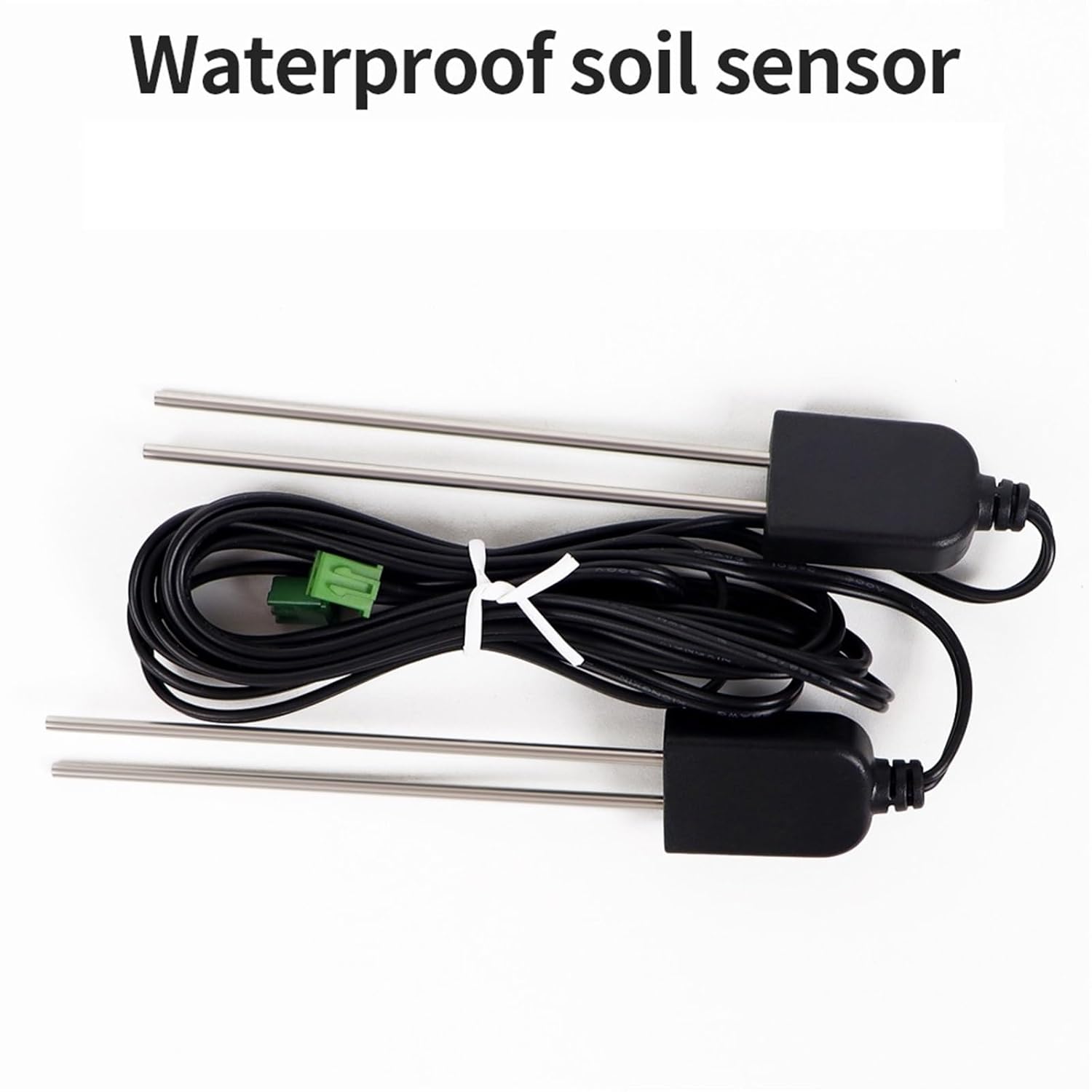
Figure 3: Image of the waterproof soil sensor with its cable, designed for durable and accurate moisture detection in soil.

Figure 4: Visual representation highlighting key features: a large HD screen for accurate testing, a simple back line connection for ease of use, and two detection probes for multi-directional and accurate numerical detection.
Setup Instructions
Before connecting the device, ensure that the power supply is disconnected. Incorrect wiring can cause damage to the unit or connected equipment.
Wiring:
- Power Supply: Connect the AC110-220V power supply to the designated input terminals on the back of the controller. Refer to the wiring diagram on the device casing for precise connections.
- Sensor Connection: Plug the soil moisture sensor cable(s) into the sensor port(s). Ensure a secure connection.
- Output Device Connection: Connect the device(s) you wish to control (e.g., water pump, humidifier) to the "Exportation" output terminals. The relay supports up to 10A and an output power of 1500W. Ensure the connected device's power requirements do not exceed these limits.
Sensor Placement:
Insert the soil moisture sensor(s) into the soil at the desired depth and location for monitoring. Ensure the sensor probes are fully embedded for accurate readings.
Once all connections are made, you may connect the controller to the main power supply.
Operating Instructions
Power On/Off:
Press the Shutdown Key (power symbol) to turn the device on or off.
Viewing Current Humidity:
Upon powering on, the large screen display will show the current humidity percentage detected by the sensor(s).
Setting Humidity Parameters:
- Press and hold the Set Key (S) for a few seconds to enter the parameter setting mode. The display will typically flash or show a parameter code.
- Use the Up Key (▲) and Down Key (▼) to navigate through different parameters (e.g., start humidity, stop humidity, calibration).
- Once the desired parameter is selected, press the Set Key (S) again to modify its value.
- Use the Up Key (▲) and Down Key (▼) to adjust the value.
- Press the Set Key (S) to confirm the new value.
- To exit the setting mode, press the Shutdown Key or wait for the device to automatically exit after a period of inactivity.
Note: For the STC-3030 model with dual-channel control, you can set independent humidity values for each output channel. Refer to the specific wiring diagram and display indicators for channel selection during parameter setting.
Automatic Control:
Once the humidity parameters are set, the controller will automatically activate or deactivate the connected output device(s) to maintain the desired humidity range. The "Output light" will illuminate when the output is active.
Applications
The MMUNNA Digital Humidity Controller series is versatile and suitable for a wide range of applications requiring precise soil moisture or ambient humidity management.

Figure 5: Visual examples of the humidity controller's applications, including water-saving irrigation, greenhouse environments, cultivation of flowers and vegetables, general plant culture, and scientific training setups.
- Water-saving Irrigation: Automate irrigation systems based on actual soil moisture levels, optimizing water usage.
- Greenhouses: Maintain optimal humidity for plant growth and prevent excessive moisture or dryness.
- Flowers and Vegetables Cultivation: Ensure specific humidity requirements are met for delicate plants.
- Plant Culture: Ideal for hydroponics, aeroponics, and other controlled environment agriculture.
- Incubators: Regulate humidity for hatching eggs or other sensitive biological processes.
- Scientific Research and Training: Provide precise environmental control for experiments and educational purposes.
Specifications

Figure 6: Detailed product information including dimensions (75mm x 34.5mm x 85mm for the controller, 78mm for sensor length) and key specifications.
| Product Model | STC-3029 / STC-3030 / STC-3031 |
| Supply Voltage | AC110-220V |
| Relay Current | 10A |
| Output Power | 1500W (Max) |
| Humidity Range | 0-100%RH |
| Control Accuracy | 0.1%RH |
| Sensor Type | Soil Moisture Sensor (Waterproof) |
| Sensor Cable Length | 1 meter (default) |
| Product Dimensions | 75mm x 34.5mm x 85mm (Controller) |
| Installation Size | 71mm x 29mm |
| Item Weight | Approx. 50 Grams (Controller only) |
Maintenance
- Cleaning: Regularly wipe the controller's surface with a soft, dry cloth. Do not use abrasive cleaners or solvents.
- Sensor Care: Periodically inspect the soil moisture sensor probes for any buildup or damage. Clean them gently if necessary to ensure accurate readings. Avoid bending or damaging the probes.
- Environmental Conditions: Ensure the controller is operated within its specified temperature and humidity ranges. Avoid exposure to direct sunlight, extreme temperatures, or excessive moisture.
- Wiring Inspection: Occasionally check all wiring connections for looseness or signs of wear. Ensure they remain secure.
Troubleshooting
| Problem | Possible Cause | Solution |
|---|---|---|
| Controller does not power on. | No power supply; incorrect wiring; faulty power button. | Check power connections and ensure AC110-220V is supplied. Verify wiring according to the diagram. Try pressing the power button firmly. |
| Inaccurate humidity readings. | Sensor dirty or damaged; sensor not fully inserted; calibration needed. | Clean the sensor probes. Ensure the sensor is fully embedded in the soil. Refer to the operating instructions for sensor calibration if available. |
| Output device not activating/deactivating. | Incorrect humidity set points; faulty output wiring; output device malfunction. | Verify the set humidity parameters. Check the wiring to the output device. Test the output device independently. Ensure the output power (1500W) and current (10A) limits are not exceeded. |
| Display shows error code. | Sensor fault; internal error. | Disconnect and reconnect the sensor. Power cycle the device. If the error persists, contact customer support. |
Warranty and Support
Specific warranty information for this product is not provided in the available documentation. For warranty claims, technical support, or service inquiries, please contact your retailer or the manufacturer directly. Keep your purchase receipt as proof of purchase.
Manufacturer: MMUNNA