
Salange HY350-US
Salange HY350 Smart Projector User Manual
Model: HY350-US
1. Introduction
Thank you for purchasing the Salange HY350 Smart Projector. This manual provides essential information for setting up, operating, and maintaining your projector. Please read it thoroughly before use to ensure optimal performance and safety.

Figure 1.1: Front view of the Salange HY350 Projector, showcasing its compact design and lens.
2. Package Contents
Ensure all items are present in the package:
- Salange HY350 Projector (without built-in battery)
- HDMI Cable
- Power Cable (US Plug)
- Bluetooth Voice Remote Control
- User Manual
3. Product Overview
3.1. Key Features
- Integrated Android 11.0 System: 2GB RAM + 32GB ROM for app downloads and streaming.
- Native 1080P Resolution with 4K Decoding Support: High brightness (15000LM) and 10000:1 contrast ratio for clear images.
- Dual-band WiFi 6 & Bluetooth 5.2: Supports 5G/2.4G WiFi for smooth streaming and Bluetooth for external audio devices.
- Automatic Keystone Correction & Electronic Focus: Front projection auto-correction and 4-point keystone adjustment (±50°). Focus controlled via remote.
- Multiple Connectivity Options: HDMI, USB, 3.5mm audio port for various devices.
- Built-in HI-FI Stereo Speakers: 5W speakers for immersive audio.
3.2. Interfaces and Controls
Familiarize yourself with the projector's ports and buttons.

Figure 3.1: Rear and side view of the Salange HY350 Projector, showing HDMI, USB, and audio ports.
- HDMI Port: Connect to laptops, gaming consoles, TV sticks.
- USB Port: Connect USB flash drives for media playback or office documents.
- 3.5mm Audio Jack: Connect external headphones or speakers.
- Power Input: Connect the power cable.
4. Setup Guide
4.1. Placement
Choose a suitable location for your projector. The HY350 supports various mounting options:
- Tripod Mount
- Wall Mount
- Floor Mount
- Ceiling Mount
- Tabletop Placement
For optimal image quality, ensure the projector is placed on a stable, flat surface or securely mounted.

Figure 4.1: Illustration of different projection sizes (50", 100", 250") achievable with the Salange HY350 Projector, demonstrating its versatility in various room sizes.
4.2. Power Connection
- Connect the power cable to the projector's power input port.
- Plug the other end of the power cable into a power outlet.
- Press the power button on the projector or remote control to turn it on.
4.3. Initial Setup
Upon first power-on, the projector will guide you through initial setup steps, including language selection and network connection.
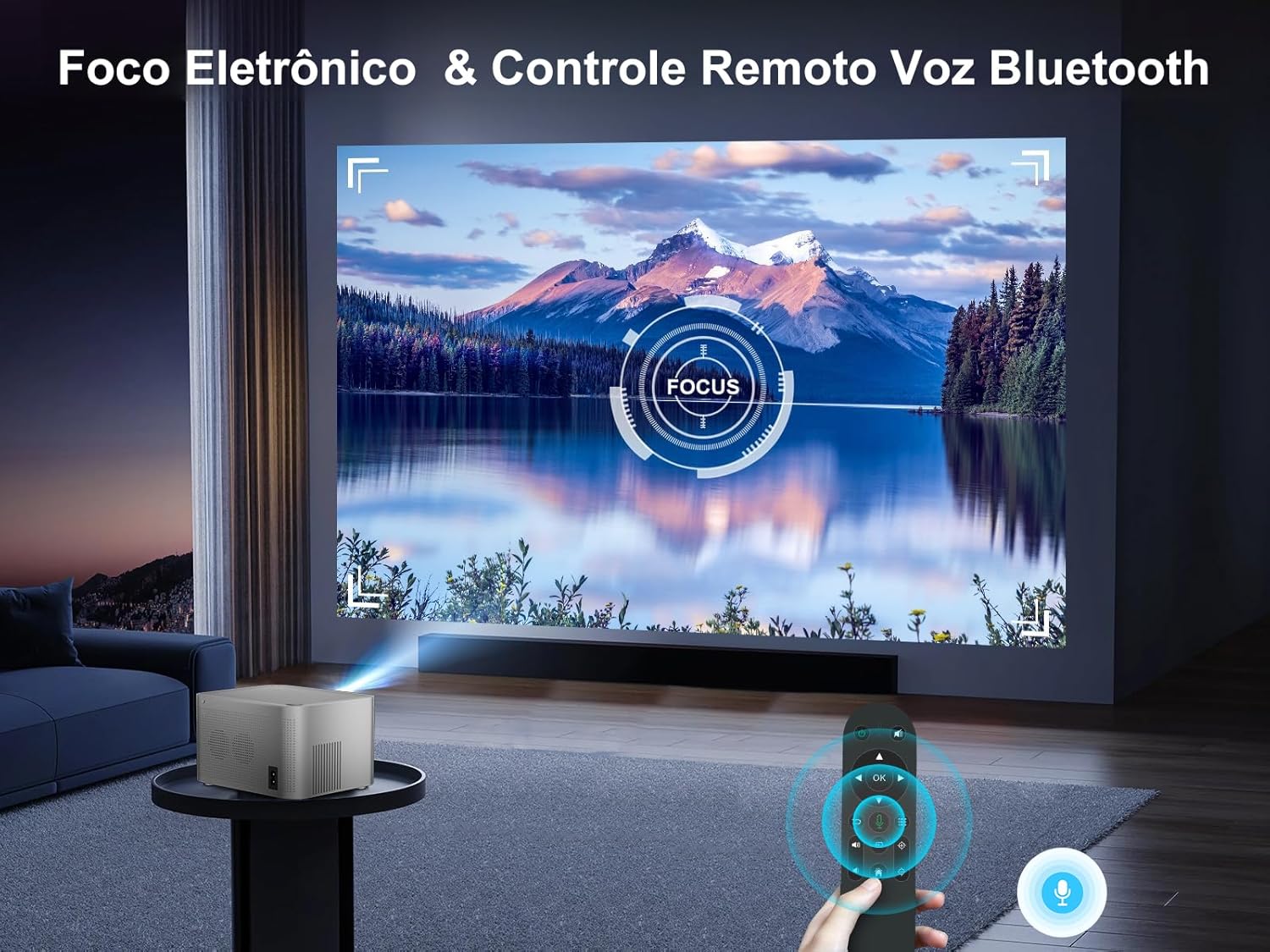
Figure 4.2: The Android TV interface of the Salange HY350 Projector, showing various streaming app icons like Netflix, YouTube, Disney+, and Prime Video, indicating its smart capabilities.
- Network Connection: Navigate to Settings > Network & Internet to connect to your Wi-Fi network (supports 5G/2.4G WiFi 6).
- Bluetooth Pairing: To connect the Bluetooth voice remote control or external Bluetooth speakers/headphones, go to Settings > Connected Devices > Pair new device.
5. Operating Instructions
5.1. Image Adjustment
The HY350 features automatic keystone correction and electronic focus for a clear image.

Figure 5.1: A hand holding the remote control, adjusting the electronic focus on the Salange HY350 Projector, with a clear image projected onto a screen.
- Automatic Keystone Correction: For front projection, the image will automatically correct its shape.
- Manual Keystone Adjustment (4-point): If needed, you can fine-tune the image corners by navigating to Settings > Projection Settings > Keystone Correction. This allows individual adjustment of the four corners up to ±50°.
- Electronic Focus: Use the remote control to adjust the focus for a sharp image.

Figure 5.2: Visual representation of the Salange HY350 Projector's automatic keystone correction, showing how distorted images are automatically squared and corrected for optimal viewing.
5.2. Connecting External Devices
The projector supports various input sources:
- HDMI: Connect your laptop, game console (e.g., Switch), or TV stick to the HDMI port. Select the HDMI input source from the main menu.
- USB: Insert a USB flash drive into the USB port to play videos, view photos, or present office documents (Word, PPT, PDF, Excel).
- Wireless Screen Mirroring: Supports iOS and Android wireless display. Navigate to the screen mirroring app on the projector and follow the on-screen instructions to connect your smartphone or tablet.

Figure 5.3: An illustration highlighting the advanced WiFi 6 and Bluetooth 5.2 technology of the Salange HY350 Projector, showing seamless connectivity for gaming and audio.
5.3. Using Smart Features (Android 11.0)
The integrated Android 11.0 system allows you to access a wide range of applications.
- App Store: Download over 8,000 applications from the integrated APP Store.
- Streaming Services: Access popular streaming platforms like Prime Video, Netflix, YouTube, Disney+, etc.
- Voice Control: Use the Bluetooth voice remote control for convenient navigation and search.

Figure 5.4: The Salange HY350 Projector's smart interface, showcasing a variety of pre-installed and downloadable streaming applications, emphasizing its entertainment capabilities.
6. Maintenance
6.1. Cleaning
- Lens: Use a soft, lint-free cloth specifically designed for optical lenses. Do not use abrasive cleaners or solvents.
- Exterior: Wipe the projector's exterior with a soft, dry cloth. For stubborn marks, a slightly damp cloth can be used, followed by a dry cloth.
- Ventilation Ports: Ensure ventilation ports are clear of dust and debris to prevent overheating. Use a soft brush or compressed air to gently clean them.
6.2. Storage
When not in use for extended periods, store the projector in a cool, dry place, away from direct sunlight and extreme temperatures. Use the original packaging or a protective case to prevent dust accumulation and damage.
7. Troubleshooting
| Problem | Possible Cause | Solution |
|---|---|---|
| No image projected | Power cable not connected; Projector not turned on; Incorrect input source selected. | Check power connection; Press power button; Select correct HDMI/USB input. |
| Blurry image | Focus not adjusted; Projector too close/far from screen; Keystone not corrected. | Adjust electronic focus via remote; Adjust projection distance; Use auto or manual keystone correction. |
| No sound | Volume too low; Muted; External audio device not connected properly; Bluetooth not paired. | Increase volume; Unmute; Check external audio connections; Re-pair Bluetooth device. |
| Wi-Fi connection issues | Incorrect password; Router too far; Network interference. | Verify password; Move projector closer to router; Try connecting to 2.4Ghz band if 5Ghz is unstable. |
| Remote control not working | Batteries low/dead; Not paired (for Bluetooth remote); Obstruction between remote and projector. | Replace batteries; Re-pair Bluetooth remote; Ensure clear line of sight. |
8. Specifications
| Feature | Specification |
|---|---|
| Model | HY350-US |
| Operating System | Android 11.0 |
| RAM + ROM | 2GB RAM + 32GB ROM |
| Native Resolution | 1920 x 1080P |
| Supported Resolution | Up to 4K decoding |
| Brightness | 15000 Lumens |
| Contrast Ratio | 10000:1 |
| Aspect Ratio | 16:9 |
| Wi-Fi | Dual-band 5G / 2.4G WiFi 6 |
| Bluetooth | BT 5.2 (bidirectional) |
| Keystone Correction | Automatic (front projection), 4-point (±50°) |
| Focus | Electronic Focus (via remote) |
| Speaker | 5W HI-FI Stereo |
| Interfaces | HDMI, USB, 3.5mm Audio |
| Product Dimensions | 16 x 12 x 19 cm |
| Product Weight | 1.32 kg |
| Power Consumption | 5 watts (speaker power) |
| Refresh Rate | 60 Hz |
9. Warranty and Support
Salange provides comprehensive support for your HY350 Projector:
- Warranty: 2-year manufacturer's warranty.
- Maintenance: 3 years of maintenance support.
- Technical Support: Lifetime technical support.
- Contact: For any issues or inquiries, please feel free to contact Salange customer service.


Figure 9.1: Salange customer support commitments, including 24-hour response, 7-day return, 24-month warranty, and lifetime technical support.
Related documentsHY350-US


Ask a question about this manual
Ask about setup, troubleshooting, compatibility, parts, safety, or missing instructions. Manuals+ will review the question and use this page’s manual context to help answer it.