
Banshee 6V/12V 6A Smart Battery Charger Instruction Manual
Model: BD03-Z6.0A-D1-18
Introduction
This manual provides essential information for the safe and effective use of your Banshee 6V/12V 6A Portable Smart Battery Charger. This advanced charger is designed to maintain, recondition, and charge various types of lead-acid and LiFePO4 batteries, ensuring optimal performance and longevity.

Image: Banshee 6V/12V 6A Smart Battery Charger with included accessories.
Safety Information
Always prioritize safety when operating battery charging equipment. This charger incorporates multiple safety features to protect both the user and the battery. Read and understand all safety warnings before use.
Built-In Safety Precautions:
- Open Circuit Protection: Prevents damage if the charger is connected incorrectly or to an open circuit.
- Over-Charging Protection: Automatically stops charging once the battery is full to prevent damage.
- Over-Current Protection: Safeguards against excessive current flow.
- Over-Heating Protection: Shuts down if internal temperatures become too high.
- Over-Voltage Protection: Protects against voltage spikes.
- Reverse Polarity Protection: Prevents damage if battery connections are reversed.
- Short-Circuit Protection: Guards against short circuits.
- Spark Proof: Designed to prevent sparks during connection.
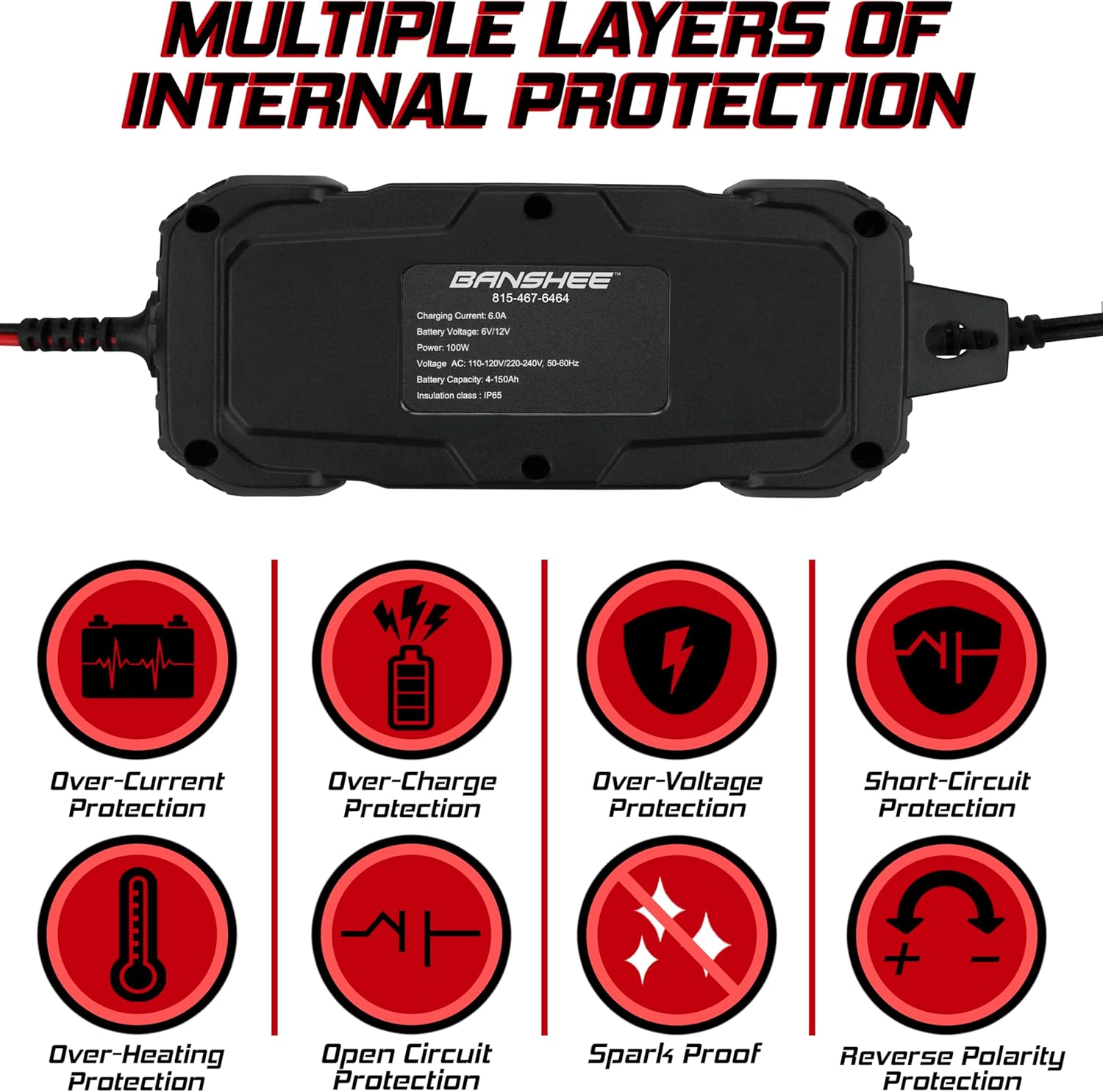
Image: Visual representation of the charger's internal protection features, including over-current, over-charge, over-voltage, short-circuit, over-heating, open circuit, spark proof, and reverse polarity protection.
Package Contents
Verify that all items are present in the package:
- Banshee 6V/12V 6A Smart Battery Charger Unit
- Alligator Clips (for temporary connections)
- Ring Terminals (for semi-permanent connections)
- AC Power Cord
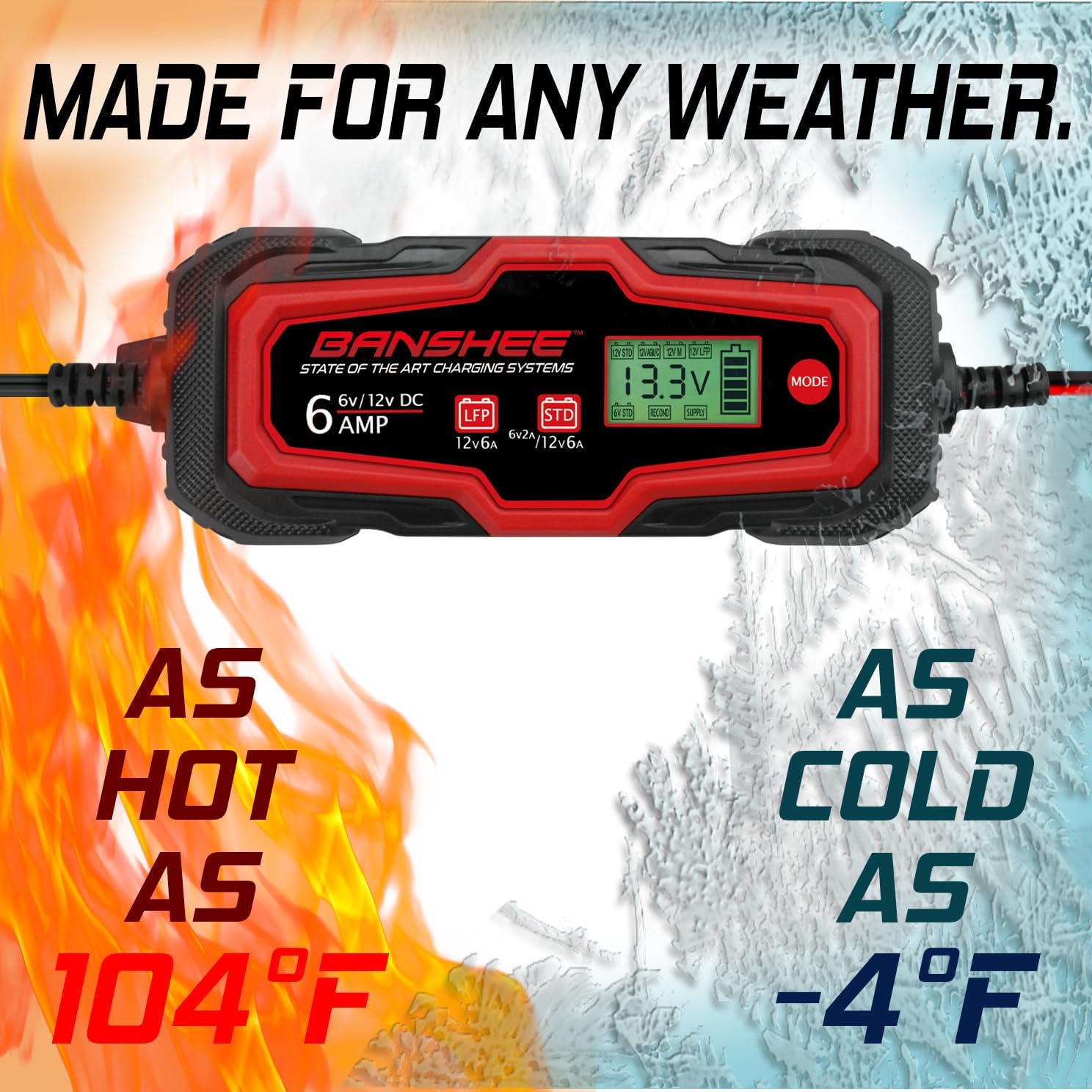
Image: All components included with the Banshee battery charger, laid out for clear viewing.
Setup
Follow these steps to properly set up your battery charger:
- Identify Battery Type and Voltage: Ensure the battery to be charged is either a 6V or 12V Standard Wet/Flooded Lead Acid, 12V AGM, or 12V LiFePO4 battery. The charger is compatible with capacities from 4-150Ah.
- Choose Connection Method:
- Alligator Clips: Ideal for quick, temporary connections. Connect the red clip to the positive (+) battery terminal and the black clip to the negative (-) battery terminal.
- Ring Terminals: Suitable for more permanent installations. Securely attach the red ring terminal to the positive (+) battery post and the black ring terminal to the negative (-) battery post.
- Connect to Charger: Plug the chosen battery connector (alligator clips or ring terminals) into the charger's output port. Ensure a secure connection.
- Connect to Power: Plug the AC power cord into a standard electrical outlet (100-240V AC, 50-60Hz). The charger will power on and display its status.

Image: Illustration showing the two connection options: ring terminals (O-rings) for semi-permanent attachment and alligator clips for temporary use.
Operating Instructions
The Banshee Smart Battery Charger features a microprocessor-controlled program with various charging modes. The display will show the current voltage and selected mode.
Selecting a Charging Mode:
After connecting the charger to the battery and power, press the MODE button to cycle through the available charging programs. The charger will automatically detect the battery voltage (6V or 12V) and suggest a mode, but you can manually select the appropriate mode for your battery type and condition.
- 12V STD: For 12V Standard Wet/Flooded Lead Acid batteries.
- 12V AGM/C: For 12V Absorbed Glass Mat (AGM) Lead Acid batteries.
- 12V M: Maintenance mode for 12V batteries, ideal for long-term storage.
- 12V LFP: For 12V LiFePO4 (Lithium Iron Phosphate) batteries.
- 6V STD: For 6V Standard Wet/Flooded Lead Acid batteries.
- SUPPLY: Provides a constant 12V power supply, useful for diagnostics or powering 12V accessories.
- RECOND: Recondition/Desulfator mode, designed to restore deeply discharged or sulfated batteries. Use with caution and monitor the battery.
The charger will automatically switch off after charging to prevent over-charging, then transition to a maintenance charge if left connected.

Image: The charger's display highlighting the seven distinct charging modes available for various battery types and conditions.
Winter Mode:
This charger is designed to operate effectively in various temperatures. For cold weather conditions, the charger automatically adjusts its charging parameters to optimize performance and battery health. This feature is integrated into the charging algorithms and does not require manual selection.

Image: The Banshee charger is shown operating in both hot (up to 104°F) and cold (down to -4°F) environments, demonstrating its all-weather capability.
Maintenance
Proper maintenance ensures the longevity of your charger and the batteries it services.
- Cleaning: Disconnect the charger from power and battery before cleaning. Wipe the exterior with a soft, damp cloth. Do not use harsh chemicals or abrasives.
- Storage: Store the charger in a cool, dry place when not in use. Keep cables neatly coiled to prevent damage.
- Cable Inspection: Regularly inspect the power cord and battery cables for any signs of damage, such as cuts, fraying, or exposed wires. Do not use the charger if cables are damaged.
- Battery Maintenance: For batteries in storage, use the appropriate maintenance mode (e.g., 12V M) to keep them at optimal charge without overcharging.
Troubleshooting
If you encounter issues with your Banshee Smart Battery Charger, refer to the following common problems and solutions:
| Problem | Possible Cause | Solution |
|---|---|---|
| Charger does not power on. | No AC power; faulty outlet. | Check power cord connection. Test outlet with another device. |
| Charger not charging battery. | Incorrect mode selected; poor battery connection; battery too deeply discharged. | Verify correct mode for battery type. Ensure secure connections. Try Recondition mode if applicable. |
| Error message on display. | Reverse polarity; short circuit; open circuit; internal fault. | Check battery connections for correct polarity. Inspect cables for damage. Disconnect and reconnect. If error persists, contact support. |
| Charger gets warm during operation. | Normal operation; poor ventilation. | Some warmth is normal. Ensure adequate ventilation around the charger. If excessively hot, disconnect and contact support. |
If troubleshooting steps do not resolve the issue, please contact Banshee customer support.
Specifications
Technical specifications for the Banshee 6V/12V 6A Smart Battery Charger:
| Feature | Specification |
|---|---|
| Brand | Banshee |
| Model Number | BD03-Z6.0A-D1-18 |
| Output Voltage | 6 Volts / 12 Volts |
| Input Voltage | 100-240 Volts AC |
| Current Rating | 6 Amps |
| Battery Capacity | 4-150Ah |
| Compatible Battery Types | Standard Wet/Flooded Lead Acid, AGM Lead Acid, LiFePO4 |
| Product Dimensions (D x W x H) | 2.25" x 9.38" x 3.5" |
| Color | Black |
| Manufacturer | BatteryJack |
| UPC | 840417407333 |
Warranty
The Banshee 6V/12V 6A Smart Battery Charger comes with a 2-year warranty from the date of purchase. This warranty covers defects in materials and workmanship under normal use. Please retain your proof of purchase for warranty claims. The warranty does not cover damage caused by misuse, accident, unauthorized modification, or neglect.
Support
For further assistance, technical support, or warranty inquiries, please refer to the manufacturer's official website or contact their customer service department. Contact information can typically be found on the product packaging or the Banshee brand website.