
Introduction
This manual provides detailed instructions for the safe and effective operation of your Banshee 6V/12V 6000mA Automatic Battery Charger, Maintainer, and Desulfator. This versatile charger is designed to work with a wide range of batteries, including 6 Volt and 12 Volt Standard Wet/Flooded Lead Acid, 12 Volt AGM (Absorbed Glass Mat) Lead Acid, and 12 Volt LiFePO4 batteries, with capacities ranging from 4-150Ah. It is suitable for charging batteries in various vehicles and equipment such as cars, motorcycles, ATVs, RVs, boats, scooters, golf carts, lawn mowers, and ride-on toys.
The charger features high-frequency smart charging technology, an LCD display for easy monitoring, and multiple charging modes including Maintenance, Recondition/Desulfator, and a 12V Supply mode. It automatically switches off after charging to prevent over-charging, ensuring optimal battery health and longevity.

Image: The Banshee 6V/12V 6000mA Automatic Battery Charger, showcasing its compact design, LCD display, power cord, quick-connect output, and included alligator clips and ring terminal connectors.
Safety Information
Always read and understand all safety warnings and instructions before using the battery charger. Improper use can result in injury or damage to the charger or battery.
- Ensure proper ventilation when charging batteries.
- Do not expose the charger to rain or wet conditions.
- Always connect the charger to the battery before plugging it into an AC outlet. Disconnect from AC power before disconnecting from the battery.
- Avoid sparks or flames near the battery during charging.
- Wear eye protection and gloves when working with batteries.
The Banshee charger incorporates multiple layers of internal protection to enhance safety:

Image: Visual representation of the charger's safety features, including Over-Current Protection, Over-Charge Protection, Over-Voltage Protection, Short-Circuit Protection, Over-Heating Protection, Open Circuit Protection, Spark Proof, and Reverse Polarity Protection.
Package Contents
Verify that all items are present in your package:
- Banshee 6V/12V 6000mA Automatic Battery Charger Unit
- Alligator Clips (Red and Black)
- Ring Terminals (Red and Black) with inline fuse
- AC Power Cord

Image: The Banshee charger displayed with its complete set of accessories, including the main unit, AC power cord, quick-connect output cable, alligator clips, and ring terminal connectors with an inline fuse.
Setup and Connection
The Banshee charger offers two convenient ways to connect to your battery: using alligator clips or ring terminals. Both connect to the charger via a quick-disconnect SAE connector.
Connecting with Alligator Clips:
- Ensure the charger is unplugged from the AC power outlet.
- Connect the red (+) alligator clip to the positive (+) battery terminal.
- Connect the black (-) alligator clip to the negative (-) battery terminal.
- Connect the alligator clip assembly to the charger's quick-disconnect output.
Connecting with Ring Terminals:
- Ensure the charger is unplugged from the AC power outlet.
- Permanently attach the red (+) ring terminal to the positive (+) battery terminal and the black (-) ring terminal to the negative (-) battery terminal.
- Connect the ring terminal assembly to the charger's quick-disconnect output. This method is ideal for long-term maintenance charging.

Image: A visual guide illustrating the two connection methods: ring terminals (O-rings) for semi-permanent installation and alligator clamps for quick, temporary connections, both utilizing the SAE quick-disconnect.
Operating Modes
The Banshee charger features 7 distinct charging modes to accommodate various battery types and conditions. Use the 'MODE' button on the charger to cycle through the available options.
- 12V STD: For standard 12-volt wet/flooded lead-acid batteries.
- 12V AGM/C: For 12-volt Absorbed Glass Mat (AGM) lead-acid batteries, including cold weather charging.
- 12V M: 12-volt Maintenance mode, designed for long-term battery maintenance.
- 12V LFP: For 12-volt LiFePO4 (Lithium Iron Phosphate) batteries.
- 6V STD: For standard 6-volt wet/flooded lead-acid batteries.
- SUPPLY: 12-volt DC Power Supply mode, providing a constant 12V output.
- RECOND: Recondition/Desulfator mode, used to restore deeply discharged or sulfated batteries.
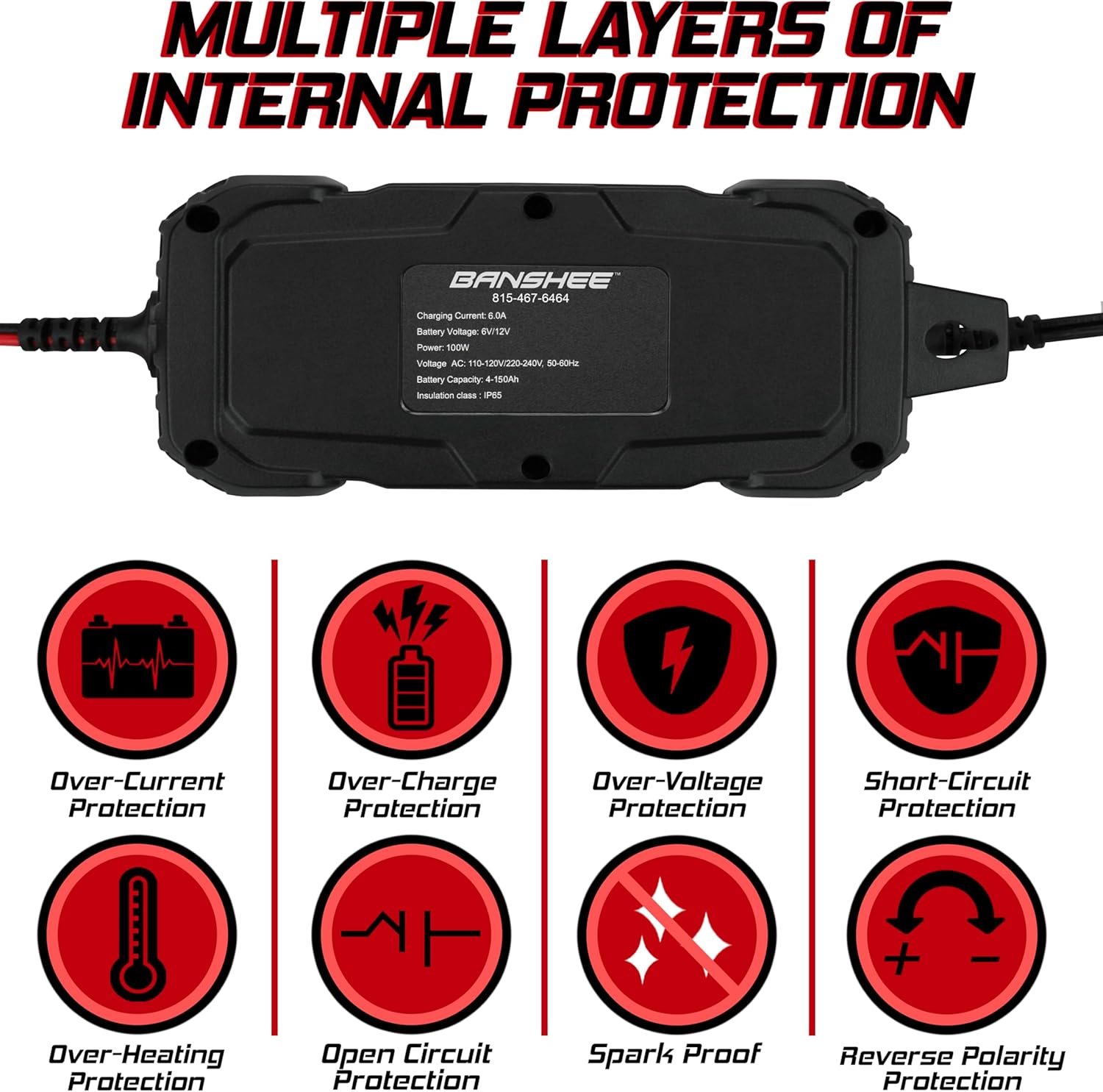
Image: The charger's display showing the different charging modes: 12V STD, 12V AGM/C, 12V M, 12V LFP, 6V STD, SUPPLY, and RECOND, along with a battery charge indicator.
Operation
- Connect the charger to the battery using either the alligator clips or ring terminals as described in the 'Setup and Connection' section.
- Plug the charger's AC power cord into a standard wall outlet (100-240V AC, 50/60Hz).
- The LCD display will illuminate, showing the current battery voltage and charging status.
- Press the 'MODE' button to select the appropriate charging mode for your battery type. The selected mode will be indicated on the display.
- The charger will automatically begin the charging process. It will monitor the battery's condition and adjust the charging current as needed.
- Once the battery is fully charged, the charger will automatically switch to maintenance mode to prevent overcharging and keep the battery at an optimal charge level.
- To disconnect, first unplug the charger from the AC outlet, then disconnect the charger from the battery terminals.
The charger is designed to operate effectively in a wide range of temperatures, from as hot as 104°F (40°C) to as cold as -4°F (-20°C).
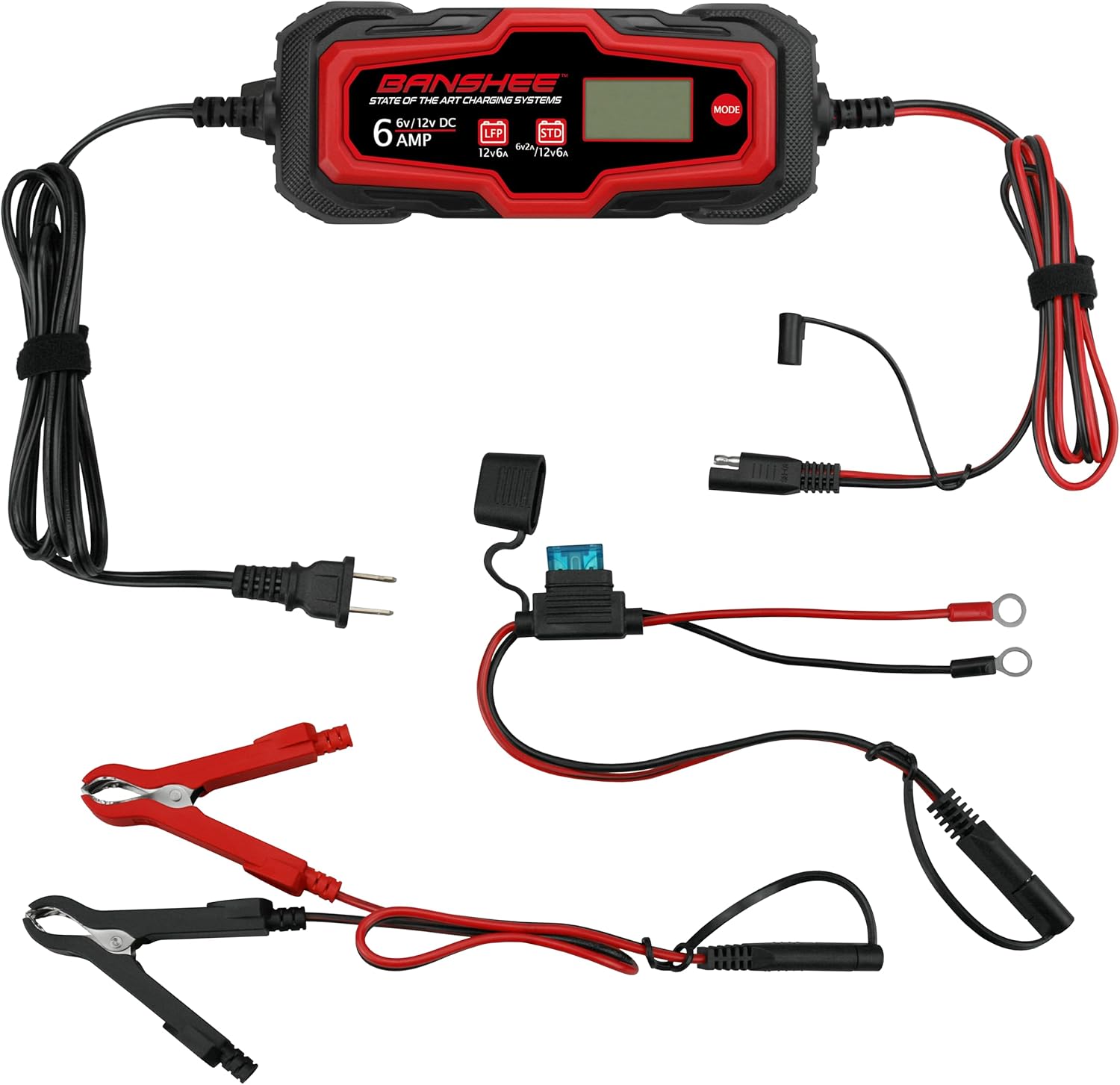
Image: The Banshee charger depicted against backgrounds of fire and ice, illustrating its robust design for use in temperatures ranging from 104°F to -4°F.
Maintenance
Proper maintenance ensures the longevity of your Banshee battery charger and the batteries it charges.
- Keep the charger clean and dry. Wipe down the exterior with a soft, damp cloth. Do not use harsh chemicals or abrasives.
- Inspect the power cord, output cables, and connectors regularly for any signs of damage, fraying, or corrosion. Replace if damaged.
- Store the charger in a cool, dry place when not in use.
- For batteries, ensure terminals are clean and free of corrosion before connecting the charger.
Troubleshooting
If you encounter issues with your Banshee battery charger, refer to the following common problems and solutions:
| Problem | Possible Cause | Solution |
|---|---|---|
| Charger not turning on/LCD dark | No AC power; Loose connections | Check wall outlet; Ensure AC cord and battery connections are secure. |
| Charger not charging battery | Incorrect mode selected; Battery severely discharged/damaged; Reverse polarity | Select correct mode; Attempt RECOND mode for deeply discharged batteries (if applicable); Check battery polarity and reconnect correctly. |
| Error message on LCD | Internal protection activated (e.g., over-voltage, short-circuit) | Refer to the specific error code/indicator on the display and consult the safety features section. Disconnect and reconnect. |
| Charger gets warm during operation | Normal operation | Some warmth is normal during charging. Ensure adequate ventilation. If excessively hot, disconnect and allow to cool. |
Specifications
| Feature | Specification |
|---|---|
| Product Dimensions | 2.25"D x 9.38"W x 3.5"H (5.7 cm D x 23.8 cm W x 8.9 cm H) |
| Item Model Number | BD03-Z6.0A-D1-28 |
| Manufacturer | BatteryJack |
| Brand | Banshee |
| Color | Black |
| Output Voltage | 6 Volts / 12 Volts DC |
| Input Voltage | 100-240 Volts AC, 50/60Hz |
| Charging Current | 6 Amps |
| Power | 100W |
| Battery Capacity Range | 4-150Ah |
| Insulation Class | IP65 |
Warranty and Support
For warranty information or technical support, please contact Banshee customer service. Keep your purchase receipt as proof of purchase.
For further assistance, you may visit the official Banshee website or contact their support channels directly.