
1. Introduction
Thank you for choosing the Banshee 4-Amp Smart Battery Charger. This device is designed to efficiently charge, maintain, and recondition 6V and 12V lead-acid (Wet, STD, AGM) and 12V LiFePO4 batteries. It also features a 12V power supply mode and a winter mode for optimal performance in various conditions.
This manual provides essential information for the safe and effective operation of your charger. Please read it thoroughly before use and keep it for future reference.
The Banshee 4-Amp Smart Battery Charger is versatile, suitable for various vehicles including lawnmowers.

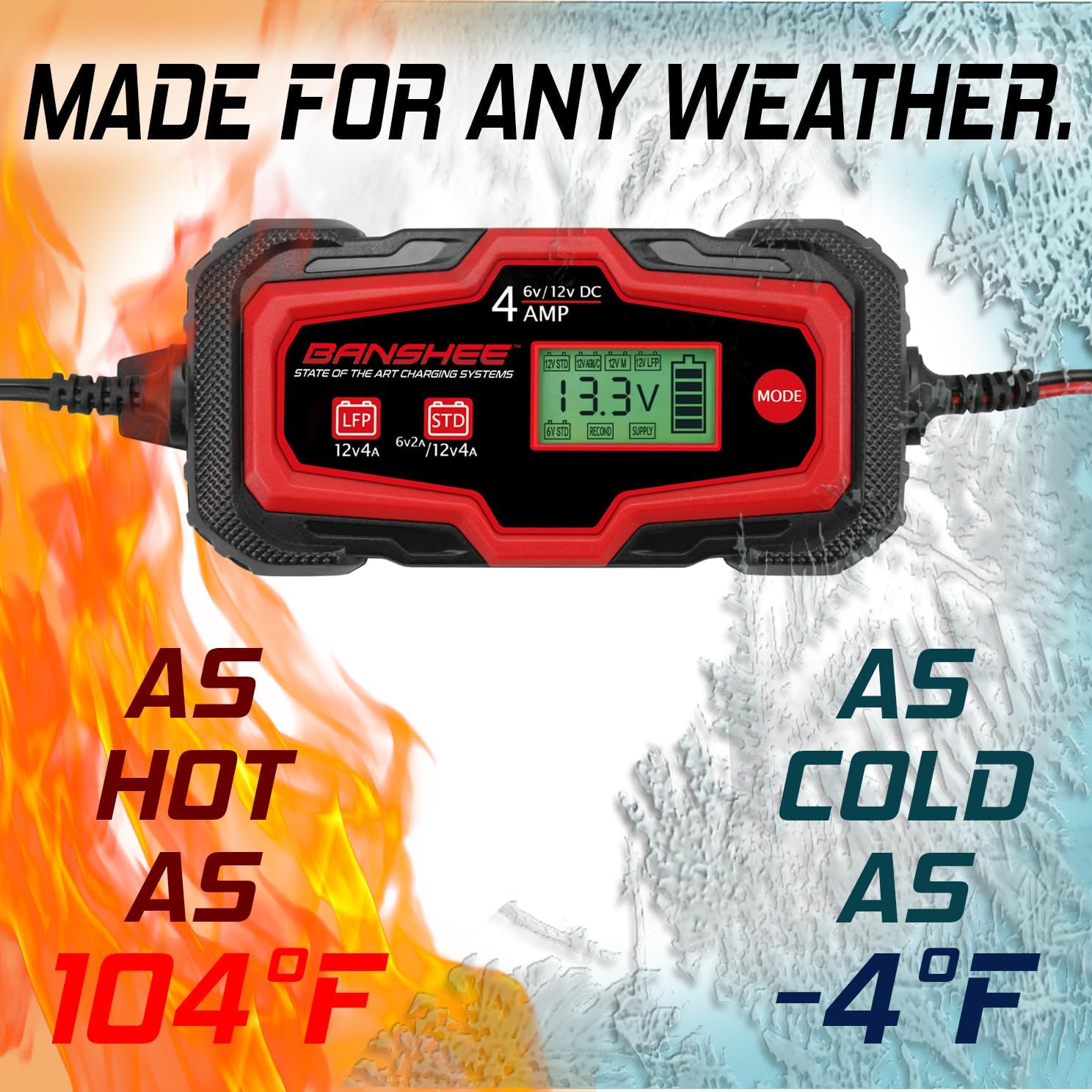
The charger is designed to operate reliably in a wide range of temperatures, from -4°F to 104°F.
2. Safety Information
Always prioritize safety when operating electrical equipment. Failure to follow these instructions may result in injury or damage to the charger or battery.
Built-In Safety Precautions:
- Open Circuit Protection: Prevents damage if the circuit is incomplete.
- Over-Charging Protection: Automatically stops charging once the battery is full.
- Over-Current Protection: Safeguards against excessive current flow.
- Over-Heating Protection: Shuts down if internal temperatures become too high.
- Over-Voltage Protection: Protects against voltage spikes.
- Reverse Polarity Protection: Prevents damage from incorrect battery connections.
- Short-Circuit Protection: Guards against short circuits.
- Spark Proof: Designed to prevent sparks during connection.
General Safety Warnings:
- Read all instructions before using the charger.
- Ensure adequate ventilation during charging.
- Wear eye protection and protective clothing.
- Do not expose the charger to rain or wet conditions.
- Keep out of reach of children.
- Disconnect power before making or breaking connections to the battery.

The charger incorporates multiple internal protection features for safe operation, including safeguards against over-current, over-charge, over-voltage, short-circuit, over-heating, open circuit, sparks, and reverse polarity.
3. Product Overview
The Banshee 4-Amp Smart Battery Charger is a compact and intelligent charging solution featuring an LCD display for clear status indication and a single mode button for easy operation.

Front view of the Banshee 4-Amp Smart Battery Charger, showing the LCD display and mode button.

Side and bottom view of the Banshee 4-Amp Smart Battery Charger, highlighting the compact design and product label with specifications.
4. Specifications
| Feature | Specification |
|---|---|
| Charging Current | 4.0A |
| Battery Voltage | 6V / 12V DC |
| Power | 70W |
| Input Voltage AC | 110-120V / 220-240V, 50-60Hz |
| Battery Capacity Range | 4-120Ah |
| Insulation Class | IP65 |
| Compatible Battery Types | Standard Wet/Flooded Lead Acid, AGM Lead Acid, LiFePO4 |
| Color | Black |
| Manufacturer | BatteryJack |
The charger is suitable for a wide range of vehicles including cars, motorcycles, ATVs, RVs, boats, scooters, golf carts, and lawn mowers.
5. Setup
Before connecting the charger, ensure the area is well-ventilated and you are wearing appropriate safety gear.
What's in the Box:
- Banshee 4-Amp Smart Battery Charger unit
- Alligator clip connector
- Ring terminal connector
- AC power cord

The Banshee 4-Amp Smart Battery Charger comes with both alligator clips and ring terminals for flexible connection options.
Connecting the Charger:
- Identify Battery Terminals: Locate the positive (+) and negative (-) terminals on your battery.
- Choose Connector: Select either the alligator clips or ring terminals based on your application. Both connectors feature an SAE disconnect for easy attachment to the charger.
- Connect to Battery:
- Connect the red (+) connector to the battery's positive (+) terminal.
- Connect the black (-) connector to the battery's negative (-) terminal.
Ensure connections are secure and free from corrosion. For vehicle batteries, connect the negative clamp to the vehicle chassis away from the battery if the battery is still in the vehicle.
- Connect to Charger: Plug the chosen connector (alligator clips or ring terminals) into the charger's output port using the SAE disconnect.
- Connect to Power: Plug the AC power cord into a standard electrical outlet. The charger will power on and display the current battery status.

The charger includes both alligator clips and ring terminals for flexible and secure battery connections.
6. Operating Modes
The Banshee 4-Amp Smart Battery Charger features seven distinct operating modes, selectable via the 'MODE' button on the charger's interface. Press the 'MODE' button repeatedly to cycle through the available options until the desired mode is displayed.

The charger offers seven distinct modes for various battery types and charging needs.
Available Modes:
- 12V STD (Standard Lead Acid): For 12V wet cell, flooded, and maintenance-free lead-acid batteries.
- 12V AGM/C (AGM / Cold Weather): Optimized for 12V Absorbed Glass Mat (AGM) batteries and for charging all 12V lead-acid batteries in cold conditions (below 50°F / 10°C).
- 12V M (Maintenance): A low-current maintenance charge for 12V lead-acid batteries to keep them fully charged during long-term storage.
- 12V LFP (LiFePO4): Specifically designed for 12V Lithium Iron Phosphate (LiFePO4) batteries.
- 6V STD (Standard 6V Lead Acid): For 6V wet cell, flooded, and maintenance-free lead-acid batteries.
- Supply (12V Power Supply): Provides a constant 12V output, useful for powering 12V accessories or maintaining vehicle settings during battery changes.
- Recond (Recondition / Desulfate): A specialized mode for recovering deeply discharged or sulfated 12V lead-acid batteries. Use with caution and only when necessary.
7. Maintenance
Proper maintenance ensures the longevity of your battery and charger.
Charger Maintenance:
- Keep the charger clean and dry. Wipe with a soft, damp cloth if necessary.
- Store the charger in a cool, dry place when not in use.
- Inspect cables and connectors for damage before each use. Replace if frayed or broken.
Battery Maintenance:
- Use the 12V M (Maintenance) mode for long-term storage of 12V lead-acid batteries to prevent self-discharge and keep them at optimal charge.
- The Recond (Recondition / Desulfate) mode can help restore capacity to certain 12V lead-acid batteries that have been deeply discharged or show signs of sulfation. This process can take several hours.
8. Troubleshooting
If you encounter issues with your Banshee Smart Battery Charger, refer to the following common troubleshooting steps:
- Charger Not Turning On:
- Ensure the AC power cord is securely plugged into a live electrical outlet.
- Check for tripped circuit breakers or blown fuses in the power supply.
- Battery Not Charging / Error Displayed:
- Verify that the battery connections (positive and negative) are correct and secure. The charger has reverse polarity protection, which will prevent charging if connections are incorrect.
- Confirm that the selected charging mode matches your battery type (e.g., 12V STD for standard lead-acid, 12V LFP for LiFePO4).
- The battery may be severely discharged or damaged. Try the 'Recond' mode for lead-acid batteries if applicable, or have the battery professionally tested.
- Check if the battery capacity is within the charger's supported range (4-120Ah).
- Charger Overheating:
- Ensure the charger is in a well-ventilated area and not covered.
- If overheating persists, disconnect the charger and contact support.
- LCD Display Not Working Correctly:
- Disconnect and reconnect the charger from the power source to reset it.
- If the issue persists, contact customer support.
9. Warranty and Support
Banshee products are manufactured to high-quality standards. For warranty information, technical support, or service inquiries, please contact Banshee customer support directly.
Please have your product model number (4-Amp Smart Battery Charger) and proof of purchase available when contacting support.
For the most up-to-date support information, please visit the official Banshee website or refer to the contact details provided with your purchase documentation.