
1. Introduction
Thank you for choosing the EDSACE Weatherproof Light Bulb Security Camera. This innovative device combines the functionality of a standard light bulb with advanced security camera features, offering comprehensive surveillance for your home or property. Designed for outdoor use, it withstands various weather conditions and provides clear 2K HD video, two-way audio, motion detection, and night vision capabilities. This manual will guide you through the installation, operation, and maintenance of your new security camera.

Figure 1: EDSACE Weatherproof Light Bulb Security Camera and Mobile App
2. Product Features
- Weather Resistance: Designed to withstand outdoor conditions, including rain, snow, and extreme temperatures.
- 2K HD Video: Captures and transmits high-definition video with clarity and detail.
- Two-Way Audio: Enables communication with people on the camera's end, allowing you to listen and speak remotely.
- Motion Detection and Alerts: Receive instant notifications on your smartphone when motion is detected.
- Night Vision: Equipped with infrared LEDs for clear video recording in low-light or nighttime conditions.
- Storage Options: Supports local storage via a microSD card (not included) or cloud storage (subscription may be required).
- Easy Installation: Quick and hassle-free setup, no complex wiring required.
- AI Intelligent Features: Includes advanced features such as motion detection, facial recognition, or object tracking.
3. Setup Guide
3.1. What's in the Box
- EDSACE Weatherproof Light Bulb Security Camera
- Mounting Accessories (if applicable)
- User Manual
3.2. Installation
- Ensure the power to the light socket is turned off before installation.
- Carefully screw the Light Bulb Camera into a standard E27/E26 light socket. Ensure it is securely tightened.
- Turn on the power to the light socket. The camera will power on and indicate readiness for setup (e.g., a blinking light).

Figure 2: Easy Installation into a Standard Light Socket
3.3. App Download and Connection
- Download the Vicohome app from your smartphone's app store (iOS App Store or Google Play Store).
- Register for a new account or log in if you already have one.
- Follow the in-app instructions to add your new camera. This typically involves scanning a QR code on the camera or manually selecting the device type and connecting to your 2.4GHz Wi-Fi network.
- Ensure your Wi-Fi signal is strong at the camera's installation location for optimal performance.
4. Operating Instructions
4.1. Live View and Recording
Once connected, open the Vicohome app to access the live video feed from your camera. You can view real-time footage, take snapshots, and manually record video directly from the app.
4.2. High-Quality Video
The camera provides 2K HD resolution for clear and detailed surveillance. This high resolution ensures that important details are captured effectively.

Figure 3: Enhanced Clarity with 2K HD Video
4.3. Two-Way Audio
Utilize the built-in microphone and speaker to communicate remotely. Tap the microphone icon in the app to speak, and listen through the camera's speaker. This feature is useful for greeting visitors or deterring unwanted guests.

Figure 4: Two-Way Audio Communication
4.4. Motion Detection and Alerts
The camera is equipped with intelligent motion detection. When movement is detected, the camera will automatically record and send instant notifications to your smartphone. You can adjust sensitivity settings within the app to minimize false alerts.
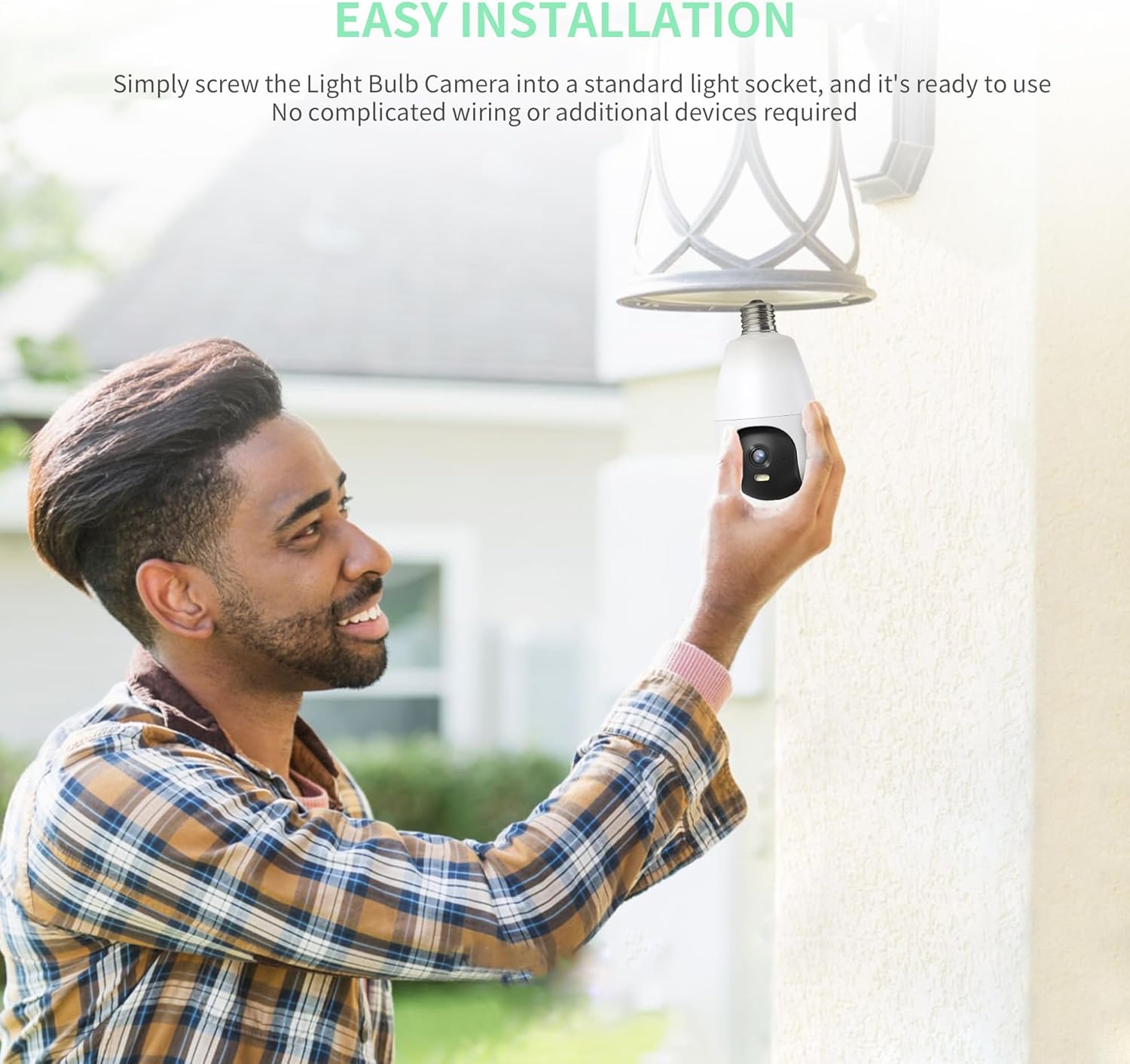
Figure 5: Motion Detection in Action
Video 1: Demonstration of the security camera's motion detection and alert features, showing a user receiving a notification and viewing live footage of an event.
4.5. Night Vision
The camera's infrared night vision allows for clear surveillance even in complete darkness, providing round-the-clock monitoring capabilities.

Figure 6: Clear Night Vision Footage
4.6. Storage Options
You have the flexibility to store your recorded footage either locally on a microSD card (up to 128GB, not included) or through cloud storage services (subscription may be required). Both options ensure your footage is securely saved and accessible.

Figure 7: Cloud and Local Storage Options
4.7. Customizable Settings
Adjust various camera settings within the app, including motion sensitivity, recording schedules, and camera angles (pan/tilt if supported by the model) to tailor the device to your specific needs.

Figure 8: Customizable Camera Angles and Settings
5. Maintenance
- Cleaning: Periodically wipe the camera lens with a soft, dry cloth to ensure clear image quality. Do not use harsh chemicals or abrasive materials.
- Firmware Updates: Check the Vicohome app regularly for firmware updates. Keeping your camera's firmware updated ensures optimal performance, security, and access to new features.
- Power Cycle: If the camera becomes unresponsive, try turning off the power to the light socket for 10 seconds, then turning it back on.

Figure 9: Weatherproof Design for Outdoor Durability
6. Troubleshooting
| Problem | Possible Cause | Solution |
|---|---|---|
| Camera offline | No power; Wi-Fi disconnected; Router issue | Check power supply; Restart camera and router; Reconnect camera to Wi-Fi in app. |
| Poor video quality | Weak Wi-Fi signal; Dirty lens | Ensure strong Wi-Fi signal; Clean camera lens; Reduce video quality setting in app if necessary. |
| No motion alerts | Motion detection off; Sensitivity too low; App notifications disabled | Enable motion detection in app; Increase sensitivity; Check phone notification settings for Vicohome app. |
| MicroSD card not recording | Card full or corrupted; Incorrect format | Format the microSD card in the app; Replace card if corrupted; Ensure continuous recording is enabled. |
7. Specifications
| Feature | Detail |
|---|---|
| Model | B0CSP6VHH7 |
| Video Capture Resolution | 3 MP, 2K |
| Connectivity Protocol | Wi-Fi (2.4GHz) |
| Power Source | Corded Electric |
| Mounting Type | Ceiling Mount (Screw In) |
| Night Vision Range | 98 Feet |
| Water Resistance Level | Waterproof (IP65) |
| Field Of View | 120 Degrees |
| Control Method | App (Vicohome) |
| Item Weight | 9.9 ounces |
| Manufacturer | EDSACE |
8. Warranty and Support
For warranty information and technical support, please refer to the contact details provided on the product packaging or visit the official EDSACE website. Keep your purchase receipt as proof of purchase for warranty claims.