
1. Introduction
This manual provides detailed instructions for the installation, operation, and maintenance of your NALsa Android 12 Car Stereo, model M300S. This unit is designed for specific vehicle models: Citroen Berlingo (2019 and newer) and Peugeot Partner Rifter (2020 and newer). Please read this manual thoroughly before installation and use to ensure proper function and safety.
Important Compatibility Note: This car stereo is specifically designed for the mentioned vehicle models. If you are uncertain about compatibility, please consult a professional or contact customer support with a picture of your vehicle's original center console.
2. Product Overview and Features
The NALsa M300S is an advanced Android 12 multimedia player for your vehicle, offering a range of features for navigation, entertainment, and connectivity.
- Operating System: Android 12.0 (API 29)
- Processor: 8-core CPU
- Memory: 4GB RAM, 32GB ROM
- Display: 9 or 10-inch 2.5D IPS high-resolution multi-touch screen (1280x720 pixels)
- Connectivity: 4G LTE, 5G WiFi, Bluetooth 5.0, USB
- Navigation: Built-in GPS module with support for online and offline maps (GPS, BDS, GLONASS)
- Smartphone Integration: Built-in wireless CarPlay and Android Auto
- Audio: Built-in DSP (Digital Sound Processor) for sound adjustment, Amplifier IC Toshiba 7851/7850/7838
- Additional Features: FM radio tuner, support for steering wheel controls, rearview camera input (AHD 720P camera included), front camera input, picture-in-picture split screen, cooling fan.

Image: Key features of the NALsa M300S car stereo, highlighting the cooling fan, 1280x720 IPS screen, and DSP processor for enhanced performance and display quality.
3. Package Contents
Please verify that all items listed below are included in your package:
- Android Host Unit (Screen)
- Power Cable + Canbus Box
- RCA Cable
- Reversing Camera (AHD 720P)
- USB Cables (x3)
- Microphone
- GPS Antenna
- 4G Antenna
- Audio Out Cable
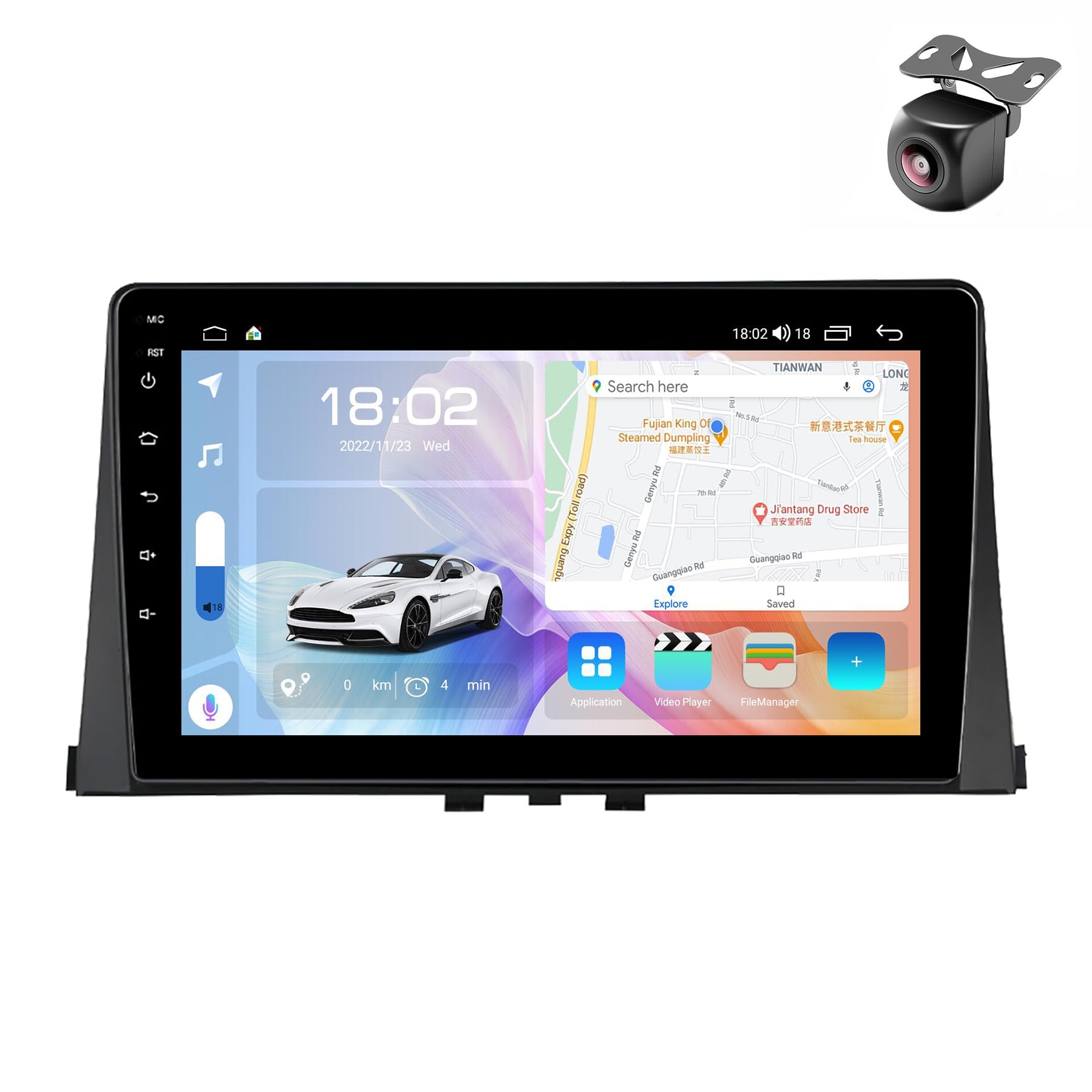
Image: Visual representation of the NALsa M300S car stereo package contents, including the main unit, various cables, antennas, and accessories.
4. Setup and Installation
Installation of this car stereo requires technical knowledge. It is highly recommended to have the unit installed by a qualified professional at an auto repair shop. Incorrect installation can damage the unit or your vehicle's electrical system.
4.1 Pre-Installation Check
- Ensure the vehicle's ignition is off and the battery is disconnected before starting installation.
- Confirm the compatibility of the unit with your vehicle model.
- Verify all package contents are present.
4.2 Wiring Diagram
Refer to the following diagrams for proper wiring connections. Note that wiring may vary slightly based on specific vehicle configurations. The "Back of the host device" diagram shows the general connections for the M300S model.
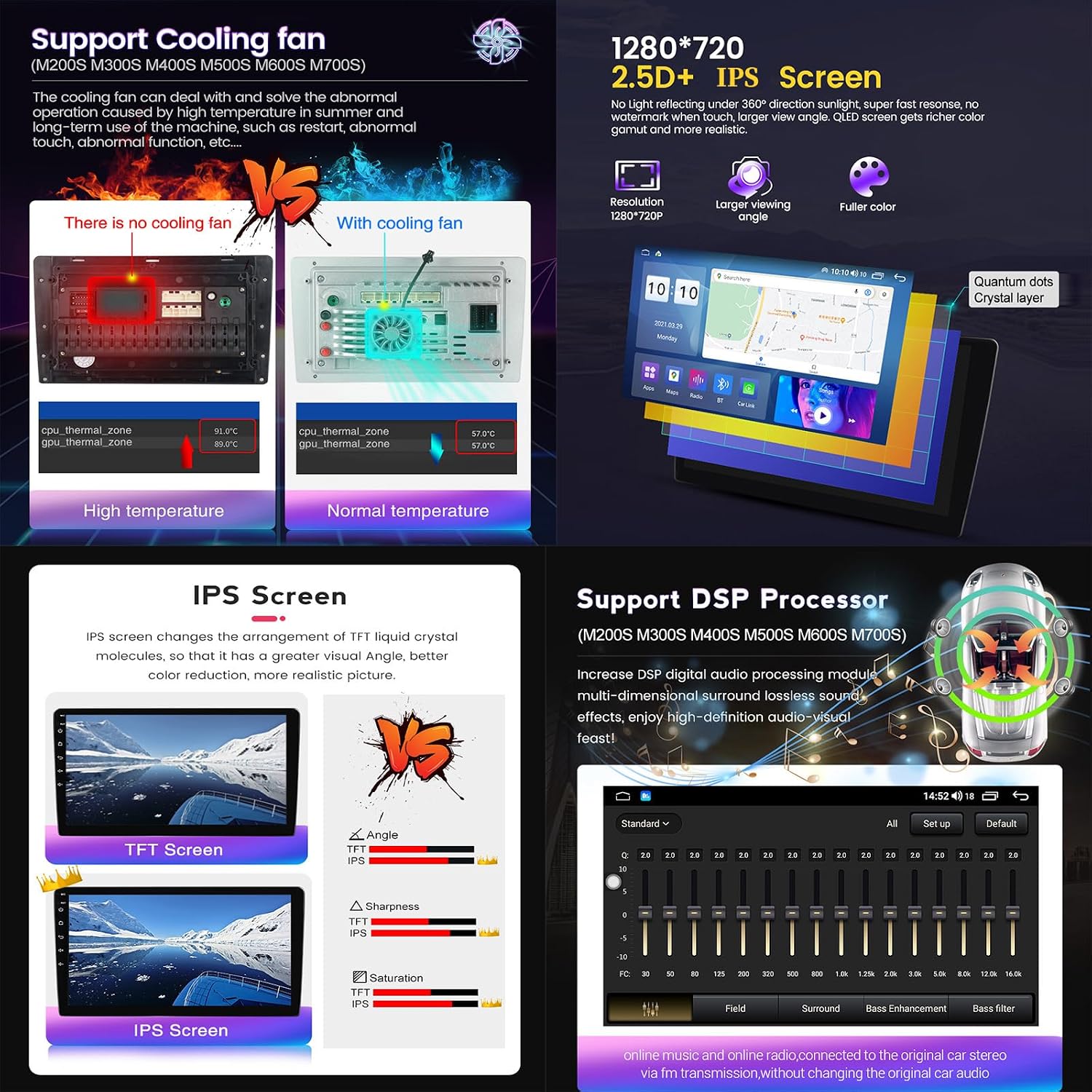
Image: Detailed wiring diagram for the NALsa M300S car stereo, illustrating connections for power, speakers, USB, GPS antenna, 4G antenna, and other input/output ports. This image also shows the CPU and CarPlay/Android Auto connection steps.
- Power Connection: Connect the main power harness to the vehicle's wiring. Ensure correct polarity.
- CANbus Box: Connect the CANbus box if your vehicle requires it for steering wheel controls or vehicle information display.
- GPS Antenna: Mount the GPS antenna in a location with a clear view of the sky, typically on the dashboard.
- 4G Antenna: Connect the 4G antenna for cellular data connectivity.
- USB Cables: Route USB cables to an accessible location for connecting external devices.
- Reversing Camera: Connect the AHD 720P reversing camera to the designated input. Ensure the reverse trigger wire is connected to activate the camera automatically when reversing.
- Microphone: Connect the external microphone for improved call quality and voice commands.
- RCA Cables: Use RCA cables for external amplifier connections or additional video outputs.
4.3 Post-Installation Check
- Reconnect the vehicle battery.
- Turn on the ignition and power on the stereo.
- Test all functions: radio, GPS, Bluetooth, USB, steering wheel controls, and reversing camera.
- Ensure the unit is securely mounted and all cables are properly routed and secured.
Image: Visual comparison showing the vehicle's dashboard before and after the NALsa M300S car stereo has been installed, demonstrating the integrated appearance.
5. Operating Instructions
5.1 Basic Operation
- Power On/Off: The unit typically powers on with the vehicle's ignition. Press and hold the power button (if available) for manual control.
- Touch Screen: Navigate the interface using the capacitive multi-touch screen.
- Volume Control: Adjust volume using the on-screen controls or steering wheel buttons.
5.2 GPS Navigation
The unit comes with a built-in GPS module supporting various navigation systems (GPS, BDS, GLONASS). You can use pre-installed offline maps or download online maps via Wi-Fi/4G.
- Access the navigation application from the main menu.
- Enter your destination to receive turn-by-turn directions.
- Ensure the GPS antenna has a clear signal for accurate positioning.

Image: Display of the NALsa M300S car stereo demonstrating GPS navigation, split-screen functionality, and indicators for 4G LTE and 5GHz WiFi connectivity.
5.3 Wireless CarPlay and Android Auto
The M300S model supports wireless CarPlay and Android Auto for seamless smartphone integration.
- For CarPlay:
- Connect your iPhone to the stereo via Bluetooth.
- On the stereo, select the "CarLink" application.
- Follow the on-screen prompts to establish the CarPlay connection.
- For Android Auto:
- Connect your Android phone to the stereo via Bluetooth.
- On the stereo, select the "CarLink" application.
- Follow the on-screen prompts to establish the Android Auto connection.
5.4 Multimedia Playback
Play audio and video files from various sources:
- USB: Connect USB drives to the provided USB ports for music and video playback.
- Bluetooth: Stream audio wirelessly from your smartphone via Bluetooth 5.0.
- FM Radio: Tune into FM radio stations.
- Online Streaming: Access online music and video streaming services via 4G LTE or 5G WiFi.
5.5 Internet Connectivity
The unit supports 4G LTE and 5G WiFi for internet access.
- WiFi: Connect to available WiFi networks (e.g., mobile hotspot) via the settings menu.
- 4G LTE: Insert a compatible 4G SIM card into the designated slot (if available on your specific unit variant) for direct cellular data access.
5.6 Split Screen Functionality
The split-screen feature allows you to run two applications simultaneously on the display, such as navigation and music playback.
- To activate, open one application, then long-press the recent apps button or drag another compatible app to the side of the screen.
6. Maintenance
- Screen Cleaning: Use a soft, lint-free cloth to clean the touch screen. Avoid abrasive cleaners or solvents.
- Software Updates: Periodically check for software updates to ensure optimal performance and access to new features. Updates can usually be found in the system settings or provided by customer support.
- General Care: Avoid exposing the unit to extreme temperatures, direct sunlight for prolonged periods, or excessive moisture.
7. Troubleshooting
If you encounter issues with your NALsa M300S car stereo, refer to the following common problems and solutions:
| Problem | Possible Cause | Solution |
|---|---|---|
| Unit does not power on. | Incorrect wiring, blown fuse, vehicle battery disconnected. | Check power connections and fuses. Ensure vehicle battery is connected. Consult installation professional. |
| No sound. | Volume too low, speaker wires disconnected, incorrect audio settings. | Increase volume. Check speaker wiring. Verify audio output settings in the system. |
| GPS signal lost or inaccurate. | GPS antenna obstructed or improperly installed. | Ensure GPS antenna has a clear view of the sky. Check antenna connection. |
| Bluetooth not connecting. | Bluetooth off on phone/stereo, pairing mode not active, interference. | Ensure Bluetooth is enabled on both devices. Put stereo in pairing mode. Delete previous pairings and try again. |
| CarPlay/Android Auto not working. | Incorrect connection steps, phone software issues, incompatible phone. | Follow the specific connection steps (Bluetooth first, then CarLink app). Ensure your phone's OS is up to date. |
| Touch screen unresponsive. | System freeze, temporary software glitch. | Restart the unit (turn vehicle ignition off and on). If issue persists, perform a factory reset (data will be lost). |
If the problem persists after attempting these solutions, please contact NALsa customer support for further assistance.
8. Specifications (M300S Model)
| Feature | Specification |
|---|---|
| Operating System | Android 12.0 (API 29) |
| CPU | 8-core |
| RAM | 4GB |
| ROM | 32GB |
| Display Resolution | 1280x720 IPS |
| Screen Type | 2.5D Capacitive Multi-touch |
| Internet Connection | 4G LTE, 5G WiFi |
| Bluetooth | Bluetooth 5.0 |
| CarPlay / Android Auto | Wireless Support |
| DSP | Built-in, supports surround sound, bass, treble filtering |
| Amplifier IC | Toshiba 7851/7850/7838 |
| Receiver IC | 7708 |
| Cooling System | Rear cooling fan |
| Rearview Camera Input | AHD 720P (supported) |
| Steering Wheel Control | Supported |
| Digital Media Formats | MP3, MP4, MP5, WMA, JPEG |

Image: A detailed table comparing specifications across various NALsa car multimedia player models, with the M300S column providing specific details on its OS, core, RAM/ROM, CarPlay/Android Auto, Bluetooth, resolution, and cooling fan.
9. Support
For technical assistance, installation inquiries, or troubleshooting beyond this manual, please contact NALsa customer service. Provide your product model (M300S) and a detailed description of your issue for efficient support.
- Online Technical Service: Available for ongoing technical support.
- Professional Installation Support: If you require assistance with installation, it is recommended to consult a professional auto repair shop.