
1. Introduction and Overview
Thank you for purchasing the WISCENT Portable AM/FM Radio Stereo Cassette Player Boombox. This versatile device combines classic audio playback with modern connectivity, offering a range of functions for your listening and recording needs. It is designed for ease of use and portability, allowing you to enjoy your favorite audio anywhere.
Key features include:
- Cassette Tape Player/Recorder
- USB Flash Drive Player
- Bluetooth Boombox for wireless audio streaming
- AM/FM Radio with upgraded reception
- Microphone Recorder
- 3.5mm Audio Player (Headphone Jack)
This unit supports five different recording methods, allowing you to store audio from various sources onto cassette tapes or USB drives.

Image: Overview of the multi-functional features of the WISCENT Boombox.
2. What's in the Box
Please check the contents of your package to ensure all items are present:
- 1x White Cassette Player Recorder Boombox
- 1x Power Cord
- 1x User Manual
3. Setup
3.1 Powering the Unit
The boombox can be powered in two ways:
- AC Power: Connect the supplied AC power cord to the AC port (US 110V) on the unit and plug it into a standard wall outlet.
- Battery Power: For portable use, insert 4 C Batteries (not included) into the battery compartment located on the bottom of the unit. Ensure correct polarity.

Image: Powering options for the boombox, showing AC cord connection and battery installation.
3.2 Antenna Adjustment
For optimal radio reception, extend the telescopic radio antenna fully. Adjust its position for the clearest signal.
4. Operating Instructions
4.1 Controls and Functions Overview
Familiarize yourself with the controls on your boombox:

Image: Labeled diagram of the boombox's controls and ports.
- AC Port (US 110V)
- Function Switch (USB/Cassette/Radio/OFF)
- Radio Antenna
- USB Port
- Handle
- Battery Compartment
- Band Switch (AM/FM)
- Pause Button
- Stop/Eject Button
- Fast Forward Button
- Fast Rewind Button
- Play Button
- Record Button
- USB/Bluetooth Mode Indicator
- Previous Track Button (USB/Bluetooth)
- Play/Pause Button (USB/Bluetooth)
- Next Track Button (USB/Bluetooth)
- Record/Stop Button (USB)
- Folder Conversion Button (USB)
- Built-in Microphone
- Power Indicator
- Bluetooth/Record Indicator
- Frequency Indicator Window
- Tape Compartment
- Tuning Knob
- Headphone Jack (3.5mm)
- Volume Button
4.2 Cassette Player/Recorder
To play a cassette tape:
- Set the Function Switch to 'TAPE'.
- Press the 'STOP/EJECT' button to open the tape compartment.
- Insert a cassette tape with the open edge facing upwards.
- Close the tape compartment.
- Press the 'PLAY' button to start playback.
- Use 'F.FWD' and 'F.REW' for fast winding.
- Press 'PAUSE' to temporarily stop playback and 'STOP/EJECT' to stop and eject the tape.
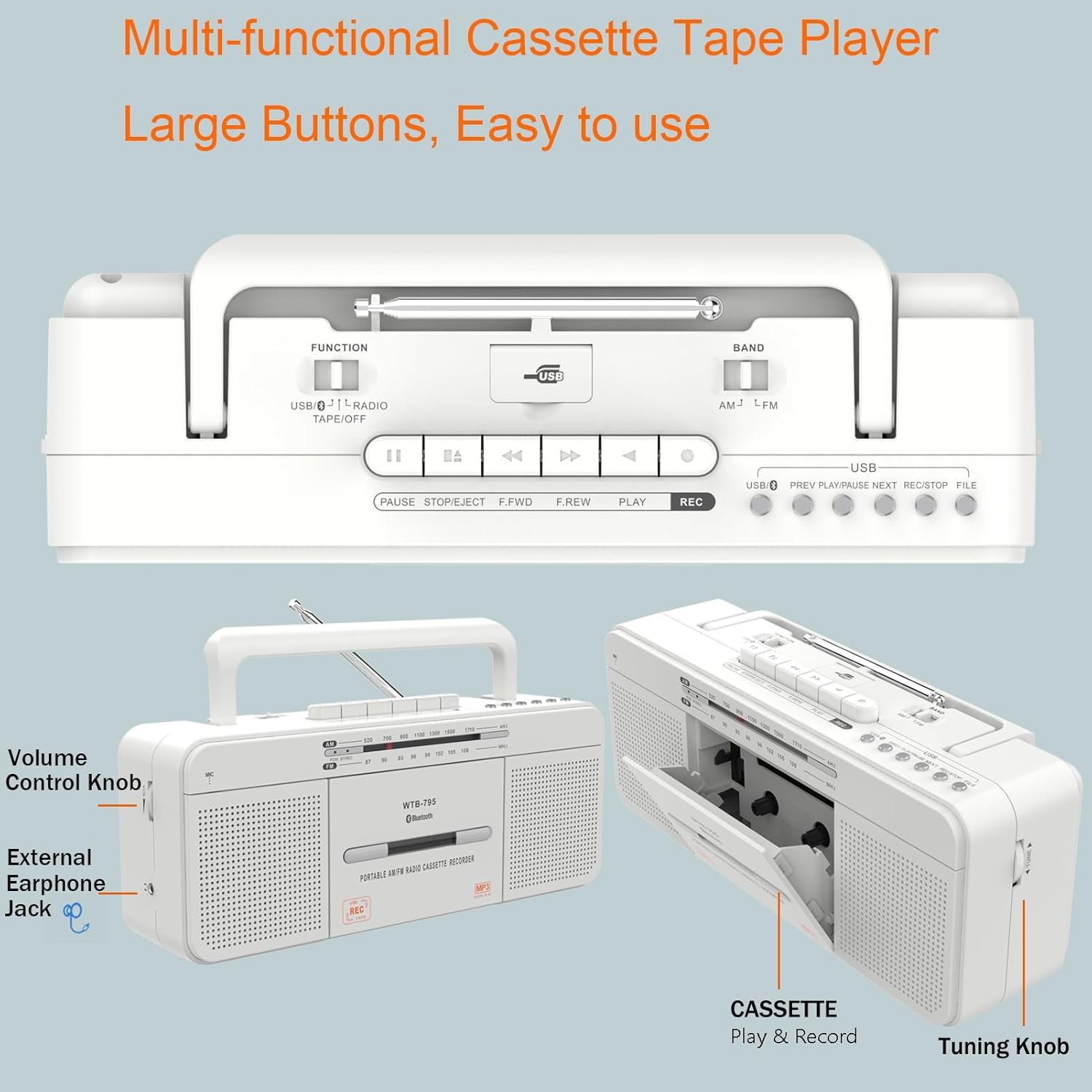
Image: Side view highlighting the cassette compartment and controls.
4.3 AM/FM Radio
To listen to the radio:
- Set the Function Switch to 'RADIO'.
- Select your desired band (AM or FM) using the Band Switch.
- Extend the telescopic antenna and adjust its position for optimal reception.
- Rotate the 'TUNING' knob to find your desired station. The frequency indicator window will show the current frequency.

Image: Demonstrating the AM/FM radio function with antenna extended.
4.4 Bluetooth Mode
To connect via Bluetooth:
- Set the Function Switch to 'USB/BT'. The Bluetooth indicator will flash.
- Enable Bluetooth on your external device (e.g., smartphone, tablet).
- Search for 'WTB-795' in your device's Bluetooth settings and pair.
- Once paired, the Bluetooth indicator will stop flashing and remain solid. You can now stream audio wirelessly to the boombox.
- Use the 'PREV', 'PLAY/PAUSE', and 'NEXT' buttons on the boombox to control playback.

Image: The boombox connected to a smartphone via Bluetooth.
4.5 USB Playback and Recording
To play audio from a USB flash drive:
- Set the Function Switch to 'USB/BT'.
- Insert a USB flash drive (FAT32 format only) into the USB port.
- The unit will automatically begin playing audio files from the USB drive.
- Use the 'PREV', 'PLAY/PAUSE', 'NEXT', and 'FOLDER CONVERSION' buttons to navigate and control playback.
The boombox supports five recording methods:
- External Voice Recording to Blank Cassette Tape: Use the built-in microphone.
- External Voice Recording to USB: Use the built-in microphone.
- Radio Recording to Blank Cassette Tape: Record directly from the AM/FM radio.
- Tape Recording to USB: Convert cassette audio to MP3 on a USB drive.
- U Disk Recording to Tape: Record audio from a USB flash drive onto a cassette tape.
To record, ensure the appropriate source is selected and press the 'REC' button. For USB recording, ensure the USB drive is in FAT32 format. NTFS, exFAT, or default FAT (FAT16) formats are not supported.
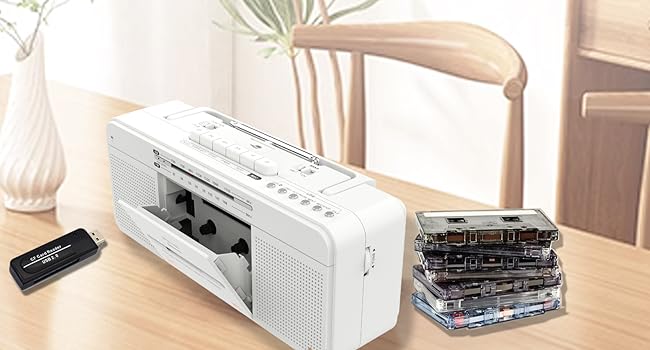
Image: Diagram showing the five available recording methods.
4.6 Headphone Jack
Connect 3.5mm headphones to the headphone jack for private listening. The internal speakers will automatically mute when headphones are connected.
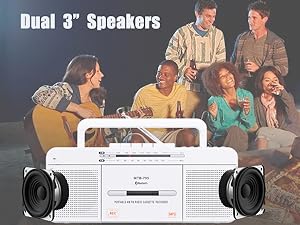
Image: Using the 3.5mm headphone jack for personal listening.
4.7 Official Product Video
Watch this video for a visual guide on the features and operation of the WISCENT Cassette Player Boombox:
Video: New Stylish Classical Multi-functional Cassette Tape Player by WISCENT Electronic Store. This video demonstrates the various functions and design of the boombox.
5. Maintenance
5.1 Cleaning
To maintain the appearance and functionality of your boombox:
- Wipe the exterior with a soft, dry cloth.
- Do not use abrasive cleaners, waxes, or solvents.
- Periodically clean the tape head and pinch rollers using a cotton swab lightly dampened with isopropyl alcohol to ensure optimal sound quality and prevent tape damage.
5.2 Battery Care
If using batteries, remove them if the unit will not be used for an extended period to prevent leakage and damage.
6. Troubleshooting
If you encounter issues with your boombox, please refer to the following common problems and solutions:
| Problem | Possible Cause | Solution |
|---|---|---|
| No power | AC cord not properly connected; Batteries depleted or incorrectly inserted. | Check AC cord connection; Replace batteries or ensure correct polarity. |
| No sound from speakers | Volume too low; Headphones connected; Function switch incorrect. | Increase volume; Disconnect headphones; Set function switch to correct mode (Tape, USB/BT, Radio). |
| Poor radio reception | Antenna not extended or positioned correctly; Weak signal area. | Extend and adjust antenna; Try moving the unit to a different location. |
| Cassette playback issues (muffled sound, tape eating) | Dirty tape head/pinch rollers; Damaged tape. | Clean tape head and pinch rollers (see Maintenance section); Try a different tape. |
| USB recording not working | USB drive not FAT32 format; USB drive full. | Format USB drive to FAT32; Use a different USB drive or clear space. |
| Bluetooth not pairing | Boombox not in pairing mode; Device Bluetooth off; Too far from device. | Ensure function switch is on 'USB/BT'; Turn on Bluetooth on your device; Move device closer to boombox. |
If the problem persists after trying these solutions, please contact customer support.
7. Specifications
| Feature | Detail |
|---|---|
| Product Dimensions | 11.4 x 3.35 x 4.53 inches (290 x 85 x 115 mm) |
| Item Weight | 2.53 pounds (1.15 KG) |
| Model Number | WTB-795-White |
| Connectivity Technology | Bluetooth, USB, Aux, 3.5mm headphone jack, Built-in microphone recording |
| Color | White |
| Speaker Type | Stereo (Dual 3-inch speakers, 2*3W) |
| AM Frequency Range | 520-1710 KHz |
| FM Frequency Range | 87-108 MHz |
| Power Supply | AC 120V-60Hz or 4 x C Batteries (not included) |

Image: Product dimensions of the boombox.
8. Warranty and Support
Your WISCENT Cassette Player Boombox is covered by a manufacturer's warranty. For specific warranty details, please refer to the warranty card included in your package or visit the official WISCENT website.
If you require technical assistance, troubleshooting beyond this manual, or have questions about your product, please contact WISCENT customer support through the retailer's platform or the contact information provided on the WISCENT brand website.