
LinkSun 2008
LinkSun Blood Pressure Monitor User Manual
Model: 2008 Blue Backlight
1. Introduction
Thank you for choosing the LinkSun Model 2008 Upper Arm Blood Pressure Monitor. This device is designed to provide accurate and reliable blood pressure readings for home use. It utilizes advanced oscillometric technology to ensure precise measurements, helping you effectively manage your health. Featuring a large, backlit LCD screen, dual user memory, and an adjustable comfort cuff, this monitor combines convenience with accuracy for an optimal user experience.
2. Package Contents
Please check the box to ensure all items are present:
- LinkSun Blood Pressure Monitor (Model 2008)
- Comfort Cuff (fits arm sizes 22-42 cm)
- USB Cable
- 4 AA Batteries (included)
- Drawstring Carrying Bag
- User Manual (this document)

Image: All items included in the LinkSun Blood Pressure Monitor package.
3. Product Overview
Familiarize yourself with the components and display of your blood pressure monitor.

Image: Detailed view of the monitor's large LCD display and button functions.
Display Indicators:
- SYS (Systolic Display): The top number, indicating the pressure in your arteries when your heart beats.
- DIA (Diastolic Display): The bottom number, indicating the pressure in your arteries between beats.
- Pulse /min: Your heart rate in beats per minute.
- WHO Bars: Color-coded bars indicating blood pressure classification according to WHO standards (Green: Optimal/Normal, Yellow: Mild/Moderate High, Red: Severe High).
- Memory Symbol (M): Indicates that the current reading is stored in memory.
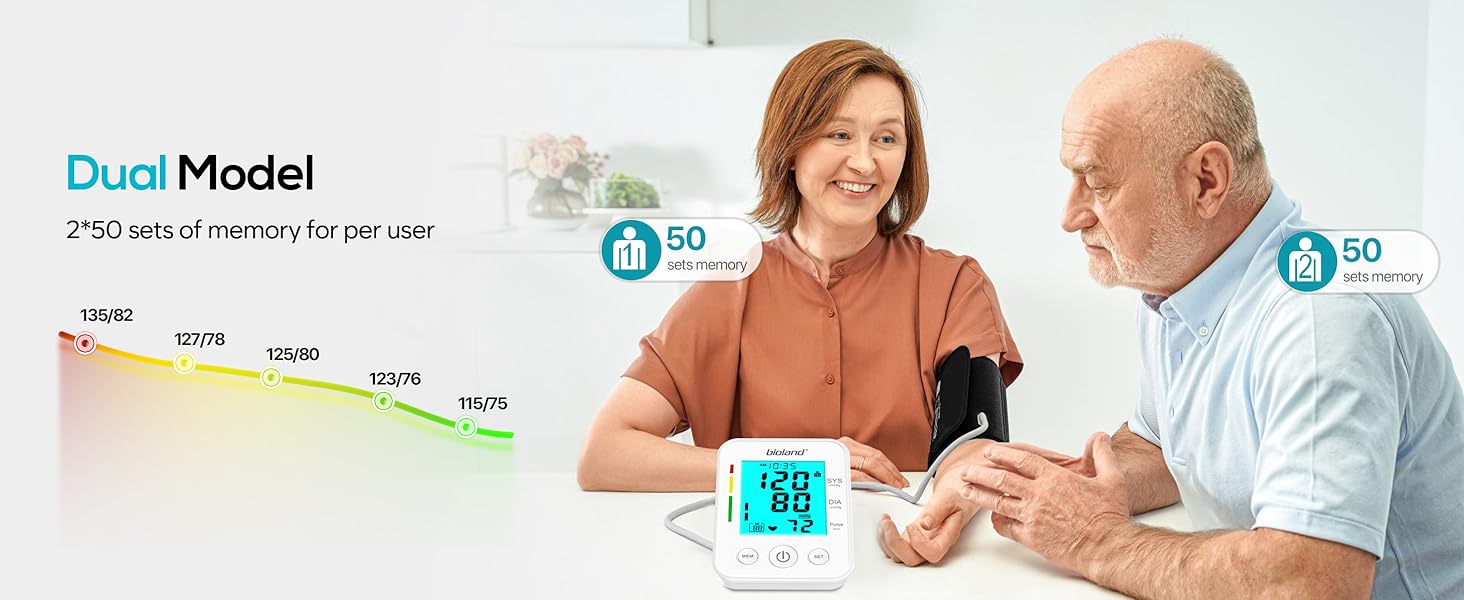
- User 1/2: Indicates which user profile is currently active.
- Anti-shake Symbol: Appears if excessive movement is detected during measurement.
- Cuff Detection: Indicates if the cuff is correctly applied.
- Low Batt Ind: Low battery indicator.
- Irregular Heart Rate: Symbol appears if an irregular heartbeat is detected.
- Alarm Symbol: Indicates an alarm is set.
Buttons:
- MEM (Memory Button): Press to view stored readings.
- Power Button (Start/Stop Button): Press to turn on the device and start a measurement, or to turn it off.
- SET Button: Used to adjust settings such as date, time, and user profile.

Image: The blue backlit LCD display ensures easy readability in low-light conditions.
4. Setup
4.1. Installing Batteries
The monitor can be powered by 4 AA batteries (included) or via a USB cable.
- Open the battery compartment cover on the back of the monitor.
- Insert 4 AA batteries, ensuring the correct polarity (+/-) as indicated inside the compartment.
- Close the battery compartment cover securely.
4.2. Connecting the Cuff
Connect the air tube from the cuff to the air jack on the left side of the monitor.
4.3. Setting Date, Time, and User Profile
Before first use, it is recommended to set the date, time, and select the user profile for accurate record-keeping.
- With the monitor off, press the SET button. The year will start flashing.
- Press the MEM button to adjust the year. Press SET to confirm and move to the next setting.
- Repeat the process for month, day, hour, and minute.
- After setting the time, the user profile (User 1 or User 2) will flash. Press MEM to switch between User 1 and User 2. Press SET to confirm.
- The settings are now saved.
5. Operating Instructions
5.1. Preparing for Measurement
For accurate readings, follow these guidelines:
- Have an empty bladder.
- Rest comfortably in a quiet environment for at least 5 minutes in a chair.
- Measure blood pressure in a quiet, private environment with adequate ambient temperature.
- Do not eat, ingest caffeine, smoke, or engage in physical activity at least 30 minutes prior to measurement.
- Sit vertically with your back supported, feet flat on the ground, and arm relaxed.
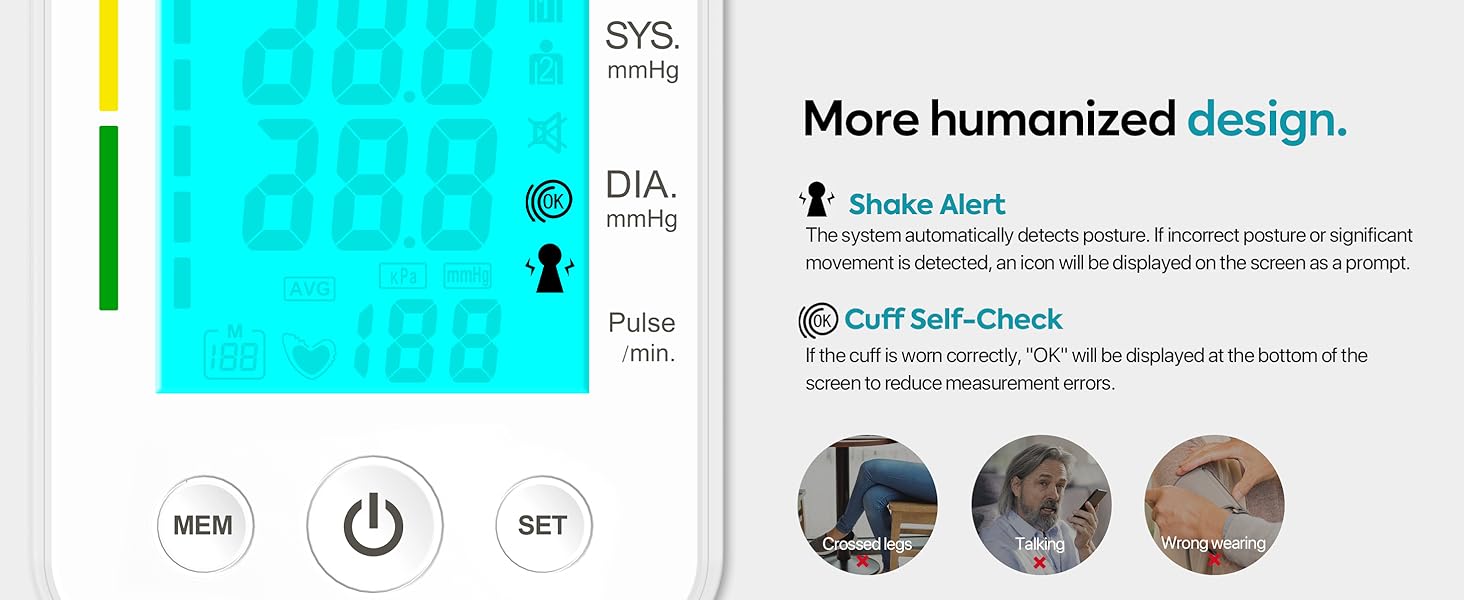
Image: Proper body positioning for accurate blood pressure measurement.
5.2. Applying the Arm Cuff
The adjustable cuff fits arm sizes from 22 to 42 cm.
- Wrap the cuff around your upper left arm, ensuring it is directly on your skin (not over clothing).
- Position the cuff approximately two fingers above your elbow.
- Ensure the cuff is at the same level as your heart.
- The cuff detection symbol on the display will indicate if the cuff is correctly applied.

Image: Step-by-step guide for applying the cuff and preparing for measurement.
5.3. Taking a Measurement
- Once the cuff is correctly applied and you are in the proper position, press the Power Button (
 ) to start the measurement.
 - The cuff will automatically inflate. Remain still and silent during the measurement.
- Once the measurement is complete, the systolic, diastolic, and pulse rate readings will be displayed on the screen. The device may also announce the results if the voice function is enabled.
- The reading will automatically be saved to the selected user profile.
- Press the Power Button again to turn off the monitor, or it will automatically shut off after a period of inactivity.
5.4. Dual User Mode and Memory Function
The monitor supports two users, each with 50 memory sets.
- To switch between User 1 and User 2, press the SET button when the device is off, then use the MEM button to select the desired user.
- To view past readings, press the MEM button when the device is off. Each press will cycle through the stored readings from most recent to oldest.

Image: The monitor supports dual user mode, storing 50 readings for each user.
6. Maintenance
6.1. Cleaning
- Wipe the monitor and cuff with a soft, dry cloth.
- If necessary, use a slightly damp cloth with mild soap, then wipe dry.
- Do not use abrasive cleaners or immerse the device in water.
6.2. Storage
- Store the device in the provided drawstring carrying bag when not in use.
- Keep the monitor in a cool, dry place, away from direct sunlight and extreme temperatures.
- Remove batteries if the device will not be used for an extended period.
7. Troubleshooting
If you encounter issues, refer to the table below for common problems and solutions.
| Problem | Possible Cause | Solution |
|---|---|---|
| Monitor does not turn on. | Batteries are dead or incorrectly inserted. | Replace batteries or check polarity. Ensure USB cable is properly connected if using external power. |
| Error message (e.g., E-1, E-2) or inaccurate readings. | Cuff not applied correctly, excessive movement, talking during measurement, or incorrect posture. | Re-apply cuff, remain still and silent, ensure correct posture. Refer to "Tips for Getting Accurate Measurement" section. |
| No display or dim display. | Low battery. | Replace batteries. |
| Irregular Heartbeat symbol appears. | Device detected an irregular heartbeat during measurement. | This is an indicator, not an error. Consult a healthcare professional if this occurs frequently. |
Factors Affecting Accuracy:
Certain factors can influence the accuracy of your blood pressure readings. Be aware of these to ensure reliable results:
| Factor | Magnitude of Systolic/Diastolic Blood Pressure Discrepancy (mmHg) |
|---|---|
| Talking or active listening | 10/10 |
| Distended bladder | 15/10 |
| Cuff over clothing | 5-50 |
| Cuff too small | 10/2-8 |
| Smoking within 30 minutes of measurement | 6-20 |
| Paralyzed arm | 2-5 |
| Back unsupported | 6-10 |
| Arm unsupported, sitting | 1-7/5-11 |
| Arm unsupported, standing | 6/8 |
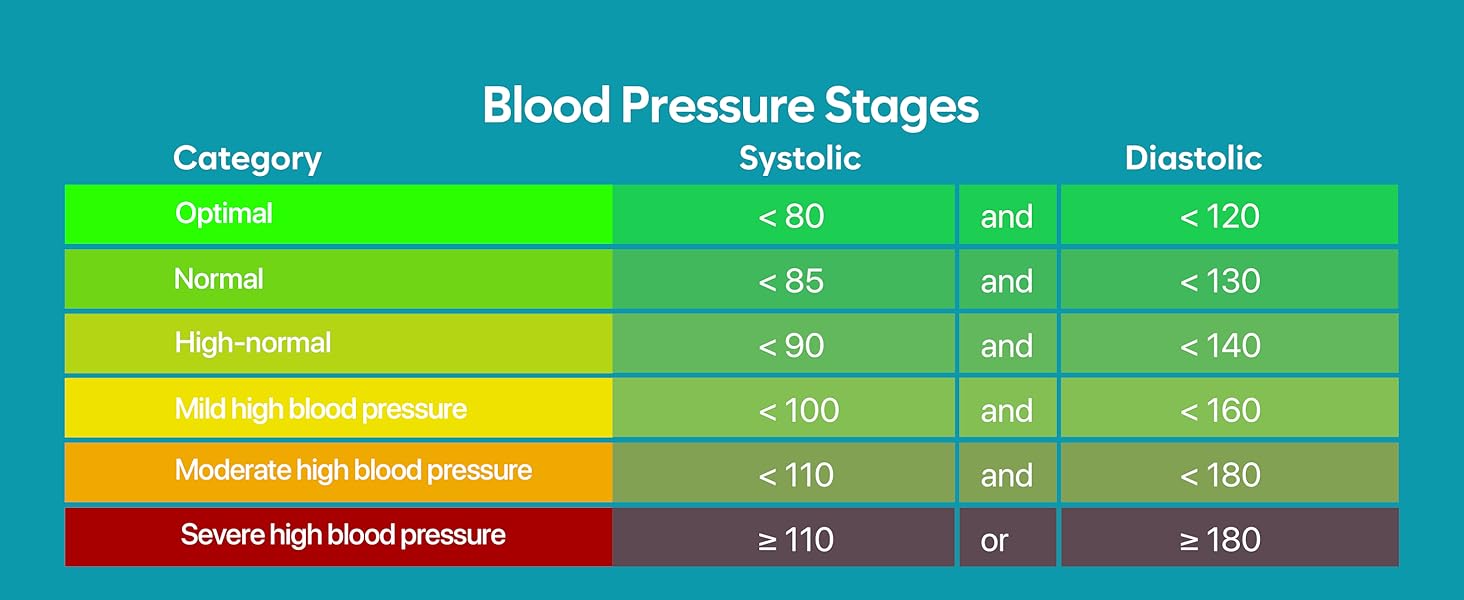
Image: Factors that can influence the accuracy of blood pressure readings.
8. Specifications
| Feature | Detail |
|---|---|
| Model Number | 2008 |
| Brand | LinkSun |
| Measurement Method | Oscillometric |
| Display Type | Large LCD with Blue Backlight |
| Cuff Size | Adjustable, fits arm sizes 22-42 cm (16.5 inch band size) |
| Memory Capacity | 2 users, 50 readings per user (total 100) |
| Power Source | 4 AA batteries (included) or USB powered |
| Automatic Shut-off | Yes |
| Dimensions (Monitor) | Approx. 13.5cm (5.3in) H x 10cm (3.9in) W x 5.3cm (2.0in) D |
| Weight | Approx. 1.1 Pounds (including batteries) |
| Manufacturer | bioland |
| UPC | 794414336335 |

Image: Product dimensions for the monitor and cuff.
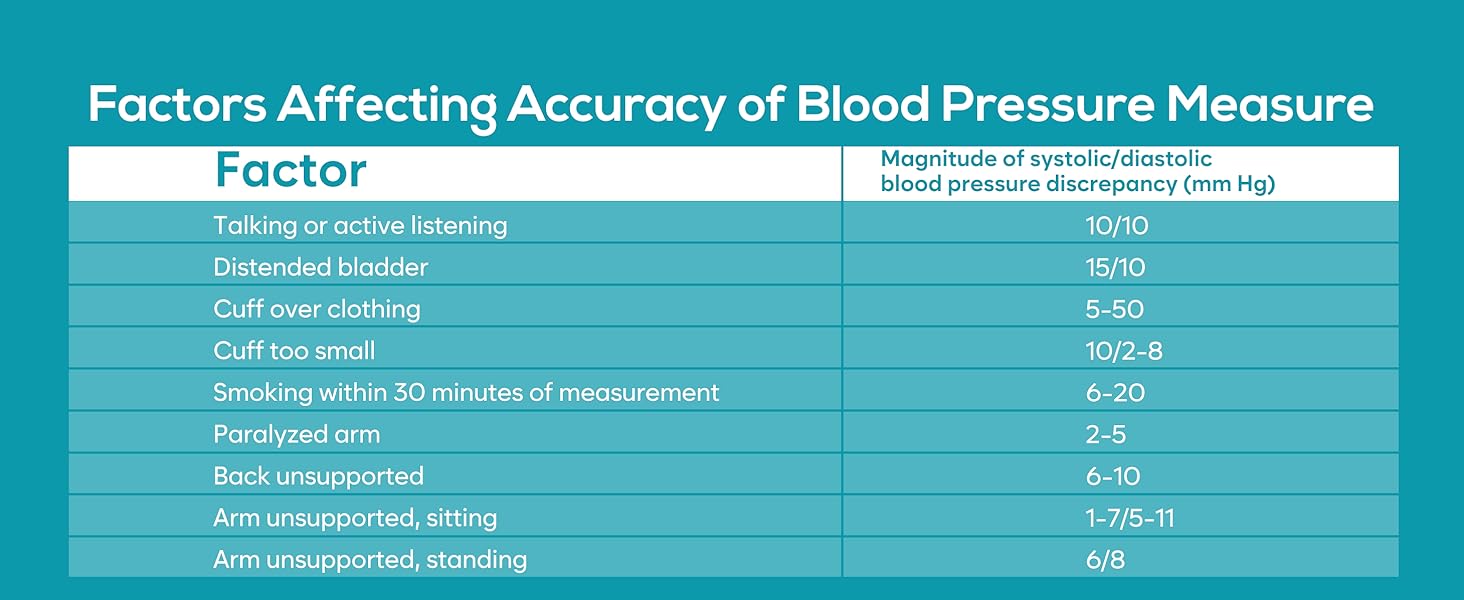
Image: Dual power supply options: USB cable or AA batteries.
9. Warranty and Support
For warranty information or technical support, please refer to the contact details provided on the product packaging or visit the official LinkSun website. Keep your purchase receipt as proof of purchase for any warranty claims.
Legal Disclaimer: Statements regarding dietary supplements have not been evaluated by the FDA and are not intended to diagnose, treat, cure, or prevent any disease or health condition. This device is intended for general wellness and informational purposes only and should not replace professional medical advice.
Ask a question about this manual
Ask about setup, troubleshooting, compatibility, parts, safety, or missing instructions. Manuals+ will review the question and use this page’s manual context to help answer it.