
1. Product Overview
The GIOATY Universal Garage Door Opener Keypad provides a secure and convenient keyless entry system for your garage. This wireless keypad is designed for wide compatibility with various garage door openers manufactured since 1993, including models from Liftmaster, Chamberlain, Wayne Dalton, and Sears Craftsman. It operates using a 4-digit private code and features a durable, weather-resistant design.

Image 1.1: GIOATY Universal Garage Door Opener Keypad (Model 878MAX).
2. Compatibility
This wireless garage door keypad is compatible with Liftmaster, Chamberlain, Wayne Dalton, and Sears Craftsman garage door openers that utilize purple, yellow, red, orange, or green learn buttons, produced from 1993 to the present. It replaces models such as 877MAX, G940EV-P2, 878MAX, 377LM, 977LM, 877LM, and 66LM CMXZDCG440.
Important Note: This keypad is not compatible with Craftsman 200.57933, 57943, 57953 Series 100 CR1150, 139.57943, 139.57953 models, or any models whose connection protocol is Wi-Fi.

Image 2.1: List of supported garage door opener brands and models.
3. Setup and Installation
3.1. Package Contents
Before beginning installation, ensure all items are present:
- 1 x Universal Garage Door Keypad
- 1 x Installation Instruction Guide
- 1 x 9V Battery
- 2 x Mounting Screws
- 2 x White Expansion Pipes

Image 3.1: Product dimensions and included accessories.
3.2. Battery Installation
- Open the battery cover located at the bottom of the keypad by sliding it down.
- Remove the battery protective film from the included 9V battery.
- Align the battery electrodes with the product electrodes and insert the battery securely.
- Close the battery cover by sliding it back into place until it snaps.
3.3. Mounting the Keypad
The keypad offers wireless installation. Choose a suitable location near your garage door. Use the provided mounting screws and wall anchors to secure the keypad to the surface. Ensure the keypad is mounted at a convenient height for all users.
3.4. Programming the Keypad
Follow the instructions printed on the inside of the keypad's flip-top cover or refer to the detailed steps below. The programming process varies slightly depending on the color of your garage door opener's 'Learn' button.
To Set Keyless Entry PIN (for most openers):
- Press and release the 'Learn' button on the back or right side of your garage door opener. The Learn LED will light.
- Within 30 seconds, press and hold the '*' and '#' buttons on the keypad until the lights on the keypad stop blinking and remain steady.
- Enter a 4-digit PIN of your choice.
- Press the ENTER button the number of times that corresponds with your garage door opener type (refer to the chart on the keypad cover).
- To test, input your new PIN, then press the ENTER button. The garage door opener will activate.
For specific Learn Button colors, refer to the following videos:
Video 3.2: Tutorial for changing a password on a Purple Learn Button opener.
Video 3.3: Step-by-step programming for Yellow Learn Button openers.
4. Operating Instructions
4.1. Opening/Closing the Garage Door
To open or close your garage door, simply enter your programmed 4-digit PIN on the keypad and then press the ENTER button. The large backlit buttons ensure visibility in low-light conditions.
4.2. One-Touch Closing Feature
The keypad offers a convenient one-touch closing feature. This feature is effective within 15 seconds after entering your password. Refer to the instruction manual for details on how to extend this duration to 30 seconds if desired.
4.3. Temporary Passwords
For temporary access, such as for maintenance personnel, delivery services, or house sitters, you can set up a temporary access code. This allows access without revealing your primary family entrance code, enhancing security.
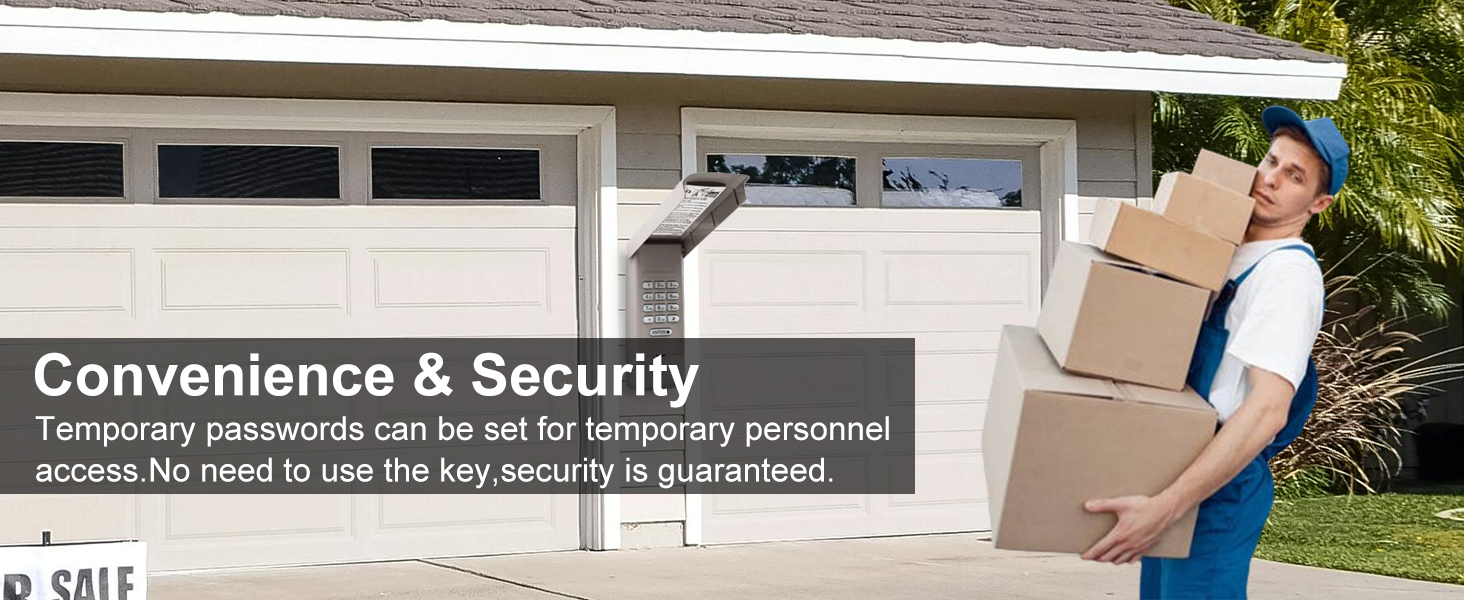
Image 4.1: Illustration of temporary access code functionality.
4.4. Multi-Channel Control
This keypad supports up to 3 channels, allowing you to control up to three different garage door motor units with a single keypad.

Image 4.2: Demonstrates controlling multiple garage doors with one keypad.
5. Maintenance
5.1. Battery Replacement
The keypad uses a 9V battery. When the keypad lights dim or it becomes unresponsive, it's time to replace the battery. Follow the battery installation steps in Section 3.2 to replace the battery.
5.2. Weather Protection
The keypad features a durable ABS plastic housing and a flip-top protective cover (clamshell design) to prevent rain splashing and protect the buttons from the elements. Ensure the cover is properly closed after use to maintain weather resistance.

Image 5.1: Keypad features including backlit buttons and protective cover.
6. Troubleshooting
If you encounter issues with your GIOATY Universal Garage Door Opener Keypad, consider the following:
- Compatibility Check: Double-check that your garage door opener model and learn button color are listed as compatible. Refer to Section 2.
- Programming Issues: Ensure you have followed the programming steps precisely. Sometimes, slight variations in timing or button presses can affect programming. Refer to Section 3.4 and the embedded videos for detailed guidance.
- Battery Issues: A weak or dead battery can cause the keypad to be unresponsive or lights to dim. Replace the 9V battery as described in Section 5.1.
- Incorrect PIN: Verify that you are entering the correct 4-digit PIN. If you have multiple PINs, ensure you are using the correct one for the desired garage door.
- Signal Interference: The keypad uses rolling code technology to minimize interference. However, ensure there are no strong radio frequency sources nearby that could disrupt the signal.

Image 6.1: The keypad's secure and reliable operation.
7. Specifications
- Product Dimensions: 6.1 x 2.5 x 1 inches
- Item Weight: 6.3 ounces
- Item Model Number: 878MAX
- Batteries: 1 x 9V battery (included)
- Special Feature: Backlit, Glow In The Dark Button, Pre Programmed, Universal
- Color: Gray
- Max Number of Supported Devices: 3
- Compatible Devices: Garage Door Openers (Liftmaster, Chamberlain, Craftsman, Wayne Dalton with specific learn buttons)
8. Warranty and Support
Your GIOATY Universal Garage Door Opener Keypad comes with an After-Sales Service Promise. If you have any questions or are not satisfied with your purchase for any reason, please contact GIOATY US customer support. We are committed to resolving any issues, including sending a brand-new replacement if necessary.
For assistance, please use the 'Ask a Question' button on our store page or send us an email. Our team is ready to help.