
1. Introduction
Thank you for choosing the Chuboor PJ01 Air Purifier. This device is designed to improve indoor air quality by filtering out various airborne particles and odors. It features a 3-in-1 filtration system, real-time PM2.5 display, multiple operating modes, and smart control options. Please read this manual thoroughly before use to ensure proper operation and maintenance.
2. Safety Instructions
To reduce the risk of fire, electric shock, or injury, please observe the following safety precautions:
- Always unplug the air purifier before moving, cleaning, or performing any maintenance.
- Do not operate the appliance with a damaged cord or plug.
- Keep the power cord away from heated surfaces.
- Do not use the air purifier in wet or damp environments, such as bathrooms.
- Do not insert fingers or foreign objects into the air inlets or outlets.
- Ensure the air inlets and outlets are not blocked.
- This appliance is not intended for use by persons (including children) with reduced physical, sensory, or mental capabilities, or lack of experience and knowledge, unless they have been given supervision or instruction concerning use of the appliance by a person responsible for their safety.
- Children should be supervised to ensure that they do not play with the appliance.
- Use only original Chuboor replacement filters.
3. Package Contents
Please check the box for the following items:
- Chuboor PJ01 Air Purifier (with 3-in-1 filter pre-installed)
- Power Adapter
- User Manual
4. Product Overview and Components
Familiarize yourself with the main parts of your Chuboor PJ01 Air Purifier.

Figure 1: Front view of the Chuboor PJ01 Air Purifier, showing the main unit, air intake vents, and top control panel with air outlet. Green leaves illustrate air purification.

Figure 2: Close-up of the intuitive touch control panel on the Chuboor PJ01 Air Purifier, displaying icons for wind speed adjustment, mode adjustment, power on/off, timer shutdown, filter replacement reminder, and child lock setting.
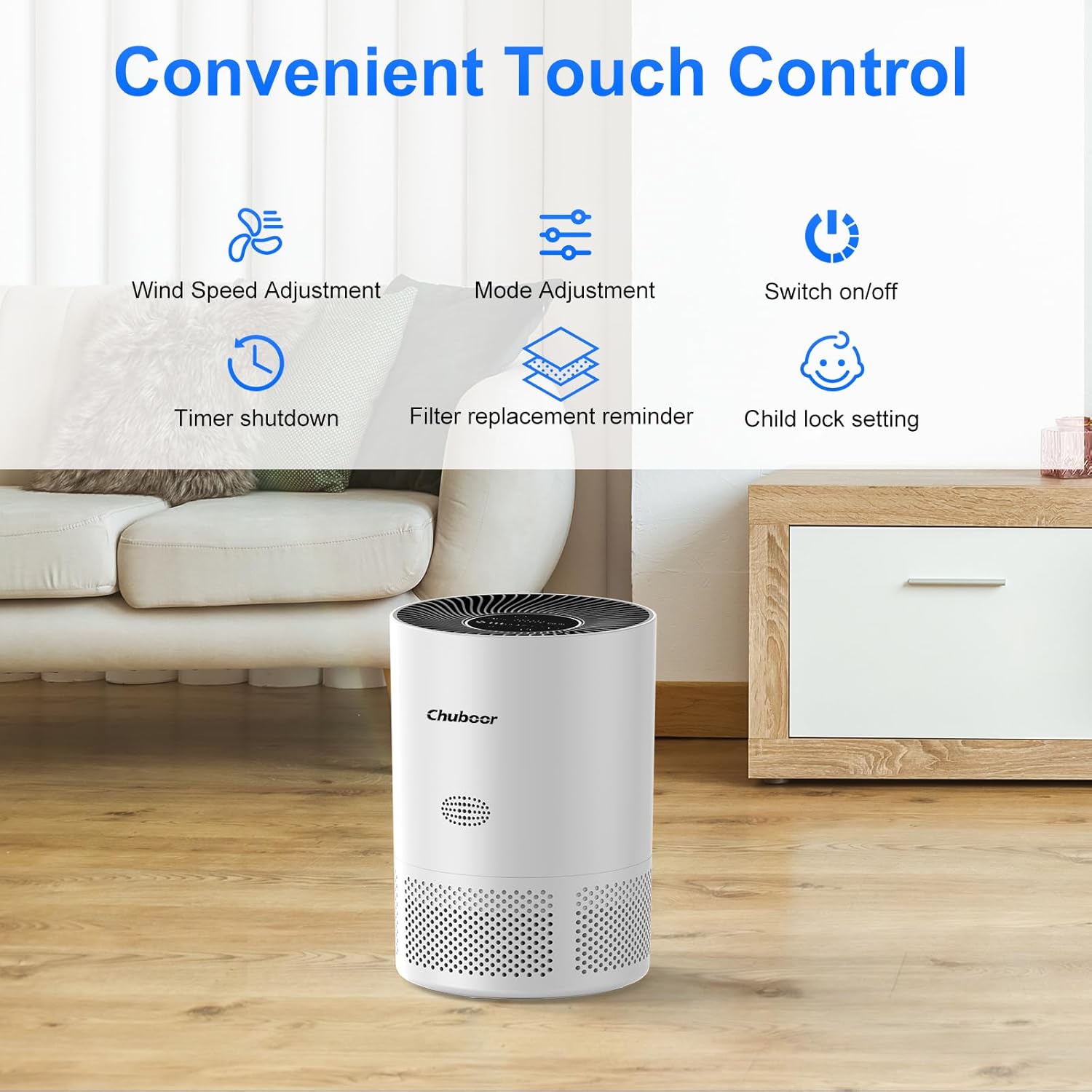
Figure 3: Detailed view of the real-time PM2.5 air quality indicator on the control panel. It shows numerical PM2.5 values and a color-coded ring (green for good, yellow for general, red for poor air quality).
5. Setup
- Unpack the Air Purifier: Carefully remove the air purifier from its packaging.
- Remove Filter Packaging: Before first use, the 3-in-1 filter inside the unit is typically sealed in plastic.
- Turn the air purifier upside down.
- Twist the base cover counter-clockwise to unlock and remove it.
- Take out the filter and remove all plastic packaging.
- Place the filter back into the unit, ensuring it is seated correctly.
- Replace the base cover and twist clockwise to lock it securely.

Figure 4: Diagram illustrating the three layers of the Chuboor PJ01 filter: Pre-Filter (for dust, fibers, lint, pet fur), High Efficiency Activated Carbon Filters (for smoke, fumes, VOCs, odors), and True H13 HEPA Filter (for smoke particles, pollen, pet dander, and particles >0.3 microns).
- Position the Air Purifier: Place the air purifier on a flat, stable surface, ensuring there is at least 15 cm (6 inches) of space around all sides for optimal air circulation.
- Connect Power: Plug the power adapter into the air purifier and then into a standard electrical outlet.
6. Operating Instructions
6.1 Basic Operation
- Power On/Off: Touch the Power button on the control panel to turn the unit on or off.
- Fan Speed Adjustment: Touch the Fan Speed button to cycle through fan speeds (Level 1, Level 2, Level 3).
- Sleep Mode: Touch the Mode button to activate Sleep Mode. In this mode, the fan operates at its lowest speed (24 dB) and display lights dim for a quiet environment.

Figure 5: The Chuboor PJ01 Air Purifier operating in a bedroom, illustrating its quiet Sleep Mode (24dB) for undisturbed rest. The image highlights the 360° air intake.
- Timer Function: Touch the Timer button to set the operating time for 2, 4, or 8 hours. The unit will automatically turn off after the set time.
- Child Lock: Touch and hold the Child Lock button for a few seconds to activate or deactivate the child lock. When active, the control panel buttons will not respond to touches.
6.2 Automatic Mode and Air Quality Display
The air purifier features an intelligent automatic mode that adjusts fan speed based on real-time air quality.
- PM2.5 Display: The display shows the current PM2.5 concentration in µg/m³.
- Color Indicator: A color ring around the display indicates air quality:
- Green: Good air quality
- Yellow: General air quality
- Red: Poor air quality
- Auto Mode: When in Auto Mode, the fan speed will automatically adjust to maintain optimal air quality.

Figure 6: Diagram illustrating the Auto Mode functionality. The air purifier automatically adjusts fan speed (low, medium, high) based on detected air quality (good, moderate, poor).
6.3 Smart Control (WiFi & Voice Control)
The Chuboor PJ01 can be controlled remotely via the "pjrobot" app and integrated with voice assistants.
- WiFi Connection: Download the "pjrobot" app from your smartphone's app store. Follow the in-app instructions to connect your air purifier to your home WiFi network.
- App Control: Once connected, you can control all functions of the air purifier (power, fan speed, mode, timer, child lock) from anywhere using the app.
- Voice Control: The device is compatible with Google Assistant and Amazon Alexa. Link your "pjrobot" account within the respective voice assistant app to enable voice commands for your air purifier.
7. Maintenance
7.1 Filter Replacement
The air purifier features a filter replacement reminder. When the filter needs to be replaced, an indicator light will illuminate on the control panel.
- Power Off and Unplug: Always turn off and unplug the air purifier before replacing the filter.
- Remove Old Filter: Turn the unit upside down, twist the base cover counter-clockwise, and remove the used filter.
- Install New Filter: Remove all packaging from the new Chuboor 3-in-1 replacement filter. Insert the new filter into the unit, ensuring proper orientation.
- Replace Cover: Secure the base cover by twisting it clockwise until locked.
- Reset Filter Life: After replacing the filter, plug in the unit and turn it on. Press and hold the Filter Replacement Reminder button for 3-5 seconds until the indicator light turns off, resetting the filter life counter.
Note: The filter life depends on air quality and usage frequency. It is generally recommended to replace the filter every 6-8 months.
7.2 Cleaning the Air Purifier
- Exterior: Wipe the exterior surface of the air purifier with a soft, dry cloth. Do not use abrasive cleaners or solvents.
- Air Inlets/Outlets: Use a soft brush or vacuum cleaner with a brush attachment to gently clean dust from the air inlets and outlets.
- Do not wash the filter. The filter is not washable and should be replaced when indicated.
8. Troubleshooting
| Problem | Possible Cause | Solution |
|---|---|---|
| Air purifier does not turn on. |
|
|
| Weak airflow or poor purification. |
|
|
| Unusual noise. |
|
|
| WiFi connection issues. |
|
|
9. Specifications
| Brand | Chuboor |
| Model Number | PJ01 |
| Dimensions (L x W x H) | 24 x 30 x 24 cm (9.45 x 11.81 x 9.45 inches) |
| Item Weight | 2.36 Kilograms (5.2 lbs) |
| CADR (Clean Air Delivery Rate) | 185 m³/h |
| Coverage Area | Up to 40 m² (430 sq ft) |
| Filter Type | 3-in-1 (Pre-filter, Activated Carbon, H13 HEPA) |
| Noise Level | 24-48 dB (24 dB in Sleep Mode) |
| Control Method | Touch Control, App Control (pjrobot), Voice Control (Google Assistant, Amazon Alexa) |
| Power Source | Corded Electric |
| Max Power Consumption | 24 W |
10. Warranty and Support
For warranty information and customer support, please refer to the documentation provided with your purchase or contact Chuboor customer service.
You can typically find support contact details on the official Chuboor website or through your retailer.