Introduction
This user manual provides detailed instructions for the safe and efficient operation of your Dolphin SP-1270RBT Dual 12-Inch Premium Party Bluetooth Speaker. Please read this manual thoroughly before using the product and retain it for future reference.
Safety Information
To ensure safe operation and prevent damage, please observe the following precautions:
- Do not expose the speaker to water, moisture, or extreme temperatures.
- Do not block ventilation openings.
- Use only the power adapter supplied with the unit.
- Do not attempt to repair or modify the speaker yourself. Refer all servicing to qualified personnel.
- Keep the speaker away from heat sources and direct sunlight.
- Ensure stable placement to prevent tipping.
Package Contents
Please check that all items are present in the package:
- Dolphin SP-1270RBT Speaker Unit
- Remote Control
- Wireless Microphone
- AC Power Cable
- External Battery Cable
- User Manual (this document)
Product Overview

Figure 1: Front view of the Dolphin SP-1270RBT speaker, showcasing the dual 12-inch woofers with vibrant LED ring lights.
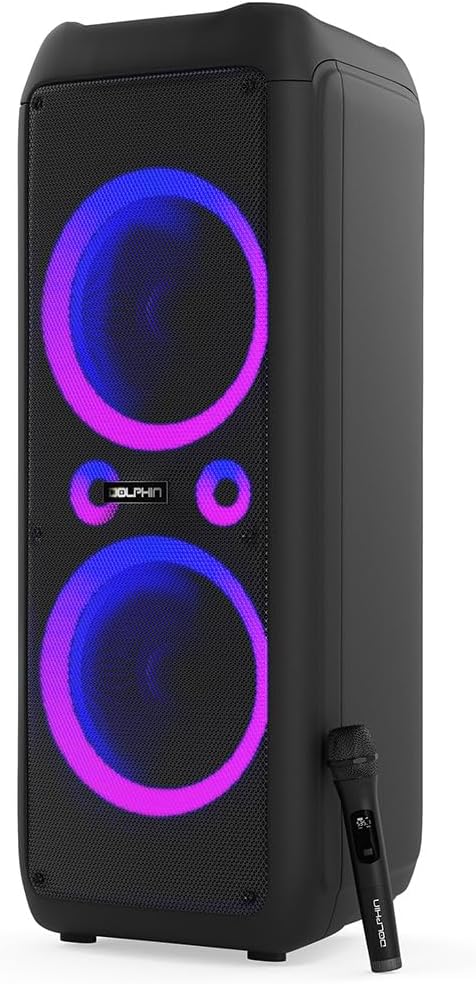
Figure 2: The Dolphin SP-1270RBT speaker shown with its included wireless microphone, highlighting its karaoke capabilities.
Control Panel

Figure 3: Detailed view of the speaker's top control panel, featuring various input options, volume controls, and the 5-band equalizer.
The control panel provides access to all speaker functions, including power, volume, input selection, equalizer settings, and microphone controls.
Connectivity Options

Figure 4: Visual representation of the speaker's multiple connectivity options, including Bluetooth 5.0, USB, SD/TF card, FM radio, and AUX input.
The SP-1270RBT offers versatile connectivity for various audio sources:
- Bluetooth 5.0: For wireless connection to smartphones, tablets, and other Bluetooth-enabled devices.
- USB Port: For playing audio files from USB flash drives.
- SD/TF Card Slot: For playing audio files directly from SD or TF memory cards.
- FM Radio: Built-in tuner for listening to FM broadcasts.
- AUX Input (3.5mm Jack): For wired connection to external audio devices.
- Microphone Input (1/4" Jack): For connecting the included wireless microphone or other wired microphones.
- Guitar Input (1/4" Jack): For connecting a guitar or other instruments.
Setup
1. Unpacking and Placement
Carefully remove the speaker from its packaging. Place the speaker on a stable, flat surface. Ensure there is adequate space around the unit for proper ventilation.
The speaker is equipped with wheels and a handle for easier transportation. When stationary, ensure the speaker is stable.
2. Powering On/Off and Charging
The SP-1270RBT operates on a built-in rechargeable 12V battery. It can also be powered directly via the AC cable.
- Power On/Off: Locate the Power button on the control panel. Press and hold to turn the speaker on or off.
- Charging: Connect the supplied AC power cable to the speaker's AC input and then to a standard wall outlet. The charging indicator light will illuminate. The battery provides up to 7 hours of playback time on a full charge.
- External Battery: Use the external battery cable to connect to an external 12V battery for extended playback (external battery not included).
Operating Instructions
1. Bluetooth Pairing
- Turn on the SP-1270RBT speaker. The LED display will show "Bluetooth" or a similar indicator, and you may hear an audible prompt.
- On your mobile device (smartphone, tablet, etc.), enable Bluetooth and search for available devices.
- Select "Dolphin SP-1270RBT" from the list of devices. Once paired, the speaker will confirm the connection.
- You can now play audio from your device through the speaker. The effective Bluetooth range is approximately 10 meters (33 feet).
2. True Wireless Stereo (TWS) Pairing
The WaveSync technology allows you to pair two SP-1270RBT speakers for a true stereo sound experience.
- Ensure both SP-1270RBT speakers are powered on and not connected to any Bluetooth device.
- On one speaker (this will be the primary speaker), press and hold the TWS button (refer to the control panel for exact button). The speaker will enter TWS pairing mode.
- The second speaker will automatically detect and pair with the primary speaker. A confirmation sound will indicate successful TWS pairing.
- Now, connect your Bluetooth device to the primary speaker as described in the "Bluetooth Pairing" section. Audio will play in stereo through both speakers.
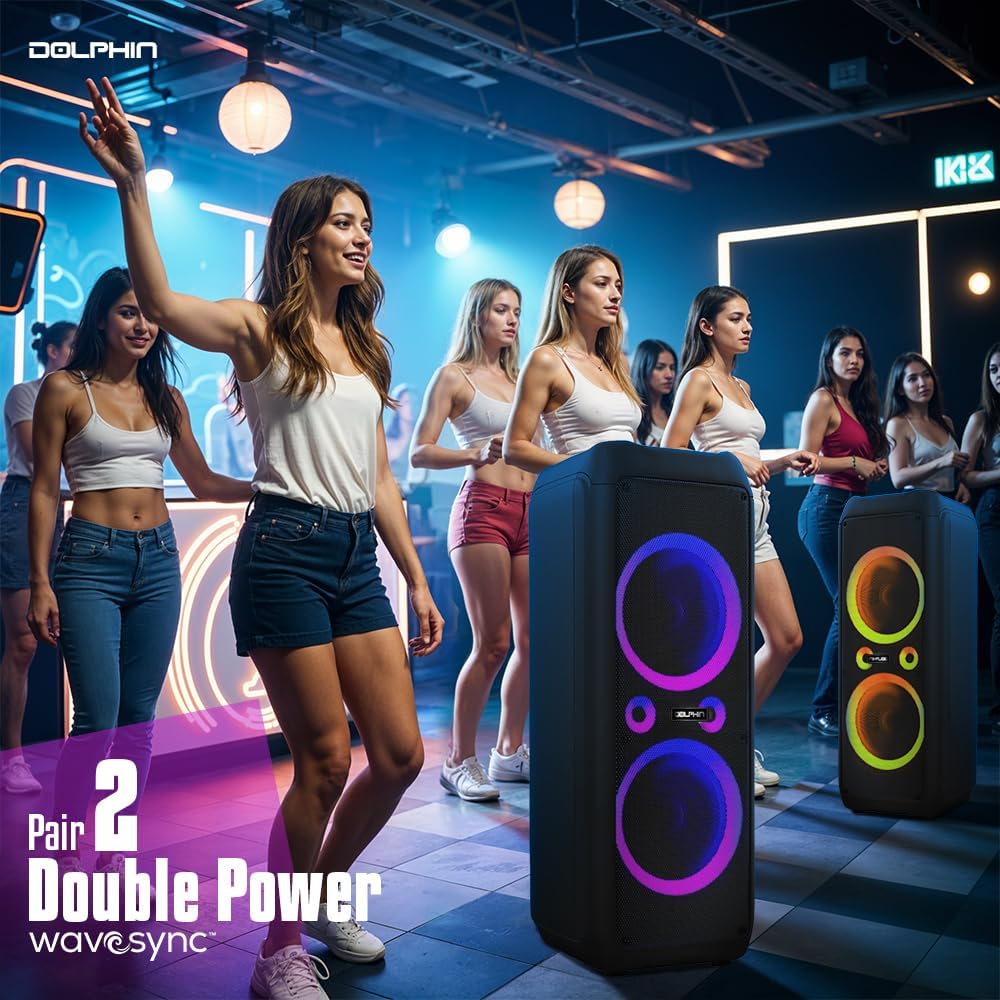
Figure 5: Two Dolphin SP-1270RBT speakers wirelessly connected via WaveSync technology for an enhanced stereo audio experience.
3. USB/SD/TF Card Playback
- Insert a USB flash drive or an SD/TF card (with audio files) into the corresponding slot on the control panel.
- The speaker will automatically switch to USB/SD/TF mode and begin playing the audio files. If not, press the "Mode" button to select the correct input.
- Use the Play/Pause, Next, and Previous buttons to control playback.
4. FM Radio Operation
- Press the "Mode" button to switch to FM Radio mode.
- Press the "Play/Pause" button to initiate an automatic scan for available radio stations. The speaker will save detected stations.
- Use the "Next" and "Previous" buttons to navigate through the saved stations.
5. AUX Input
Connect an external audio device (e.g., MP3 player, laptop) to the speaker's 3.5mm AUX input jack using a 3.5mm audio cable (not included). Press the "Mode" button to select AUX input.
6. Microphone and Guitar Usage
- Wireless Microphone: The included wireless microphone is pre-paired. Simply turn it on and adjust the "MIC VOL" knob on the speaker's control panel to control its volume.
- Wired Microphone/Guitar: Connect a wired microphone or guitar to the respective 1/4" input jacks. Adjust their volume using the dedicated knobs on the control panel.
- Echo Control: Use the "ECHO" knob to add an echo effect to the microphone input.
7. Audio Controls and LED Lighting
- Master Volume: Use the large "VOLUME" knob to adjust the overall speaker volume.
- X-Bass: Activate the X-Bass feature for enhanced deep bass response. This can be toggled via a switch or button on the control panel.
- 5-Band Equalizer: Use the sliders on the 5-band equalizer to fine-tune the audio frequencies (bass, mid-range, treble) to your preference.
- LED Lighting: The speaker features sound-activated quad-style ring lights. Use the dedicated "LED" switch or button to turn the lights on/off or cycle through modes.
Maintenance
- Cleaning: Wipe the speaker's exterior with a soft, dry cloth. Do not use abrasive cleaners or solvents.
- Storage: When not in use for extended periods, store the speaker in a cool, dry place, away from direct sunlight and extreme temperatures.
- Battery Care: To prolong battery life, fully charge the speaker before storing it for long periods. Recharge the battery every 3-6 months if not in regular use.
Troubleshooting
| Problem | Possible Cause | Solution |
|---|---|---|
| No power | Battery is depleted; Power cable not connected properly. | Charge the speaker; Ensure AC cable is securely connected to both speaker and power outlet. |
| No sound | Volume too low; Incorrect input mode selected; Device not paired (Bluetooth); Audio cable not connected (AUX). | Increase volume; Press "Mode" button to select correct input; Re-pair Bluetooth device; Check AUX cable connection. |
| Bluetooth connection unstable | Device too far from speaker; Obstructions between devices; Interference. | Move device closer to speaker (within 10m); Remove obstructions; Avoid placing near other wireless devices. |
| Microphone not working | Microphone not turned on; MIC VOL knob too low; Microphone battery low. | Ensure microphone is powered on; Increase MIC VOL; Replace microphone batteries (if applicable). |
| LED lights not working | LED switch is off. | Toggle the "LED" switch/button to turn lights on. |
Specifications
| Model Name | SP-1270RBT |
| Speaker Type | Woofer |
| Mounting Type | Floor Standing |
| Speaker Size | 12 Inches (Dual) |
| Speaker Maximum Output Power | 80 RMS Watts / 4500 Peak Watts |
| Frequency Response | 80 Hz (Lower limit, typical) |
| Connectivity Technology | Bluetooth 5.0, USB, SD/TF, FM, AUX |
| Wireless Communication Technology | Bluetooth |
| Bluetooth Range | Up to 10 meters (33 feet) |
| Power Source | Battery Powered (Rechargeable) |
| Battery Type | 1 x 12V battery (included) |
| Battery Capacity | 9000 Milliamp Hours |
| Battery Life | Up to 7 Hours |
| Product Dimensions (D x W x H) | 17"D x 14.5"W x 40"H |
| Item Weight | 49 Pounds |
| Included Components | Remote Control, Wireless Mic, AC Cable, Ext. Battery Cable |
| UPC | 810059431911 |
| Manufacturer | General Sound Co |
Warranty and Support
For warranty information and technical support, please refer to the contact details provided with your purchase or visit the official Dolphin website. Keep your proof of purchase for warranty claims.


