Introduction
Thank you for choosing the Panasonic MultiShape Electric Trimmer. This versatile grooming tool is designed for precise trimming of beard, hair, and body, offering convenience and efficiency. Please read this manual thoroughly before use to ensure safe and optimal performance.
Safety Information
For External Use Only.
Always ensure the trimmer is clean and free from damage before each use. Do not use if blades are bent or broken. Keep out of reach of children. Avoid dropping the device. Do not disassemble or attempt to repair the trimmer yourself. Refer to qualified service personnel for repairs.
Package Contents
Your Panasonic MultiShape ER-ACKN2-HB package includes:
- Panasonic MultiShape Main Unit (ER-ACKN2-HB)
- Beard/Hair/Body Trimmer Head
- Comb Attachment (1-10 mm)
- Comb Attachment (11-20 mm)
- Comb Attachment (21-30 mm)
- Body Hair Comb Attachment (1.5 mm)
- Charging Adapter
- Cleaning Brush
- Blade Oil
- User Manual
Product Features
- Versatile Trimming: Designed for beard, hair, and body grooming.
- Advanced Blade System: Japanese blade technology for gentle and efficient trimming of thick hair.
- 58 Adjustable Cutting Lengths: Quick adjust dial allows for precise length settings in 0.5mm increments.
- Four Comb Attachments: Includes 1-10mm, 11-20mm, 21-30mm for beard/hair, and 1.5mm for body hair. Achieves 0.5mm cut without attachments.
- Cordless & Rechargeable: Ni-MH battery provides up to 50 minutes of use after a 1-hour charge.
- Wet/Dry Usage: Fully waterproof for convenient use in or out of the shower and easy cleaning under running water.

Image: The Panasonic MultiShape trimmer main unit displayed alongside its various interchangeable attachments, including different sized comb guides, a nose hair trimmer, and a toothbrush head, showcasing its modular design.
Setup
Before first use, ensure the trimmer is fully charged. Attach the desired trimmer head and comb guide according to your grooming needs.
Charging
To charge the trimmer, connect the charging adapter to the base of the main unit and plug it into a power outlet. The charging indicator light will illuminate. A full charge takes approximately 1 hour and provides up to 50 minutes of cordless operation.

Image: A circular icon with a clock and '50 min' text, symbolizing the 50-minute operating time after a full charge.

Image: The Panasonic MultiShape trimmer's base connected to its charging cable, with an indicator light visible, showing the device in the process of charging.
Attaching and Detaching Trimmer Heads
To attach a trimmer head, align the head with the main unit and push until it clicks into place. To detach, firmly pull the trimmer head away from the main unit.
Video: An official Panasonic video demonstrating the modularity of the MultiShape system, showing how different grooming heads, including the trimmer, shaver, and toothbrush, can be easily attached and detached from the main unit. This highlights the versatility and ease of switching between functions.
Adjusting Cutting Lengths
The trimmer features a quick-adjust dial for selecting your desired cutting length. Rotate the dial to choose from 58 different settings in 0.5mm increments. Ensure the comb attachment is securely in place before adjusting.

Image: A close-up view of the Panasonic MultiShape trimmer's quick adjust dial, highlighting the numbers indicating various cutting lengths and the '58 steps' label, demonstrating the precision available.

Image: Four distinct comb attachments for the Panasonic MultiShape trimmer, clearly labeled with their cutting ranges (1-10mm, 11-20mm, 21-30mm, and 1.5mm for body hair), illustrating the variety of lengths achievable.
Operating Instructions
Beard and Hair Trimming
Select the appropriate comb attachment (1-10mm, 11-20mm, or 21-30mm) and adjust the dial to your desired length. Turn on the trimmer and move it slowly against the direction of hair growth for an even trim. For a 0.5mm close cut, remove all comb attachments.
Body Trimming
Use the 1.5mm body hair comb attachment for body grooming. For sensitive areas, exercise extra caution and ensure the skin is taut. Move the trimmer gently and steadily.

Image: A man using the Panasonic MultiShape trimmer to groom his chest hair, demonstrating its application for body trimming.
Wet/Dry Usage
The Panasonic MultiShape trimmer is fully waterproof, allowing for convenient wet or dry operation. You can use it in the shower with shaving foam or gel for a comfortable experience, or dry for a quick trim. Always ensure the charging port cover is securely closed when using in wet conditions.

Image: A circular icon depicting a water droplet and dots, symbolizing the trimmer's wet/dry functionality.
Cleaning and Maintenance
Regular cleaning ensures optimal performance and hygiene. The trimmer is washable and can be rinsed under running water. After each use:
- Turn off the trimmer and detach the trimmer head.
- Rinse the trimmer head and main unit under running water to remove hair clippings.
- Use the provided cleaning brush to remove any stubborn hair from the blades and comb attachments.
- Apply a few drops of the supplied blade oil to the blades to maintain sharpness and smooth operation.
- Allow all parts to air dry completely before reassembling or storing.

Image: A circular icon showing a faucet with water droplets, indicating that the trimmer is rinse-cleanable under running water.
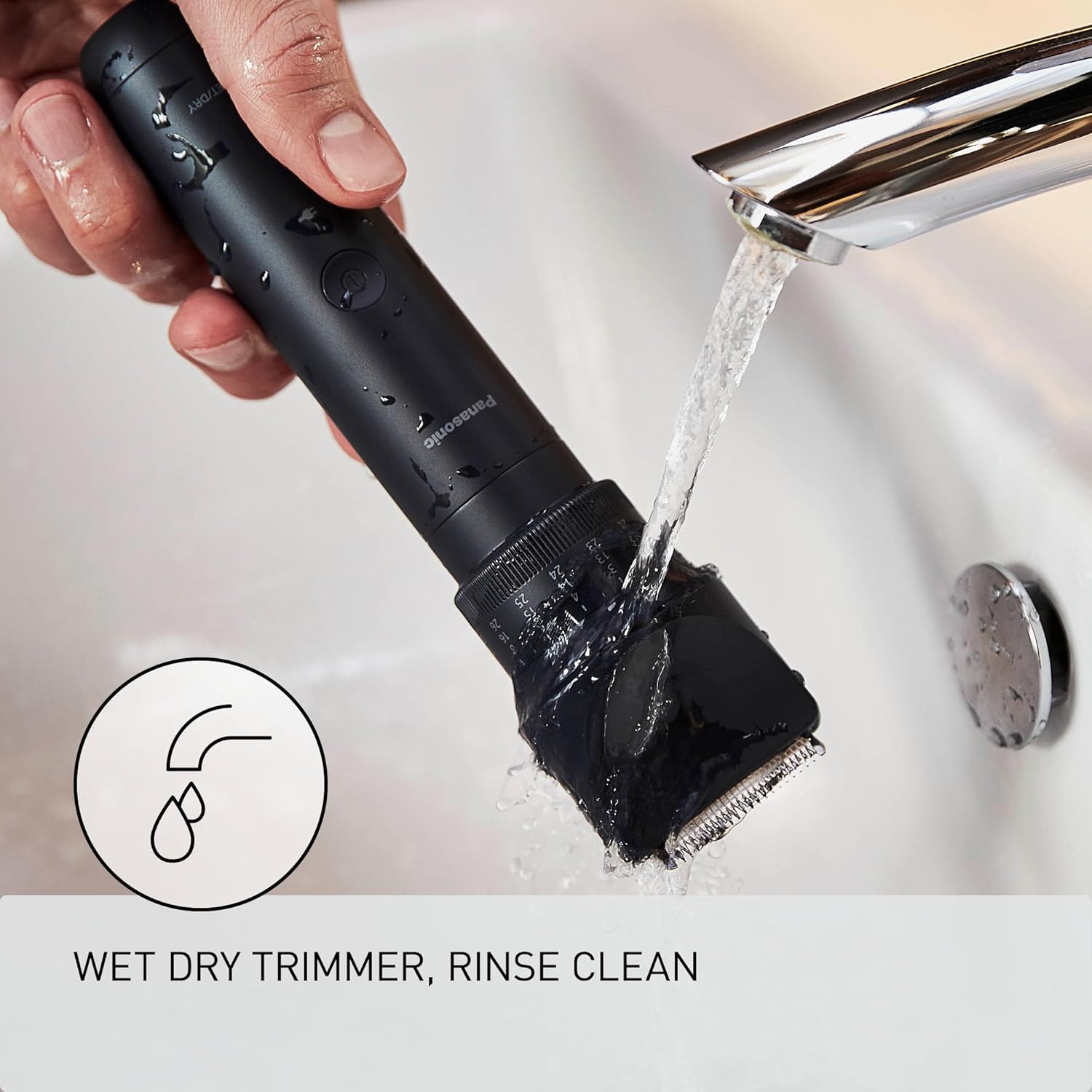
Image: The Panasonic MultiShape trimmer being held under a running faucet in a sink, demonstrating its waterproof design and ease of cleaning.
Storage
Store the trimmer and its accessories in a cool, dry place away from direct sunlight and high humidity. Ensure the trimmer is clean and dry before storing. Keep the protective cap on the trimmer head when not in use.
Troubleshooting
| Problem | Possible Cause | Solution |
|---|---|---|
| Trimmer does not turn on. | Battery is depleted. | Charge the trimmer for 1 hour. |
| Trimmer performance is weak. | Blades are dull or clogged with hair. | Clean and oil the blades. Replace the trimmer head if necessary. |
| Trimmer pulls hair. | Blades are dull or hair is too long. | Clean and oil the blades. Pre-trim very long hair with scissors before using the trimmer. |
Specifications
- Model Number: ER-ACKN2-HB
- Power Source: Electric (Rechargeable Ni-MH Battery)
- Charging Time: Approx. 1 hour
- Operating Time: Approx. 50 minutes (on a full charge)
- Cutting Lengths: 58 (0.5mm increments)
- Waterproof: Yes (Wet/Dry Use)
- Item Weight: 0.89 Kilograms
- Manufacturer: Panasonic
Warranty and Support
For warranty information, product support, or service inquiries, please refer to the warranty card included in your package or visit the official Panasonic website. Keep your purchase receipt as proof of purchase for warranty claims.


