
Introduction
This user manual provides essential information for the safe and effective use of your Roanow MarsVac V16 Replacement Battery. Please read these instructions carefully before installation and operation to ensure optimal performance and longevity of your battery.
The Roanow MarsVac V16 Replacement Battery is designed to be compatible with the MarsVac V16 cordless vacuum cleaner, offering a reliable power source for your cleaning needs.
Setup and Installation
Follow these steps to safely install the replacement battery into your MarsVac V16 cordless vacuum cleaner.
- Power Off: Ensure your MarsVac V16 vacuum cleaner is completely powered off and unplugged from any charging source before attempting battery replacement.
- Locate Battery Compartment: Identify the battery compartment on your MarsVac V16 vacuum cleaner. This is typically located on the main body of the vacuum.
- Remove Old Battery: Depending on your vacuum model, you may need to press a release button or unlatch a clip to remove the existing battery. Carefully slide the old battery out.
- Insert New Battery: Align the Roanow MarsVac V16 Replacement Battery with the battery slot. Gently slide the new battery into place until it clicks securely. Do not force the battery.
- Verify Fit: After installation, ensure the battery is firmly seated and does not wobble.
Important Note on Compatibility: Due to slight variations in older battery models, a plastic reinforcement piece has been added to the rear of this improved battery. If the upgraded battery does not fit your machine correctly, please refer to the original vacuum cleaner's user manual for contact information or contact Roanow customer support for assistance.
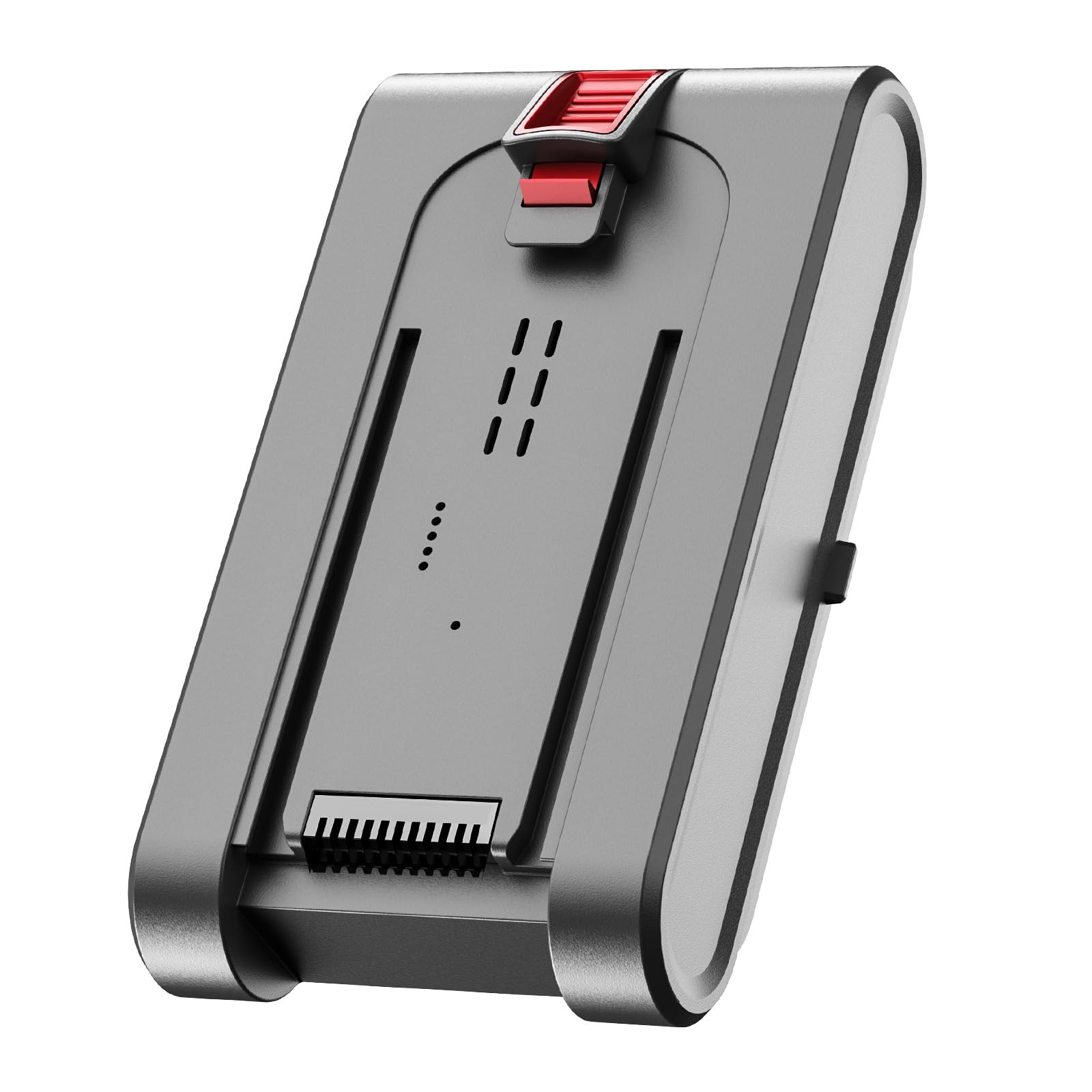
Figure 1: The Roanow MarsVac V16 Replacement Battery. This image shows the battery unit, which is designed for easy installation into the compatible MarsVac V16 cordless vacuum cleaner.
Operating Instructions
Charging the Battery
- Initial Charge: For optimal performance, fully charge the new battery before its first use.
- Charging Process: Insert the vacuum cleaner with the installed battery into its charging dock or connect the charger directly to the vacuum's charging port. Refer to your MarsVac V16 vacuum cleaner's manual for specific charging instructions.
- Charging Indicator: Observe the charging indicator lights on your vacuum cleaner. These lights typically show the charging status and when the battery is fully charged.
- Charging Time: Charging time may vary. Avoid overcharging by disconnecting the charger once the battery is full, though most modern chargers have overcharge protection.
Battery Usage
- Regular Use: Use the vacuum cleaner as you normally would. The battery provides power for the vacuum's motor and functions.
- Power Modes: If your vacuum has different power modes (e.g., Eco, Standard, Max), be aware that higher power modes will consume battery power more quickly.
- Discharge: It is generally recommended to allow the battery to discharge significantly before recharging to maintain battery health, but full discharge is not always necessary for Lithium-ion batteries.
Maintenance
Cleaning
- Exterior Cleaning: Periodically wipe the exterior of the battery with a clean, dry cloth to remove dust and debris.
- Contact Points: Ensure the metal contact points on the battery and in the vacuum cleaner are clean and free of obstruction to ensure proper connection and charging. Do not use abrasive cleaners or liquids directly on the contacts.
Storage
- Long-Term Storage: If you plan not to use the battery for an extended period, store it in a cool, dry place, away from direct sunlight and extreme temperatures.
- Charge Level for Storage: For optimal battery health during long-term storage, it is recommended to store Lithium-ion batteries with a charge level between 40% and 60%.
- Recharge Periodically: If stored for very long periods, periodically charge the battery to maintain its charge level.
Troubleshooting
If you encounter issues with your Roanow MarsVac V16 Replacement Battery, consider the following common solutions:
- Battery Not Charging:
- Ensure the vacuum cleaner is properly connected to the charger and the power outlet is functional.
- Check that the battery is correctly seated in the vacuum cleaner.
- Inspect the charging contacts on both the battery and the vacuum for dirt or damage. Clean if necessary.
- Verify that the charger itself is working correctly (e.g., by testing with another compatible device if possible).
- Battery Not Fitting:
- Refer to the "Important Note on Compatibility" in the Setup section. The plastic reinforcement may affect fit in some older vacuum models.
- Ensure you are attempting to install the battery into a MarsVac V16 vacuum cleaner. This battery is specifically designed for this model.
- Do not force the battery into the compartment. If it does not slide in easily, re-check alignment.
- Short Run Time:
- Ensure the battery is fully charged before use.
- Operating the vacuum in "Max" or high-power modes will significantly reduce run time. Try using lower power settings for longer operation.
- Over time, all rechargeable batteries experience a decrease in capacity. If the battery is old, its performance may naturally diminish.
- Vacuum Not Turning On:
- Confirm the battery is fully charged and correctly installed.
- Check the vacuum cleaner's power switch and other controls.
- If the issue persists, the problem might be with the vacuum cleaner itself, not the battery.
If these steps do not resolve the issue, please contact Roanow customer support or refer to your original MarsVac V16 vacuum cleaner manual for further assistance.
Specifications
Below are the technical specifications for the Roanow MarsVac V16 Replacement Battery:
| Feature | Specification |
|---|---|
| Brand | Roanow |
| Model Name | MarsVac V16 |
| Battery Type | Lithium-ion |
| Battery Capacity | 2200 Milliampere-hours (mAh) |
| Voltage | 25.9 Volts |
| Reusability | Rechargeable |
| Number of Batteries | 1 Lithium-ion (included) |
| Battery Weight | 420 Grams |
| Item Dimensions (L x W x H) | 8.6 x 4.6 x 14 Centimeters |
| Recommended Uses | Vacuum Cleaner |
| GTIN / UPC | 774196514718 |
Warranty and Support
For information regarding warranty coverage, returns, or technical support for your Roanow MarsVac V16 Replacement Battery, please refer to the documentation provided with your original MarsVac V16 vacuum cleaner or contact Roanow customer service directly.
Contact details for Roanow customer support can typically be found on the manufacturer's official website or within the original product packaging.