
1. Introduction
This manual provides detailed instructions for the installation, operation, and maintenance of your NOPAARD 52-YJ682 Smart Ceiling Fan with Light. Please read this manual thoroughly before installation and use to ensure safe and efficient operation. Keep this manual for future reference.
2. Safety Information
WARNING: To reduce the risk of fire, electric shock, or personal injury, always follow these safety precautions:
- Ensure power is turned off at the circuit breaker before installation or servicing.
- All wiring must be in accordance with national and local electrical codes.
- Installation must be performed by a qualified electrician.
- Mount the fan directly to a structural ceiling joist or an outlet box marked "Acceptable for Fan Support of 35 lbs (15.9 kg) or less".
- Do not bend blade holders during installation, balancing, or cleaning.
- Keep foreign objects clear of rotating fan blades.
- This fan is damp-rated for covered outdoor patios, but should not be exposed to direct water.
3. Package Contents
Verify that all components are present before beginning installation.
- Ceiling Fan Motor Assembly
- Fan Blades (3)
- Downrods (6-inch and 10-inch)
- Mounting Bracket
- Canopy
- Remote Control
- LED Light Kit
- Hardware Pack (screws, wire nuts, etc.)
- User Manual
4. Setup and Installation
4.1 Choosing a Mounting Location
Select a location where the fan blades will have at least 7 feet (2.1 meters) of clearance from the floor and 30 inches (76 cm) from any walls or obstructions.
4.2 Mounting Options
This fan supports two mounting options: standard downrod mount and sloped ceiling mount (up to 20 degrees).
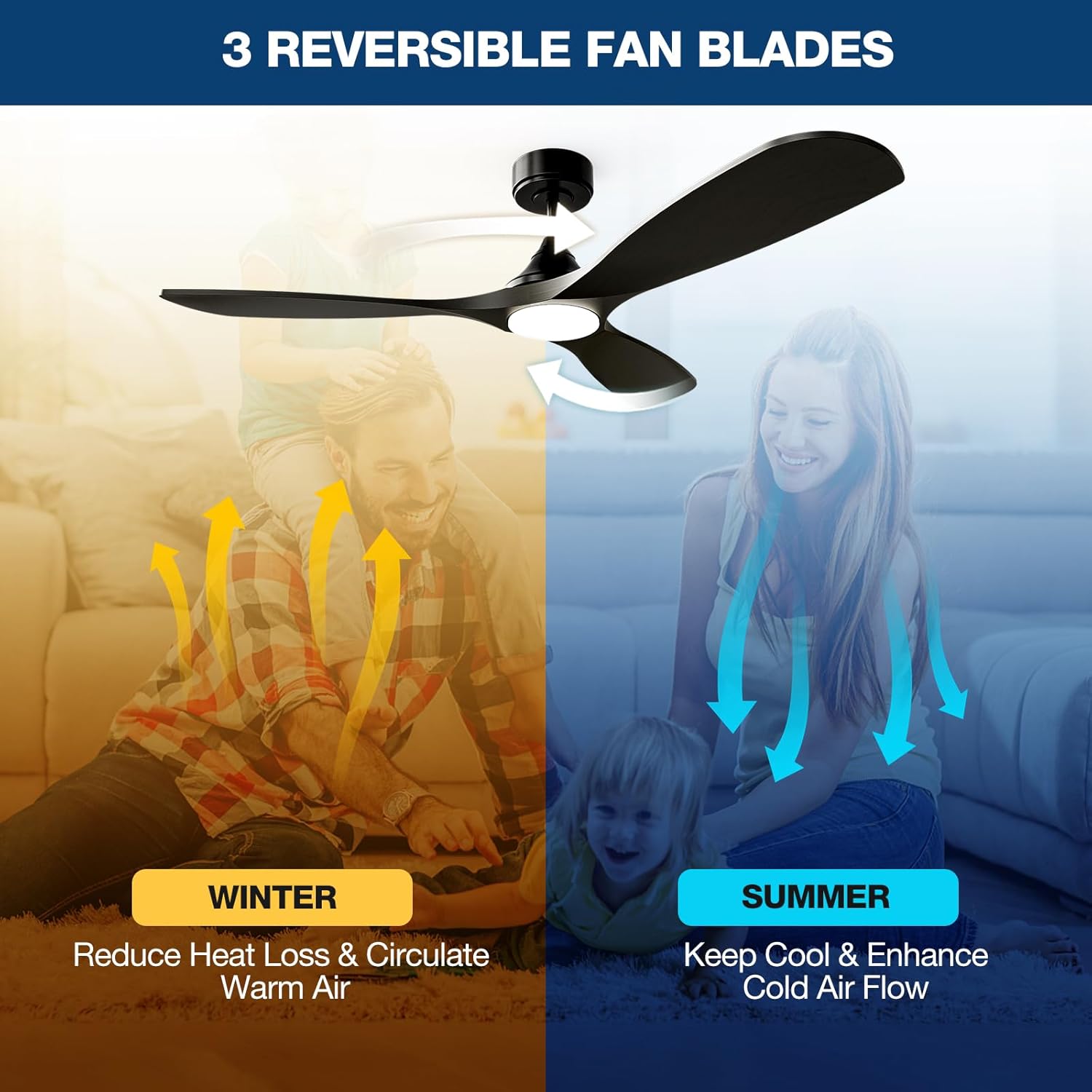
Image Description: A diagram illustrating the NOPAARD 52-inch ceiling fan's dimensions, including its 52-inch width and adjustable height with 6-inch and 10-inch downrods. It also shows icons for flat ceiling mounting and sloped ceiling mounting (up to 20 degrees), along with recommended room sizes (130-300 sq. ft.) and damp rating for covered locations.
4.3 Assembly Steps
- Turn off Power: Before starting, ensure the power supply is disconnected at the main circuit breaker.
- Install Mounting Bracket: Secure the mounting bracket to the ceiling outlet box. Ensure the box is rated for fan support.
- Assemble Downrod: Choose the appropriate downrod (6-inch or 10-inch) for your ceiling height. Feed the motor wires through the downrod.
- Attach Fan Body: Carefully lift the fan motor assembly and hang it from the mounting bracket.
- Wire Connections: Connect the fan wires to the household electrical wires according to the wiring diagram provided in the separate wiring guide (not included in this manual, refer to product packaging for full wiring instructions). Ensure all connections are secure with wire nuts.
- Secure Canopy: Slide the canopy up to the ceiling and secure it to the mounting bracket with screws.
- Attach Blades: Securely attach the three fan blades to the motor housing.
- Install Light Kit: Connect the LED light kit wires and attach the light kit to the bottom of the fan motor housing.
5. Operating Instructions
5.1 Control Methods
Your NOPAARD Smart Ceiling Fan can be controlled via the included remote, the Tuya Smart App, or voice commands through Alexa and Google Assistant.

Image Description: An illustration detailing the four control methods for the NOPAARD ceiling fan: a remote control, a smartphone displaying the Tuya app, a microphone icon for voice control (Alexa and Google Assistant), and a wall switch. A note indicates that wall control can only turn the fan and lights on/off together and cannot adjust settings separately.
5.2 Remote Control Operation
The remote control allows for basic fan and light functions.
- Fan ON/OFF: Press the fan button to turn the fan on or off.
- Fan Speed: Use the speed buttons (1-6) to adjust fan speed.
- Light ON/OFF: Press the light button to turn the light on or off.
- Light Dimming: Hold the light button to dim or brighten the light.
- Color Temperature: Press the color temperature button to cycle through 3000K (warm yellow), 4000K (bright daylight), and 5000K (cool white).
- Timer: Set a 2-hour timer for the fan to automatically turn off.
- Reverse Function: Press the reverse button to change blade direction for summer (downward airflow) or winter (upward airflow).
5.3 Smart App Control (Tuya Smart)
- Download App: Download the "Tuya Smart" app from your device's app store.
- Register/Login: Create an account or log in.
- Add Device: Follow the in-app instructions to add your NOPAARD ceiling fan. Ensure your phone is connected to a 2.4GHz Wi-Fi network.
- Control Functions: Use the app to control fan speed, light brightness, color temperature, timer, and reverse function.
5.4 Voice Control (Alexa & Google Assistant)
- Link Account: In your Alexa or Google Home app, link your Tuya Smart account.
- Discover Devices: Allow the smart assistant to discover your NOPAARD ceiling fan.
- Voice Commands: Use commands such as:
- "Alexa, turn on the fan."
- "Hey Google, set fan speed to 3."
- "Alexa, turn off the light."
- "Hey Google, dim the fan light to 50%."
5.5 Reversible Blades Function

Image Description: An illustration demonstrating the reversible blade function. In "SUMMER" mode, blue arrows show downward airflow for cooling. In "WINTER" mode, yellow arrows show upward airflow to circulate warm air.
The fan features a reversible DC motor to optimize air circulation for different seasons:
- Summer Mode: Blades rotate counter-clockwise, pushing air downwards to create a cooling breeze.
- Winter Mode: Blades rotate clockwise, drawing air upwards to circulate warm air trapped near the ceiling.
6. Maintenance
Regular maintenance ensures optimal performance and extends the lifespan of your ceiling fan.
- Cleaning: Use a soft, damp cloth to clean the fan blades and motor housing. Do not use abrasive cleaners or solvents.
- Blade Tightness: Periodically check and tighten all blade screws to prevent wobbling and noise.
- Light Kit: The integrated LED light is designed for long life and is not user-replaceable.
- Dusting: Dust the fan regularly to prevent buildup that can affect performance.
7. Troubleshooting
| Problem | Possible Cause | Solution |
|---|---|---|
| Fan does not start |
|
|
| Fan wobbles |
|
|
| Light does not work |
|
|
| Cannot connect to App/Voice Control |
|
|
8. Specifications
| Feature | Detail |
|---|---|
| Model Number | 52-YJ682 |
| Brand | NOPAARD |
| Size | 52 inches |
| Color | Black |
| Material | Metal, Wood |
| Motor Type | DC Motor |
| Control Methods | Remote, Tuya App, Alexa, Google Assistant |
| Fan Speeds | 6 variable speeds |
| Air Flow Capacity | Up to 6872 CFM |
| Noise Level | Less than 35dB (speeds 1-2) |
| Light Type | Integrated Dimmable LED |
| Light Brightness | 0-2000 Lumens |
| Color Temperature | 3000K (Warm Yellow), 4000K (Bright Daylight), 5000K (Cool White) |
| Voltage | 110 Volts |
| Wattage | 50 watts |
| Downrod Sizes | 6-inch, 10-inch |
| Damp Rating | Covered Damp Location (Indoor/Covered Outdoor) |
| Certifications | ETL Listed |
9. Warranty and Support
NOPAARD offers a 24-month quality assurance for this product and a 10-year warranty for the DC motor.
If you encounter any issues with installation, operation, or product quality, please contact NOPAARD customer support for assistance. Refer to your purchase documentation for contact details.