
Introduction
The NOYAFA NF-518S is a versatile 3-in-1 multi-tool designed for various home improvement and construction tasks. It integrates a precise stud scanner, a laser rangefinder, and a digital level meter. This device is engineered to accurately detect wood, metal, and live AC wires hidden within walls, floors, and ceilings, ensuring safety and efficiency during drilling, hanging, and installation projects. Its laser measurement capabilities allow for quick and accurate distance, area, and volume calculations, making it an indispensable tool for professionals and DIY enthusiasts alike.

Figure 1: The NOYAFA NF-518S Wall Scanner Stud Sensor, showcasing its compact design and intuitive button layout.
Safety Information
- Always read and understand this manual before operating the device.
- Do not attempt to open or modify the device. This may void the warranty and pose safety risks.
- The laser emitted by this device is a Class 2 laser product. Avoid direct eye exposure to the laser beam.
- Ensure the work area is clear of obstructions and potential hazards before scanning or measuring.
- When detecting AC wires, always exercise extreme caution. The device indicates the presence of live wires, but it is crucial to verify power is off before drilling or cutting.
- Keep the device away from water and excessive moisture, despite its IP65 rating, to prevent damage.
- Store the device in a cool, dry place when not in use.
Setup
- Charging the Device:
The NF-518S is equipped with a large capacity lithium battery and supports USB direct charging. Connect the provided USB Type-C cable to the device's charging port (located at the bottom) and plug the other end into a standard USB power adapter (not included) or a computer USB port. The battery indicator on the LCD screen will show charging status. A full charge ensures optimal performance.

Figure 2: Connecting the USB Type-C cable for direct charging of the device.
- Powering On/Off:
Press and hold the Power/Backspace button (labeled "back" on the device) to turn the device on or off. The LCD screen will illuminate upon startup.
- Initial Calibration (for Wall Scanning):
Before performing any wall scans, it is crucial to calibrate the device. Place the device flat against the wall in an area known to be free of studs, metal, or AC wires. Press the MEAS button (Measure/Confirm) to initiate calibration. The device will emit a short beep and the display will indicate successful calibration, preparing it for accurate detection.
Operating Instructions
The NOYAFA NF-518S offers multiple modes for various detection and measurement needs. Use the navigation buttons (Left/Minus and Right/Plus) to cycle through the modes and the MEAS button to confirm selections or initiate measurements.
Wall Scanning Modes
The device features Stud Scan, Deep Scan, Metal Scan, and AC Wire Detection modes. These modes help locate hidden objects behind surfaces.

Figure 3: Visual guide for the three steps of stud detection: selecting mode and calibrating, slow movement, and marking the detected location.
- 1. Stud Scan Mode:
This mode is used to find the center and edges of wood studs. After calibration, slowly slide the device horizontally across the wall. The display will show visual indicators and emit audio cues as it approaches and locates a stud. Mark the center for accurate drilling.
- 2. Metal Scan Mode:
Detects magnetic and non-magnetic metals (e.g., rebar, copper pipes). Similar to stud scan, slide the device slowly. The display will indicate metal presence and signal strength. The device can detect magnetic metal up to 120mm and non-magnetic metal up to 100mm.
- 3. AC Wire Detection Mode:
Identifies live AC wires (90V-250V) up to 50mm deep. Use this mode with extreme caution. The device will emit a high-frequency sound and display a warning icon when live wires are detected. Always confirm power is off before any work.
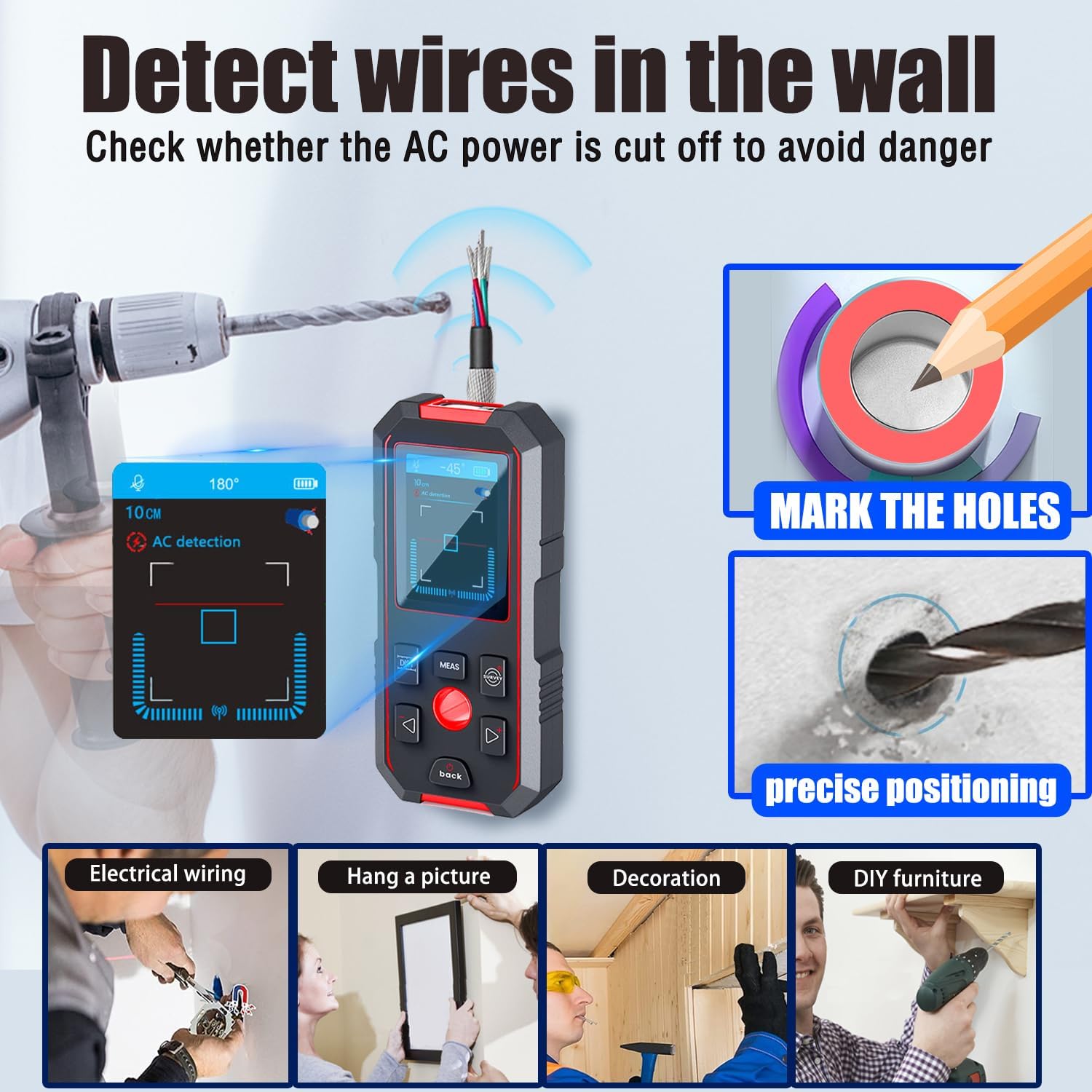
Figure 4: The device indicating the presence of AC wires, highlighting its utility for safe drilling and installation.
Laser Rangefinder Functions
The integrated laser rangefinder provides accurate measurements up to 60 meters (196 feet) with an accuracy of ±1.5 mm. It supports various measurement modes.
- 1. Single Distance Measurement:
Point the laser at the target and press the MEAS button. The distance will be displayed instantly. The measurement is taken from the bottom of the device to the laser point.
- 2. Area Measurement:
Select the area measurement mode. Measure the length and width separately. The device will automatically calculate and display the area.
- 3. Volume Measurement:
Select the volume measurement mode. Measure the length, width, and height sequentially. The device will automatically calculate and display the volume.
- 4. Pythagorean Measurement:
For indirect measurements, select the Pythagorean mode. Measure the hypotenuse and one side, and the device will calculate the unknown side.
- 5. Digital Level:
The device features a digital level with ±0.1° angle accuracy, providing real-time refresh. This function is useful for ensuring surfaces are perfectly horizontal or vertical.

Figure 5: The digital level display, showing real-time angle measurements for precise leveling.
Voice Annunciation
The NF-518S features real-time audio broadcast for measurement results and detection alerts, allowing users to receive feedback without constantly looking at the screen. This enhances convenience and efficiency, especially in low-light conditions or when focusing on the task at hand.
Demonstration Video
Video 1: A comprehensive demonstration of the NOYAFA NF-518S, showcasing its various detection modes (AC voltage, metal, wood) and laser measurement functions (straight-line distance, volume, area, digital level). This video provides a practical overview of the device's capabilities and user interface.
Maintenance
- Cleaning: Wipe the device with a soft, dry cloth. Do not use abrasive cleaners or solvents.
- Storage: Store the device in its original packaging or a protective case in a cool, dry environment, away from direct sunlight and extreme temperatures.
- Battery Care: For optimal battery life, charge the device regularly, even if not in frequent use. Avoid fully discharging the battery for extended periods.
Troubleshooting
| Problem | Possible Cause | Solution |
|---|---|---|
| Device does not power on. | Low battery or device is off. | Charge the device using the USB Type-C cable. Press and hold the Power button. |
| Inaccurate wall scanning results. | Improper calibration or surface conditions. | Ensure proper calibration on a clear wall section. Avoid scanning over wet paint or wallpaper. |
| Laser measurement is inconsistent. | Obstruction in laser path or reflective surface. | Ensure a clear path for the laser. Use a target plate on highly reflective surfaces. |
| No audio annunciation. | Audio feature might be disabled or volume too low. | Check device settings to ensure audio is enabled and volume is adequate. |
Specifications
| Feature | Detail |
|---|---|
| Model Number | NF-518S |
| Detection Modes | Stud Scan, Deep Scan, Metal Scan, AC Wire Detection |
| Max. Wood Detection Depth | 38mm (1.5 inches) |
| Max. AC Wire Detection Depth | 50mm (1.97 inches) |
| Max. Magnetic Metal Detection Depth | 120mm (4.72 inches) |
| Max. Non-Magnetic Metal Detection Depth | 100mm (3.94 inches) |
| Laser Measuring Range | 0.2m - 60m (0.65 ft - 196 ft) |
| Laser Measuring Accuracy | ±1.5 mm |
| Digital Level Accuracy | ±0.1° |
| Battery Type | Rechargeable Lithium Battery |
| Charging Port | USB Type-C |
| Water Resistance | IP65 |
| Product Dimensions | Approx. 3"L x 1"W x 6"H |
| Item Weight | Approx. 200 Grams (7.1 ounces) |
Warranty and Support
NOYAFA products are designed and manufactured to the highest quality standards. This product comes with a standard manufacturer's warranty against defects in materials and workmanship. For detailed warranty information, technical support, or service inquiries, please refer to the warranty card included with your purchase or visit the official NOYAFA website. You may also contact the seller directly for assistance.
For further assistance, please visit: NOYAFA Official Store on Amazon


