
ASURE Car Stereo Upgrade for Kia Rio YB/SC 2018-2023
ASURE Car Stereo Upgrade User Manual
Model: Car Stereo Upgrade for Kia Rio YB/SC 2018-2023
Brand: ASURE
1. Introduction
This manual provides detailed instructions for the installation, operation, and maintenance of your ASURE Car Stereo Upgrade for Kia Rio YB/SC 2018-2023. This advanced multimedia system features a 9-inch touchscreen, 4-core CPU, 2GB RAM, 64GB ROM, GPS navigation, wireless Apple CarPlay, and Android Auto, enhancing your driving experience with seamless connectivity and entertainment.
2. Product Features
- Changeable UI Car Stereo Radio: 9-inch capacitive touchscreen for Kia Rio YB/SC 2018-2023 low-end version cars. Supports Android Launchers like AGAMA Car Launcher for customizable user interfaces.
- Android Car Radio Upgrade: Customization Android system with 4-Core 1.2Ghz CPU, 2GB RAM, 64GB ROM. Features a 1280x800 HD Touchscreen fourth-gen IPS display for richer colors and clearer visuals.
- Wireless/Wired CarPlay & Android Auto: Connects wirelessly via Bluetooth or wired via the 6-pin USB cable. Provides convenient access to navigation, calls, messages, and music, ensuring focus while driving.
- Bluetooth & DSP & WiFi & Dual Navigation: Hands-free calling with built-in microphone (external optional). DSP surround sound processing for customized music playback. Supports WiFi/hotspot for app downloads and offline maps, ensuring precise navigation.
- Steering Wheel Control & Dual USB Cables: Plug and Play Wired Harness for easy installation. Supports original car steering wheel control button programming and customization. Dual USB cables support charging for two devices.


3. What's in the Box
Your ASURE Car Stereo Upgrade package includes the following components:
- 1x Car Stereo Radio (Screen)
- 1x Install Bezel
- 1x Wiring Harness Kit
- 1x Adapter of OEM USB
- 1x Radio Aerial Adaptor
- 1x Audio Video Ports Cable
- 1x Wifi/BT Antenna Reversing Camera Input Cable
- 1x Microphone
- 1x GPS Cable
- 2x USB Cables
- Screwdriver and User Manual

4. Setup and Installation
The ASURE Car Stereo is designed for Kia Rio YB/SC 2018-2023 low-end version cars. Please note that it does not work with OEM backup cameras, especially those with Fraka plugs. A plug-and-play wired harness is supplied for ease of installation. For some cars, steering wheel control (SWC) cables may require manual wiring. Contact customer support if SWC does not work after initial installation.

Important Note:
The white plug (WiFi/Bluetooth antenna) must be connected to the main device, otherwise, you will not get Bluetooth and WiFi signals.
5. Core Specifications
| Specification | Value |
|---|---|
| Item Weight | 3 pounds |
| Package Dimensions | 14 x 12 x 7 inches |
| Display Size | 9 Inches |
| Screen Resolution | 1280x800 HD (IPS Display) |
| CPU | 4-Core 1.2Ghz |
| RAM | 2GB |
| ROM | 64GB |
| Connectivity Technology | Bluetooth, WiFi |
| Map Type | Worldwide (Online/Offline) |
| Audio Output Mode | Stereo |
| Mounting Type | Dashboard Mount |

6. Operating Instructions
6.1 User Interface Customization
The ASURE Car Stereo allows for extensive user interface customization by supporting third-party launchers like AGAMA Car Launcher. You can download these apps from Google Play to personalize your experience.
6.2 Wireless/Wired CarPlay & Android Auto
Connect your iPhone to Apple CarPlay or your Android smartphone to Android Auto to securely access calls, SMS, navigation, music, and more. This can be done wirelessly via Bluetooth or through the provided 6-pin USB cable.

6.3 Bluetooth, DSP, WiFi, and Navigation
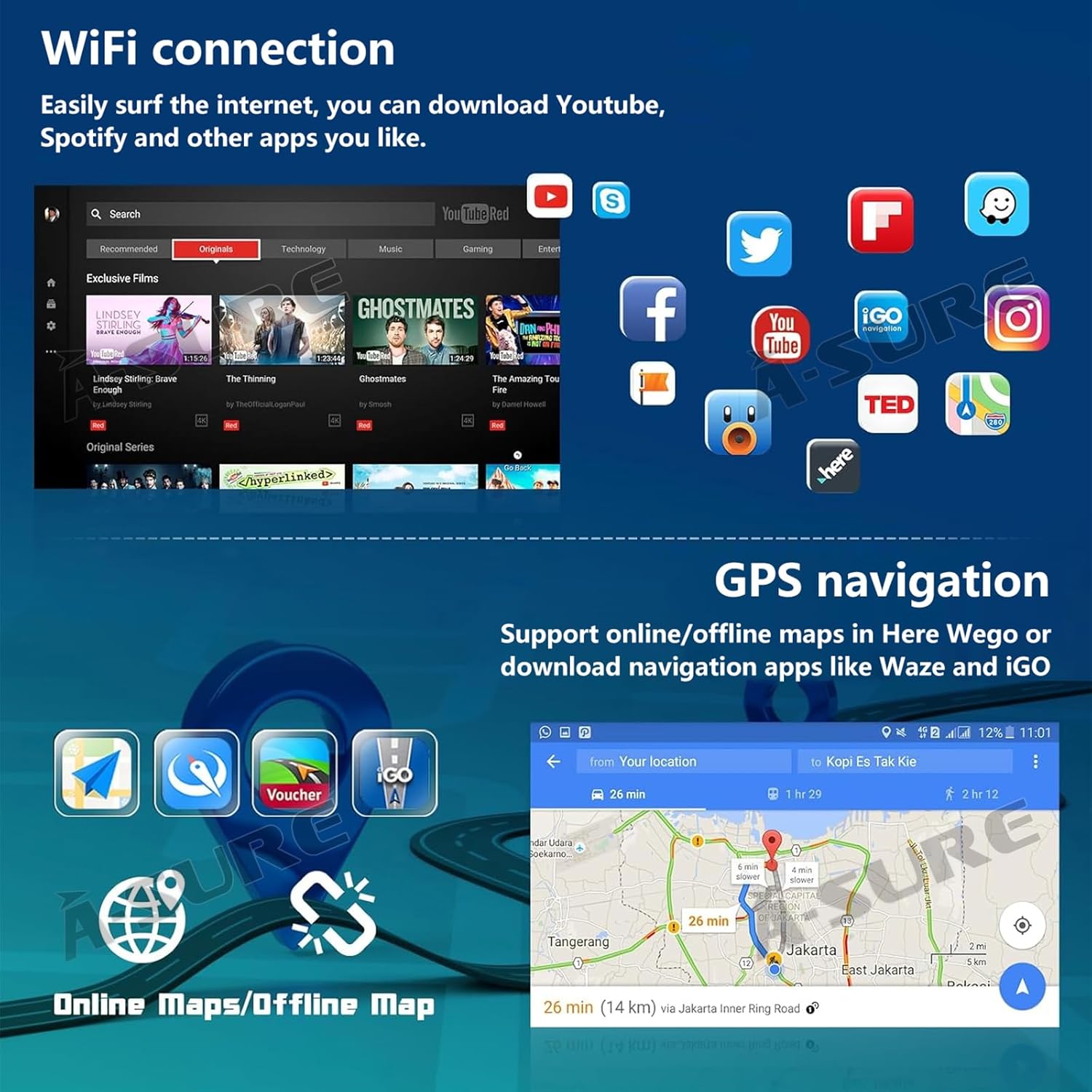
Utilize Bluetooth for hands-free calling and audio streaming. The built-in DSP (Digital Signal Processor) allows for customized sound profiles. Connect to WiFi or a mobile hotspot to download apps, stream content, and use online navigation. The system supports both internet location and GPS satellite positioning for accurate navigation.

6.4 System Settings and Customization
The car stereo offers various settings for optimal performance and user preference. This includes adjusting screen brightness, calibrating the touch screen, and configuring steering wheel controls.
7. Maintenance
To ensure the longevity and optimal performance of your ASURE Car Stereo, follow these general maintenance guidelines:
- Keep the touchscreen clean using a soft, lint-free cloth. Avoid abrasive cleaners.
- Ensure all cables are securely connected to prevent intermittent issues.
- Regularly check for software updates to improve performance and add new features.
- Avoid exposing the unit to extreme temperatures or direct sunlight for prolonged periods.
8. Troubleshooting
If you encounter any issues with your ASURE Car Stereo, refer to the following common troubleshooting tips:
- No Power: Check all power connections and fuses. Ensure the car's ignition is on.
- No Sound: Verify speaker connections, volume levels, and audio source selection. Check DSP settings.
- Steering Wheel Controls Not Working: Ensure the wired harness is correctly installed. If manual wiring is required, double-check connections. Refer to Video 6.4 for CAN-BUS setup.
- OEM Backup Camera Not Displaying: This unit is not compatible with some OEM backup cameras, especially those with Fraka plugs. An aftermarket camera may be required.
- Bluetooth/WiFi Issues: Ensure the white antenna plug is securely connected to the main unit. Check device pairing and network settings.
- Touchscreen Unresponsive/Inaccurate: Try recalibrating the touchscreen via the system settings (refer to Video 6.4).
For persistent issues, please contact ASURE customer support.
9. Warranty and Support
The ASURE Car Stereo Upgrade comes with a 1-year repair warranty from the date of purchase. For warranty claims, technical support, or any inquiries, please contact the seller directly through your purchase platform.
For additional resources and product information, you may visit the official ASURE Store: ASURE Store on Amazon.
Ask a question about this manual
Ask about setup, troubleshooting, compatibility, parts, safety, or missing instructions. Manuals+ will review the question and use this page’s manual context to help answer it.