
LEHMANN LGAPW
Lehmann Jukon High-Pressure Washer User Manual
Model: LGAPW
Brand: LEHMANN
Introduction
Welcome to the user manual for your new Lehmann Jukon High-Pressure Washer. This manual provides essential information for safe operation, maintenance, and troubleshooting to ensure optimal performance and longevity of your device. Please read it thoroughly before first use and keep it for future reference.
Safety Information
General Safety Rules
- Always wear appropriate personal protective equipment (PPE) such as safety glasses and hearing protection during operation.
- Do not direct the water jet at people, animals, electrical equipment, or the unit itself.
- Ensure all connections, including hoses and accessories, are securely fastened before operating the pressure washer.
- Never operate the pressure washer without a continuous and adequate water supply to prevent damage to the pump.
- Keep children and pets away from the operating area to prevent accidents.
- Disconnect the pressure washer from the power supply before performing any maintenance, cleaning, or when the unit is not in use.
- Use only original spare parts and accessories recommended by the manufacturer to ensure safety and performance.
Electrical Safety
- Ensure the power supply voltage and frequency match the specifications indicated on the product label.
- Do not use the appliance if the power cord, plug, or any other important parts are damaged. Contact qualified service personnel for repairs.
- Avoid using extension cords unless absolutely necessary. If an extension cord is used, ensure it is rated for outdoor use, is properly grounded, and has a sufficient current rating for the appliance's power requirements.
Package Contents
Your Lehmann Jukon High-Pressure Washer package includes the following items:
- Lehmann Jukon High-Pressure Washer Unit
- High-Pressure Gun
- Extendable Lance
- Lance with Turbo Nozzle
- Lance with Adjustable Nozzle
- Foam Accessory
- Patio Brush
- Edge Brush
- 5-meter High-Pressure Hose
- 5-meter Power Cable
- User Manual

Image: The Lehmann Jukon High-Pressure Washer shown with all its included accessories, such as the high-pressure gun, various lances, foam accessory, and brushes.
Product Overview
The Lehmann Jukon High-Pressure Washer is engineered for effective and efficient cleaning of various surfaces, from vehicles to patios. It features a robust design and a range of versatile accessories to tackle different cleaning tasks.
Key Components and Features
- Main Unit: Houses the powerful 1600W motor and durable aluminum pump.
- High-Pressure Gun: Ergonomically designed for comfortable and controlled operation.
- Hose Storage: Convenient storage for the 5-meter high-pressure hose.
- Power Cable: A 5-meter power cable provides ample reach.
- Integrated Wheels: For easy transport and maneuverability around your cleaning area.
- Water Inlet Filter: Protects the pump from debris and extends the life of the unit.
- Auto-Stop Function: Automatically shuts off the motor when the trigger is released, conserving water and energy while reducing noise.

Image: This diagram highlights the key features of the Lehmann Jukon pressure washer, including its robust housing, integrated wheels for easy transport, convenient carrying handle, and accessible filter for maintenance.
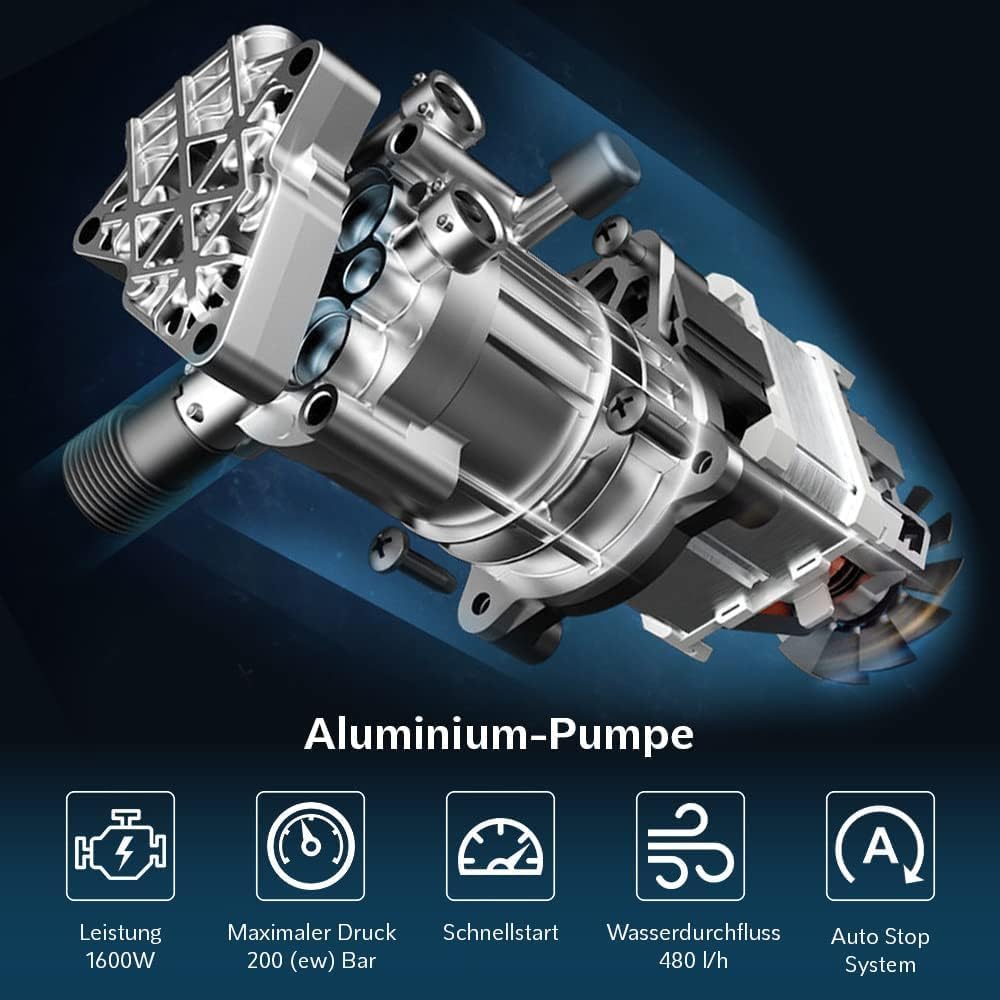
Image: An internal view showcasing the durable aluminum pump, which is central to the pressure washer's powerful 1600W motor, 200 bar maximum pressure, 480 l/h flow rate, quick start, and auto-stop system.
Setup
Assembly
- Attach the high-pressure hose to the designated outlet on the main unit and to the inlet on the high-pressure gun. Ensure all connections are hand-tight and secure.
- Connect the desired lance (e.g., adjustable nozzle lance, turbo nozzle lance) to the end of the high-pressure gun. Push and twist until it clicks into place.
- If using the foam accessory or patio brush, attach them as per their specific instructions, ensuring a secure fit.
Water Connection
The Lehmann Jukon supports multiple water sources, offering flexibility for various cleaning environments:
- Direct Faucet Connection: Connect a standard garden hose (not included) to the water inlet on the pressure washer and to a standard outdoor water faucet. Turn on the water supply fully.
- Suction Function (from bucket): For areas without a direct faucet, connect a suction hose (not included) to the water inlet and submerge the other end in a clean water source, such as a bucket or rain barrel. To prime the pump, hold the trigger open on the high-pressure gun until water flows steadily without air bubbles.

Image: This illustration demonstrates the flexibility of the Lehmann Jukon pressure washer, showing how it can draw water from a standard faucet or directly from a water bucket using its suction function, eliminating the need for a fixed water connection.

Image: A close-up view of a hand connecting the water hose to the inlet of the pressure washer, highlighting the secure connection point.
Power Connection
Plug the 5-meter power cable into a suitable grounded electrical outlet. Ensure the outlet is protected by a Residual Current Device (RCD) for added safety.
Operating Instructions
Starting the Unit
- Ensure the water supply is fully connected and turned on.
- Hold the high-pressure gun firmly and point it away from yourself, other people, and delicate objects.
- Press the trigger on the high-pressure gun to release any trapped air and allow water to flow steadily through the system.
- Turn on the power switch located on the main unit. The motor will start, and the pressure washer will be ready for use.
Using Accessories
The pressure washer comes with various accessories, each designed for specific cleaning needs:
- Adjustable Nozzle Lance: This versatile lance allows you to easily change the spray pattern from a concentrated, powerful jet to a wide, gentle fan spray by simply twisting the nozzle. It is ideal for general cleaning tasks.
- Turbo Nozzle Lance: Provides a powerful, rotating jet that is highly effective for removing stubborn dirt, grime, and moss from hard surfaces like concrete and stone.
- Foam Accessory: Fill this attachment with an appropriate cleaning detergent to apply a thick, even layer of foam. This is particularly useful for vehicle washing or deep cleaning tasks where detergent dwell time is beneficial.
- Patio Brush: Specifically designed for efficient and splash-free cleaning of large flat surfaces such as patios, driveways, and paths. Its rotating nozzles ensure uniform cleaning results.
- Edge Brush: Ideal for effectively cleaning edges and corners that are difficult to reach with standard nozzles.

Image: An image illustrating the effective cleaning range of the pressure washer, capable of reaching distances of 5-7 meters, suitable for cleaning vehicles and larger outdoor areas.
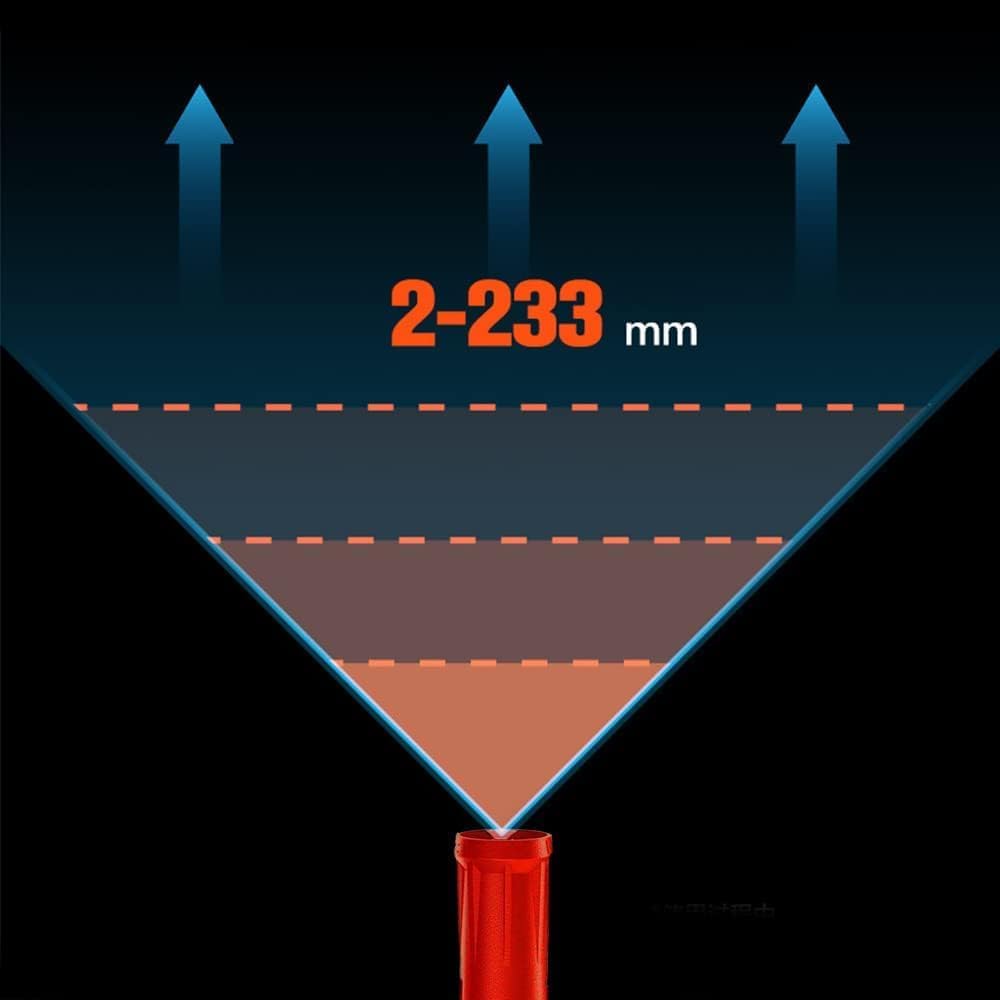
Image: A visual representation of the adjustable spray pattern, showing the ability to vary the spray width from a narrow 2mm jet to a wider 233mm fan, providing versatility for different cleaning tasks.
Video: This video demonstrates the Lehmann Jukon High-Pressure Washer in action, showcasing its ease of setup, various accessories, and effective cleaning capabilities on different surfaces, including vehicles and outdoor areas.
Auto-Stop Function
The integrated auto-stop function automatically turns off the motor when the trigger on the high-pressure gun is released. The motor will restart instantly when the trigger is pressed again. This feature conserves energy, reduces operational noise, and significantly extends the lifespan of the pump.
Maintenance
After Each Use
- Turn off the power switch on the unit and unplug it from the electrical outlet.
- Turn off the water supply and disconnect the garden hose from the pressure washer.
- Press the trigger on the high-pressure gun to release any remaining pressure in the system.
- Drain all water from the pump and hoses to prevent freezing in cold weather, which can cause severe damage.
- Clean the exterior of the unit with a damp cloth. Avoid using harsh chemicals or abrasive cleaners.
- Regularly clean the water inlet filter to prevent blockages and ensure optimal water flow to the pump.
Storage
Store the pressure washer in a dry, frost-free location, away from direct sunlight and extreme temperatures. Ensure all hoses, lances, and accessories are neatly stored on the unit's integrated holders or in a designated storage area. The compact design with integrated wheels and handle makes storage convenient.
Troubleshooting
| Problem | Possible Cause | Solution |
|---|---|---|
| Unit does not start | No power supply; Power switch off; Thermal overload activated | Check power connection and outlet; Turn on power switch; Allow unit to cool down for 30 minutes |
| Low pressure | Insufficient water supply; Clogged nozzle; Air in pump | Check water connection and faucet; Clean or replace nozzle; Bleed air from pump by running with trigger open |
| Pulsating pressure | Air in pump; Clogged water inlet filter; Restricted water flow | Bleed air from pump; Clean water inlet filter; Ensure garden hose is not kinked or too long |
| Water leakage | Loose connections; Damaged O-rings or seals | Tighten all connections; Inspect and replace damaged O-rings or seals |
Technical Specifications
| Feature | Specification |
|---|---|
| Model | LGAPW |
| Power | 1600 W |
| Max Pressure | 200 Bar |
| Max Flow Rate | 480 l/h (8 Liters per minute) |
| Power Source | Electric Cable |
| Hose Length | 5 Meters |
| Product Dimensions (L x W x H) | 36.6 x 24.2 x 68.5 cm |
| Product Weight | 4.5 kg |
| Color | Black/Red |
Warranty and Support
For detailed warranty information and technical support, please refer to the warranty card included in your product packaging. You may also visit the official LEHMANN website for further assistance and contact information.
Manufacturer: Lehmann
Seller: KT-24
Ask a question about this manual
Ask about setup, troubleshooting, compatibility, parts, safety, or missing instructions. Manuals+ will review the question and use this page’s manual context to help answer it.