
VersLife S6
VersLife S6 Cordless Vacuum Cleaner User Manual
Model: S6
Brand: VersLife
Introduction
Thank you for choosing the VersLife S6 Cordless Vacuum Cleaner. This manual provides essential information for the safe and efficient operation, maintenance, and troubleshooting of your new vacuum cleaner. Please read this manual thoroughly before first use and keep it for future reference.
Product Overview and Components
The VersLife S6 is a versatile 6-in-1 cordless stick vacuum designed for efficient cleaning of various surfaces, including hard floors, carpets, and pet hair. It features strong suction power, an extended runtime, and a multi-layer filtration system.

Image: All components of the VersLife S6 Cordless Vacuum Cleaner, including the main body, extension tubes, various brushes, and filters.
Included Components:
- Main Body (Handheld Unit)
- 2 Extension Tubes
- Floor Brush
- Fabric Brush
- 2-in-1 Brush
- HEPA Filters (2 included)
- User Manual
Setup and Assembly
Follow these steps to assemble your VersLife S6 Cordless Vacuum Cleaner:
- Attach the Extension Tube: Insert one or both extension tubes into the main body until it clicks securely. The vacuum can be used with one tube for shorter reach or two for extended reach.
- Attach the Floor Brush: Connect the floor brush to the end of the extension tube (or directly to the main body for handheld use) until it clicks into place.
- Install Filters: Ensure the HEPA filters are correctly installed in the dust cup assembly. Refer to the Maintenance section for filter placement details.
- Charge the Battery: Before first use, fully charge the detachable battery. Connect the charger to the battery pack and plug it into a power outlet. The indicator lights will show charging status.

Image: The VersLife S6 can be configured with one 43cm extension tube, two 86cm extension tubes, or used as a compact handheld vacuum for versatile cleaning.
Operating Instructions
Power and Suction Modes
To operate the vacuum cleaner:
- Power On/Off: Press the power button on the handle to turn the vacuum on or off.
- Adjust Suction: The vacuum typically has multiple suction modes. Press the mode button (if available) to cycle through different suction strengths (e.g., standard, max). The indicator lights on the main body will show the current mode.
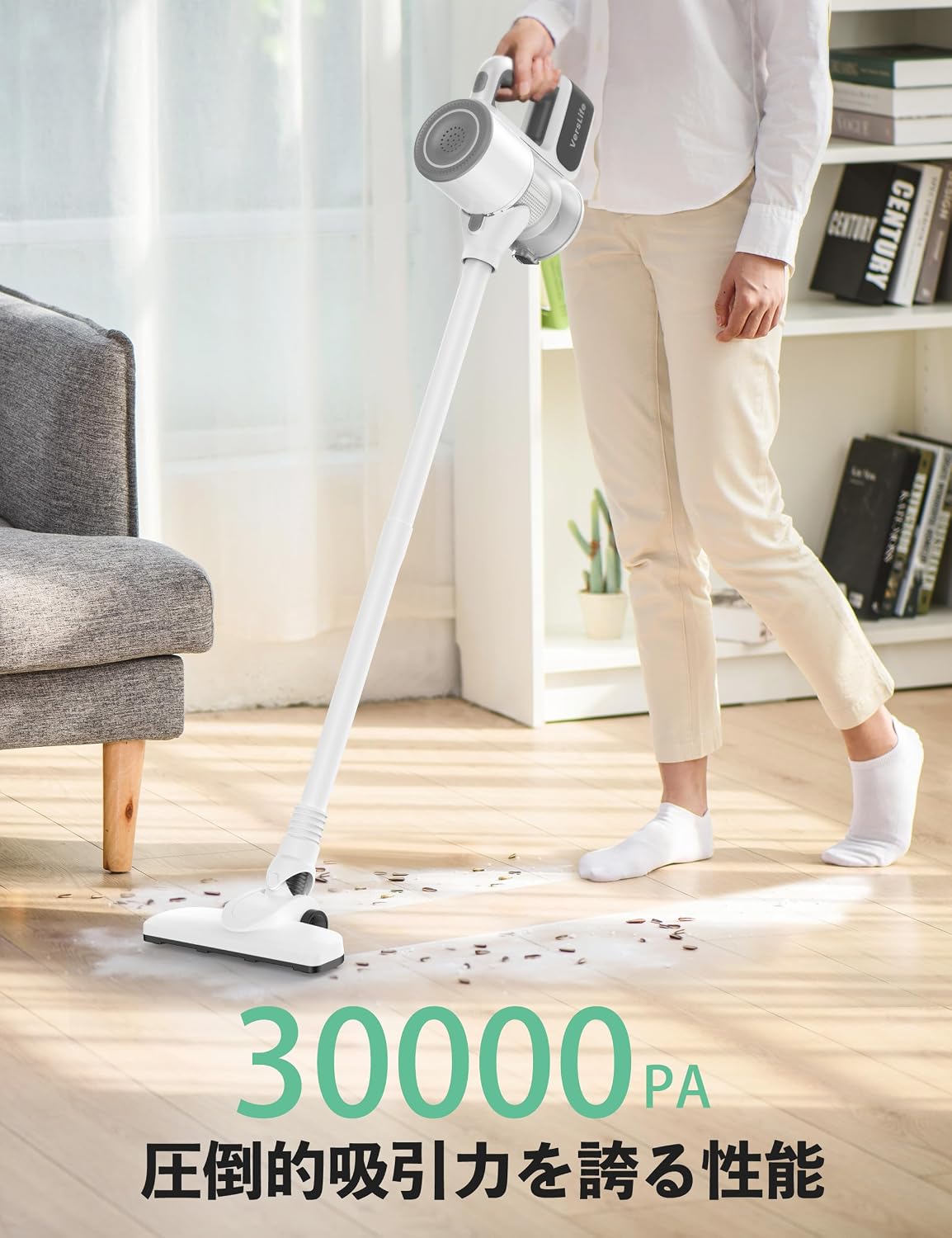
Image: The VersLife S6 in use, demonstrating its maneuverability and effectiveness on hard floor surfaces.
Using Attachments
The VersLife S6 comes with several attachments for various cleaning tasks:
- Floor Brush: Ideal for general cleaning on hard floors and low-pile carpets.
- Fabric Brush: Designed for cleaning upholstery, beds, and other fabric surfaces.
- 2-in-1 Brush: A versatile tool for crevices, keyboards, desktops, and other tight spaces.

Image: Close-up of the multi-purpose brush attachments, including the floor brush for hard floors and carpets, the fabric brush for beds and sofas, and the 2-in-1 brush for keyboards and desktops.
Maintenance and Care
Regular maintenance ensures optimal performance and extends the lifespan of your vacuum cleaner.
Dust Cup Emptying
Empty the 900ml dust cup regularly, especially when the debris reaches the MAX fill line.
- Detach Dust Cup: Press the release button to detach the dust cup from the main body.
- Empty Contents: Hold the dust cup over a trash bin and press the bottom release button to open the flap and empty the collected debris.
- Reattach: Close the flap and reattach the dust cup to the main body until it clicks.

Image: Demonstrating the easy emptying process of the 900ml large capacity dust cup, allowing for hygienic disposal of collected dirt.
Filter Cleaning
The vacuum features an enhanced multiple filtration system with washable HEPA filters. Clean filters regularly to maintain suction power.
- Remove Filters: Twist and pull to remove the metal mesh filter and HEPA filter from the dust cup.
- Wash Filters: Rinse the filters under cold running water until clean. Do not use detergents.
- Dry Filters: Allow filters to air dry completely for at least 24 hours before reassembling. Do not use a dryer or direct heat.
- Reassemble: Once completely dry, reinsert the filters into the dust cup and reattach the dust cup to the main body.

Image: Detailed view of the superior filtration system, including the cyclone filtration for quick dust removal, metal mesh filtration for larger particles, and HEPA filtration for the finest particles.
Battery Care
The vacuum is equipped with 6*2000mAh detachable batteries.
- Charging: Charge the battery fully before first use and whenever the battery indicator shows low power.
- Storage: If storing the vacuum for an extended period, ensure the battery is partially charged (around 50%) and store it in a cool, dry place.
- Replacement: If battery performance significantly degrades, contact customer support for replacement options.

Image: Close-up of the durable 2000mAh battery pack, highlighting its internal structure and detachable design for convenient charging and extended runtime.
Troubleshooting
Refer to the table below for common issues and their solutions.
| Problem | Possible Cause | Solution |
|---|---|---|
| Vacuum does not turn on | Battery is not charged or not properly installed. | Ensure battery is fully charged and securely inserted. |
| Low suction power | Dust cup is full, filters are clogged, or an attachment is blocked. | Empty dust cup, clean filters, and check for blockages in the nozzle or tubes. |
| Short runtime | Battery not fully charged or battery degradation. | Fully charge the battery. If issue persists, consider battery replacement. |
| Unusual noise | Blockage in the air path or damaged component. | Check for and remove any blockages. If noise persists, contact customer support. |
Technical Specifications
| Feature | Specification |
|---|---|
| Brand | VersLife |
| Model Name | S6 |
| Special Feature | Cordless |
| Filter Type | Foam, HEPA |
| Is Cordless? | Yes |
| Capacity | 900ml (0.6 Pounds) |
| Runtime | Up to 40 minutes |
| Form Factor | Handheld |
| Color | White |
| Product Dimensions | 16"L x 7.5"W x 11.6"H |
| Item Weight | 5.02 pounds |
| Batteries | 1 Lithium Ion batteries required (included) |
| Control Method | Touch, Push Button |
| Indoor/Outdoor Usage | Indoor |
Warranty and Customer Support
VersLife products are designed for reliability and performance. For information regarding warranty coverage, technical assistance, or replacement parts, please refer to the warranty card included with your product or visit the official VersLife website. You may also contact customer support through the retailer where the product was purchased.
Please retain your proof of purchase for warranty claims.
Related documentsS6


Ask a question about this manual
Ask about setup, troubleshooting, compatibility, parts, safety, or missing instructions. Manuals+ will review the question and use this page’s manual context to help answer it.