
Tennoz IE2325RWF
User Manual: 5MP 4-in-1 Security Dome Camera
Brand: Tennoz | Model: IE2325RWF
1. Introduction and Overview
This manual provides comprehensive instructions for the installation, operation, and maintenance of your Tennoz 5MP 4-in-1 Security Dome Camera. This camera is designed for both indoor and outdoor surveillance, offering high-definition video quality and versatile compatibility with various DVR systems.
The camera features a 5.0MP HD resolution and supports four video output modes: TVI, CVI, AHD, and CVBS (Analog). It is compatible with 960H, 1080P, 5MP, 8MP, and 4K HD-TVI, AHD, CVI, and CVBS/960H analog DVRs. Its robust aluminum metal housing and IP66 waterproof rating ensure durability in diverse environmental conditions.
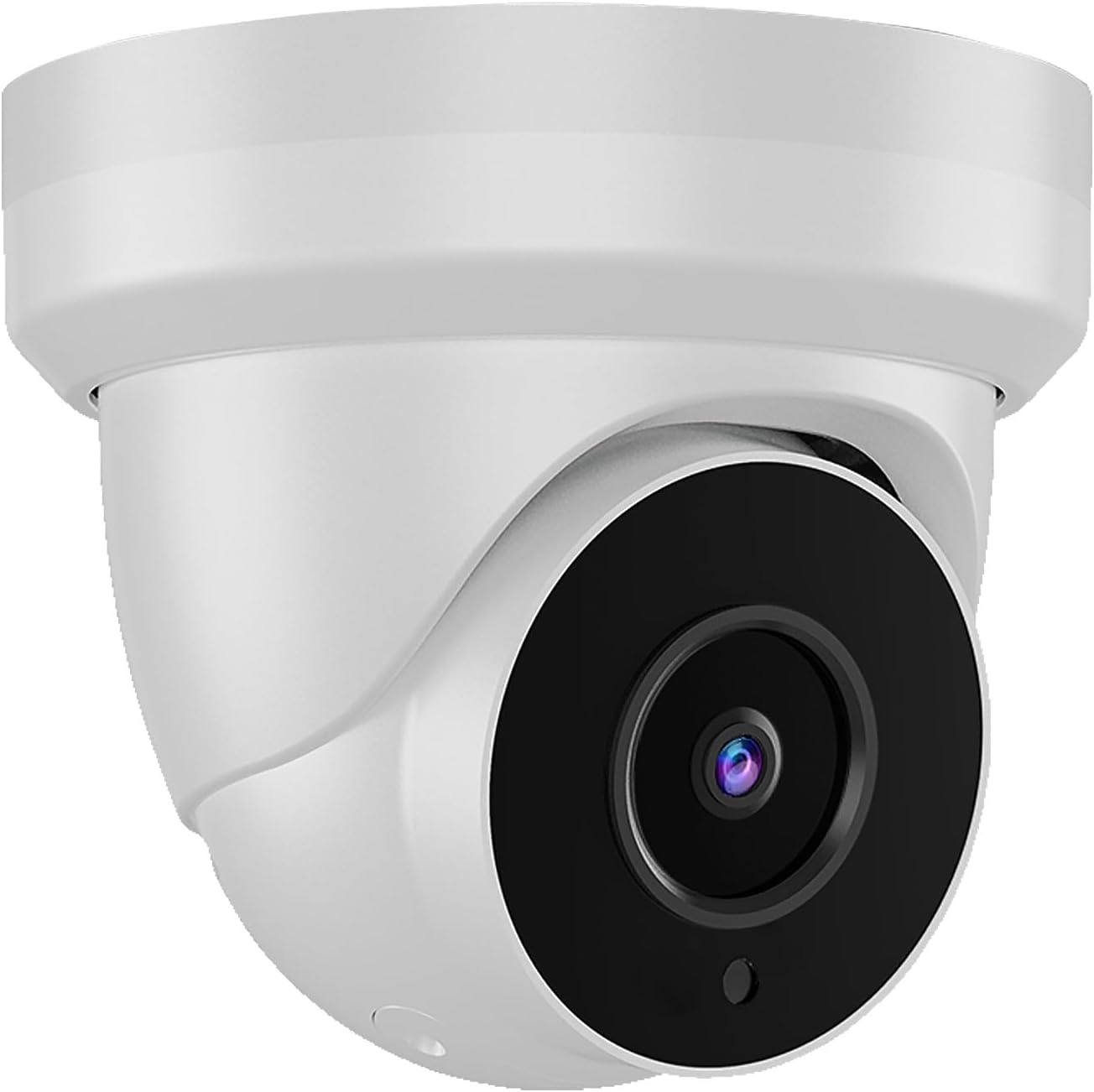
Figure 1: Tennoz 5MP Security Dome Camera
2. Product Features
- 5.0MP HD Resolution: Provides clear and detailed 5-megapixel video footage.
- 4-in-1 Video Output: Supports TVI, CVI, AHD, and CVBS (Analog) video formats for broad compatibility with various DVR systems.
- Wide Angle Lens: Equipped with a 2.8mm lens offering a 105° wide viewing angle to cover larger areas.
- Advanced Night Vision: Features 18 powerful infrared LED lights for up to 98 feet (30 meters) of clear night vision, enhanced by high-quality ICR.
- IP66 Waterproof Rating: Designed with an aluminum metal shell, ensuring protection against dust and strong jets of water, suitable for outdoor use.
- Durable Construction: Aluminum metal housing provides robust protection against harsh weather conditions.
- OSD Joystick Control: Allows for easy switching between video output modes and accessing camera settings.
3. Package Contents
Please verify that all items are present and in good condition upon opening the package:
- 1 x Tennoz 5MP Security Dome Camera
- Mounting Screws and Wall Plugs
- User Manual (this document)
4. Setup Guide
4.1 Physical Installation
The Tennoz 5MP Security Dome Camera is designed for easy installation on walls or ceilings. Ensure the mounting surface is sturdy enough to support the camera's weight.
- Choose a Location: Select a strategic location that provides the desired viewing angle and is within reach of power and video cables. The camera is suitable for various environments including homes, stores, offices, and factories.
- Mounting: Use the provided screws and wall plugs to securely mount the camera. The camera dimensions are approximately 4.21 x 4.21 x 4.33 inches.
- Adjusting Angle: The camera offers 360° pan rotation, 90° tilt rotation, and 360° horizontal rotation for flexible positioning. Adjust the camera lens to cover the desired area.
- Connect Cables: Connect the power cable and the video output cable to your DVR system.

Figure 2: Examples of camera placement in various indoor and outdoor settings.

Figure 3: Detailed dimensions of the security camera.

Figure 4: Illustrates the pan, tilt, and horizontal rotation capabilities of the camera.
4.2 Video Output Mode Switching (OSD Joystick)
The camera's default video mode is 5MP TVI. To ensure compatibility with your DVR, you may need to switch the video output mode using the OSD (On-Screen Display) joystick located on the camera's cable.
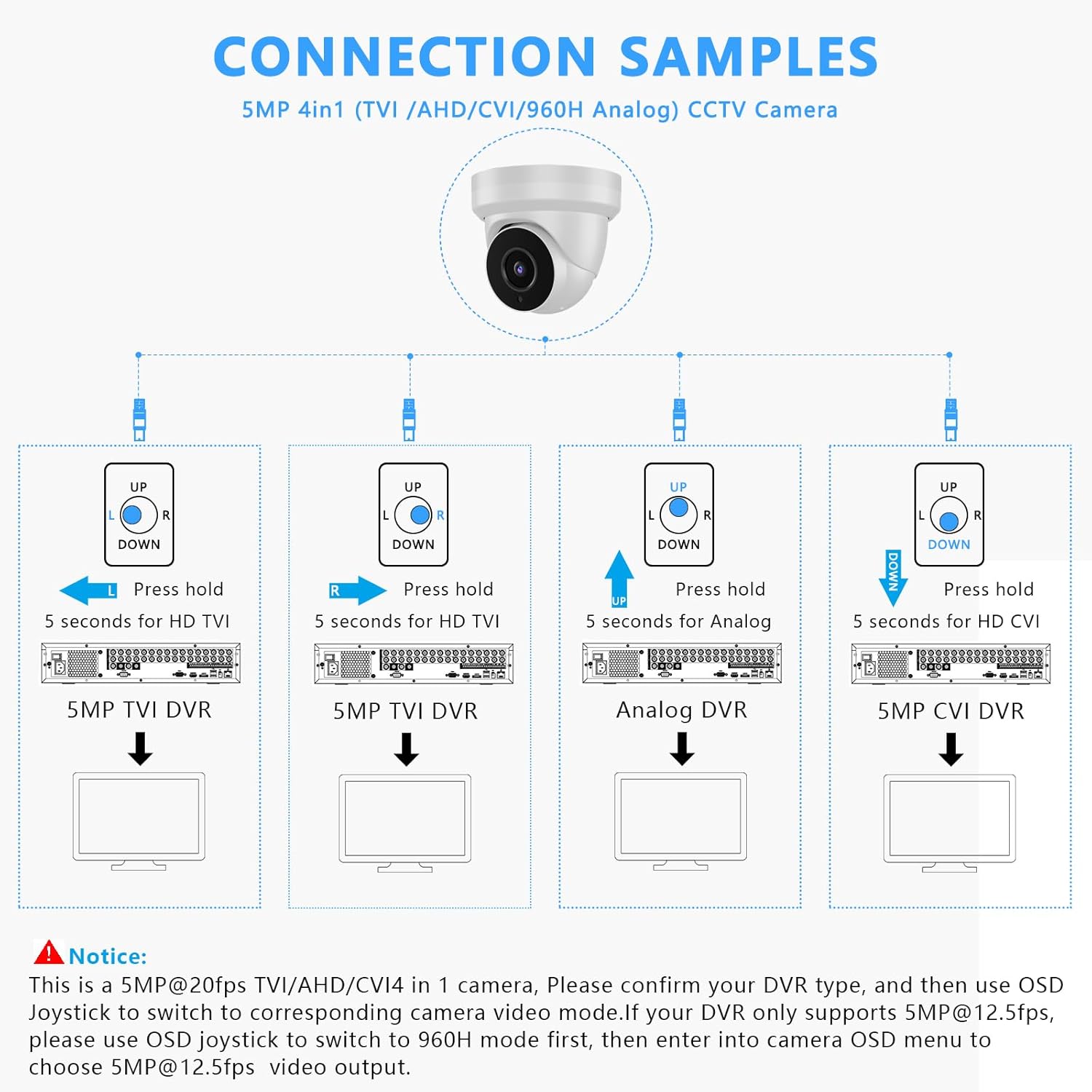
Figure 5: Diagram showing how to use the OSD joystick to switch video output modes.
- Identify your DVR type: Before switching, confirm whether your DVR supports TVI, CVI, AHD, or CVBS (Analog).
- Access OSD Joystick: Locate the small joystick on the camera's cable.
- Switching Modes:
- Press and hold the joystick LEFT for 5 seconds to switch to HD TVI mode.
- Press and hold the joystick RIGHT for 5 seconds to switch to HD CVI mode.
- Press and hold the joystick UP for 5 seconds to switch to Analog (CVBS) mode.
- Press and hold the joystick DOWN for 5 seconds to switch to HD AHD mode.
- Important Note for 5MP DVRs: If your DVR only supports 5MP@12.5fps, you must first use the OSD joystick to switch the camera to 960H mode. Then, enter the camera's OSD menu (via your DVR interface) to select 5MP video output.

Figure 6: Visual guide for connecting and switching video modes.
5. Operating Instructions
5.1 Day and Night Vision
The camera automatically switches between day (color) and night (black and white infrared) vision modes based on ambient light conditions. The 18 powerful IR LEDs provide clear visibility up to 98 feet in complete darkness.
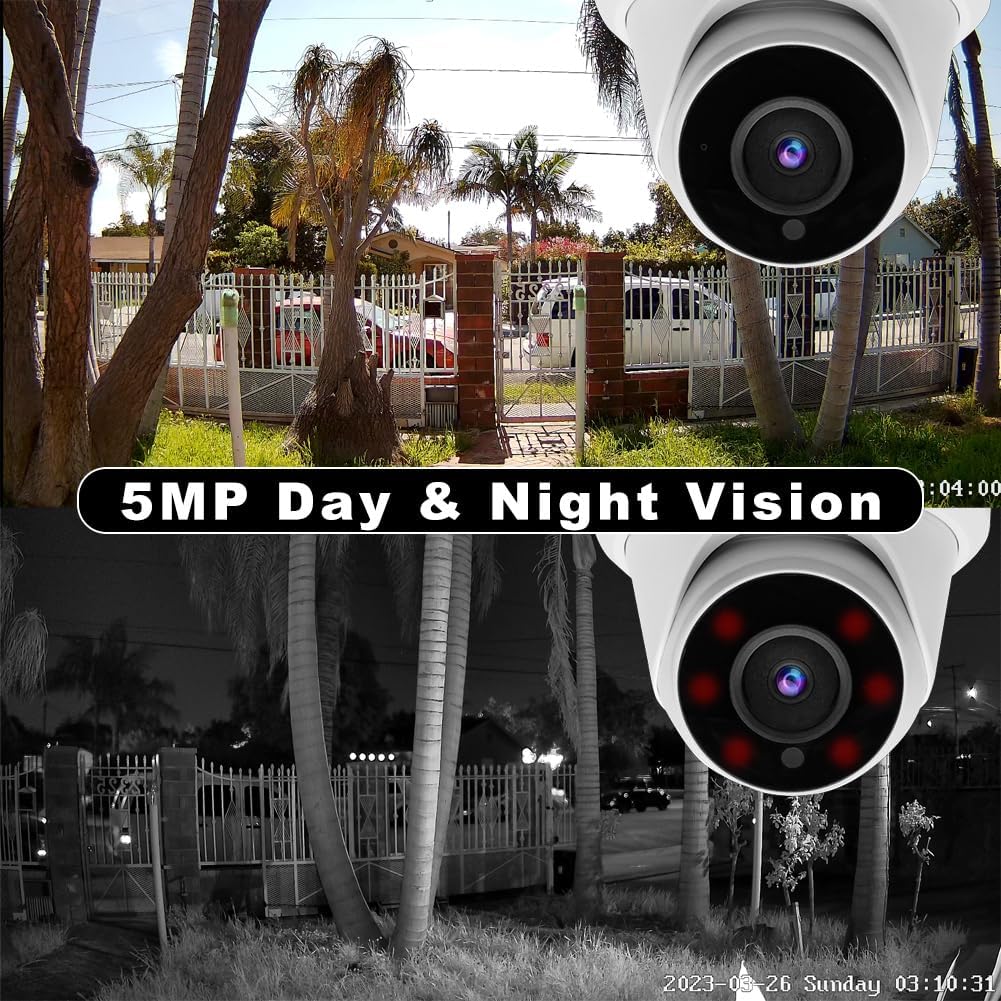
Figure 7: Comparison of day and night vision quality.
5.2 DVR Integration
Once the camera is connected and the correct video output mode is selected, it will integrate with your compatible DVR system. Refer to your DVR's manual for instructions on recording, playback, and remote viewing.
6. Maintenance
- Cleaning: Periodically clean the camera lens with a soft, dry cloth to ensure clear image quality. Avoid using harsh chemicals or abrasive materials.
- Cable Inspection: Regularly check all cables and connections for any signs of wear, damage, or corrosion, especially for outdoor installations.
- Firmware Updates: Check the Tennoz website or contact support for any available firmware updates for your camera or compatible DVR.
7. Troubleshooting
- No Video Signal / Black Screen:
- Ensure the camera is properly powered.
- Verify the video cable connection to the DVR.
- Crucially, check the video output mode. If your DVR does not support the camera's current mode (default 5MP TVI), use the OSD joystick to switch to the correct mode (TVI, CVI, AHD, or CVBS) that your DVR supports. Refer to Section 4.2.
- If your 5MP DVR only supports 5MP@12.5fps, remember to switch to 960H first via the joystick, then select 5MP from the camera's OSD menu.
- Poor Image Quality:
- Clean the camera lens.
- Ensure sufficient lighting for optimal day vision.
- Check for obstructions in the camera's field of view.
- Night Vision Not Working:
- Ensure the area is dark enough for IR LEDs to activate.
- Check for any physical obstructions blocking the IR lights.
8. Specifications
| Feature | Detail |
|---|---|
| Model Number | IE2325RWF |
| Effective Still Resolution | 5 MP |
| Video Capture Resolution | 1920p |
| Connectivity Protocol | TVI/CVI/AHD/CVBS |
| Indoor/Outdoor Usage | Outdoor |
| International Protection Rating | IP66 |
| Night Vision Range | 98 Feet (30 meters) |
| Lens | 2.8mm Fixed Lens |
| Viewing Angle | 105° Wide Angle |
| Power Source | Corded Electric |
| Form Factor | Dome |
| Mounting Type | Wall Mount |
| Product Dimensions (L x W x H) | 4.21 x 4.21 x 4.33 inches |
| Item Weight | 13.4 ounces |
| Housing Material | Aluminum Metal |
9. Warranty and Support
Tennoz provides a 1-year warranty for this 5MP CCTV analog camera from the date of purchase. This warranty covers manufacturing defects and malfunctions under normal use.
If you encounter any issues with your Tennoz security camera or have questions regarding its operation, installation, or troubleshooting, please do not hesitate to contact our customer support team. You can typically find contact information on the Tennoz official website or through your purchase platform.
When contacting support, please have your product model number (IE2325RWF) and purchase details ready to assist us in providing prompt service.
Ask a question about this manual
Ask about setup, troubleshooting, compatibility, parts, safety, or missing instructions. Manuals+ will review the question and use this page’s manual context to help answer it.