
Introduction
This manual provides detailed instructions for the installation, operation, and maintenance of your litillbuly Android 13 Car Radio. Designed for Ford Escape models from 2013 to 2016, this unit features a 9-inch touch screen, Android 13 operating system, Wireless CarPlay, Android Auto, GPS navigation, FM/AM radio, WiFi, and support for a reverse camera and steering wheel controls. Please read this manual thoroughly before use to ensure proper functionality and safety.
Package Contents
Verify that all items listed below are included in your package:
- 9-inch Display Unit
- Power Cable
- Original USB Adapter
- CANBUS Box
- Crowbar
- Screwdriver
- Radio Antenna
- Reversing Line
- Microphone
- GPS Antenna
- Reversing Radar
- RCA Cable
- USB Cable (x2)
Installation Guide
Professional installation is recommended. Ensure the vehicle's power is disconnected before beginning installation. This unit is specifically designed for Ford Escape models from 2013-2016. Please confirm your vehicle's compatibility before proceeding.
Compatibility Check
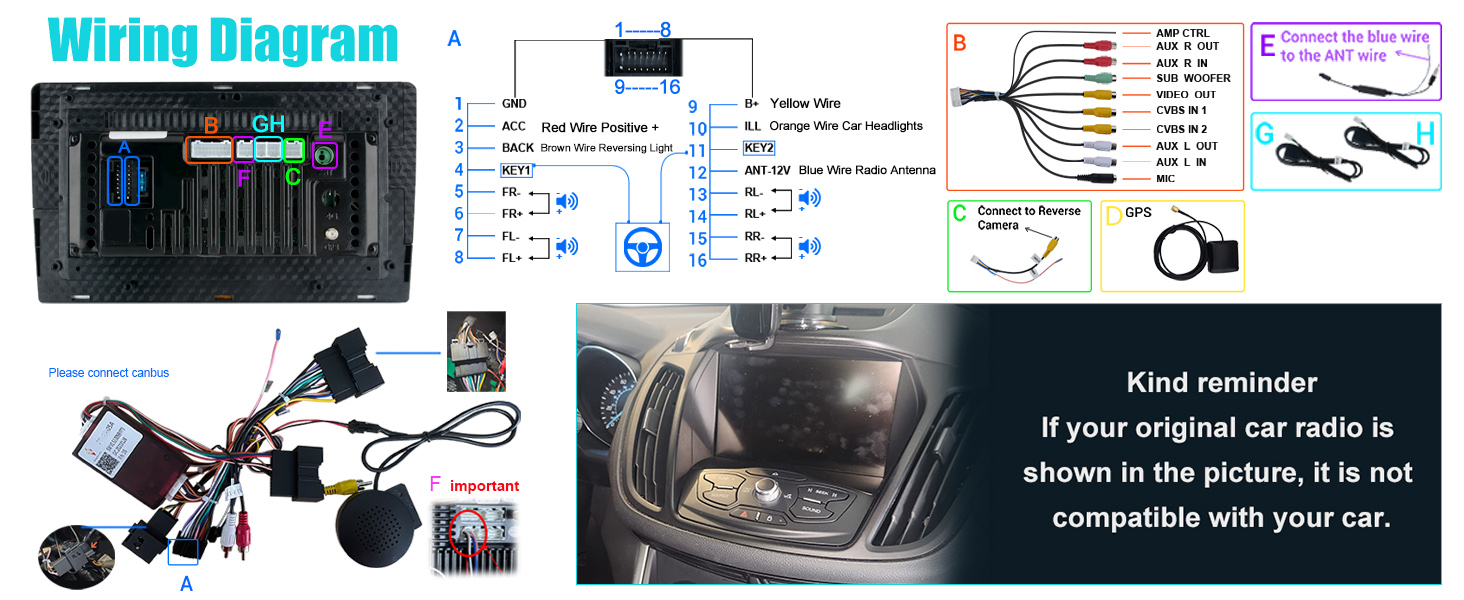
If your original car radio matches the image below, this unit is not compatible with your vehicle. Please verify your vehicle's original radio system.
Installation Overview
The unit comes with all necessary cables and a frame for direct fitment. The CAN-BUS system is included for seamless integration with your vehicle's electronics. Refer to the wiring diagram for specific connections.

Wiring Diagram
Follow the detailed wiring diagram for correct connections of power, audio, video, and peripheral devices like the reverse camera and GPS antenna.

Operating Instructions
Power On/Off
The unit powers on automatically with the vehicle's ignition. To manually power off or restart, press and hold the power button on the side panel.
Touch Screen Operation
The 9-inch IPS capacitive touchscreen offers a 1280x720 HD resolution for vibrant colors and sensitive touch response. Navigate through menus and functions by tapping, swiping, and pinching.

Wireless CarPlay & Android Auto
Connect your iPhone or Android phone wirelessly via Bluetooth to access CarPlay or Android Auto. This allows for navigation, calls, messages, and music playback through the car radio's interface. Use smart voice assistants for hands-free control.


This video demonstrates the process of connecting your smartphone to the litillbuly car radio for Wireless CarPlay functionality, including Bluetooth pairing and app launch.
GPS Navigation
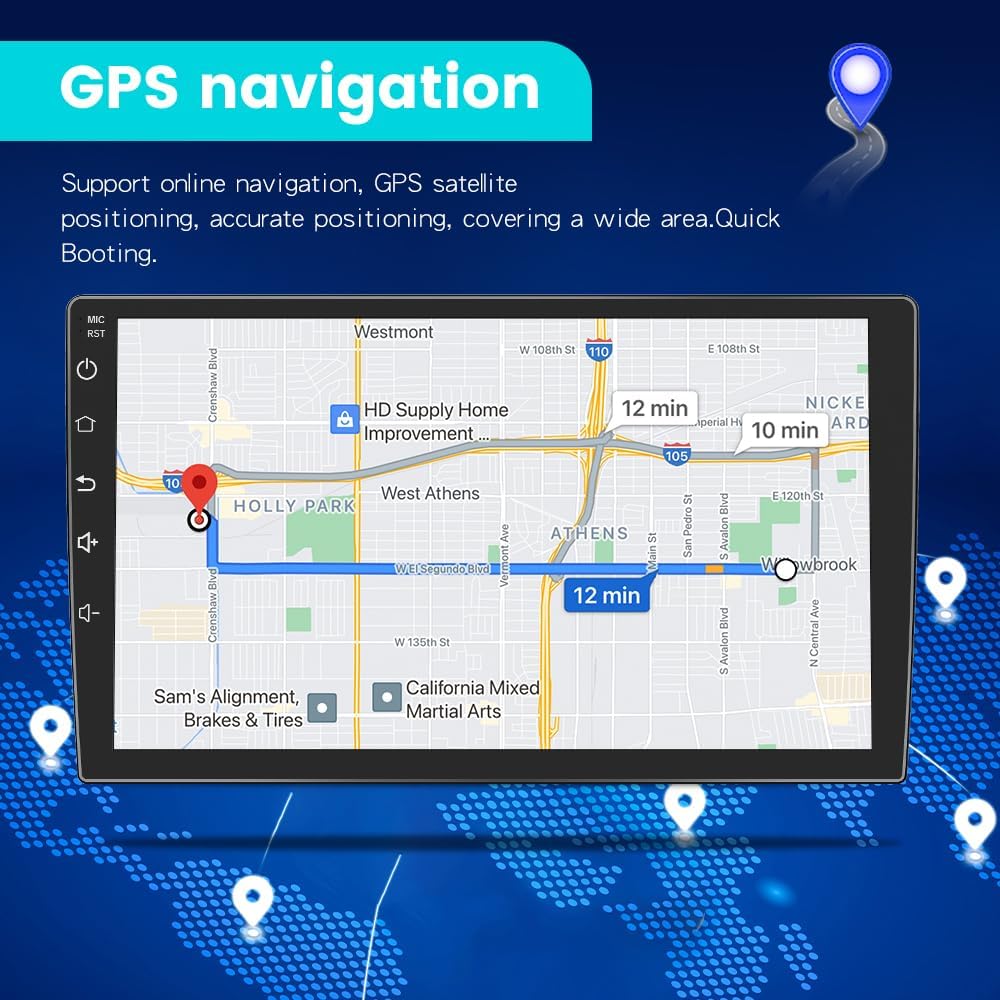
The unit includes built-in GPS with offline North America Google maps, functioning without an internet connection. Dual-band 2.4G/5G WiFi provides faster, more stable connections for real-time online maps and other services.

Bluetooth Hands-Free & Audio
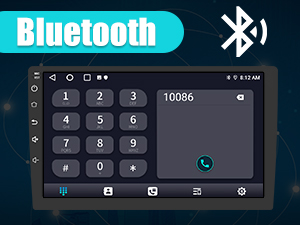
Utilize the Bluetooth hands-free function for safe calling with both Android and iOS phones. The built-in microphone ensures clear communication. You can also stream music wirelessly from your device.
FM/AM Radio
The high-quality digital stereo (RDS) FM/AM tuner allows for automatic or semi-automatic station searching. Adjust volume and sound settings with various EQ presets like jazz, rock, pop, and classic.
WiFi Connectivity
Connect to 2.4G/5G WiFi networks for internet access, enabling app downloads (e.g., YouTube, Gmail), online music/video streaming, and real-time map updates.
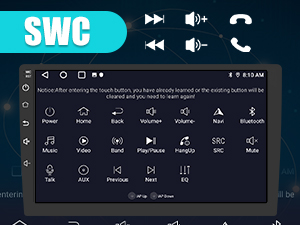
Steering Wheel Controls (SWC)
The unit supports steering wheel controls, allowing you to safely manage calls, adjust volume, and change songs without taking your hands off the wheel.
Split-Screen Function
The split-screen mode allows you to run two applications simultaneously, such as navigation and music, enhancing efficiency and entertainment during your drives.

This video tutorial shows how to activate and use the split-screen feature on the litillbuly Android 13 Car Radio, allowing two applications to run simultaneously.
UI Customization
Personalize your car radio experience by changing the user interface (UI) themes and customizing the homepage layout. The unit supports multiple UI designs and custom wallpapers.


Learn how to change the user interface (UI) theme and customize the homepage layout on your litillbuly Android 13 Car Radio with this instructional video.
Reversing Assistance
Connect a rear reversing camera (included) to the unit for visual assistance when backing up. The display automatically switches to the camera feed when the vehicle is in reverse.

Mirror Link
The Mirror Link function allows you to mirror your Android or iOS smartphone screen onto the car radio display, providing access to your phone's content directly on the larger screen.
Maintenance
To ensure the longevity and optimal performance of your car radio, follow these maintenance guidelines:
- Cleaning: Use a soft, dry cloth to clean the screen and exterior. Avoid abrasive cleaners or solvents.
- Software Updates: Periodically check for and install software updates to improve performance and add new features.
- Temperature: Avoid exposing the unit to extreme temperatures.
- Power: Ensure the vehicle's electrical system is stable to prevent damage to the unit.
Troubleshooting
If you encounter issues with your litillbuly Android 13 Car Radio, refer to the following common problems and solutions:
- Unit does not power on: Check all power connections and ensure the vehicle's ignition is on. Verify the CAN-BUS connection.
- No sound: Check speaker connections, volume settings, and ensure the correct audio source is selected.
- Touchscreen unresponsive: Try restarting the unit. If the issue persists, contact customer support.
- CarPlay/Android Auto not connecting: Ensure Bluetooth is enabled on your phone and the car radio. Confirm proper pairing. Try restarting both devices.
- GPS signal lost: Ensure the GPS antenna is correctly installed and has a clear view of the sky.
- Unit powers off randomly: Check power connections for stability. If the issue persists, it may indicate an internal fault; contact customer support.
- Difficulty with installation/fitment: Some installations may require minor modifications. If you are unsure, seek professional assistance.
Specifications
| Brand | litillbuly |
| Model Name | Android Radio |
| Operating System | Android 13 |
| RAM | 2GB |
| ROM | 64GB |
| Display Size | 9 Inches |
| Screen Resolution | 1280*720 HD IPS |
| Connectivity Technology | Bluetooth, USB, Wi-Fi (2.4G/5G) |
| Special Features | Touchscreen, Wireless CarPlay, Android Auto, GPS Navigation, FM/AM Tuner, Steering Wheel Controls, Split-Screen, Reversing Assistance, Mirror Link |
| Map Type | North America (offline Google maps) |
| Audio Output Mode | Stereo |
| Item Weight | 6.39 pounds |
| Package Dimensions | 18.5 x 14 x 9 inches |
Warranty and Support
This litillbuly car radio comes with a 1-year warranty from the date of purchase, covering manufacturing defects. For technical assistance, troubleshooting, or warranty claims, please contact litillbuly customer support. Ensure you have your purchase details and model information available when contacting support.
Customer Support Email: litillbuly@outlook.com