
Reality Leuchten R57716131
Reality Leuchten Fungo R57716131 LED Outdoor Table Lamp User Manual
Model: R57716131
Introduction
This manual provides instructions for the safe and efficient operation of your Reality Leuchten Fungo R57716131 LED Outdoor Table Lamp. Please read this manual thoroughly before use and retain it for future reference.
The Fungo LED table lamp is designed for both indoor and outdoor use, featuring a durable matte white metal body, a white plastic shade, and an integrated rechargeable LED light source with adjustable brightness and color temperature.
Safety Information
- Ensure the lamp is placed on a stable surface to prevent tipping.
- Do not expose the charging station to moisture. The lamp itself has an IP54 rating, but the charging station is for indoor use only.
- Use only the provided USB-C charging station.
- Do not attempt to replace the integrated LED light source.
- Keep out of reach of children.
- Disconnect from power before cleaning.
Package Contents
- Fungo LED Table Lamp (Model R57716131)
- USB-C Charging Station
- User Manual
Setup
- Unpacking: Carefully remove all components from the packaging. Inspect the lamp and charging station for any signs of damage.
- Initial Charge: Before first use, fully charge the lamp.
- Connect the USB-C charging station to a suitable power source (e.g., USB wall adapter, computer USB port).
- Place the Fungo lamp onto the charging station. Ensure proper contact.
- The charging indicator (if present, usually a small LED) will illuminate to show charging status.
- A full charge takes approximately 3 hours.

Image: The Fungo lamp placed on its black USB-C charging station. The lamp is white with a mushroom-like design. The charging cable is visible connected to the base.
Operating Instructions
The Fungo lamp features a sensor dimmer for easy control.
- Turning On/Off: Lightly touch the sensor on the top of the lamp to turn it on or off.
- Adjusting Brightness (Dimming):
- When the lamp is on, press and hold the sensor. The brightness will continuously adjust.
- Release the sensor when the desired brightness level is reached.
- Changing Light Color Temperature:
- With the lamp on, quickly tap the sensor multiple times to cycle through the color temperatures.
- The lamp offers three settings: Warm White (3000K), Neutral White (4000K), and Cool White (6500K).

Image: A white Fungo lamp shown with four different lighting conditions: off, warm white, neutral white, and cool white, demonstrating the adjustable color temperature feature.
Battery Life: A fully charged lamp provides approximately 5 hours of illumination, depending on the brightness level used.
Maintenance
- Cleaning: Disconnect the lamp from the charging station. Wipe the lamp with a soft, dry, or slightly damp cloth. Do not use abrasive cleaners or solvents.
- Storage: If storing the lamp for an extended period, ensure it is fully charged and store it in a cool, dry place. Recharge periodically to maintain battery health.
- LED Source: The LED light source is integrated and not replaceable.
Troubleshooting
| Problem | Possible Cause | Solution |
|---|---|---|
| Lamp does not turn on. | Battery is depleted. | Place the lamp on the charging station and allow it to charge for at least 3 hours. |
| Lamp does not charge. | Charging station not connected or faulty. Lamp not properly seated on station. | Ensure the USB-C cable is securely connected to both the charging station and the power source. Verify the lamp is correctly placed on the charging station. Try a different USB power source. |
| Brightness or color temperature cannot be adjusted. | Sensor not responding. | Ensure your finger is making proper contact with the sensor. Clean the sensor area if dirty. If the issue persists, try turning the lamp off and on again. |
| Short battery life. | Lamp used at maximum brightness. Battery not fully charged. | Reduce brightness for longer battery life. Ensure the lamp is fully charged before use. Battery capacity may decrease over time with repeated charging cycles. |
Specifications
- Model: R57716131
- Brand: RL LIVE YOUR LIGHT (Manufacturer: Reality Leuchten)
- Dimensions (L x W x H): 16 x 16 x 31 cm
- Weight: 1.08 kg
- Material: Matte white aluminum, white plastic shade
- Light Source: Integrated LED, 2W
- Luminous Flux: 200 lumens
- Color Temperature: 3000K (Warm White), 4000K (Neutral White), 6500K (Cool White) - adjustable
- Dimmable: Yes, continuous sensor dimmer
- Battery: 1 AA (included), rechargeable
- Charging Time: Approximately 3 hours
- Operating Time (full charge): Approximately 5 hours
- Protection Class: IP54 (Dust protected, splash water protected)
- Voltage: 230 Volts (via charging station)
- Energy Efficiency Class: F

Image: A technical drawing of the Fungo lamp, showing its dimensions: 300mm height, 160mm diameter at the top, and 80mm diameter at the base.
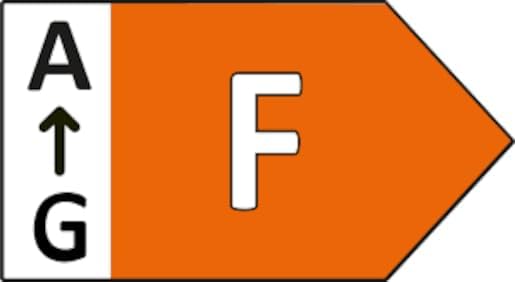
Image: Energy efficiency label indicating class F for the product.
Warranty and Support
For warranty information or technical support, please contact your retailer or the manufacturer directly. Please have your model number (R57716131) and proof of purchase available.
Manufacturer: Reality Leuchten
Brand: RL LIVE YOUR LIGHT
For more information, you may visit the RL LIVE YOUR LIGHT brand page.
Related documentsR57716131


Ask a question about this manual
Ask about setup, troubleshooting, compatibility, parts, safety, or missing instructions. Manuals+ will review the question and use this page’s manual context to help answer it.